Was Kunden gut finden
Apple Home Key convenience praised
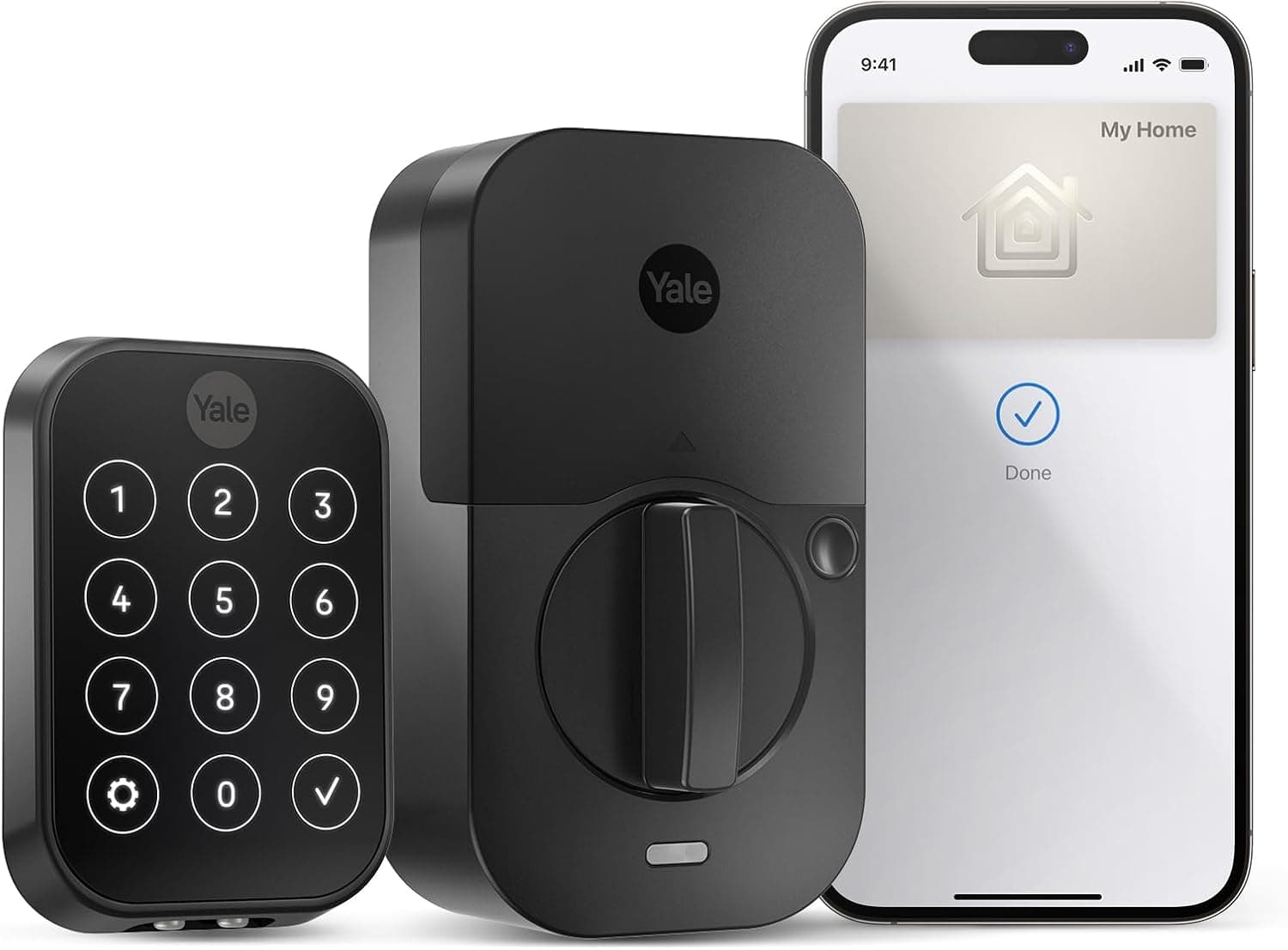
Many reviewers love unlocking with iPhone or Apple Watch and find the lock stylish, easy to install, and convenient for sharing codes.
Die 30-Sekunden-Lektüre
Was Kunden gut finden
Many reviewers love unlocking with iPhone or Apple Watch and find the lock stylish, easy to install, and convenient for sharing codes.
Der wichtigste Vorbehalt
Several reviewers report HomeKey not working, difficult Apple Home integration, lockouts, or the app being unavailable in some regions.
Bevor Sie sich entscheiden
This model has no Wi-Fi and needs an Apple Home Hub for remote access; check that the Yale app is available in your country before buying.
Von einem ähnlichen Produkt mit mehr Bewertungen in dieser Kategorie: Schlage Encode Plus Smart WiFi Deadbolt Lock, Tap to Unlock, Matte Black
Was Kunden gut finden
Many reviewers say installation and app setup are easy, the lock works flawlessly, and Airbnb integration automatically manages guest codes. Battery life and remote lock/unlock status are also praised.
Der wichtigste Vorbehalt
Some reviewers report installation problems, including the bolt hole being too small, striker plate screw holes not lining up, and doors slightly thicker than the connecting metal piece causing major difficulty.
Bevor Sie sich entscheiden
Reviewers mention needing minor modifications for old fittings, rekeying at Lowe's/HD or with a special kit, and needing an Apple TV to share the lock with more than one iPhone.
Erst dein Anwendungsfall
3 von 16 Erwähnungen beschreiben eine negative Erfahrung (19 %).
2 von 9 Erwähnungen beschreiben eine negative Erfahrung (22 %).
0 von 7 Erwähnungen beschreiben eine negative Erfahrung (0 %).
1 von 6 Erwähnungen beschreiben eine negative Erfahrung (17 %).
1 von 6 Erwähnungen beschreiben eine negative Erfahrung (17 %).
1 von 6 Erwähnungen beschreiben eine negative Erfahrung (17 %).
7 von 19 Erwähnungen beschreiben eine negative Erfahrung (37 %).
6 von 11 Erwähnungen beschreiben eine negative Erfahrung (55 %).
Eine Rezension kann mehrere Themen ansprechen. Die Prozentsätze beziehen sich auf die von uns analysierten Rezensionen, nicht auf alle Käufer oder die allgemeine Ausfallrate des Produkts.
Vor- und Nachteile vergleichen
Eine zufällige Auswahl analysierter Produkte aus derselben Kategorie. Unterschiedliche Produkte sind nicht zwangsläufig austauschbar.

ULTRALOQ Bolt NFC Smart Lock with Android Phone Tap to Unlock, Built-in WiFi Keyless Entry Door Lock with Door Sensor, App Remote Control, Auto-Lock/Unlock, IP65 Waterproof, BHMA Certified

Yale Security Lock 2 Touch Deadbolt, Oil Rubbed Bronze Biometric Fingerprint Entry Door Lock with Digital Keypad for Code Entry (No Wi-Fi), YRD420-F-BLE-0BP

ULTRALOQ U-Bolt Pro WiFi Smart Lock with Door Sensor, 8-in-1 Keyless Entry Door Lock with Fingerprint ID, App Remote Control, Built-in WiFi Keypad Deadbolt, Auto Unlock, IP65 Waterproof, Easy Install
Belege prüfen
Einbezogen bedeutet nicht als authentisch bestätigt. Markiert bedeutet nicht als Fälschung nachgewiesen. Dies sind analytische Einordnungen.
3 veranschaulichende Auszüge werden angezeigt, nicht der gesamte Rezensionsbestand.
Prone to getting locked out...
“For the first ten months, this lock worked flawlessly. Installation was not much different from a regular, non-smart deadbolt. Apple Home Keys is awesome. The battery lasted nearly a year--I have the Bluetooth-only, non-WiFi model. DoorSense (magnet version) worked well. It accurately detected when the door was opened or closed. The auto-lock feature was great. Then, around the ten-month mark, the lock started falling apart in multiple ways. I won't go over all of them, but two failures stand out. First, the DoorSense stopped working. The DoorSense always thought that my door was closed. I had to turn off Auto-Lock because it would lock the door while it was open. Second, and most importantly, the motor began to malfunction. The motor would not rotate the lock all the way, which meant the deadbolt would not fully retract. If the deadbolt didn't retract all the way, the door wouldn't open. This was prone to getting locked out. If you were attempting to unlock the door from the outside, you HAD to rely on the motor to unlock your door. There was no key. The lock still worked fine if I manually operated it with the latch... which was only possible from the inside. This did not help you when you were outside trying to get in. To fix both the DoorSense and the motor, I tried different troubleshooting steps: * changed batteries * re-calibrated the lock * factory reset * took the lock off the door, re-installed it * made sure the strike plate and deadbolt aligned None of these steps fixed the issues. Not being able to fix the issue myself, I ventured out to work with Yale customer service. This was a less-than-pleasant experience. I contacted Yale via email. In my original email, I included my lock information and my proof of purchase. I asked what I could provide (videos, photos) for them to assess my lock. Within a day, I got a response from Yale. They asked me to email them photos and videos of the issue. I tried, but the videos were too large (above 25 MB), so the emails kept bouncing back. I emailed them back asking how I could send them the videos because it wasn't possible through email. A day later, they responded asking me to upload them to iCloud or Google Drive. I uploaded the videos to iCloud to a publicly shared folder. I replied to their email with the iCloud link. A few days later, they responded saying they could not view the videos. They said that they did not have access to the folder and to check the access. They sent me a screenshot of them trying to access the iCloud folder. They were in the folder, but iCloud was asking them to sign into an Apple account. I replied to the email saying that they clearly had access--they just needed to sign into an Apple account. They replied back saying that iCloud wasn't an option for them and that I needed to upload them to Google Drive or something else. This is when I started losing my patience because they were the ones that originally asked me to upload to iCloud or Google Drive. Fine: I uploaded to Google Drive and sent them a link. A day later, they responded apologizing for the issues with the lock. They sent me troubleshooting steps. These involved taking the lock off the door. They asked me to see if the motor had the same issues if it was rotating while detached from the door. The issues still persisted. So I replied to their email stating that the motor still made the same high-pitched screeches and still struggled to rotate all the way. They replied to my email a day later with this message: "We are sorry to hear about the issues you are experiencing with your lock. We are more than happy to assist you. The videos that you are sending are blocked, we do not have access to them. Please try to send them in a different format." Confused and frustrated, I emailed back saying they'd already reviewed the videos... that they'd sent me troubleshooting steps... that I'd performed the troubleshooting steps... and that I was reporting back the results. Finally, a day later, they replied saying they would look into next steps for sending replacement parts for my lock. This was a few days ago, and I have not heard back from them. It has been over a week since my original contact to customer service. This lock is not worth the money. The issues that occurred when the lock started failing were not minor issues. Getting locked out is a terrible feeling for anyone. It sucks that the lock worked flawlessly during the return window. It felt like a scam.”
Erkannte Signale: Konkretes Detail: quantity, entity, process · Erwähnt: installation, battery life, functionality, reliability · Liest sich wie eine authentische Stimme
Troubles started a few weeks after installation
“I love the product, worked well with iPhones and Apple Watches (except that one instance when after factory reset, Apple Watch home key cannot be recognized). Just need to note that this has no keys so if something goes wrong (very unlikely - since there’s a backup battery), you’re out of luck and locked out. Having ol’ keys will keep that from happening. If you’re using it in Singapore, you’re gonna need USA App Store access to get the Yale Access app. Update: the lock unreliably detects the locked/unlocked status now. Whenever it locks by itself, the next time someone unlocks it manually using the thumbturn - it does not go all the way unless you apply a bit more force. If not, the lock will not detect it as fully unlocked (and features like auto-lock will not work since it thinks it's still locked). Tried calibrating, re-handing, factory-reset, etc....but none helped. Would have been a great lock if not for that. And now it’s gone to a point that it’s better to just get another lock. Yale support was great, but in the end, it was the product that needed more improvements.”
Erkannte Signale: Konkretes Detail: entity, process, scenario · Erwähnt: homekit compatibility, reliability, functionality · Liest sich wie eine authentische Stimme
Great unit with a big caveat
“I am giving this product 5 stars for the design. 1 star for ease of integration with Apple Home. Overall 3 stars. The product is beautifully sleek and when installed and configured, it works really well. The integration with Apple Home is horrendous and took multiple attempts, factory resets, renaming, moving nearer to unit etc. Eventually I gave up and bought the WiFi module and it installed first time. Over Bluetooth and HomeKit Hub it just didn't want to know. Anyway, it is now installed and working as it should. I love the Apple Home Keys integration with my phone and Apple watch. No more codes etc. Just raise my phone or watch to the keypad and bingo, door unlocks. I have 2 choices here for security. Either just raise phone or watch for immediate opening or use biometric on iPhone or code on watch. I just use immediate express opening for ease. Summary is its a great looking device, easy to install on door but NOT easy to install on Apple ecosystem, at least in my experience!”
Erkannte Signale: Konkretes Detail: entity, process, comparison · Erwähnt: appearance, homekit compatibility, installation, functionality · Liest sich wie eine authentische Stimme
Eine Sache weniger zu suchen
Yes. The listing says a simple tap with your iPhone or Apple Watch locks or unlocks the door using Apple home keys, and reviewers confirm Home Key works with an Apple TV home hub. Home keys require iPhone XS or later with iOS 15 or later and Apple Watch Series 4 or later with watchOS 8 or later.
Yes. The listing states that controlling this HomeKit-enabled accessory away from home requires a HomePod, HomePod mini, or Apple TV set up as a home hub, and that sharing a home key requires sharing access to your whole Apple Home. One reviewer noted it works fine with an Apple TV home hub.
Reviewers report roughly 6 months to about a year of battery life, with one noting about a year on the Bluetooth-only, non-Wi-Fi model. The listing includes 4 AA batteries and mentions a Power reserve so you can still use home keys on your iPhone for hours after it needs charging.
Reviewers say installation is easy and not much different from a regular non-smart deadbolt, with one reporting it took less than 10 minutes to swap with an existing Baldwin deadbolt. The listing notes the lock includes mounting hardware and a deadbolt.
No. The listing describes it as keyless and key-free, and one reviewer notes there are no keys, so if something goes wrong you could be locked out, though there is a backup battery.
Von einem ähnlichen Produkt mit mehr Bewertungen in dieser Kategorie: Schlage Encode Plus Smart WiFi Deadbolt Lock, Tap to Unlock, Matte Black
For most standard doors with a 2⅛-inch bore hole and 1⅜-inch thickness, it's a direct swap — many reviewers say installation took under 30 minutes with just a screwdriver. That said, Reddit and YouTube users with older or non-standard doors warn that retrofitting can turn into an afternoon project. Measure your door's backset and bore before ordering, and check Schlage's compatibility guide if you're unsure.
This is the most common point of confusion, and it's worth clarifying before you buy. Tap-to-unlock via Apple Home Key is exclusive to iPhone and Apple Watch. Android users can still control the lock through the Schlage Home app, Google Home, or Alexa, but you won't get the native tap gesture. Several TikTok reviewers flagged this as a "read the fine print" moment — if tap-to-unlock is your main reason for buying, you'll want an iPhone.
The built-in WiFi means no extra hub is needed, and the vast majority of users report stable, responsive performance. A small number mention occasional app re-pairing every few weeks. Importantly, you always have a physical key backup, and the keypad works offline — so a WiFi outage won't lock you out. Battery life typically runs 6–12 months, though cold-climate users suggest keeping spare AA batteries on hand in winter.
If you're in the Apple ecosystem, host on Airbnb, or want a lock that works with basically every smart home platform, most owners say yes — the build quality, matte black finish, and guest-code management justify the premium. If you're on Android or just want basic WiFi unlocking, alternatives like the Yale Assure Lock 2 or Aqara U100 deliver similar core features for less. Think of it as paying for polish and ecosystem breadth rather than raw function.
This is where the Encode Plus earns its reputation. Hosts consistently praise the ability to generate, schedule, and revoke unique guest codes remotely through the app — no key handoffs, no lockbox codes to change. You can set codes to expire automatically after checkout, and monitor entry history in real time. For Airbnb and VRBO operators, it's one of the most recommended locks in host communities, though you'll want reliable WiFi at the property to get the most out of it.
Die Antworten beschränken sich auf das Angebot des Herstellers und die von uns analysierten Rezensionen. Fragen, die diese Quellen nicht abdecken, werden hier nicht beantwortet.
Transparent von Grund auf