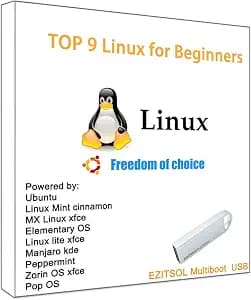
32GB 9-in-1 Linux bootable USB for Ubuntu,Linux Mint,Mx Linux,Zorin OS,Linux Lite,ElementaryOS etc.| Try or Install Linux | Top 9 Linux for Beginners| Boot Repair | multiboot USB
Description
1. 9-in-1 Linux:32GB Bootable Linux USB Flash Drive for Ubuntu 24.04 LTS, Linux Mint cinnamon 22, MX Linux xfce 23, Elementary OS 8.0, Linux Lite xfce 7.0, Manjaro kde 24(or Fedora Workstation 43), Peppermint Debian 32bit, Pop OS 22, Zorin OS core xfce 17. All support 64bit hardware except one Peppermint 32bit for older PC. The versions you received might be latest than above as we update them to latest/LTS when we think necessary. Fedora Workstation is replacing Manjaro KDE; during the transition, units may include either OS depending on the batch.; 2. Try or install:Before installing on your PC, you can try them one by one without touching your hard disks.; 3. Easy to use: These distros are easy to use and built with beginners in mind. Most of them Come with a wide range of pre-bundled software that includes office productivity suite, Web browser, instant messaging, image editing, multimedia, and email. Ensure transition to Linux World without regrets for Windows users.; 4. Support: Printed user guide on how to boot up and try or install Linux; please contact us for help if you have an issue. Please press "Enter" a couple of times if you see a black screen after selecting a Linux.; 5. Compatibility: Except for MACs,Chromebooks and ARM-based devices, works with any brand's laptop and desktop PC, legacy BIOS or UEFI booting, Requires enabling USB boot in BIOS/UEFI configuration and disabling Secure Boot is necessary for UEFI boot mode.; 6. Packing: The bootable USB drive comes in a colored PET/CPP zipper bag with instructions on how to get started. The box pictured is not included.
One less thing to search
Before you buy: quick questions
Is this USB drive truly beginner-friendly, or do I need to be a tech expert to use it?
It's designed specifically for beginners! The drive boots to a simple menu where you can select any Linux distribution to "Try" (run it live without installing) or "Install." Many first-time users on Reddit have praised how it demystifies the process. However, a full installation to your computer's hard drive does require following on-screen prompts, so being comfortable following a guide or tutorial is helpful. Think of it as the perfect, risk-free tool to *explore* Linux before you commit.
Will this work on my computer? I'm worried about compatibility with my Windows laptop/Mac.
Compatibility is excellent with most modern PCs. The key is accessing your BIOS/UEFI settings (usually by pressing F2, F12, or Del during startup) to select the USB as the boot device. A common tip from user reviews is that if it doesn't boot initially, you may need to disable "Secure Boot" or enable "Legacy Boot" mode in those settings. It generally works on Intel-based Macs but is not compatible with newer Macs with Apple Silicon (M1/M2/M3 chips).
How durable is the USB drive itself? I've read some concerns about build quality.
The drive is built to be a functional and affordable tool for software testing and recovery. While it reliably performs its core function, some users on forums have noted the physical casing can feel lightweight. For long-term, heavy daily use as a primary OS drive, a premium, high-speed USB 3.0 drive might be more suitable. For its intended purpose—learning, testing, and emergency repair—it offers solid reliability and excellent value.
What if I have trouble or the drive doesn't work with my system? Is there a warranty or support?
We stand by our product. If you receive a defective drive or encounter issues, please contact our customer support for assistance. Many troubleshooting steps (like adjusting BIOS settings) can resolve common boot issues. Based on social media sentiment, the vast majority of users get it working without a problem. Check the product listing for the specific warranty duration and return policy offered by the seller.
This seems like a great deal. What's the catch compared to making my own bootable USB?
The "catch" is really about convenience versus customization. The value is in the time saved: we've pre-configured nine popular distros and a boot repair tool onto a single, ready-to-use drive. If you're an expert who knows exactly which one distro you want and enjoy using tools like Ventoy, making your own is a great option. This product is for everyone else—especially beginners who want an all-in-one toolkit to explore, compare, and install Linux without the technical setup hassle.
Answers are limited to the manufacturer's listing and the reviews we analysed. Questions those sources cannot support are not answered here.
Transparent by design