
4.6 Inch IPS HD Screen Retro Gaming Console
Description
【R36MAX New Retro Game System】The R36 MAX is a high-performance retro video game console, equipped with a 1.5GHz 64-bit RK3326 CPU and Linux system with a ARM64bit quad-core Cortex-A35 CPU. It offers a smooth and responsive gaming experience across a variety of emulators.; 【4.0 inch HD Tempered Glass Screen】The R36MAX Retro features a 4.0 inch IPS screen covered with scratch-resistant tempered glass. The screen has a resolution of 720*720 pixels, presenting clear images and soft colors. Therefore, whether it's the delicate details of the game graphics or the light and shadow special effects in the intense battles, they can all be accurately displayed, effectively reducing visual fatigue and allowing players to immerse themselves in the game.; 【64G Storage】This retro gaming console comes can be plugged and played without an internet connection. With its 64G storage capacity, you can enjoy a vast library of games, and there's an option to insert an additional TF card to expand your game collection even further.; 【Portable Design with 4000mAh Battery】Designed for portability, this mini retro game console features a compact and lightweight design. The 4000mAh rechargeable battery offers up to 10 hours of playtime, making it perfect for gaming on the go. It also includes built-in speakers and a 3.5mm headphone jack for an immersive audio experience.; 【Perfect Gift】This R36MAX game console takes you back to a filled with laughter and surprises. Here are the steps on how to adjust the rotating screen mode of the game handhelds: Step 1: Enter any game, Select + X, press "B" to return, you will enter the RetroArch menu, as shown in figure 1, enter the settings option, "A" is the confirmation key, "B" is the return key; Step 2: Go to Settings - Select "Video". Step 3: Select "Output". Step 4: Select "Video Rotation" Step 5: Select "Normal".
Compare the trade-offs
Similar products, side by side
A random selection of analyzed products from the same category. Different products are not necessarily interchangeable.

KAMRUI Pinova P2 Mini Gaming PC Windows 11 Pro, intel Core i5-12600H (Beat 4300/6800/1185G7 up to 4.5GHz) 16GB + 512GB SSD Mini Desktop Computer, Triple 4K Display HDMI+DP+Type-C, Business Home Office

wo-we P7 AMD Ryzen 5 3501U Mini PC 2026 Q1 CPU
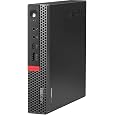
Lenovo ThinkCentre M720Q Tiny Desktop, Intel i7 8700T 2.4Ghz, 32GB DDR4, 2TB NVMe M.2 SSD, WiFi, Windows 11 Pro (Renewed), black
One less thing to search
Before you buy: quick questions
このゲーム機の耐久性はどの程度ですか?また、実際の使用感や製造品質について教えてください。
耐久性に関するフィードバックは賛否両論です。多くのユーザーは最初はデバイスを気に入っていますが、かなりの数のユーザーが、数週間使用した後にボタンの反応が悪くなるや電源障害などのハードウェアの問題を報告しています。コンパクトで軽量なデザインは高く評価されていますが、全体的な製造品質は価格帯に対して平均的と考えられています。取り扱いには注意することをお勧めします。
宣伝されているバッテリー駆動時間とゲームパフォーマンスは正確ですか?
ユーザーレポートによると、期待を抑えることをお勧めします。「6〜8時間」のバッテリー駆動時間は、多くの場合、輝度を下げてよりシンプルな8ビットゲームをプレイする場合にのみ達成可能です。PS1やN64のタイトルでは、2.5〜4時間を想定してください。より要求の高いレトロゲームではパフォーマンスにばらつきがあり、「スムーズなHD」という主張に反して、ラグや音声の問題を経験するユーザーもいます。
「10,000以上のプリインストールゲーム」について教えてください。
この数字は技術的には正しいですが、誤解を招く可能性があります。ライブラリには多くの重複、非公式のROMハック、さまざまな言語の無名タイトルが含まれています。実際には、数百のしっかりした、よく知られたクラシックゲームが見つかるでしょう。膨大な出発点と考えてください。宝石のような作品も見つかりますが、多くの詰め物もあります。
不良品を受け取った場合、または購入後すぐに壊れた場合はどうなりますか?
これはユーザーレビューに基づく一般的な懸念事項です。明確な返品ポリシーを持つ信頼できる販売者から購入することが重要です。多くの不満は、対応が遅いマーケットプレイスの販売者に起因しています。購入前に販売者の保証と返品の詳細を確認し、到着したらコンソールを十分にテストすることを強くお勧めします。
このゲーム機はどのような方に最適ですか?また、より良い代替品はありますか?
このゲーム機は、優れた画面でレトロゲームにシンプルかつ手頃な価格で入門したいカジュアルユーザーに最適です。長期的な耐久性、安定したパフォーマンス、コミュニティサポートを優先する場合は、Redditなどのフォーラムで愛好家がAnbernicやMiyooなどの確立されたブランドを検討することを推奨しており、多少高価ですが、より高い信頼性を提供します。
From a similar, more-reviewed product in this category: GMKtec Mini PC Computer, G10 Ryzen 5 3500U (Beats N150/4300U/3200U), 16GB RAM 512GB SSD 2.5GbE NIC LAN Desktop Office Home Business HTPC, Triple 4K Display, WiFi, BT, USB-C, DP, Type-C PD, HDMI 2.1
Can this mini PC really run three 4K monitors at the same time?
Yes — it has HDMI 2.1, DisplayPort 1.4, and USB-C outputs, each capable of driving a 4K display (HDMI and DP at 60Hz, USB-C at 30Hz). Productivity users on YouTube and Reddit frequently praise this triple-display flexibility for spreadsheets, trading, and multitasking. Just note the USB-C video port runs at 30Hz, so if you need smooth 60Hz on all three, plan your primary screens around HDMI and DisplayPort.
Is the 16GB RAM enough, and can I upgrade it later?
For office work, browsing, and streaming, 16GB is plenty. One thing the tech community consistently flags: the 16GB ships as a single stick, which limits the Vega 8 graphics to single-channel mode. If you want better graphical performance, adding a matching 16GB DDR4 3200MHz stick (dual-slot, up to 32GB total) is the most-recommended upgrade — many Reddit users call it a "day-one" must for light gaming. Storage is also expandable via a second M.2 2280 slot.
Will it handle gaming, or is it strictly for office use?
Be realistic here — this is an office-and-media machine that handles *light* gaming. The Ryzen 5 3500U with Vega 8 runs esports titles and older or indie games at modest settings, but modern AAA games will struggle, especially before you add that second RAM stick. Many TikTok and YouTube reviewers note the "gaming" label oversells it. If gaming is a priority, the Ryzen 7-based M5 or M5 Plus in the same lineup is the better fit.
How quiet is it, and will it fit in a bedroom or living room setup?
At idle and for everyday tasks it's essentially silent, which makes it a popular HTPC and bedroom choice. Under sustained heavy loads the compact fan becomes audible — some users describe a "small jet engine" during rendering — and airflow matters, so keep it ventilated rather than boxed in. For browsing, streaming, and Office work, most people never notice it.
What about warranty, returns, and after-sales support — is it trustworthy?
It carries a 3-year limited replacement-parts and service policy, and buyers consistently rate the value highly (around 4.2/5 across hundreds of reviews). That said, some shoppers rightly ask *who* to contact in year two, since support is handled through the seller rather than local service centers. Our advice: buy from a retailer with a clear return window, register the product on arrival, and keep your order confirmation — that's the safest path if you ever need service.
Answers are limited to the manufacturer's listing and the reviews we analysed. Questions those sources cannot support are not answered here.
Transparent by design