Included does not mean verified authentic. Flagged does not mean proven fake. These are analytical classifications.
Showing 3 illustrative excerpts, not the complete review set.
Included in analysis5.0/5 stars
Connecting a Controller to Your Original Nintendo Switch
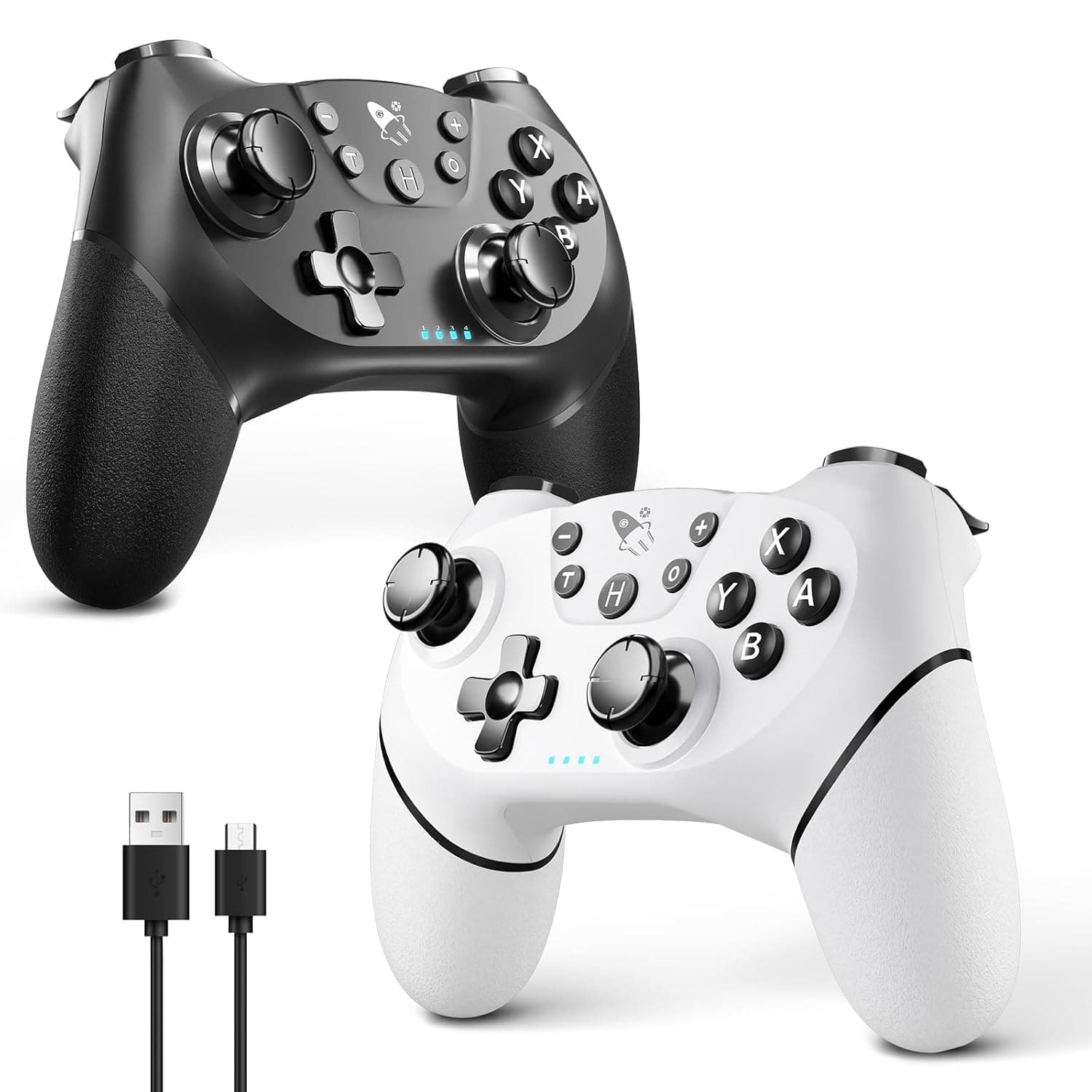
“Forget those confusing official instructions—they're pretty much worthless for this. Here's a straightforward way to get your controller hooked up to the original Nintendo Switch. I'll walk you through it step by step. 1. **Enable Wired Communication on the Switch**: Head into the System Settings menu (it's the gear icon on the home screen). Scroll down to "Controllers and Sensors," and toggle on "Pro Controller Wired Communication." This lets the Switch recognize wired controllers properly. 2. **Hook Up the Cable**: Grab a USB cable and plug one end into the back of your Nintendo Switch TV dock (the USB port there). Connect the other end directly to your controller. Make sure everything's snug—no loose connections. 3. **Prep the Controller Pairing**: From the Switch's home screen, go to the "Controllers" option (it's at the bottom). Then select "Change Grip/Order." If your Switch isn't already docked, go ahead and dock it now—this helps with the connection process. 4. **Activate Pairing Mode on the Controller**: Press and hold the "H" button on the controller (it's usually the home button). Keep it held down for about 5 seconds until the blue lights numbered 1 through 4 start flashing back and forth quickly. That's your sign it's ready to pair. 5. **Finalize the Connection**: Once those lights are flashing, press the L and R buttons on the controller at the same time. The Switch should detect it and sync up. Give it a second—if it doesn't connect right away, try holding the buttons a bit longer or restarting the process. ### Pairing the Controller to Other Devices via Bluetooth If you want to use this controller with something else, like a PC, phone, or another console, it's super easy. Just press and hold that same "H" button for about 5 seconds to kick it into Bluetooth pairing mode. The lights will flash to let you know. Then, on the device you're connecting to, go into its Bluetooth settings, scan for devices, and select the controller when it pops up. Boom, paired. Once it's connected—whether wired to the Switch or Bluetooth to whatever—it performs like a champ. No annoying stick drift, no noticeable lag, just smooth gameplay. The build quality is rock-solid too; it feels premium in your hands, like it could survive a frustrated toss or two across the room and keep on trucking. Definitely worth it if you're looking for a reliable alternative.”
Signals matched: Specific detail: process · Mentions: connectivity · Reads as an authentic voice
Included in analysis5.0/5 stars
So good I bought 4
“So I bought 4 of these for my Nintendo Switch to use when family comes over. They are perfect substitutions for the switch sticks and feel great in hand. Hall Effects: so the major sell for me was the Hall Effects and so far they have been perfect. No drift at all. Motion Gyro: the motion controls work perfectly fine. Very responsive for games like Super Mario Galaxy. No complaints. Button Response: so as far as response time I have notice very minor delay when playing Smash Bro’s Ultimate. It’s not game breaking or even bad at all in fact it’s very minimal, it’s just noticeable for anyone who is competitive. Do not let it discourage you from buying the controller. Battery Life: So far the battery life has been good. No complaints seeing as I’ve gotten about 8 hours of play in before I need to charge it. OVERALL: the control is great and perfect for any switch or switch 2 user who doesn’t like the switch sticks. No issues so far and I’m sure they’ll last for a long time with the Hall Effect. Would recommend and have recommended the controller to friends.”
Signals matched: Specific detail: quantity, entity, scenario · Mentions: joystick drift, button responsiveness, functionality · Reads as an authentic voice
Included in analysis5.0/5 stars
Amazing Value
“I don’t usually take the time to leave reviews, but this Nintendo Switch double pack controller set genuinely impressed me so much, that I purchased another pack. Right out of the box, both controllers felt solid, responsive, and well-built. Setup was quick and easy, and they paired with my Switch without any hassle. The controls are smooth and accurate, which makes a big difference whether I’m playing casually or getting competitive. I also appreciate the comfortable grip great for longer gaming sessions without hand fatigue. Having two controllers in one pack is perfect for multiplayer, and it’s a great value for the price. Overall, this is a fantastic option if you’re looking for reliable, high quality controllers without breaking the bank. Definitely worth it!”
Signals matched: Specific detail: quantity, process, entity · Mentions: quality, connectivity, button responsiveness, functionality · Reads as an authentic voice