What people like
Google Play Store access is a big win
Many reviewers love finally having full Google Play Store access, calling it a major upgrade over Fire tablets and a key reason to buy.
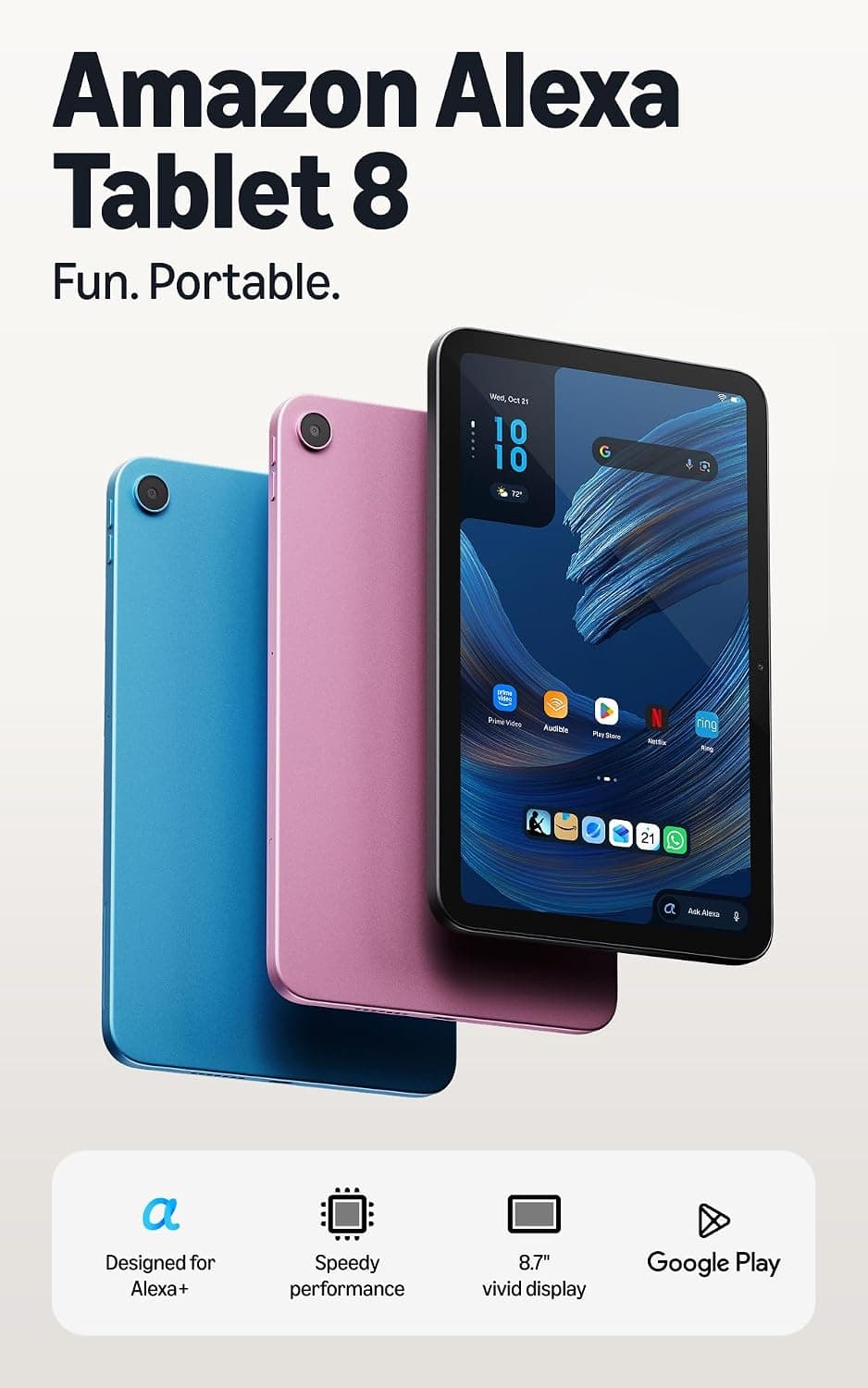
Our buying verdict
A solid affordable upgrade from Fire tablets, though slow performance and a weak screen are the main compromises.
Buyers wanting an affordable small Android tablet for reading, streaming, light browsing and simple games, especially those upgrading from a Fire tablet.
Anyone expecting iPad-level smoothness, a high-quality display, or heavy gaming and multitasking performance should look elsewhere.
The 30-second read
What people like
Many reviewers love finally having full Google Play Store access, calling it a major upgrade over Fire tablets and a key reason to buy.
The main watch-out
A common concern is sluggish performance and lag, with several reviewers calling the tablet slow even for basic tasks.
Before you choose
Before buying, note that some find the display underwhelming and that there is no microSD slot or headphone jack.
Your use case first
2 of 9 mentions describe a negative experience (22%).
2 of 7 mentions describe a negative experience (29%).
16 of 32 mentions describe a negative experience (50%).
10 of 23 mentions describe a negative experience (43%).
11 of 21 mentions describe a negative experience (52%).
9 of 18 mentions describe a negative experience (50%).
4 of 12 mentions describe a negative experience (33%).
14 of 19 mentions describe a negative experience (74%).
One review can mention several topics. Percentages describe the reviews we analysed, not all buyers or the product's overall failure rate.
Check the evidence
Included does not mean verified authentic. Flagged does not mean proven fake. These are analytical classifications.
Showing 3 illustrative excerpts, not the complete review set.
Amazon Missed the Mark: A $300 Tablet That Struggles Against My $138 Walmart onn
“I've owned quite a few Amazon tablets over the years, including multiple generations of the Fire HD 8, Fire HD 10, and Fire Max 11. I also own an Apple iPad mini 7 and Walmart's onn 8.1-inch Android tablet. I've generally enjoyed Amazon's tablets, which is why I was interested in trying the new Alexa Tablet 8. I purchased the upgraded model with 8GB of RAM and 128GB of storage, hoping Amazon had finally delivered something genuinely competitive in today's Android tablet market. Unfortunately, this has been one of my most disappointing Amazon tablet purchases. After comparing it with tablets I already own, including devices that cost considerably less, I'm struggling to understand what Amazon is offering that justifies the price. Display Quality: My Biggest Disappointment The first thing I noticed was the screen quality. The display looks grainy, text isn't particularly sharp, and letters almost appear blurry. It reminds me of a cheap 7-inch Walmart onn tablet I previously returned for the exact same reason. What's surprising is that my $138 Walmart onn 8.1-inch tablet has a noticeably better-looking display. Even my older Fire HD 8 tablets seem to have clearer screens. My Fire HD 10 and Fire Max 11 also provide much better viewing experiences in my opinion. I also own an iPad mini 7, which obviously has a significantly better display. I understand that's a premium Apple product, and I'm not expecting Amazon to match it at a lower price. However, when Amazon's new tablet struggles to compete with a much cheaper Walmart tablet, that's a problem. There's also something strange about how the screen feels. Touch interactions don't seem as smooth or responsive as I expected. The image almost appears recessed beneath the glass rather than directly against it, similar to older entry-level tablets. The haptic vibration on the lock screen adds to that clunky feeling. It's difficult to describe, but the overall experience feels less refined than it should. Almost like there's a separation between the glass you're touching and the actual display underneath. And before anyone suggests the screen protector might be affecting the display, I haven't even opened the screen protectors I purchased. This is the screen straight out of the box. Speakers and Cameras The speakers are another disappointment. After comparing the Alexa Tablet 8 with my Walmart onn tablet, I actually prefer the sound quality of the onn. To my ears, it sounds better despite costing significantly less. I will give Amazon a slight advantage in camera quality. The cameras seem a little better than those on the onn, but neither tablet produces particularly impressive results. I realize most people aren't purchasing tablets primarily for photography, but it's 2026. We've seen what modern smartphones and iPads can do with cameras and document scanning. My iPad, for example, takes great pictures and works wonderfully as a document scanner. I don't expect flagship camera quality at this price, but I do expect manufacturers to continue improving the overall experience rather than treating tablet cameras as an afterthought. Android 16, Google Play, and Alexa Integration For years, Amazon stuck with its customized Fire OS. It wasn't necessarily terrible, but it wasn't great either. One of my biggest frustrations was the lack of native Google Play access. You could sideload Google Play, which I did on older Fire tablets, but it was a hassle that shouldn't have been necessary in the first place. Now Amazon has finally moved toward a more conventional Android experience with Google Play, but I have to wonder whether they're too late to the game. The market is already flooded with budget and premium Android tablets from Samsung, Lenovo, Walmart's onn brand, and others. These manufacturers have been offering Android and Google Play for years. I don't necessarily think Amazon deserves praise for finally catching up with features consumers have already been getting elsewhere. My Walmart onn tablet already runs Android 16, has Google Play, expandable microSD storage, and a cleaner interface. Amazon's Alexa integration feels awkward and clunky by comparison. I already have Alexa devices throughout my home, so I'm certainly not against Alexa or Amazon's ecosystem. However, I don't necessarily want my tablet experience built around Amazon and Alexa AI. If I want to primarily use Google's apps and AI services, the onn tablet feels like a more natural choice without the additional Amazon integration. It also makes me wonder how appealing this tablet would be to someone who isn't already invested in Amazon's ecosystem. If you don't particularly want Alexa or Amazon services, what exactly is the advantage of purchasing this over another Android tablet? Initial Setup: Nearly an Hour The initial setup and first software update took nearly an hour. I wasn't transferring anything from another Android or Apple device, so I really didn't expect the process to take that long. I will give Amazon credit for automatically recognizing my Amazon account and connecting to my Wi-Fi without requiring me to enter the credentials. That was convenient. However, I still had to manually connect my Google account, and the overall setup experience took far longer than I expected. For a brand-new tablet, especially one Amazon is positioning above its older budget Fire models, the initial experience was disappointing. Battery Life: The Walmart onn Absolutely Outperformed It Battery performance was another concern almost immediately. After initially charging the Alexa tablet to 100%, I left it powered on with Wi-Fi connected and the screen off. By the following morning, it had dropped to 92%. Later that day, without being used, it was down to 83%. The battery settings showed only 27 minutes of screen time since the last full charge. I understand that a new tablet may still be performing background updates, syncing, and other setup activities, so I decided to give it another chance rather than immediately assuming something was wrong. After allowing the initial setup and updates to finish, I fully charged both the Alexa Tablet 8 and my $138 Walmart onn tablet. I unplugged both tablets at approximately 8 AM and left them completely untouched until around 7 PM. After approximately 11 hours: Walmart onn 8.1-inch tablet: 99% battery remaining. Amazon Alexa Tablet 8: 90% battery remaining. That's a 1% loss on the onn compared with 10% on the Alexa tablet over the exact same period. Neither tablet had been used. I understand this isn't a laboratory test and that background processes, settings, and other factors can influence battery consumption. However, this was a straightforward real-world comparison between two tablets sitting unused. Once again, the much cheaper Walmart tablet delivered the better experience. Lock-Screen Advertisements Another frustration is the lock-screen advertisements. They weren't showing up when I initially set up the tablet, but by the following morning, they had appeared. I had the option to purchase the tablet without advertisements, but selecting that option meant losing the promotional pricing Amazon offered me. I find that pretty frustrating on a device being sold at this price point. For comparison, I purchased my Fire Max 11 in 2023 without lock-screen advertisements. That tablet has a significantly better display, and I paid $279.99 before tax for the 128GB version. I don't particularly like the idea of paying this much for a tablet and still having advertisements displayed on the lock screen. Pricing: Where Is the Value? This is where I really struggle to understand Amazon's reasoning. The upgraded Alexa Tablet 8 I purchased lists for $299.99. Amazon gave me a $90 promotional discount, bringing the tablet itself to $209.99 before tax. I also purchased Amazon's $39.99 protective case and $16.99 screen protectors. After sales tax, my total was $288.99. Meanwhile, my Walmart onn 8.1-inch tablet cost just $138. That's $161.99 less than Amazon's regular asking price. Even with my promotional discount, the Alexa tablet still cost $71.99 more before accessories and tax. Yet the onn offers what I consider a better display, better speakers, Android 16, Google Play, expandable storage, a cleaner interface, and significantly better standby battery performance in my testing. Yes, Amazon offers more RAM and internal storage in the configuration I purchased, and I think its cameras are slightly better. But those advantages don't make up for the areas where the onn performs better in my experience. Then there's Samsung. I can currently find a Samsung Galaxy Tab A11 with 8GB of RAM for approximately $196. Samsung offers its established One UI interface, expandable storage, and a 90Hz display. I haven't personally tested that particular model side by side with this Alexa tablet, but on paper it presents another compelling alternative at a lower price. Amazon isn't entering an empty market. It's entering one filled with manufacturers that have been making competitive Android tablets for years. Even Amazon's Older Tablets Impress Me More I've also purchased Amazon's older Fire tablets at significantly lower prices. My 2024 Fire HD 8 with 3GB of RAM and 32GB of storage cost $99.99 before tax. My older 2020 Fire HD 8 tablets cost around $49 each. I also purchased two Fire HD 10 tablets for around $100 each. And then there's my Fire Max 11, which cost $279.99 before tax for the 128GB model without advertisements. Every one of those tablets has provided a more satisfying display experience for me than this new Alexa Tablet 8. I find that particularly disappointing because Amazon has years of experience making tablets. This isn't a company entering the hardware market for the first time. I understand that newer devices don't automatically have to outperform every older model in every category, especially when comparing different price ranges. But I certainly expected Amazon's newest tablet to feel like an improvement over its older budget devices. Instead, in several important areas, it feels like a step backward. Is This Really a Premium Tablet? Based on my experience, this feels more like a $100 tablet, possibly even a little less when compared with Walmart's onn models. The aluminum-style construction looks nice, and the additional RAM and storage are welcome. But those specifications don't automatically create a premium experience. The screen is something you look at every time you use a tablet. The speakers matter when watching videos or listening to music. Touch responsiveness affects practically everything you do. Battery life matters whether you're using the device or simply leaving it on a table. Those are basic parts of the experience, and they're exactly where I feel Amazon missed the mark. I also find the overall design interesting because it looks quite similar to other compact Android tablets already on the market, including the onn. The metal construction and general appearance are familiar, although the aspect ratios differ. There's nothing necessarily wrong with that. Apple, Samsung, and other manufacturers have established design approaches that work well. But if Amazon is going to enter this already crowded market with a similar-looking product, it needs to offer something that makes its tablet worth choosing. I just don't see that here. What About the Larger Alexa Tablets? I specifically purchased the 8-inch version because I prefer smaller tablets. That's why I enjoy the iPad mini 7 and why Walmart's onn 8.1-inch tablet appeals to me. I haven't tested Amazon's new larger Alexa tablets, including the 11-inch and 12-inch models, and those may be considerably better. However, those models would also face even more competition from Apple, Samsung, and other established manufacturers. If Amazon wants to compete in the premium tablet market, it's going to have to offer more than additional RAM, storage, and Alexa integration. At those larger sizes, consumers have some excellent options already available. Final Thoughts I really wanted Amazon to get this right. I've been buying and using Amazon tablets for years, and I've generally appreciated the value they offered. Their older Fire tablets weren't perfect, but they were inexpensive, functional, and made sense for what they cost. This new Alexa Tablet 8 feels different, and not necessarily in a good way. Amazon has finally moved toward a more conventional Android experience, but the competition has been there for years. The screen is disappointing, the speakers don't impress me, the Alexa integration feels unnecessarily complicated, and the standby battery performance fell well short of my cheaper onn tablet in a direct comparison. The cameras are slightly better, the additional RAM and storage are nice, and the automatic Amazon account and Wi-Fi setup were convenient. But none of those things give me a compelling reason to keep it. I think Amazon had an opportunity to deliver something genuinely competitive. Instead, this feels like a product that arrived late to an already crowded market without offering enough to justify its asking price. For me, Amazon missed the mark. I can't justify keeping it, and I'll be returning it. Amazon didn't need to reinvent the tablet. It needed to offer a better reason to choose its tablet over the competition. In my experience, it hasn't.”
Signals matched: Specific detail: comparison, entity, quantity · Mentions: value for money, performance · Reads as an authentic voice
Amazon's Alexa Mini 8.7 inch initial report
“Amazon Alexa 8.7 inch tablet 8 GBs of RAM 128 GBs of storage Processor: MediaTek 8189 8-core CPU Screen: 8.7 inch, 180 PPI, 1340 x 800 resolution Connectivity: USB-C port with support for: Charging, Audio, Data: USB 2.0 (Up to 480Mbps) Wi-Fi 6 (802.11 a/b/g/n/ac/ax) Bluetooth 5.3 LE Camera: Front, 5MP with 1080p Full HD video Camera: Rear, 8MP with 1080p Full HD video Microphone: Single microphone Speakers: Dual speakers Weight: 329 grams Android Version: 16 Updates: Min 3 years of Android OS upgrades, up to 7 years of security updates. I bought the 8.7 inch tablet with 8 GBs of RAM and 128 GBs of storage. I have owned several of Amazon’s previous Fire tablets with the Amazon Store. I bought this tablet because it is difficult to find a good Android mini tablet. Often Samsung and other vendors tend to stick with 4 GBs of RAM and 32 GBs - 64 GBs of storage with some low-end processor. Many of these tablets are very inexpensive, but they are also so slow that they are unusable in my opinion. I have a Lenovo Legion 8.8 inch with SnapDragon 8 gen 3. I’ll compare Geekbench 7 between the two. But before I get to that I will state that state-of-the-art processors are not needed. There is a lot of benefit to mid-range SOCs as many of them handle video playback, music playback, casual gaming, productivity, and audiobooks and ebooks with ease. I am someone who likes to have a good mini tablet for all the tasks I mentioned above. I find this particular tablet size to be excellent for portability. Geekbench 7 Score Comp: Lenovo Legion 8.8 inch with SnapDragon 8 Gen 3 CPU, Single Core: 1,921 CPU, Multi Core: 6,626 GPU, OpenCL: 11,539 Amazon Alexa 8.7 inch with MediaTek 8189 8-core CPU, Single Core: 728 CPU, Multi Core: 2,316 GPU, OpenCL: 1,033 Setting up the new device was simple, but took a good while to complete. Upon power up, it senses my other Android devices and offers to set up from one of them. I simply scan a barcode, type in my pin, and my tablet begins its setup just like any other Android device would. Wi-Fi is automatically connected, and updates are performed all without my needing to do anything. However, this took several minutes, and once it was done I was asked to log in to my Amazon account. My password is a long code generated by a password manager. I would have hoped that Google’s password manager would have been available to allow me to auto-insert my password. It was not. Instead, Amazon offers to allow you to log in via the Amazon app. So on my Pixel, I opened the Amazon app and waited for a confirmation code. None arrived. I waited a while and was allowed to ask for a resend. I did this three times in a row and never received a code. There is an option to skip it for now. I took that option and proceeded to the Tablet’s initial screen, which introduces the features. I skipped this as well and looked for the Google Password Manager. There are many default Google Apps in a Google drawer on the initial desktop. None are Google’s password manager. So I opened the Google App Store, installed it, and then proceeded to register the tablet under my Amazon account. To do this, I went to Settings / My Account, and proceeded to register again. This time, I was able to use the Google Password Manager. Needless to say, this could have been better. Some notes on the display … While looking at the screen icons and their names, I notice immediately how the relatively low resolution diminishes the quality of the text. It’s readable, but I see now that even 180 ppi is noticeably different from the higher resolution displays I am used to looking at on other devices. It’s just less vivid. As I stare at the text and ask myself if it is difficult to read, I see that it is not difficult. But still, it's of lesser quality. It’s not as well defined as the text I am used to on other devices such as the Lenovo Legion or the Samsung Galaxy S11. This device is, however, a much less expensive device than those other devices. The display doesn’t appear to have a high degree of angle view. Looking at the display head-on is the best way to watch it. I set my Prime Video to BEST on the downloads for content. I tested two previously purchased movies and all was well in playback. Kindle Books and Audible I love Audible books and Kindle Books. One of the great features Amazon has on their Kindle app is letting you both hear and read the book while each word is highlighted as it is spoken. This one feature in my opinion is what sets Kindle apart from all other ebook readers. It is a fantastic feature and it works so nicely on this 8.7 inch tablet. This feature alone is worth the purchase. If you have Google Play books as well, simply install Google Play Books and have access to all your books, Amazon and Google. As a casual gamer, I like Angry Birds 2 and Kingdom Rush. Both of these play perfectly. Despite benchmarks, casual games tend to play the same on mid-range and higher end Android tablets. I believe simply because they require less than what either of these tablets has to offer in terms of performance. I see no difference in the quality of the game play on either. The benchmarks I showed above show that a more demanding game may suffer from the lack of a high OpenCL score. Plants vs. Zombies, Angry Birds and Kingdom Rush are the types of games I like to play and those play no differently on a mid-range. One of the major benefits of this new Amazon tablet is that Amazon has decided to use Google’s Play Store and Google’s other services. A mid-range SOC and Google Play Services are exactly what I am looking for in a mini tablet. My Chrome browser, passwords, bookmarks, and so on are here. I can choose to use YouTube Music over Amazon Music. I have both Kindle and Audible content, but I also have Google Play Books. My contacts, calendar, and notes all stem from Google and are here as well. In my opinion, that broadens the appeal of the tablet. We live in a world where it is commonplace to subscribe to Amazon, Apple, and Google services and we wish to have them all on our devices. Netflix, Prime, Apple, and Google’s YouTube and Music are all here, co-existing with Amazon’s services. If you have purchased or subscribed to applications from the Google Play Store, then those applications are all available here under the familiar Google umbrella. A note on the UI. This is not Google’s Material Design language. The interface is called, Alexa Tablet UI 16.1.10. I am neutral to it. It is Android 16 out of the box. Amazon states that you get three years of Android OS upgrades and seven years of security updates. On a mid-range such as this, it’s more than fair. Even the Lenovo Legion only offers three major OS updates plus several more years of security. Google, Samsung and Apple do better. Samsung’s Mini leaves much to be desired. Google themselves do not have a mini. The Legion Mini uses one of the highest end SOCs, but again, it’s 3x the price. It’s meant for the high-end gamer. Apple’s mini is roughly 2x the price. Mini tablets are oddly difficult to find with premium specs. I paid over $300 for this one because I didn’t want the advertising and I wanted the max amount of both ram and storage, those being 8 GBs of RAM and 128 GBs of storage. There is room for improvement here. A better display would be welcomed. And my OpenCL score is very low. It took quite a while to run that benchmark on this device. But again, games like Angry Birds and Kingdom Rush do not care about such things. If I could make improvements, it would be the SOC and the display.”
Signals matched: Specific detail: entity, quantity · Mentions: screen quality, performance · Reads as an authentic voice
Overall Disappointed
“I have previously ordered almost every Fire tablet made, including the Fire HDX 7, HD8, and HD 10, and have always been excited to get the newest version. My husband would get my hand-me-downs, and we both primarily use our tablets for reading. I was looking forward to this new 8 inch tablet as it would be lighter and easier to hold for reading for long periods of time. I had also read a review where the Kindle reading experience was much improved. So I went ahead and ordered two tablets. After spending a few hours signing in, updating, and playing around with features, I ended up being disappointed for several reasons. 1) The Google Play Store seemed like a good addition, as the Amazon App Store lacked so many useful apps. However, unless you are completely invested in Google apps (gmail, etc.), you will end up with dozens of Google apps that can't be removed, only disabled. So for the 3-4 Google apps that I actually use, disabling the dozens of apps that I would never use, including the misnamed Digital Wellbeing, would be a chore. And adding the few Play Store apps that I do use would be duplicative since I can access those apps on my phone. Also, keep in mind that if you are a commuter, you won't have access to any of these apps, including useful transportation apps. 2) At the same time, the Amazon App Store isn't available on these tablets, which for most people won't be much of a problem. However, I have some paid apps that I still use almost daily (logic puzzles, etc.) that didn't show up on the Google Play Store. So apps previously purchased through the Amazon App Store will not work on these new tablets. Not a deal-breaker, but disappointing. 3) As for my primary use as a reading tablet, this was my biggest disappointment, as I found the text to be somewhat blurry. Upon opening, a default system color which was quite orange displayed, but turning that off was easy. That left me with the same color choices as my current 10 inch tablet, except the white background was not really white, but closer to the sepia, and there was a lack of crispness overall. Also, as others have mentioned, it smudged horribly, even when mainly holding by the edges. I did not test the camera, as without a flash I knew the pictures would come out grainy unless taken in full sun. I'm assuming most people won't be ordering this for the camera. I also did not test video streaming, so I can't comment as to clarity or sound. And while I use vanilla Alexa on an old Echo, I did not activate Alexa+ and did appreciate that it was an optional feature. Also note that it ships without a charging block. So 3 stars for compromise, as this tablet just didn't work for me and I ending up returning both tablets.”
Signals matched: Specific detail: comparison, scenario · Mentions: appearance, disappointing · Reads as an authentic voice
One less thing to search
Yes. The listing states there are over a million apps on Google Play, and multiple reviewers confirm full access to the Google Play Store, with some calling it a major plus over Fire tablets.
Reviews are mixed. Some call the display nice, bright, and vivid, while others describe it as murky, blurry, or underwhelming, with one reviewer citing 180 PPI as too low.
Reviews are divided. Some say it is fast and responsive and noticeably faster than a Fire HD 8, while others describe it as slow and laggy, even during basic use.
The listing states up to 14 hours of video playback. One reviewer initially reported poor standby time but said it held a charge after a software update and restart.
Experiences vary. Some reviewers say setup was straightforward and took about 15 minutes, while others found it hard or reported hanging on an update during setup.
Answers are limited to the manufacturer's listing and the reviews we analysed. Questions those sources cannot support are not answered here.
Transparent by design