What people like
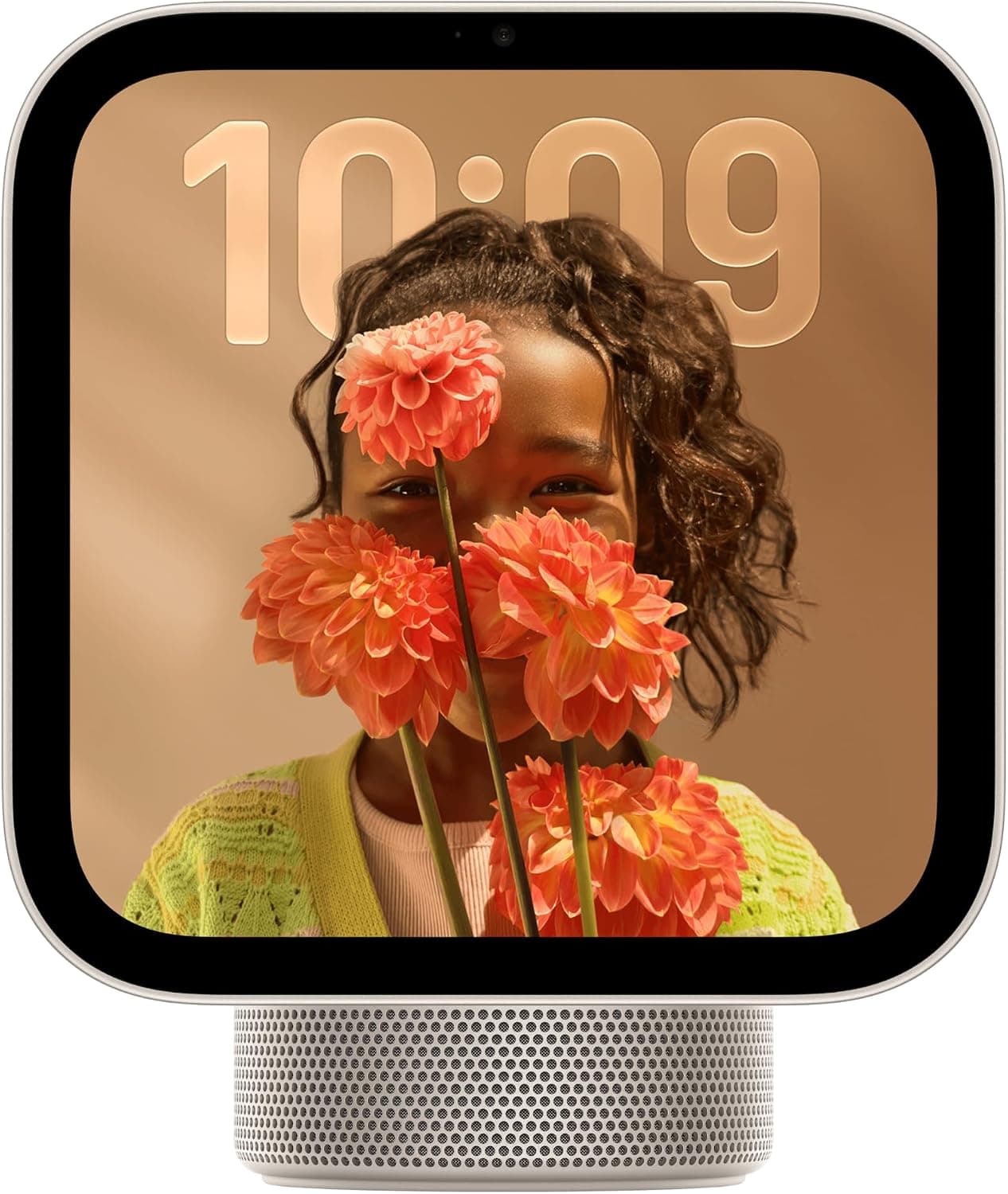
Works as a nightstand clock and speaker
One reviewer liked using it as a big clock with speaker on a nightstand and valued being in the Apple ecosystem.
Our buying verdict
Works as a nightstand clock and speaker, but several reviewers report limited apps and setup problems.
Buyers who mainly want a simple Apple-ecosystem clock and speaker on a nightstand and do not need third-party apps.
Buyers who want an iPad-like device for adding apps, streaming services, or broad smart home control.
The 30-second read
What people like
One reviewer liked using it as a big clock with speaker on a nightstand and valued being in the Apple ecosystem.
The main watch-out
Several reviewers say it only has preloaded apps and cannot add other apps or services, making it far less capable than an iPad or iPhone.
Before you choose
One reviewer says the device is not for you unless you have a well-equipped smart home, suggesting it depends on that setup.
Description
DESIGNED FOR LIFE AT HOME—Apple HomeView keeps the whole home connected, entertained, and in the know. All in one place. UP TO SIX USERS—Apple HomeView can recognize the faces and voices of up to six people and seamlessly switch between them, delivering a personalized experience for each one. SIRI AI—Siri AI, powered by Apple Intelligence, comes built into Apple HomeView to help you find what you need and get more done while protecting your privacy. Available in English to start. Usage limits may apply. INCREDIBLE SOUND AND VISUALS—Powerful speakers deliver Spatial Audio for rich, room-filling sound. The 7-inch Liquid Retina display delivers vibrant colors and sharp details. CUSTOMIZABLE FACES—Bring beauty to any room. Relive your favorite memories with the stunning Photos face. Choose playful faces like Snoopy or helpful options like Calendar, Weather, and more. ENTERTAINMENT—Apple HomeView keeps you engaged and entertained with music, podcasts, audiobooks, TV, and more. Have an impromptu singalong, immerse yourself in a good story, or keep an eye on the game while you do the dishes. FACETIME. TEXT. INTERCOM—Enjoy clear, hands-free FaceTime calls. Send messages and make calls using just your voice. Use Intercom to communicate with people throughout the house using Apple devices. SMART HOME—Working seamlessly with the Home app, Apple HomeView is a central hub to control all your smart home accessories. PRIVACY FOR YOUR HOME—Apple HomeView comes with privacy protections built in at every step and is designed to keep everyone’s personal information secure. LEGAL DISCLAIMERS—This is a summary of the main product features. See below to learn more.
Check the evidence
Included does not mean verified authentic. Flagged does not mean proven fake. These are analytical classifications.
Showing 3 illustrative excerpts, not the complete review set.
Rough start but heading in the right direction.
“I was very excited to see this device when it was announced and exactly what I was looking for to complete my apple home. When It arrived, yes it was very awful. Siri was not working. Took a long time to load responses or do basic tasks. But Apple just released a new software update that completely made this device usable! Now basic start timers and locking my door and showing my cameras has been a breeze. Handoff from my other apple devices to this one has been amazing experience. Yes this is a first gen product but I am excited to see where this goes in the coming updates.”
Signals matched: Specific detail: process, scenario · Reads as an authentic voice
Simple and worthless
“I had higher hopes for this thing. I’ve been waiting for apple to come out with something better than cozyla or skylight to use as a digital calendar that would work seamlessly with HomeKit and apple calendars. It doesn’t allow for non-apple apps to be added. It is so basic and simple and the screen is TINY. You have to actively open it to view calendars and weather. May as well just look on your iPhone or iPad. I’m returning it and will wait until apple gets their act together and might consider the 3rd generation.”
Signals matched: Specific detail: comparison, scenario · Reads as an authentic voice
Unlike any Apple device, in all the wrong ways.
“If you're expecting this to function like an iPad with a nice speaker attached, don't buy this. It's extremely limited compared to your other iOS devices. Unless you have a decked out smart home, this product isn't for you. (Who actually owns a home these days?) You're better off getting an iPad that can do it all and just leaving it in your kitchen.”
Signals matched: Specific detail: comparison, scenario · Reads as an authentic voice
One less thing to search
Yes — Apple HomeView is built for the Apple ecosystem, so you'll need an Apple Account (iCloud) to set it up, and features like FaceTime, Messages, and personalized Siri AI work best with an iPhone nearby. It can control smart home accessories through the Home app, but non-Apple devices need to be Matter-compatible or bridged. If your household is mostly Android, this probably isn't the right hub for you.
For most families it works smoothly — it recognizes faces and voices and switches profiles automatically, so each person sees their own calendar, photos, and reminders. That said, some Reddit and TikTok users note that similar-sounding voices (twins, kids, or guests) can occasionally get mixed up. You can always switch profiles manually, and guests aren't added to your six recognized users.
Siri AI is powered by Apple Intelligence and available in English to start, with some advanced requests subject to usage limits (similar to other AI assistants). On privacy: processing is designed to keep personal information secure, and the device is built with privacy protections at every step — a point many reviewers highlight as a real advantage over other smart displays. You can review and adjust Siri and privacy settings anytime.
It's genuinely both. The 7-inch Liquid Retina display is sharp and vibrant for photos, recipes, weather, and video, while the speakers deliver Spatial Audio that reviewers consistently call surprisingly rich for the size — great for music, podcasts, and audiobooks. It won't replace a full TV for movie nights, but for kitchen singalongs and background entertainment it punches above its weight.
Think of it as a purpose-built family hub rather than a tablet or speaker replacement. Unlike an iPad, it's always-on, hands-free, and designed to sit beautifully in a shared space with customizable faces; unlike a HomePod, it adds a screen, FaceTime, Intercom, and face/voice recognition for up to six people. It's ideal for Apple-ecosystem families, parents coordinating schedules, and anyone who video-calls grandparents regularly — but if you want deep third-party automation or a full tablet experience, an iPad or a competing smart display may suit you better.
Answers are limited to the manufacturer's listing and the reviews we analysed. Questions those sources cannot support are not answered here.
Transparent by design