What people like
Strong picture and gaming performance
Several reviewers praise the bright, punchy picture, deep blacks, and responsive feel for gaming, with some calling it a big upgrade.
Our buying verdict
Several reviewers praise vivid HDR gaming, but grey banding and one burn-in report are recurring concerns.
Gamers who prioritize bright HDR visuals and fast response for 1440p gaming and can accept some risk of grey banding.
Buyers who need clean grey gradients or do extensive work in dark grey scenes where banding would be distracting.
The 30-second read
What people like
Several reviewers praise the bright, punchy picture, deep blacks, and responsive feel for gaming, with some calling it a big upgrade.
The main watch-out
Several reviewers report noticeable grey banding or a denim-like pattern in dark scenes; one returned it, and another found pixel refresh made little difference.
Before you choose
One reviewer notes the monitor requires some configuration or calibration depending on preference, though it only takes a few minutes.
Description
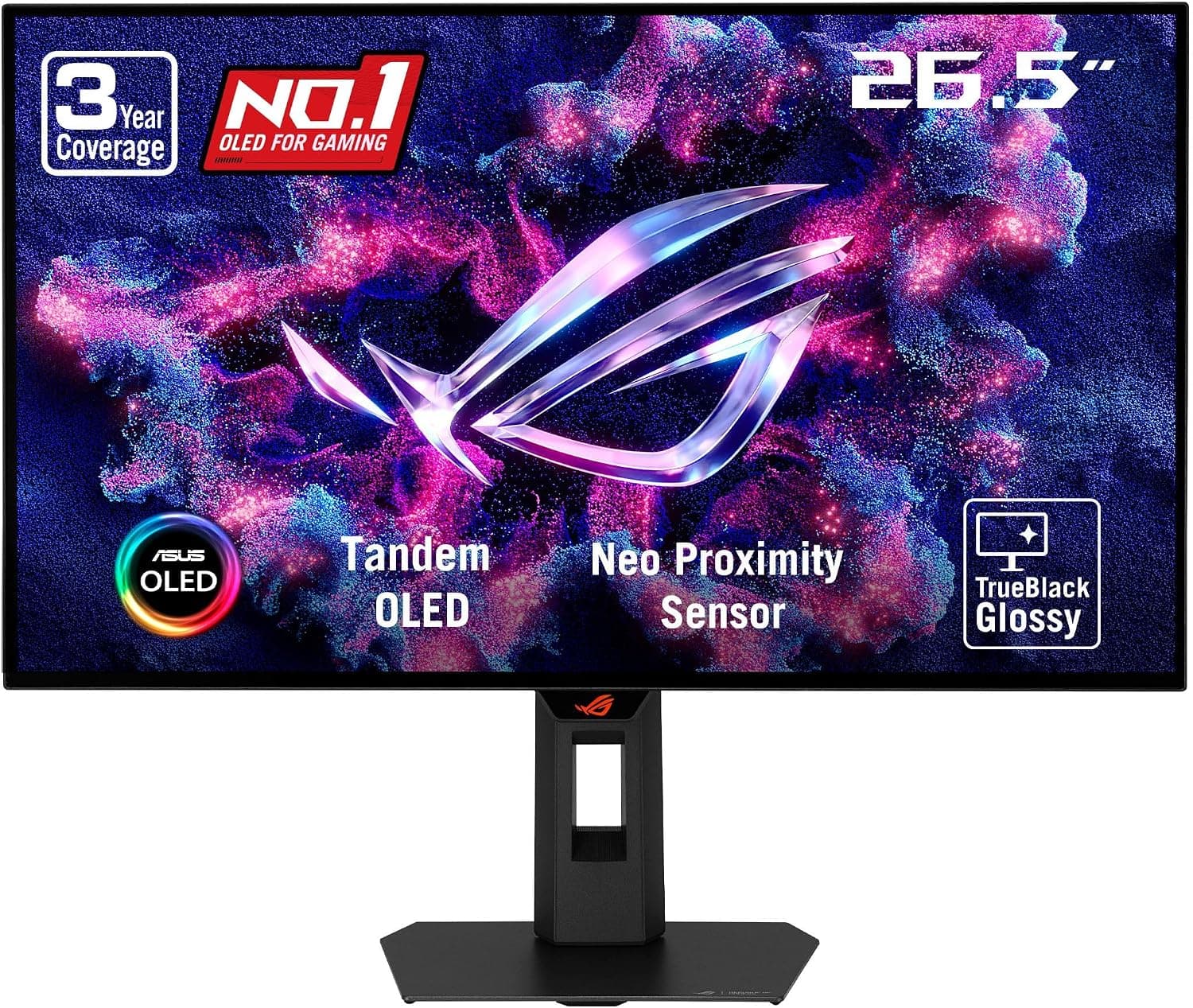
The ROG Strix OLED XG27AQWMG is a 27-inch QHD TrueBlack Glossy™ Tandem OLED gaming monitor that offers sharp visuals and features tandem OLED technology that offers 15% higher peak brightness, 25% wider color volume, and a 60% longer lifespan versus previous-generation WOLED monitors. Featuring the new Neo Proximity Sensor within the ASUS OLED Care Pro suite, the monitor is able to detect when the user is away and automatically transition to a black screen to guard against panel burn-in. Thanks to a compact stand, the XG27AQWMG takes up minimal desktop space. Plus, it offers users an extensive array of connectivity options, including DisplayPort™ 1.4 (DSC), HDMI® 2.1, and
Check the evidence
Included does not mean verified authentic. Flagged does not mean proven fake. These are analytical classifications.
Showing 3 illustrative excerpts, not the complete review set.
Atrocious color banding! Stay away!!!!
“This monitor can deliver a nice picture. However the banding on anything grey is atrocious! It’s really really bad and ruins what would have been a good monitor. At 600$ there should be zero banding! There are much cheaper monitors that do not have this issue. I did the pixel refresh probably 100+ times and it made very little difference. The grey banding is a structural problem with the implementation of the WOLED panel in this display. There are WOLED monitors that don’t suffer from this but if you want to be safe stick to QDOLED. It’s not a minor issue and not something most people will be able to ignore. You’re paying 600$ for a monitor that out of the box working properly will give you a horrible experience. Grey is a very widely used color in just about every kind of content/software/game available today and this monitor can’t display it properly. It completely ruins the experience of having a really nice OLED monitor. DO NOT BUY THIS!!! It’s baffling that they could release a monitor that has such a terrible issue displaying a certain color range and think that’s okay. It’s very much not okay and will very much ruin your experience and any joy you may have originally felt while using it. Returned both of the two that I purchased and will be staying far far away from any WOLED panels until the banding issues are completely and totally resolved.”
Signals matched: Specific detail: quantity, process, comparison · Reads as an authentic voice
BEST 1440P OLED IF YOU DON'T LIKE QD OLEDS
“Where do i start? Great brightness, super responsive, great panel, nice metal stand, nice glossy screen, great VRR with no noticeable flickering in 90% of games, grey banding not noticeable, only in random grey loading screens and other random stuff. Maybe noticed it twice the time i've had it, really punchy colors with great HDR performance, truly the best monitor if you're pairing it with a 5080 like me or another 1440p gpu. Has virtual 4K support, meaning the monitor can output a 4k signal, and downscale it to its 1440p panel, creating sharper imagery, better detail, and lets consoles use HDR since its usually locked behind that resolution for them. pixels are still a 1440p format though. Proximity sensor works perfectly for me, no issues there at all. Pretty convenient since i use the bathroom and get food and it automatically turns the display off and leaves me reassured, since i take a while using the restroom... no burn in so far at all. Glare isn't even noticeable at all, I have some leds around my room and they aren't really distracting, and i can turn it off anyways. Good amount of light comes into my room, and my desk is right next to my window.... no issues at all with glare either. Factory colors and configuration aren't bad, just some tiny adjustments since i calibrated my screen to my old monitor. Snagged it for $549 Overall - 10/10”
Signals matched: Specific detail: comparison, entity, scenario · Reads as an authentic voice
One small drawback, HUGE Upgrade
“I was really on the fence about buying it after seeing that Amazon notice about returns, but I decided to take a chance since it was on sale. And I think it was the best decision I could have made—the OLED quality is phenomenal, the True Black coating is beautiful, and the response time is impressive (especially if you’re coming from a 1080p 144Hz IPS panel like I am). The only downside I can find is the graybanding, which is present in all WOLEDs, but even so, I have to get within 15 cm of the screen to notice it. Do the pixel cleaning regularly, and it will improve significantly.”
Signals matched: Specific detail: comparison, entity, process · Reads as an authentic voice
One less thing to search
It depends on your lighting. The zero-haze glossy coating delivers exceptionally sharp, inky visuals, but it does reflect direct light sources — many Reddit and YouTube users note it shines best in a darker or light-controlled room. If your setup faces a bright window, consider positioning the monitor perpendicular to it or adding blinds; if reflections are a dealbreaker, a matte panel may suit you better.
Yes — ASUS backs this monitor with a 3-year warranty that includes burn-in coverage, which is a big reason buyers trust it. The Neo Proximity Sensor in OLED Care Pro detects when you step away and switches to a black screen automatically, and DisplayWidget Center lets you manage these settings with your mouse. Community feedback is largely positive, though a few users suggest double-checking the sensor's sensitivity so it triggers reliably.
For competitive shooters, the jump is subtle but real — combined with the 0.03ms response time, users describe it as "telepathic." To reach 280Hz at 1440p you'll want to use the included DisplayPort 1.4 connection with DSC; HDMI 2.1 is great for console and high-bandwidth sources but DisplayPort is the safer path for max refresh. Just note that hitting 280fps at QHD still depends on your GPU.
Gaming and video look stunning, but be aware that WOLED subpixel layouts can produce slight color fringing on very small text — a nitpick several productivity-focused users raise. Most find it a non-issue after adjustment, and the 99% DCI-P3 coverage with Delta E<2 accuracy makes it excellent for creative work. If you spend all day in spreadsheets at small font sizes, it's worth seeing one in person first.
You get DisplayPort, HDMI, and USB Type-B to A cables, a power cord, microfiber cloth, ROG sticker and pouch, VESA mount kit, quick start guide, and warranty card — plus a 3-month Adobe Creative Cloud subscription. Versus older WOLED rivals, the Tandem OLED panel offers roughly 15% higher peak brightness, 25% wider color volume, and 60% longer lifespan, and the compact stand saves desk space. The main trade-offs versus QD-OLED alternatives are the glossy finish and text fringing, so choose based on your room lighting and workload.
Answers are limited to the manufacturer's listing and the reviews we analysed. Questions those sources cannot support are not answered here.
Transparent by design