What people like
Vibrant colors and sharp image
Reviewers repeatedly praise the monitor's vibrant, intense colors and sharp, easy-to-read image quality. Several call it excellent quality and a great value for the price.
The 30-second read
What people like
Reviewers repeatedly praise the monitor's vibrant, intense colors and sharp, easy-to-read image quality. Several call it excellent quality and a great value for the price.
The main watch-out
One reviewer found the picture washed out with a red-orange tint out of the box and was ready to return it until a firmware update fixed it. Check for firmware updates before judging the display.
Before you choose
One reviewer wanted to buy a second unit in the same 28-inch size but found it no longer available, and another notes that getting HDR to work required specific software and codec setup.
From a similar, more-reviewed product in this category: Anker USB A to USB C Cable, USB to USB C Cable (2-Pack, 6 ft, Black)
What people like
Reviewers repeatedly praise the sturdy braided build, secure connectors, and dependable charging and data performance. Many also highlight the good value of getting two cables.
The main watch-out
One reviewer warns that this cable is USB 2.0 rather than USB 3.0, so it may not meet expectations for faster data transfer.
Before you choose
The listing says 6 ft, but one review describes a 3-foot length and another mentions 0.9 m, so confirm the actual length matches your intended use.
Your use case first
9 of 49 mentions describe a negative experience (18%).
8 of 35 mentions describe a negative experience (23%).
1 of 25 mentions describe a negative experience (4%).
1 of 19 mentions describe a negative experience (5%).
11 of 21 mentions describe a negative experience (52%).
8 of 16 mentions describe a negative experience (50%).
4 of 13 mentions describe a negative experience (31%).
11 of 15 mentions describe a negative experience (73%).
One review can mention several topics. Percentages describe the reviews we analysed, not all buyers or the product's overall failure rate.
From a similar, more-reviewed product in this category: Anker USB A to USB C Cable, USB to USB C Cable (2-Pack, 6 ft, Black)
600 of 6780 mentions describe a negative experience (9%).
621 of 3646 mentions describe a negative experience (17%).
507 of 3636 mentions describe a negative experience (14%).
266 of 2207 mentions describe a negative experience (12%).
262 of 1318 mentions describe a negative experience (20%).
92 of 1264 mentions describe a negative experience (7%).
901 of 2398 mentions describe a negative experience (38%).
297 of 985 mentions describe a negative experience (30%).
Compare the trade-offs
A random selection of analyzed products from the same category. Different products are not necessarily interchangeable.

CERRXIAN USB 3.0 Type A Male to USB 3.0 Type C Female Connector Converter Adapter (Black) (3ft)

INNOCN 49" OLED Ultrawide Curved Monitor 5K2K 5120 x 1440p 144Hz, 0.03ms, Computer Monitor for AI PC, USB Type C 90W, HDMI 2.1, DisplayPort, USB Hub, Speakers, Adaptive-Sync, Adjustable Stand, Black
Check the evidence
Included does not mean verified authentic. Flagged does not mean proven fake. These are analytical classifications.
Showing 3 illustrative excerpts, not the complete review set.
WOW! Amazing Monitor! READ THIS !!
“You should buy this one, it's best for the price. Try using SVP software, it made my monitor look 10 times better after adjusting brightness, contrast & saturation settings in my media players (you also need to setup the proper codecs in media players or HDR will not work at all, google how to get your media players to work with SVP to get HDR to work... mine wasn't even working even though I thought it was). I seek through the video to a dark spot and set your brightness, contrast and saturation in the media player there. After this, the darks and brights are so unbelievably awesome because there is 60 times more color than SDR, and the rest of the colors makes a difference too. I never had a clue it could look this good!! Use the DisplayPort Cable they give you in the box (it is superior to hdmi). Also, make sure you go Windows > Settings > System > HDR Option (turn on), and click above that option for more HDR options. There, the windows "HDR/SDR brightness balance" slider controls the SDR still visible (only the HDR pictures and videos can be HDR, so the rest is SDR, and therefore that slider does not affect the HDR at all. Change settings in monitor before switching to HDR mode in Windows, because you cannot change any monitor settings in HDR mode. (choose different modes in "GameVisual" category, I think Cinema Mode and Racing Mode or something allows you to change brightness, contrast, and even saturation.) After that, you never would have guessed it could make such a difference! Just remember to turn the HDR back off and on. Also, it literally gives off any heat at all somehow even though it's so huge and powerful! It even has cheesy speakers don't expect much there though haha. The DisplayPort cord they gave stopped working (or something? idk haha) It's just a cheap cord, you should buy a good one! Overall, since I always use headphones, not the speakers, I give this monitor 10 out of 10 in everything else.”
Signals matched: Specific detail: process, comparison, quantity · Mentions: value for money, brightness · Reads as an authentic voice
5.0 out of 5 stars
“I got this at a nice discount because I bought a 'returned' monitor. After hooking it up I was less then happy with the way it looked. it was pretty awful. washed out and red to the red orange scale. My first thought was I'd be returning it as well. Thankfully I checked for Firmware updates first. It was on firmware 105 Update 106 was available. I downloaded and installed it. Easy peasy. Bam! The monitor was fixed. I'm a big fan of Asus. Been buying their MB's for years. since like 1995. I don't know what was going on in their heads to ship this monitor as it was. I suppose someone, maybe even me could have figured out how to fix it in the control panel without the update. Thankfully I did not have to fiddle with that. Downloading and installing MCM106 Fixed it. Hint - it is very easy to install if you have taken the time to run a USB cable from the back of the monitor to your computer. The install directions tell you to make a USB drive with the install file on it and then plug that into your monitor. Which I was getting ready to do. 1st had to find one I could clean as they wanted no other files on it. While working on that the monitor installed 106 on its own. So my only downside Is the previous owner registered it before sending it back so when I went to register it I was told it was already registered. So no 3 year warrenty. Hopefully nothing goes wrong but I would like to have it show when I go to Asus and log in along with my previous MB's and the one I just bought and my new asus graphics card.”
Signals matched: Specific detail: quantity, process, scenario · Mentions: color quality, appearance · Reads as an authentic voice
Incredible Monitor - One of the Best Monitors I've Ever Used
“I've been using the PG32UCDP for a few weeks now, and honestly, it's incredible. The WOLED panel is stunning, rich, vibrant colours, perfect blacks, and insane contrast. Everything from games to movies looks amazing. I was debating between this monitor and the QD-OLED PG32UCDM, and I'm really glad I went with this one. Everything looks crisp, whether I'm gaming, watching movies, or just browsing. The dual-mode feature is awesome. I haven't really used it much yet, but I love having the option to switch between 4K at 240Hz for gorgeous visuals and 1080p at 480Hz for ultra-smooth, super responsive gameplay. It's like having two monitors in one. Build quality is excellent too. The stand is solid, though I've mounted mine on a monitor arm for easier movement. The design is clean, and it has all the ports I could ask for. The KVM switch and USB-C with 90W charging are great bonuses (I keep it at 65W to maintain max brightness), and they make my setup super clean and efficient. Yes, it's pricey, but honestly? Worth every penny. It's made everything I do on my PC feel more premium and immersive. If you're on the fence, just go for it. You won't regret it.”
Signals matched: Specific detail: entity, process, comparison, scenario · Mentions: color quality, image quality, appearance · Reads as an authentic voice
One less thing to search
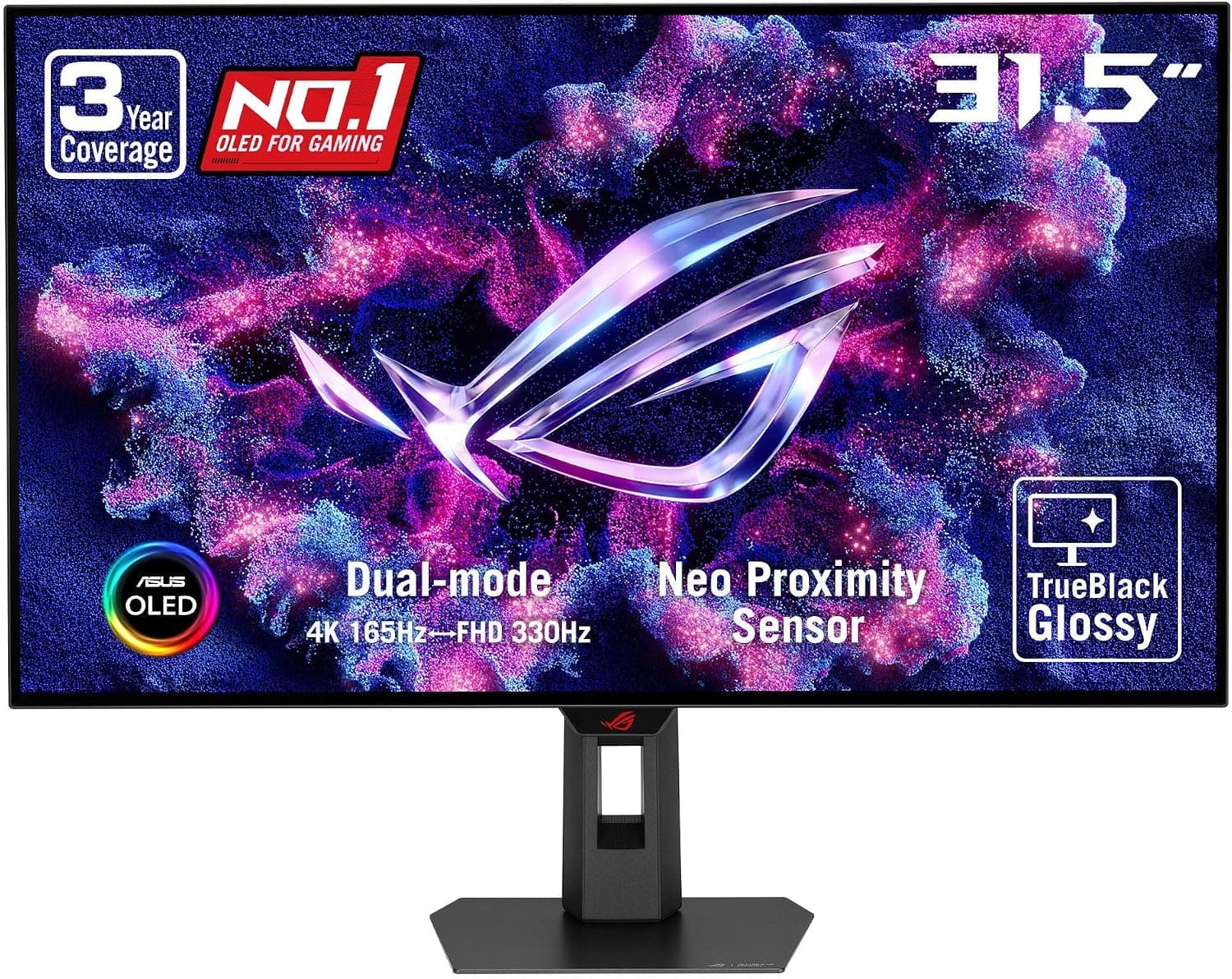
Yes. The manufacturer describes it as a 32-inch 4K TrueBlack Glossy WOLED gaming monitor with a zero-haze glossy surface for exceptionally sharp imagery.
The listing states it can seamlessly switch between 4K at 165Hz and FHD at 330Hz.
Reviews describe vibrant, sharp colors and intense color, though one reviewer found the picture washed out and reddish until a firmware update was installed.
Reviewers call it a really high quality monitor for the price and the best for the price, and one noted getting a nice discount on a returned unit.
The listing notes DisplayPort 1.4 (DSC), HDMI 2.1, and USB-C with 15-watt Power Delivery, plus a 3-year warranty with ARR and burn-in coverage.
From a similar, more-reviewed product in this category: Anker USB A to USB C Cable, USB to USB C Cable (2-Pack, 6 ft, Black)
It supports fast charging up to 15W (3A/5V) and Qualcomm Quick Charge, but it is not compatible with Power Delivery and does not support laptop charging.
It is 6 ft long, and reviewers say this gives enough room to use it in the car, at a desk, next to the bed, or with a wall charger without feeling too short.
Reviewers describe it as sturdy, well-made, and more durable than basic rubber cables, with a braided nylon exterior that resists wear and tangling.
Yes, it supports data transfer speeds up to 480Mbps, and reviewers confirm it works for transferring data as well as charging.
No, it is a USB 2.0 cable, as noted in the product specifications and pointed out by a reviewer.
Answers are limited to the manufacturer's listing and the reviews we analysed. Questions those sources cannot support are not answered here.
Transparent by design