What people like
Sharp 4K image with rich colors
Several reviewers praise the screen quality, calling it sharp with rich, well-balanced colors out of the box and good value for a 4K high-refresh monitor.
Our buying verdict
Several reviewers praise sharp 4K image and high refresh, but one reports blackouts and another notes limited stand adjustment.
Buyers wanting a price-friendly 4K high-refresh gaming monitor for a fixed-height desk setup, based on several positive performance reports.
Buyers who need height-adjustable ergonomics or wide off-angle viewing, given one report of a fixed stand and one of edge darkening.
The 30-second read
What people like
Several reviewers praise the screen quality, calling it sharp with rich, well-balanced colors out of the box and good value for a 4K high-refresh monitor.
The main watch-out
One reviewer reports the monitor going black for a few seconds at higher refresh rates even with G-SYNC disabled and a new cable, calling it a bad monitor.
Before you choose
One reviewer notes the stand has no height adjustment and its legs protrude past the screen, which can push a keyboard over the edge of a shallow desk.
Description
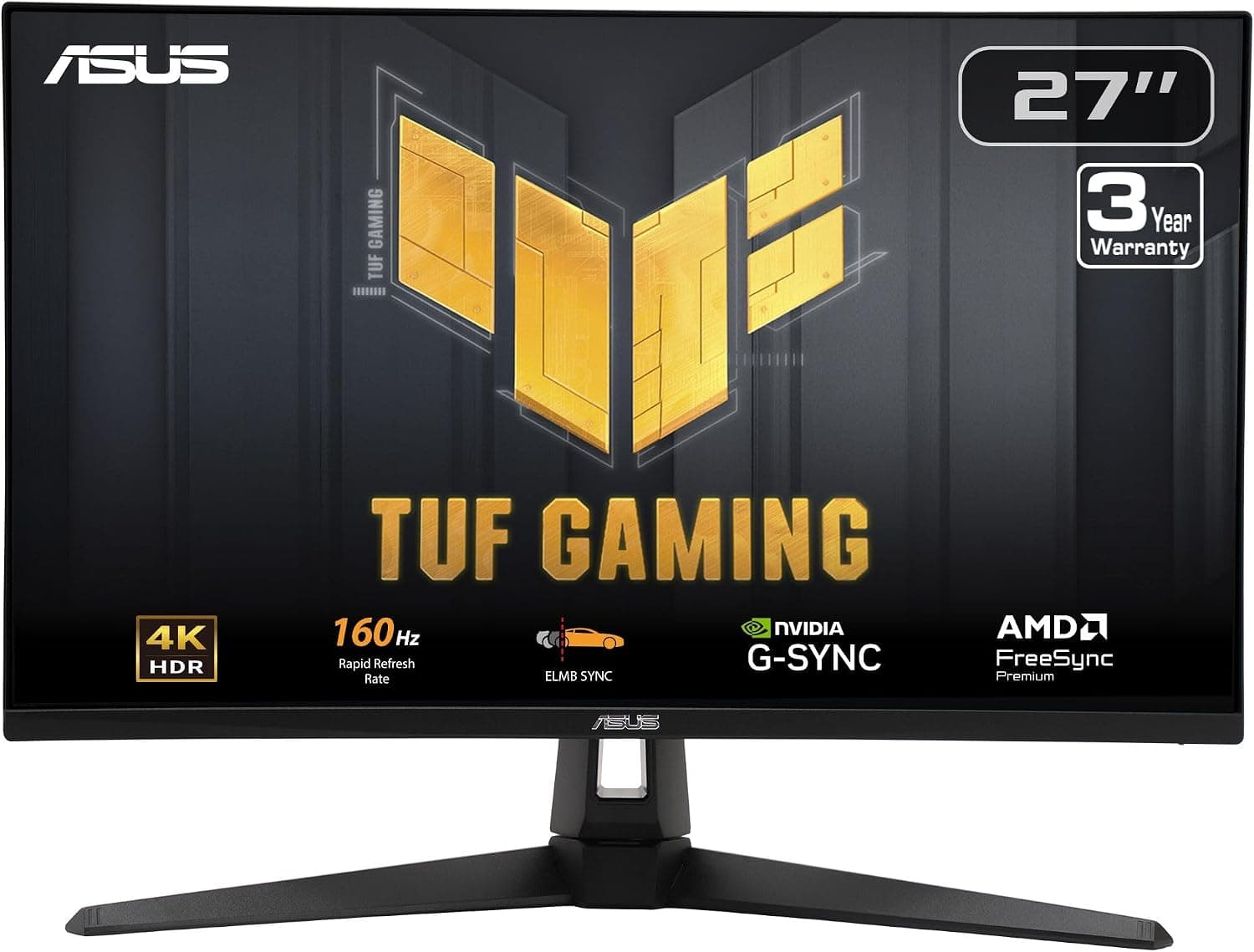
The 27-inch TUF Gaming VG27UQ1A 4K UHD gaming monitor featuring a Fast IPS panel and NVIDIA® G-SYNC® Compatible for blistering-fast 160 Hz gaming. Its clever combination of Display Stream Compression (DSC), ASUS Extreme Low Motion Blur Sync (ELMB Sync) and AMD FreeSync™ Premium technologies enables buttery-smooth gaming on PCs. Console gamers can get their fix, too, as Supports up to 4K 120 Hz visuals via HDMI® 2.1 without chroma subsampling. In addition, it has a 95% DCI-P3 gamut to offer exceptional colors and contrast.
Check the evidence
Included does not mean verified authentic. Flagged does not mean proven fake. These are analytical classifications.
Showing 3 illustrative excerpts, not the complete review set.
OK, but there are a few annoyances
“I just received this today, and it's a relief after enduring my flickering 12-year-old ASUS IPS panel of the same size. I didn't anticipate that it would NOT have an adjustable height, so I will have to craft a wooden board to raise it. Another surprise is that the legs protrude past the flat screen and push my keyboard an inch over the edge of my shallow desk. That's another thing that I can address with said board. Also, other posters are right about the viewing angle: from 16 inches away, you will see slight shadows along the vertical edges. I suppose I can endure those things. New for me are the HDR, G-Sync, and higher refresh rate features. I will certainly update this post if I have any serious problems. UPDATE: I observed the same 4x4 inch footprint on the back of both my new and old monitor. (My old one was an Asus PB279Q BTW.) It turns out this new one, if you remove the tiny rubber plugs on the back, has 4 threaded holes which matches my old monitor stand perfectly. So I'm using the old stand with the new monitor. (The screws used on both are M4-0.7 size.) So now I won't have to make that board I was talking about. You're welcome.”
Signals matched: Specific detail: entity, quantity, process · Reads as an authentic voice
4K at 160Hz on my RTX 5090 build, and it runs everything.
“I built my PC around an RTX 5090, so I wanted a monitor that could actually use it, and this one does. Full 4K at 160Hz over a single DisplayPort cable thanks to DSC, no fuss with cables or adapters, and G-SYNC Compatible works the moment it is connected. Fast IPS at this size is sharp, the colors are rich without being oversaturated, and HDR looks right for the kind of games I play. The features that sold me on the software side are ELMB Sync and Variable Overdrive. Being able to run motion blur reduction at the same time as variable refresh is what most monitors cannot do, and the overdrive adjusts itself as frame rates move around, so I do not have to keep changing settings per game. I run my games at 4K and the frame rates hold, and the smoothness at 160Hz is something you notice immediately after any 60Hz panel. Being able to change settings from DisplayWidget on the desktop instead of reaching for the OSD buttons is a small thing that I use constantly.”
Signals matched: Specific detail: entity, quantity, scenario · Reads as an authentic voice
Fix sleep issues details here. Excellent monitor
“If you are having issues with the 27 inch 4k monitor coming out of sleep when you turn on your pc. Just Google the model number and driver update. Then download them from asus website. You will need to unzip then extract files to documents or whereveryou want. Then open device manager find the monitor on the list . Right click then update driver. Locate manually then direct it to the download spot .aka Documents. Fixes the sleep issue. Enjoy”
Signals matched: Specific detail: entity, process · Reads as an authentic voice
One less thing to search
Yes — but it depends on your setup. You'll need a GPU that supports Display Stream Compression (DSC) and the included DisplayPort cable to reach 4K at 160Hz. Many Reddit and YouTube users stress that using the wrong cable is the #1 reason people think the monitor "can't do it." If you're on HDMI 2.1 (like a PS5 or Xbox Series X), you'll get up to 4K at 120Hz without chroma subsampling — perfect for console gaming.
Honest answer: treat HDR as a bonus, not the headline. The Fast IPS panel delivers beautiful color (95% DCI-P3) and a genuinely sharp 4K image, but enthusiast communities consistently note it lacks the local dimming of premium HDR displays. Most happy owners say the SDR picture is the real star — so buy it for the resolution, speed, and color, and you'll love it.
The V-shaped dual-leg base looks sleek but takes up a fair amount of desk space, and height/tilt adjustment is limited — a common gripe among small-desk and multi-monitor users. The good news: it's 100 x 100mm VESA compatible, so many owners simply pair it with an arm or wall mount for a cleaner setup. If desk space is tight, budget for a mount.
In practice, yes — owners widely praise the smooth, tear-free gameplay across both NVIDIA and AMD cards, backed by Variable Overdrive and ELMB Sync for reduced ghosting at high frame rates. One tip from the community: if you notice flicker, toggle ELMB Sync off in the OSD, since it can conflict with variable refresh at certain framerates. A few minutes in the settings pays off.
ASUS backs this monitor with a 3-year warranty featuring Advanced Replacement, which buyers frequently cite as a confidence booster. A small number of users have reported minor backlight bleed or a dead pixel out of the box, but most describe the replacement process as smooth. If your unit arrives imperfect, contact ASUS support early — and keep your packaging until you've confirmed the panel is clean.
Answers are limited to the manufacturer's listing and the reviews we analysed. Questions those sources cannot support are not answered here.
Transparent by design