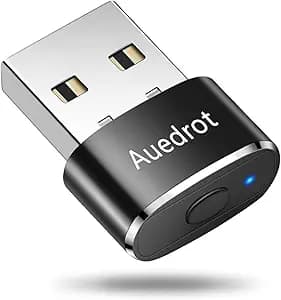
AUEDROT Mouse Jiggler Undetectable Mouse Jiggers USB Mouse Mover with Switch Button, Automatic Mouse Wiggler with 2 Jiggle Modes, Mouse Mover Device, Plug & Play, Keep Computer/Laptop Awake, Black
Description
2 JIGGLER MODES FREELY SWITCH: Slight Jiggler Mode: move the mouse pointer slightly 1-2 pixels back and forth from left to right, which doesn't affect the normal use of mice. Random Jiggler Mode: randomly move the mouse pointer irregularly; RECOGNIZED AS A TRUSTED DEVICE: When this mini mouse jiggler is connected to the computer for the first time, it is recognized as a "USB Composite Device" by the computer, rather than any unknown/unsafe device, you can use it with confidence; METAL MATERIAL WITH SWITCH BUTTON: This mouse jiggler is made of aluminum alloy, which is more upscale and sturdy than plastic. With ON/OFF/Modes Switch button, "Short Press" to turn on/switch between the 2 modes, and "Long Press" to turn it off; NO SOFTWARE INSTALLATION REQUIRED: This mouse jiggler is plug-and-play, no need to install any software, just plug it into the computer and it will turn on automatically, just "Long Press" the button to turn it off, avoid frequent unplugging; WITH WIDE APPLICABILITY: It can be used for online reading, games online, remote connection, etc. It keeps the computer active, thereby keeping your Microsoft Teams, Skype, Webex, Lync, etc. "Green". Compatible with Windows, Mac OS, Android, etc
Compare the trade-offs
Similar products, side by side
A random selection of analyzed products from the same category. Different products are not necessarily interchangeable.
One less thing to search
Before you buy: quick questions
Will this mouse jiggler actually work without getting me flagged by my company's IT software?
For the vast majority of standard workplace monitoring tools, this hardware-based jiggler operates undetectably as a simple USB mouse. However, a small number of users in highly secure corporate environments have reported that advanced endpoint security software can flag it as a "HID emulator." If your company has very strict IT policies, using any activity-simulation device may carry some risk.
Is it really just plug-and-play, and will it work on my Mac or older Windows PC?
Yes! This is its most praised feature. There's no software to install—just plug it into any available USB port (USB-A). It's compatible with Windows, macOS, Chrome OS, and Linux. It draws minimal power directly from the port, so it works even on older systems. Many TikTok and Reddit users specifically highlight how they use it across different laptops without any setup.
How durable is it? I've seen some comments about units failing after a few months.
Based on thousands of reviews, most users find it very reliable for long-term daily use. Like any electronic device, there can be rare manufacturing defects. The occasional report of a unit failing prematurely often relates to the internal micro-motor. We recommend handling it with care and ensuring it's not physically jostled while operating. It comes with reliable customer support should any issues arise.
What's the practical difference between the two jiggle modes, and is the movement annoying?
Mode 1 offers a steady, subtle wiggle perfect for maintaining a constant "active" status. Mode 2 provides a more varied, intermittent movement that appears more natural, like occasional mouse adjustments. The physical movement is minimal and quiet—most users place it on their desk and forget it's there. Reviewers often mention it's far less disruptive than software that visibly moves your cursor.
Who is this device actually best suited for, and are there free alternatives I should try first?
It's ideal for remote workers needing to stay "active" on communication apps, for anyone running long processes (downloads, renders, updates), or for gamers preventing AFK timeouts. If your need is simple and you're not restricted by IT policies, trying a free software alternative first (like "Caffeine" for Mac or "Move Mouse" for PC) is a smart step. This hardware jiggler is for those who prefer a dedicated, foolproof physical device that works independently of your computer's software.
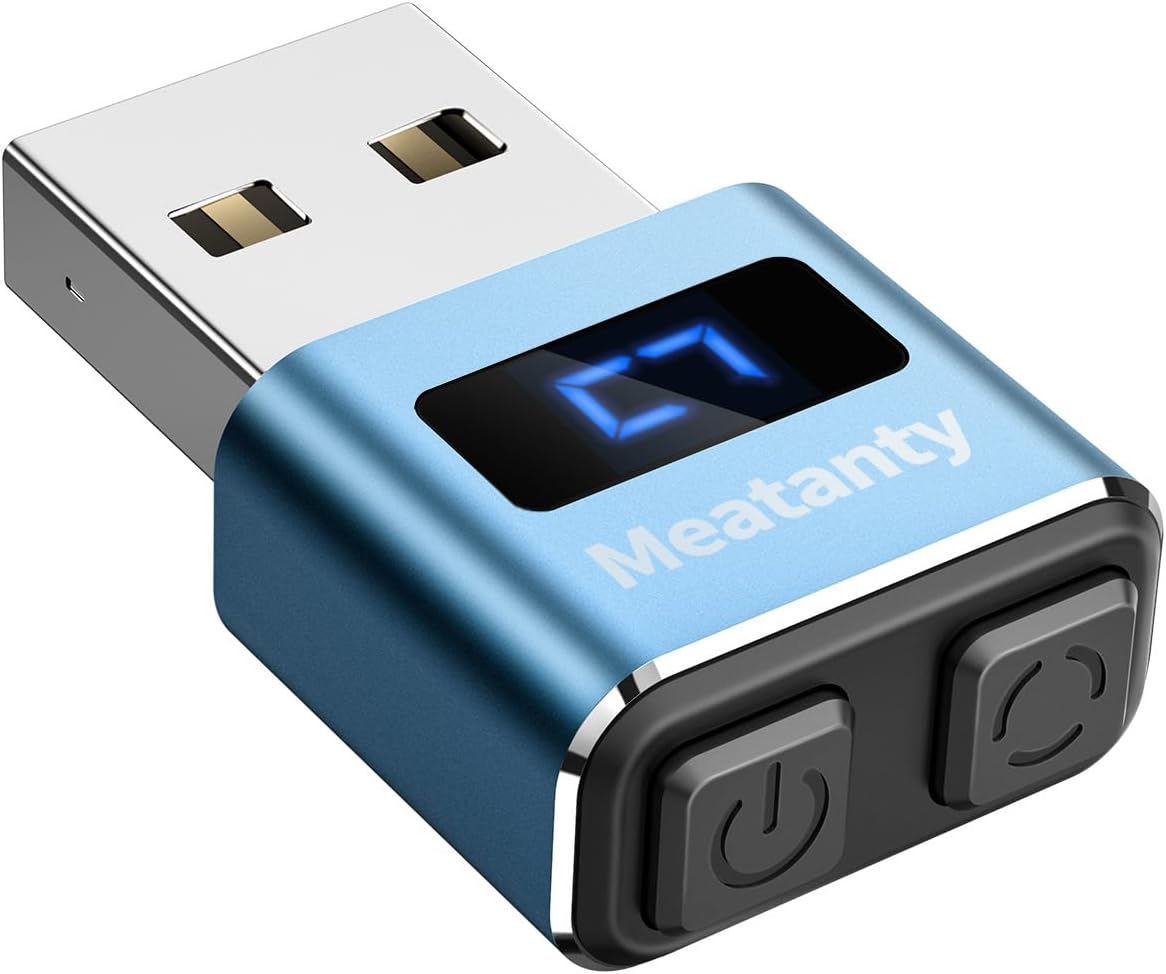
From a similar, more-reviewed product in this category: meatanty Metal Tiny Mouse Jiggler, USB Mover Undetectable, Auto Wiggler with Screen, 3 Modes Mouse Mover Device, Giggler Toggler Juggler Keep Computer Laptop Awake - Blue
Does the Meatanty mouse jiggler require any software or drivers to work?
No. The manufacturer states no software installation is required—simply plug it into a laptop USB port and it works instantly, and one reviewer confirmed it doesn't need to install anything.
How many movement modes does it have, and can I adjust the cursor movement?
It has 3 random tracks: mode 1 is a small range of movement, mode 2 is a wide range of movement, and mode 3 jiggles the cursor only slightly so it won't affect normal mouse use. Reviewers note the default mode out of the box can be too intense, so you may want to switch modes.
Will the cursor movement interfere with my normal work?
In mode 3 the cursor only jiggles slightly and will not affect your normal use of the mouse, and one reviewer who uses graphical applications requiring precise movement said they never notice it is on. However, another reviewer reported the device constantly moves the mouse even while in use, causing missed clicks on small on-screen options like checkboxes.
Does it have an on/off switch, or do I have to unplug it each time?
It has both an ON/OFF switch and a mode selection button combined into one device, which avoids repeatedly plugging and unplugging it and helps protect your USB ports from damage. It also has a memory function, so the next time it is turned on it continues the track set last time.
Is the device undetectable and will it keep my status active on apps like Teams?
The manufacturer states it is recognized as a "USB OPTICAL MOUSE" when first connected, so it won't be flagged as an unknown or unsafe device. Reviewers confirm it kept their Teams status showing as available and prevented sleep mode while they were away.
Answers are limited to the manufacturer's listing and the reviews we analysed. Questions those sources cannot support are not answered here.
Transparent by design