What people like
Easy capture with useful AI summaries
Reviewers praise one-tap recording, simple app setup, and summaries they can send or use as to-do lists for busy workdays.
Our buying verdict
Loved for one-tap summaries, though setup and connectivity failures are a real risk
People who want quick, hands-free AI summaries of meetings, calls and everyday conversations without stopping to take notes.
Buyers unwilling to troubleshoot Bluetooth pairing and setup, or those who need dependable recording and free desktop access.
The 30-second read
What people like
Reviewers praise one-tap recording, simple app setup, and summaries they can send or use as to-do lists for busy workdays.
The main watch-out
Several buyers say pairing failed, devices wouldn't connect or charge, and recordings didn't work; some report Android support was dropped without warning.
Before you choose
Before buying, confirm phone compatibility and whether desktop access or editing features require a paid plan, since reviewers flag both.
Your use case first
1 of 5 mentions describe a negative experience (20%).
0 of 5 mentions describe a negative experience (0%).
4 of 10 mentions describe a negative experience (40%).
3 of 8 mentions describe a negative experience (38%).
4 of 7 mentions describe a negative experience (57%).
One review can mention several topics. Percentages describe the reviews we analysed, not all buyers or the product's overall failure rate.
Check the evidence
Included does not mean verified authentic. Flagged does not mean proven fake. These are analytical classifications.
Showing 3 illustrative excerpts, not the complete review set.
One of the Few AI Gadgets That's Become Part of Our Lives
“I'll start by saying that I'm not new to Bee, nor am I someone who buys an AI gadget, plays with it for a weekend, and declares it revolutionary. I've been using Bee since the original Pioneer version, and I've seen firsthand how useful this little device can be for several people. I originally discovered Bee while reading I Am Not a Robot: My Year Using AI to Do (Almost) Everything by Joanna Stern. What enticed me, was that she not only tried it, but it was among the devices she continued using after her yearlong experiment. Given how many AI gadgets promise to change our lives, that was quite the endorsement in my eyes. So I decided to give it a shot, and I found it super useful! In fact, I purchased four of the original Pioneer devices: one for myself, one for my girlfriend, one for my mother, and one for a friend. I'm writing this review partly because my girlfriend and mother are unlikely to sit down and write reviews of the new Frontier themselves, despite how much the Bee has helped them return to some semblance of their normal lives, and in part because I normally only write reviews about things I find truly useful. Our experiences are with the original Pioneer, while my comments about the upgraded hardware apply to this version, the Frontier. My Girlfriend: An External Memory After a Concussion My girlfriend suffered a concussion that's left her dealing with super annoying memory challenges. What once was like a walk in the park for her to remember had turned into a chore at best or an argument at worst where she thought the world was gaslighting her, and the Bee has been outstandingly helpful mitigating a lot of these new difficulties. She's told me how useful the conversation transcripts, summaries, and automatic calendar suggestions have been. Instead of relying entirely on her memory to reconstruct a conversation, remember an obligation she made with others, or attempt to recall something she intended to do, she has a backup memory so to speak. I think people who've never experienced memory difficulties can underestimate how exhausting it is to constantly wonder whether they've forgotten something important. It's not always the big important stuff. It's those little details throughout the day that accumulate, and Bee helps reduce that burden for her. It doesn't magically restore memory, but if the transcript quotes her or another person saying something, it's a lot easier to trust herself going forward when she can see that she already thought something through or had a conversation about it. As a practical assistive tool, it's given her a way to recover information that would have otherwise been lost. My Mother: A Lifesaver for Age-Related Forgetfulness My mother has a different set of challenges to a degree, similar to my GF, she's been dealing with age-related memory difficulties, and she's also someone who finds smartphones rather complicated, especially with the ever growing number of apps, which is understandably overwhelming. She's described Bee as a "lifesaver." One of her recurring problems is forgetting social engagements, conversations, commitments with her friends, and literally forgetting her hand written notepad with her ever important lists. She really struggles with remembering what was agreed upon, new medication instructions, what her doctors told her to keep up with, and when certain things are supposed to happen. So for her, Bee's summaries and reminders and app integration help a whole lot with that. To sort of zero in on that last part, what she's told me and I'm just kinda translating is: what makes the whole platform useful for her is the integration with other applications and the ability to automate things. Instead of her needing to manage several different apps, remember to enter information into each one, and keep everything synced on her own, Bee bridges it for her. For somebody who struggles with the technology that's supposedly meant to make life easier, reducing the number of manual steps is peak. If I were to say it another way, I think what she likes most about it is that it extends beyond "remembering" information, it helps her turn information into something useful without requiring her to do all the organizational work the rest of us easily fly through on our phones. My Experience: Research, Obsidian, Writing, Music, and Creative Work Now, I'm probably what you'd call a power user. I'm a researcher, writer, and compulsively curious person. I use Obsidian MD to organize my notes, research, ideas, and knowledge, and I've always been interested in finding better ways to capture information without interrupting whatever I'm doing. This device fits into that workflow seamlessly! I take the transcripts and move them into Obsidian, where I can annotate them, extract the information, make my own notes, and incorporate the details into my study notes and ongoing research. Sometimes I'll explain something aloud and realize I've articulated a concept better than I did in my written notes. But it's the creative applications that I've come to appreciate just as much. I write, I come up with poetry, I spontaneously sing, and I regularly have ideas that appear at inconvenient moments. Those ideas can be surprisingly ephemeral, and anyone who writes or creates knows the frustration of having something brilliant (or at least something that felt brilliant at the time) suddenly disappear because you didn't capture it quickly enough. This totally solves for that With Bee, I can capture those thoughts without having to pull out my phone, or otherwise interrupt my creative process. It just integrates so well in my already established flow. It isn't replacing my thinking, studying, or creating. It's helping preserve my raw material so I can return to it later, if anything it helps me optimize my limited energy. The Frontier Upgrade Now, onto the actual Frontier hardware. The two improvements I appreciate most are the redesigned pocket clip and the improved transcription accuracy. First, I much prefer the new pocket clip to the original design. I'm not interested in wearing a bracelet, particularly when I can have something attached discreetly to my clothing instead. The Frontier's improved clip makes it a much more appealing. Form factor is a surprisingly important consideration with wearable technology. A device can have fantastic software, but if wearing it is inconvenient, eventually you're going to stop using it. Bee's compact size is one of its greatest strengths. I want technology that integrates into my daily routine without demanding my attention, and this is one area where Bee gets things right. Second, I've found the transcripts noticeably more accurate than what I was getting with the original. No transcription system is perfect. Nevertheless, the improvement has been very noticeable to me. Battery Life Manufacturers love making impressive battery-life claims, and I'm generally skeptical until I've actually used a product. In this case, Bee deserves credit. The advertised seven-day battery life is pretty close to what I've experienced, which is impressive for a device this small. I don't have to think about charging it every day, and that's really dope. There is, however, one battery-related drawback worth noting. I've noticed that using Bee does have an impact on my phone's day-to-day battery life. That said, I consider it a manageable trade-off rather than a serious problem. I live in a world where chargers and USB ports are everywhere. Why I Chose Bee Over Other AI Wearables I've experimented with other devices, including briefly trying the Pocket, and I've looked at several competing approaches to wearable AI. I keep coming back to Bee for three main reasons: its compact form factor, its usefulness outside cell coverage, and the ability to access its core functionality without paying a recurring subscription. First, it's compact. I don't want to carry around another bulky piece of electronic. The less I have to notice a device, the more likely I am to use it consistently. The Frontier is small enough that it can disappears into my routine, which is exactly what I want from a wearable personal assistant. Second, it's useful outside cell service. I spend time in places where cell reception is spotty at best, so I appreciate being able to use the device without treating cell reception as a prerequisite. I don't want a device that's only useful when I'm somewhere with a strong signal. Third, and perhaps most importantly from a purchasing standpoint, useful basic functionality doesn't require a subscription. I absolutely ABHOR subscriptions. I'm tired of purchasing hardware only to discover that its useful functionality is locked behind a monthly payment. This is one of the reasons competing devices haven't appealed to me. Bee now has an optional Pro subscription, which puts additional features, including extended memory, integrations, and more advanced automation capabilities, behind a recurring fee. Basic conversation processing and summaries remain available without one. As an early Pioneer purchaser, I also appreciate that Bee has said existing Pioneer owners who purchased before the October 15, 2026 cutoff will retain their existing features for free. Stoked! I'm glad that the essential product remains usable without a subscription, but I'd be lying if I said I loved the introduction of another subscription tier. I don't, and I hope Bee continues to make the free experience genuinely useful instead of gradually shifting more functionality behind a paywall. Still, compared with alternatives I've tried or considered, Bee's combination of compact hardware, practical functionality, and accessible entry price remains very compelling. About Privacy: Transcription Isn't the Same as Saving Audio Recordings I also want to address something I frequently see people misunderstand about the Bee. Bee isn't designed to save permanent audio recordings of your conversations. It's designed to transcribe and process them. If someone is genuinely concerned about electronic surveillance, I'd encourage them to take a serious look at the smartphone they already carry everywhere, the permissions granted to their applications, the information collected about their location and behavior, and the enormous ecosystem of companies collecting and monetizing personal data. Also look into FLOCK! ---- Will update in 6 months:”
Signals matched: Specific detail: process, entity · Mentions: functionality · Reads as an authentic voice
The Ultimate Second Brain On My Wrist That Turns Everyday Banter Into Pure Productivity Gold!
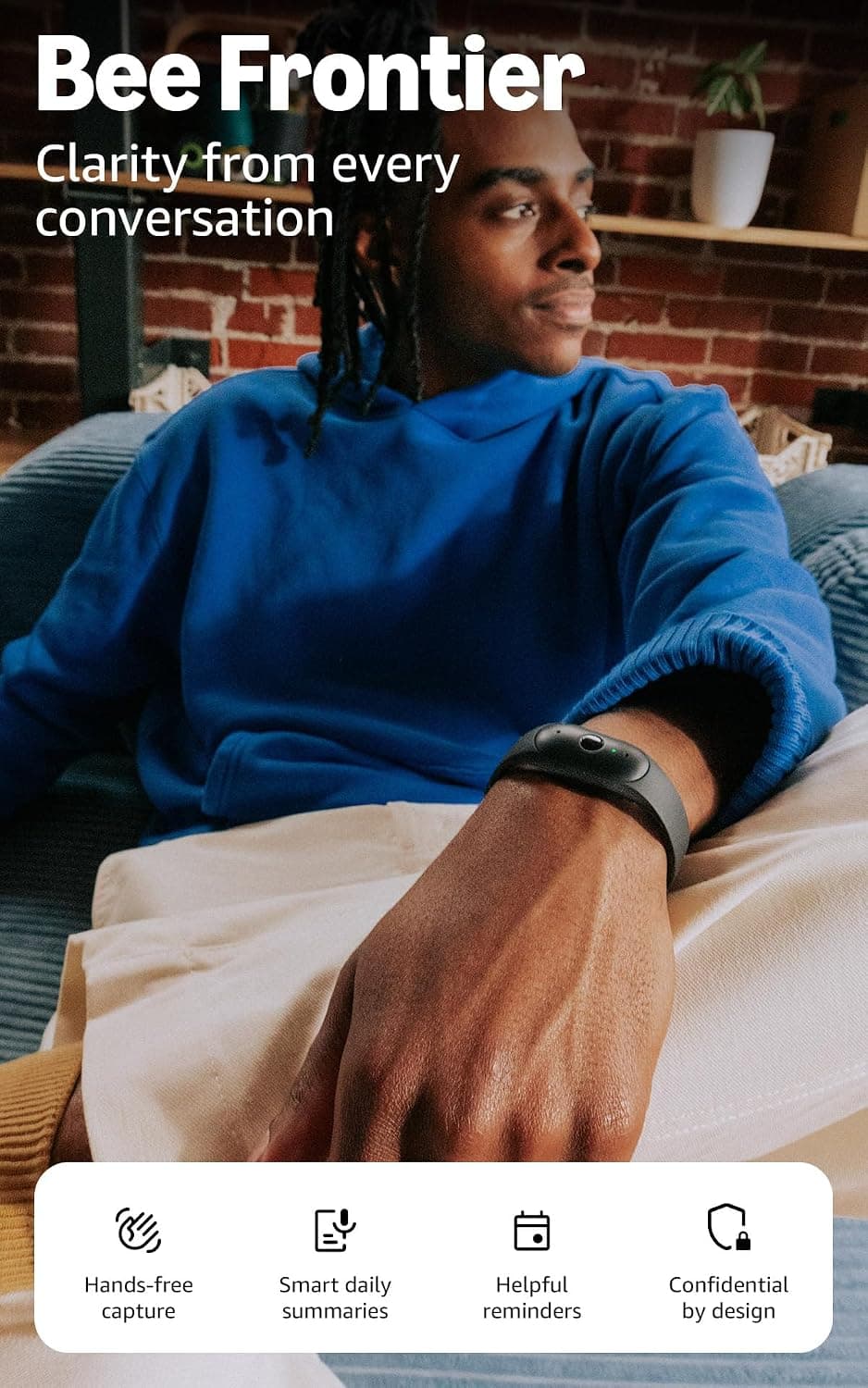
“Walking out of a fast-paced forty-five-minute brainstorming session or a packed afternoon of back-to-back phone calls used to mean spending another twenty minutes deciphering my own scribbled notes, yet strapping the all-new Bee Frontier onto my wrist has completely eliminated that mental clutter. Right out of the box, the stealthy matte Onyx finish looks effortlessly modern and understated, blending in seamlessly whether I am dressed up for a client meeting or wearing a hoodie on the weekend. Because it is completely screen-free, it never pulls my eyes away from the person sitting across from me with obnoxious pop-up notifications or glowing distractions. The ultrasoft silicone wristband feels weightless against my skin even after fourteen hours of continuous wear, fastening securely with a slick pin-and-tuck metal stud clasp that stays put all day. Whenever I want to switch up how I wear it or keep my wrists completely bare, the modular core pops right out of the silicone band and snaps into the included clip accessory, letting me attach it directly to a shirt collar, jacket lapel, or pocket with zero fuss. Operating the hardware is refreshingly intuitive and relies entirely on tactile muscle memory rather than fiddling with tiny menus. Right in the center of the smooth Onyx capsule sits a responsive physical action button flanked by a dual-microphone array and a tiny green status light. A single press wakes the unit up to begin capturing a conversation, illuminating the subtle green indicator so there is never any guesswork about whether it is actively listening, and another single press wraps up the session. What really elevates the day-to-day ergonomics is the double-press bookmarking feature; whenever someone drops a brilliant idea or a critical deadline mid-sentence, I just give that center button a quick double-tap to flag the exact moment for instant retrieval later. Even in challenging acoustic environments like a bustling café with espresso machines hissing in the background or a breezy outdoor walkway, the dual microphones and advanced noise-filtering algorithms lock onto spoken voices with remarkable clarity and support over forty different languages without breaking a sweat. The real magic happens the moment a conversation wraps up and the Bee Frontier transforms raw, unstructured dialogue into crystal-clear, actionable summaries. Instead of forcing me to dig through a massive wall of text, the companion mobile app instantly distills lengthy discussions into concise recaps that highlight the core purpose of the chat, key decisions made, and the exact context behind them. I can still toggle over to the full searchable transcript whenever I need to verify a specific quote or number, complete with precise timestamps and speaker context, while a dedicated tab surfaces related past discussions automatically. Having a wearable companion that catches every casual commitment and fleeting brainstorm means I can stay completely present and engaged in the moment, knowing my second brain is quietly handling all the administrative note-taking in the background. What separates this device from a basic voice recorder is how the personal AI genuinely grows with me over time, learning my daily communication patterns, recurring projects, and personal workflow habits. The more I use it, the smarter and more tailored its insights become, connecting the dots between a morning work breakthrough and an afternoon errand without me having to manually organize folders. It integrates smoothly with my existing digital calendar and email setup, turning spoken promises into suggested to-dos and even offering one-tap options to draft follow-up emails or schedule calendar events right from the summary screen. At the end of a busy day, I love scrolling through my daily timeline of memories, which pairs a cohesive narrative summary of my day with map pins showing where those key conversations happened, making it effortless to search my own life by topic, person, or location weeks down the line. With a device this capable, privacy is naturally top of mind, and the Bee Frontier earns my complete trust by being confidential by design from the ground up. Rather than storing endless hours of raw voice recordings in the cloud, the system processes audio in real time in memory and immediately deletes the audio file once the transcription and summary are generated. Every single transcript and insight is locked down with end-to-end encryption using cryptographic keys managed directly on my own device, meaning nobody else—not even the manufacturer or external providers—can ever read my summaries unless I explicitly choose to share them. I also appreciate the smart inactivity timer that automatically stops audio capture if it detects an extended period of silence, alongside total manual control that lets me pause listening at the press of a button or permanently delete any transcript or memory from my timeline whenever I want. All of this continuous ambient intelligence would fall flat if I had to baby the battery every few hours, which is why the seven-day battery life is such a massive triumph in practical engineering. While traditional smartwatches constantly beg for a charger before bedtime, I can wear the Bee Frontier through an entire workweek and well into the weekend—up to a whopping one hundred and sixty hours of use—before plugging a standard USB-C cable into the rear port for a quick top-up. That kind of stamina makes a huge difference when traveling or powering through marathon schedules. Furthermore, its IP67 water and dust resistance rating means I never have to treat it like a fragile piece of lab equipment; it shrugs off sudden rainstorms, intense workout sweat, and accidental splashes at the bathroom sink without missing a single syllable. Bringing the Bee Frontier into my daily routine has fundamentally upgraded how I capture ideas, follow through on promises, and reflect on my busiest days. By combining a featherlight, modular Onyx form factor with enterprise-grade privacy, week-long battery endurance, and an adaptive AI that turns casual speech into ready-to-send emails and organized action items, it bridges the gap between talking about great ideas and actually executing them. Whether I am navigating complex project meetings, keeping track of personal errands, or simply trying to remember a thoughtful gift idea a friend mentioned over lunch, this wearable delivers effortless clarity every single day.”
Signals matched: Specific detail: quantity, entity, scenario, comparison · Mentions: functionality, quality
Didn't think I would love it as much as I do. It's a keeper!
“As a long time user of Krisp AI, I was looking for a way to expand AI audio recording to real world conversations without dealing with multiple subscriptions. I was skeptical if this Bee frontier device would be as good as software based transcribers. To be fair, Bee also has a desktop software. Upon my initial test of the frontier, it was able to handle video calls just as well as the software recorders. The device can pick up fairly far away. I was about 50 feet away and it could still pick up audio, basically, if you can hear the noise, it can as well. I wouldn't necessary say it was 100% accurate in what it picked up, but it captures bits and pieces of words to formulate the overall context. The battery life is amazing, I was skeptical of it's 7 day battery life, but it only drains 1% every 2 or so hours, which seems to align with the 7 day battery life. The transcript summary itself is around 80-90% accurate. It misses words here and there, but I've found the same with software based recorders. It can generally fill in the blank to figure out what the context means so the summary itself is actually very accurate. I love the feature where it tells you the atmosphere and tone of the meetings. For example, it said our family seemed lighthearted and playful, whereas my meetings were pragmatic and at times showing frustration. It's a good reminder for me to take a breather. My first few hours of the device was frustrating. I could not figure out how to work the device. The light was green, but nothing was transcribing. Turns out there was a glitch with it where the light was on, but no conversation was being recorded. I attached a screenshot to show what you should be seeing on the app if it's working. If you aren't seeing that, then what I did to clear it up was go into the "Stop after silence time" and change it, save it, then change it back. I also clicked start/stop listening and the conversation bubble started showing up again. The only downside I've found is that it needs to be tethered to your phone at all times to keep recording. If you move your phone away from the device nothing will record. I was hoping it would work offline until the two devices were close enough again. Nope, that's not the case. The good news is it'll pick up where it left off and resume recording so you don't have to start the session again, assuming the "stop after silencer timer" is long enough. I have mine set at 12 hours and I haven't noticed a significant battery drain. I haven't had any issues with the device slipping out of the band or clip. It's really wedged in there. It takes a significant amount of force to pull it out of the silicone sleeves. Both sleeves are waterproof as the device itself. If you use the clip, the metal clip is very smooth, so that can easily slip off. I would suggest the band or leaving the device in your pocket. The price point feels pretty fair. You can use the device without a subscription so it can record, then you can export the transcription to another AI to generate summaries, etc. The paid tier unlocks unlimited history, desktop tools, and deeper integrations. Comparing the two Bee models, the Frontier offers waterproofing, but the Eclipse model offers more microphones and triple the battery for $25 more. Since I primarily keep mine in a pocket, I'll probably end up upgrading into the Eclipse down the road. From the software, it seems to only support once device right now which is interesting. I was initially skeptical of this device, but it's honestly checked off all the boxes and I'll be keeping it. The first few hours was frustrating until I figured out the software. It was a few hours because I was thinking it was recording, but it actually didn't so I had a lot of meetings and interactions of dead silence. My take, if you need waterproof and you want to wear it get this. If you want larger battery life, throw it in your pocket, bag, etc. the eclipse might be better. Oh yeah, this device doesn't come with a usb-c charger/cable.”
Signals matched: Specific detail: comparison, entity · Mentions: functionality, quality · Reads as an authentic voice
One less thing to search
Some reviewers report easy app setup, but others report pairing or connection failures, including an iOS "Cannot Add Accessory" error and one reviewer saying Android users were dropped without warning.
Answers are limited to the manufacturer's listing and the reviews we analysed. Questions those sources cannot support are not answered here.
Transparent by design