What people like
Easy to use, clear sound, good value
Reviewers find it convenient and easy to use, with clear audio and no noticeable lag in several cases. Many also consider it a good price and recommend it.
The 30-second read
What people like
Reviewers find it convenient and easy to use, with clear audio and no noticeable lag in several cases. Many also consider it a good price and recommend it.
The main watch-out
Some users report limited range and that the device auto-negotiates to aptX-HD, which can cause too much lag for video and cannot be manually switched to aptX-LL.
Before you choose
One reviewer notes that when plugged into a TV, the TV registers headphones and stops playing through the speakers, requiring unplugging when not in use.
Your use case first
1 of 12 mentions describe a negative experience (8%).
0 of 6 mentions describe a negative experience (0%).
5 of 8 mentions describe a negative experience (63%).
4 of 7 mentions describe a negative experience (57%).
One review can mention several topics. Percentages describe the reviews we analysed, not all buyers or the product's overall failure rate.
Check the evidence
Included does not mean verified authentic. Flagged does not mean proven fake. These are analytical classifications.
Showing 3 illustrative excerpts, not the complete review set.
5.0 out of 5 stars
“i love it’s small size. it’s easy to use, easy to charge. it’s handy when using it to listen to audio on the pc at work. i don’t have to use wired headphones or try and connect my personal headphones to the work computer. that’s a whole process as it’s a shared workstation. i can adjust volume with no fear of it ‘leaking’ out while in use. it does have a limited range if you do need to step away. i just unplug it, place it in my pocket and then replug when i need it again. i haven’t had any issues with lag.”
Signals matched: Specific detail: scenario, process · Mentions: functionality, connectivity · Reads as an authentic voice
3.0 out of 5 stars
“Pairing was straightforward, but unfortunately it auto-negotiated to aptX-HD, which has too much lag when watching video. After corresponding with the seller, I learned there was no way to manually switch the connection to aptX-LL (low latency), and that apparently the codec isn't even supported by the device. If you're using this device for music you'll be fine, but I bought this primarily to watch video on flights, and for that purpose I do not recommend it.”
Signals matched: Specific detail: entity, scenario, process · Mentions: latency, connectivity, functionality · Reads as an authentic voice
5.0 out of 5 stars
“This is a great item for my older auto for listening to audio books, podcasts etc. while driving for 15 minutes or 8 hours! No cord from my phone just Bluetooth. Connects to my car's audio system with clear, excellent fidelity! I t took me a while to realize what this item is showing up on my bluetooth file with all of the other devices that I have or still connect with. It shows up as wireless music adapter and that is it! Works great! I would recommend;.”
Signals matched: Specific detail: scenario, quantity, entity · Mentions: connectivity, functionality · Reads as an authentic voice
One less thing to search
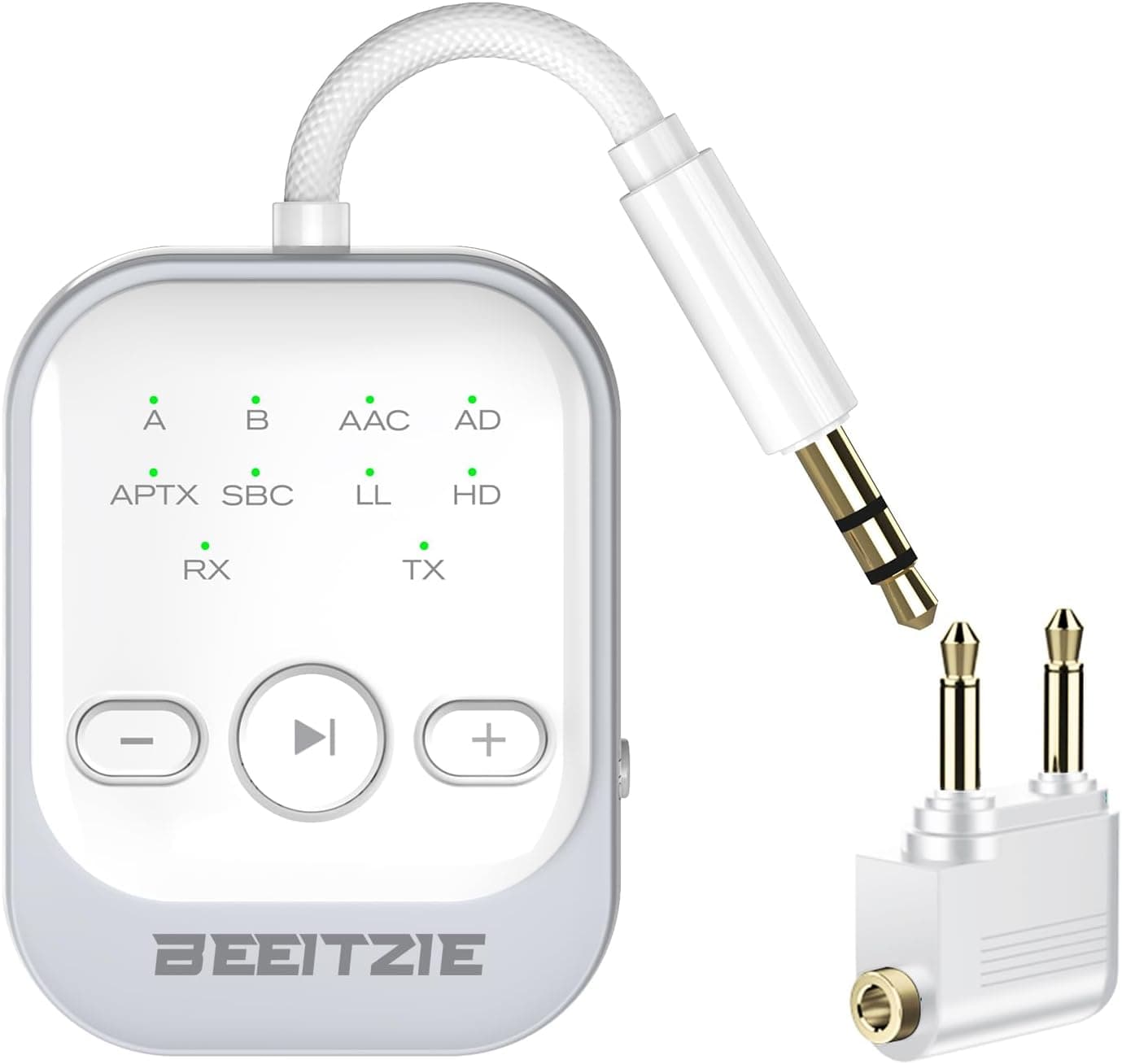
Yes. In TX mode it transmits audio from non-Bluetooth devices like TVs, PCs, and airplane entertainment systems to Bluetooth headphones, speakers, or earbuds via AUX/RCA. One reviewer said it let them watch TV without disturbing their family.
Yes. In RX mode it works as a Bluetooth receiver, letting your smartphone connect wirelessly to wired speakers, earphones, or car stereos. One reviewer used it in an older car to listen to audiobooks and podcasts with clear fidelity and no cord from the phone.
Experiences vary. One reviewer reported no noticeable lag, and another detected no lag or sound delay on Sony WF1000 buds, but a third reviewer said the device auto-negotiated to aptX-HD, which had too much lag for video, and was told there was no way to manually switch to aptX-LL.
On a full charge it provides over 24 hours of playtime and charges fully in about 2 hours with the included Type-C cable.
Long-press the power button for 8 seconds to reset the device and clear all previous pairing data, and double-click the power button to enter pairing mode.
Answers are limited to the manufacturer's listing and the reviews we analysed. Questions those sources cannot support are not answered here.
Transparent by design