What people like
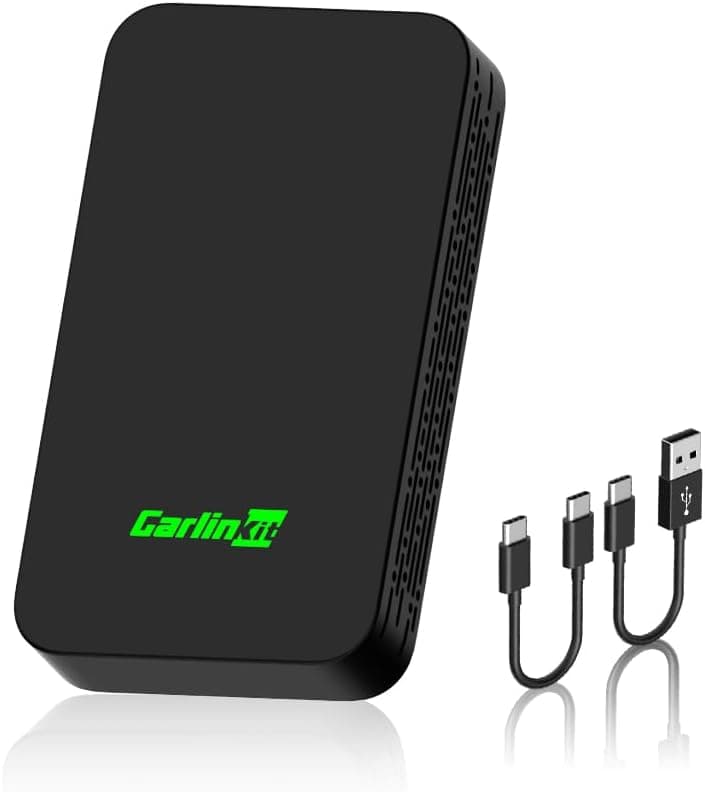
Wireless CarPlay that just works
Reviewers say it connects wirelessly within seconds of starting the car, saving constant cable plugging. Setup is simple and connections are described as fast and reliable.
The 30-second read
What people like
Reviewers say it connects wirelessly within seconds of starting the car, saving constant cable plugging. Setup is simple and connections are described as fast and reliable.
The main watch-out
Some note the occasional need to unplug/replug the adapter, that it warms up a bit, and that switching between phones isn't easy. It's also larger than some tiny USB-stick units.
Before you choose
Check that your factory system only offers wired CarPlay/Android Auto, since results vary by head unit and phone. Reviews mention specific units like Sony XAV-AX and Uconnect 8.4N.
From a similar, more-reviewed product in this category: Wireless CarPlay Adapter for iPhone, Convert Wired to Wireless Apple CarPlay Adapter, Mini Size with Extension Cable USB & USB-C/Type-C, Stable Control & No Delay, Black
What people like
Many reviewers say the adapter pairs quickly and connects automatically each time they start the car, with minimal delay and stable audio/navigation.
The main watch-out
Some users report random disconnects, finicky behavior, or the adapter failing after about a month, sometimes requiring unplugging and replugging.
Before you choose
Works with many vehicles and even a motorcycle, but one reviewer notes voice calls can't be heard when answered from the car, and another mentions occasional phone unlocking for steering wheel controls.
Description
Wired to Wireless 2 Universal Compatibility Previous page Next page 1 Wireless Connection Guide 2 How to Access Backend 3 Connect Stability Guide What vehicles are compatible with Carlinkit 5.0? Carlinkit 5.0 works with cars that have a factory-installed wired CarPlay or wired Android Auto system (typically 2016–2026 models). It converts your existing wired connection to wireless. Is Carlinkit 5.0 compatible with Tesla or BMW vehicles? No. Carlinkit 5.0 is not compatible with Tesla, BMW, or any vehicle that comes with factory wireless CarPlay or Android Auto. It is designed for cars with factory wired CarPlay or wired Android Auto systems only. Can I use CarPlay with an Android phone or use Android Auto with an iPhone? No. Carlinkit 5.0 mirrors your phone's ecosystem — iPhone gives wireless CarPlay, Android gives wireless Android Auto. It does not convert between ecosystems. Sometimes the connection feels laggy or disconnects. What should I do? Minor compatibility variations can occur with some vehicles. Try changing the WiFi band to 149, 161, or 165 via the web settings page. If the issue persists, please contect us for further assistance. Will video streaming apps like YouTube or Netflix work? No. Carlinkit 5.0 is designed for CarPlay and Android Auto only and does not support video streaming.
Compare the trade-offs
A random selection of analyzed products from the same category. Different products are not necessarily interchangeable.

2-in-1 Wireless CarPlay Adapter Support Apple CarPlay & Android Auto, Mini Bluetooth USB A & USB C Dongle Convert Wired to Wireless Compatible with iPhone & Android

Wireless CarPlay Adapter for iPhone, Super mini Compact 2-in-1 Dongle for Apple iOS 10+, Convert Wired to Wireless CarPlay, Instant Connectivity, Fit for Cars from 2016 with Built-in CarPlay

Wireless CarPlay Adapter for Apple iPhone, Converts Wired Connections to Wireless CarPlay, Zero delay, Plug-and-Play, Compatible with Apple iPhone iOS 10+ Systems and Various Vehicles(Silver)
Check the evidence
Included does not mean verified authentic. Flagged does not mean proven fake. These are analytical classifications.
Showing 3 illustrative excerpts, not the complete review set.
Just works
“I have a 2017 Uconnect 8.4N head unit, and this wireless CarPlay adapter has been working well with it. My phone connects flawlessly probably 95% of the time. There are occasional times when I have to unplug the adapter and plug it back in, but once I do that everything connects and works normally. Since my Uconnect system is one of the earlier factory systems with CarPlay, I am not necessarily blaming the adapter for those occasional connection issues. I have tried other wireless CarPlay adapters with this same vehicle and have experienced similar behavior, so I suspect at least some of it is related to the head unit. Setup was very easy. I did not have to do anything complicated to get it working, and once it was configured my phone connected wirelessly without having to plug it into the vehicle every time I got in. I also like that the adapter supports over the air firmware updates using a phone. When I needed to update mine, I simply browsed to the IP address specified in the instructions and performed the update. It was a straightforward process and it is nice knowing the adapter can receive updates without having to connect it to a computer. This adapter is a little larger than some of the very small USB thumb drive style wireless CarPlay adapters I have seen. That really isn't an issue for me, especially since it does not appear to get hot during use. It is small enough to tuck away and I would rather have a slightly larger unit that stays cool than a tiny device that gets excessively warm. There is no battery in this type of adapter, so there is nothing to charge or maintain. It simply gets its power from the USB connection in the vehicle. Audio quality has also been very good. I compared the same audio files using the phone connected directly to the Uconnect system with a cable and then through this wireless adapter. I cannot hear any difference in sound quality. The wireless connection sounds just as good as the wired connection to me. Overall, I am very happy with this adapter. It was easy to set up, connects reliably most of the time, supports firmware updates, stays cool during use, and gives me the convenience of wireless CarPlay without sacrificing audio quality. Considering the occasional connection issue is also present with other adapters in my older Uconnect system, I think this is a good value.”
Signals matched: Specific detail: quantity, entity, scenario · Reads as an authentic voice
Kabelloses CarPlay und Android Auto im Alltag
“Einrichtung und Kompatibilität Der Adapter ist eine praktische Lösung für Fahrzeuge, die CarPlay oder Android Auto bisher nur per Kabel unterstützen. Die Ersteinrichtung war bei mir schnell erledigt: Adapter am USB-Anschluss des Infotainmentsystems anschließen, das Smartphone per Bluetooth koppeln und anschließend die drahtlose Verbindung nutzen. Wichtig ist allerdings, dass das Fahrzeug bereits ab Werk über kabelgebundenes CarPlay oder Android Auto verfügt. Nutzung im Alltag Nach dem Einsteigen verbindet sich das Smartphone meistens innerhalb weniger Sekunden automatisch. Dadurch kann das Handy in der Tasche bleiben und Navigation, Musik sowie Telefonie stehen direkt auf dem Fahrzeugdisplay zur Verfügung. Während meiner Nutzung war die Verbindung überwiegend stabil und auch längere Fahrten verliefen ohne größere Unterbrechungen. Die Übertragung über WLAN sorgt dabei für eine gute Reaktionsgeschwindigkeit, während Bluetooth hauptsächlich für den Verbindungsaufbau verwendet wird. Besonders angenehm finde ich, dass sowohl iPhones als auch Android Smartphones unterstützt werden. Das ist praktisch, wenn mehrere Personen dasselbe Fahrzeug nutzen. Die Bedienung über das originale Infotainmentsystem und die Lenkradtasten bleibt erhalten, sodass sich am gewohnten Bedienkomfort nichts ändert. Durch die kompakte Bauweise lässt sich der Adapter außerdem unauffällig im Bereich der Mittelkonsole verstauen. Kleine Einschränkungen Ganz perfekt funktioniert die automatische Verbindung bei mir nicht in jeder Situation. Gelegentlich musste ich das Infotainmentsystem manuell auswählen oder die Bluetooth Verbindung erneut anstoßen. Erfahrungen zeigen, dass dieses Verhalten je nach Fahrzeug, Smartphone und Softwareversion unterschiedlich ausfallen kann. Auch die Firmware Aktualisierung ist nicht besonders intuitiv und könnte in der Anleitung verständlicher erklärt sein. Einen Stern ziehe ich deshalb ab, weil der automatische Verbindungsaufbau nicht immer zuverlässig beim ersten Versuch klappt und die Einrichtung der Firmware etwas Geduld erfordert. Nach erfolgreicher Einrichtung überwiegen für mich aber klar die Vorteile. Der Adapter arbeitet unauffällig, startet schnell und macht aus der kabelgebundenen Nutzung im Alltag eine deutlich komfortablere drahtlose Lösung. Insgesamt vergebe ich daher 4 von 5 Sternen.”
Signals matched: Specific detail: process, scenario · Reads as an authentic voice
Reliable, fast connections and good quality audio/picture
“I got this wireless android auto/carplay adapter in order to turn my 2019 ram classic warlock into a wireless android auto vehicle instead of needing to use the cable and it has been awesome so far! It was easy to set up, just connect via Bluetooth and WiFi to the dongle and it walks you through the simple steps of setting it all up. I have not had issues with it dropping signal or stuttering so far and I drive a lot for work so I already have dozens of hours of testing on this product so far with zero connectivity issues thus far. The clarity of the picture/screen is just as good if not better than the wired android auto version before and it looks both sharp and colorful when connected over the dongle. All functionality remained intact, and honestly I think it might even be more quick/responsive now than when I was just using the cord. Basically all you need to do is plug the dongle into your vehicles usb media port, go through the setup and settings and then after that you just leave it plugged in and it always connects automatically and works every time! The only issue I ran into was that in my truck, the usb port automatically stays on after I shut the truck off and my phone was staying connected to it. I solved this problem easily by buying a cheap usb on/off switch that extended the dongle cable and gave me a little rocker switch that I could turn off after I turned off the truck to shut the power off to the dongle. When I get back in, I just start the truck and flip the switch to on and it automatically and seamlessly connects my phone back to the trucks screen. Again, I emphasize that my truck has retain all original features when using this wireless dongle and sound and picture quality has remained at least the same, if not better than the wired setup. For the money, this is an incredible value and is much cheaper than other alternatives and can give new life to an older android auto or CarPlay vehicle without having to spend thousands of dollars either upgrading the vehicle or upgrading the head unit. Happily recommend this to anyone who wants to turn their wired android auto or CarPlay into wireless, it’s simple to setup and works reliably every time for me.”
Signals matched: Specific detail: entity, process, scenario · Reads as an authentic voice
Transparent by design