What people like
Easy plug-and-play setup
Reviewers repeatedly highlight that the webcam works instantly with no extra software or drivers, and many say it is a great value for the price.
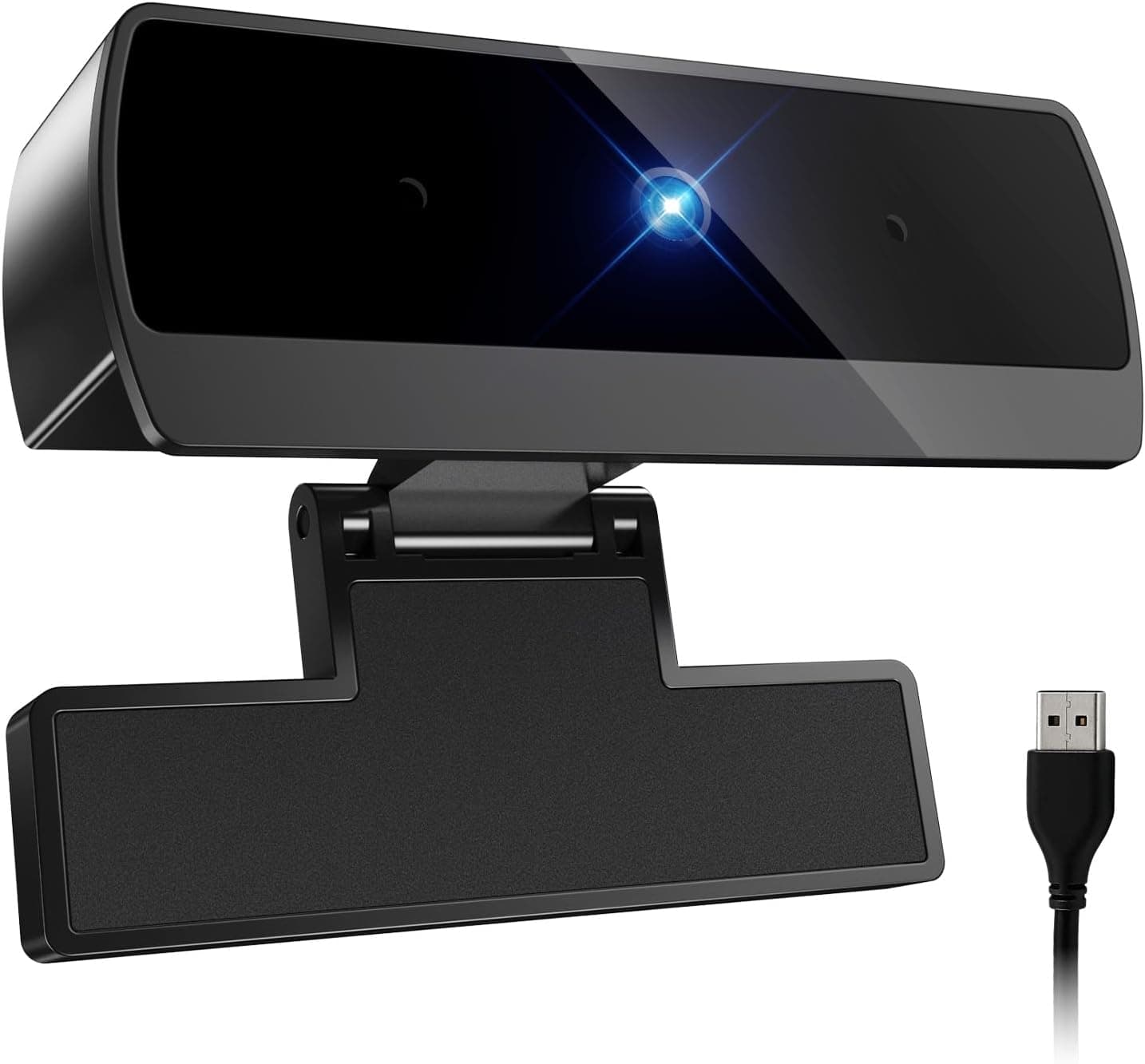
The 30-second read
What people like
Reviewers repeatedly highlight that the webcam works instantly with no extra software or drivers, and many say it is a great value for the price.
The main watch-out
One reviewer notes the mic quality is only alright and that people sometimes cannot hear them, possibly due to distance or mic quality.
Before you choose
Reviews mention it works with Windows, Mac, and even a Raspberry Pi, but one user had initial trouble getting it working, so verify it fits your setup.
Your use case first
48 of 293 mentions describe a negative experience (16%).
25 of 216 mentions describe a negative experience (12%).
38 of 215 mentions describe a negative experience (18%).
34 of 130 mentions describe a negative experience (26%).
1 of 67 mentions describe a negative experience (1%).
12 of 50 mentions describe a negative experience (24%).
5 of 31 mentions describe a negative experience (16%).
9 of 30 mentions describe a negative experience (30%).
One review can mention several topics. Percentages describe the reviews we analysed, not all buyers or the product's overall failure rate.
Check the evidence
Included does not mean verified authentic. Flagged does not mean proven fake. These are analytical classifications.
Showing 3 illustrative excerpts, not the complete review set.
Pleasantly surprised - good value for the money
“Overall: For under $10, this camera is pretty good. The picture, sound, and ease of installation were all good. Installation: I plugged this in to a Raspberry Pi 5 (Linux single-board computer) and it worked immediately without any additional drivers. It was also plug-and-play on my Windows 10 PC. Picture: Full 1080P resolution (1920x1080). I tested locally with some free webcam software (Webcamviewer) on a Windows 10 PC. Admittedly, Webcamviewer may have contributed to some of the image quality issues I will mention below. The two pictures attached to the review are of "low light" and "normal light". Under normal office lighting, the picture is more than good enough for a Zoom call. I can't say whether autofocus was working or perhaps the lens is fixed focus - I saw a sharply focused image of myself at typical desk-sitting distance, and the wall six feet behind me was also in focus. Low-light performance: The product description claims there is a "fill light" with good low light performance. I did not find that to be true. There is no obvious opening in the case for a fill light to come out. I used a separate camera with infrared capability to look at the webcam in a darkened room and saw no IR light coming from the webcam. Under just the light from my monitor, the camera delivered a grainy picture. Microphone: My test consisted of making a mic-check recording of myself and playing it back. It sounded fine, without much distortion or noise. There was an "off mic" quality. My mouth was less than two feet from the microphone in my normal office chair position. I could not find a way to attach the sound recording to this review. Disclaimer: I purchased this webcam for my own use, and received no compensation for my review.”
Signals matched: Specific detail: quantity, entity, process, comparison · Mentions: value for money, picture quality, easy to install, compatibility · Reads as an authentic voice
Great cam for an even better price
“Very easy to set up, you just plug it into your pc/laptop! Mic quality is alright. I use it with my pc, and sometimes the people I’m playing games with can’t hear me. Not sure if it’s because I’m a bit far from my mic, or if it’s because the mic quality isn’t that great. The video quality isn’t the best in the world but it’s decent for the price you pay. I have a monitor with no real trim, so I was worried it would cover a big portion of the screen but to my surprise it didn’t cover the screen at all! It’s easy to move, it fits well, and it’s an easy plug and play system so I can use it on whatever device I want as long as it has a usb port! So glad I didn’t waste my money on some expensive mic/cam set up that would’ve given me the same quality.”
Signals matched: Specific detail: scenario, comparison · Mentions: easy to install, quality, picture quality, value for money, mounting · Reads as an authentic voice
Easy setup webcam that gets the job done
“I needed an inexpensive webcam quick for online schooling and this one had great reviews. Setup was extremely simple — just place it on top of your monitor, plug it into a USB port, and it worked instantly without any extra software. What I liked: Truly plug and play with no hassle. Solid build quality that feels like it will last. Video quality is clear for 1080p and works well in well lit areas. What could be better: There is no adjustability once on the monitor. With a larger monitor I had to adjust my desk and chair to the right settings for the webcam to see me. Bottom Line: If you need a budget-friendly webcam for school, Zoom meetings, or casual streaming, this is an excellent choice. Just keep in mind the limited adjustment options.”
Signals matched: Specific detail: quantity, process, entity · Mentions: easy to install, quality, picture quality, connectivity · Reads as an authentic voice
One less thing to search
Yes. Reviewers report it is truly plug and play — you place it on your monitor, plug it into a USB port, and it works instantly without any extra software.
Reviewers describe the picture as clear and decent for the price, with one noting full 1080P resolution (1920x1080), though another says it isn't the best in the world but is decent for what you pay.
Yes. Multiple reviewers call it great for the price, with one noting that for under $10 the picture, sound, and ease of installation were all good.
The listing states it is certified to work with Zoom, Microsoft Teams, OBS, Skype, and YouTube, and is fully compatible with Windows 11/10/8/7, macOS, and Linux. Reviewers confirm it worked plug-and-play on Windows 10 and on a Raspberry Pi 5 running Linux.
The listing states it has an F2.2 large aperture and advanced CMOS technology that automatically adjusts to low-light conditions, reducing graininess and restoring vibrant colors.
Answers are limited to the manufacturer's listing and the reviews we analysed. Questions those sources cannot support are not answered here.
Transparent by design