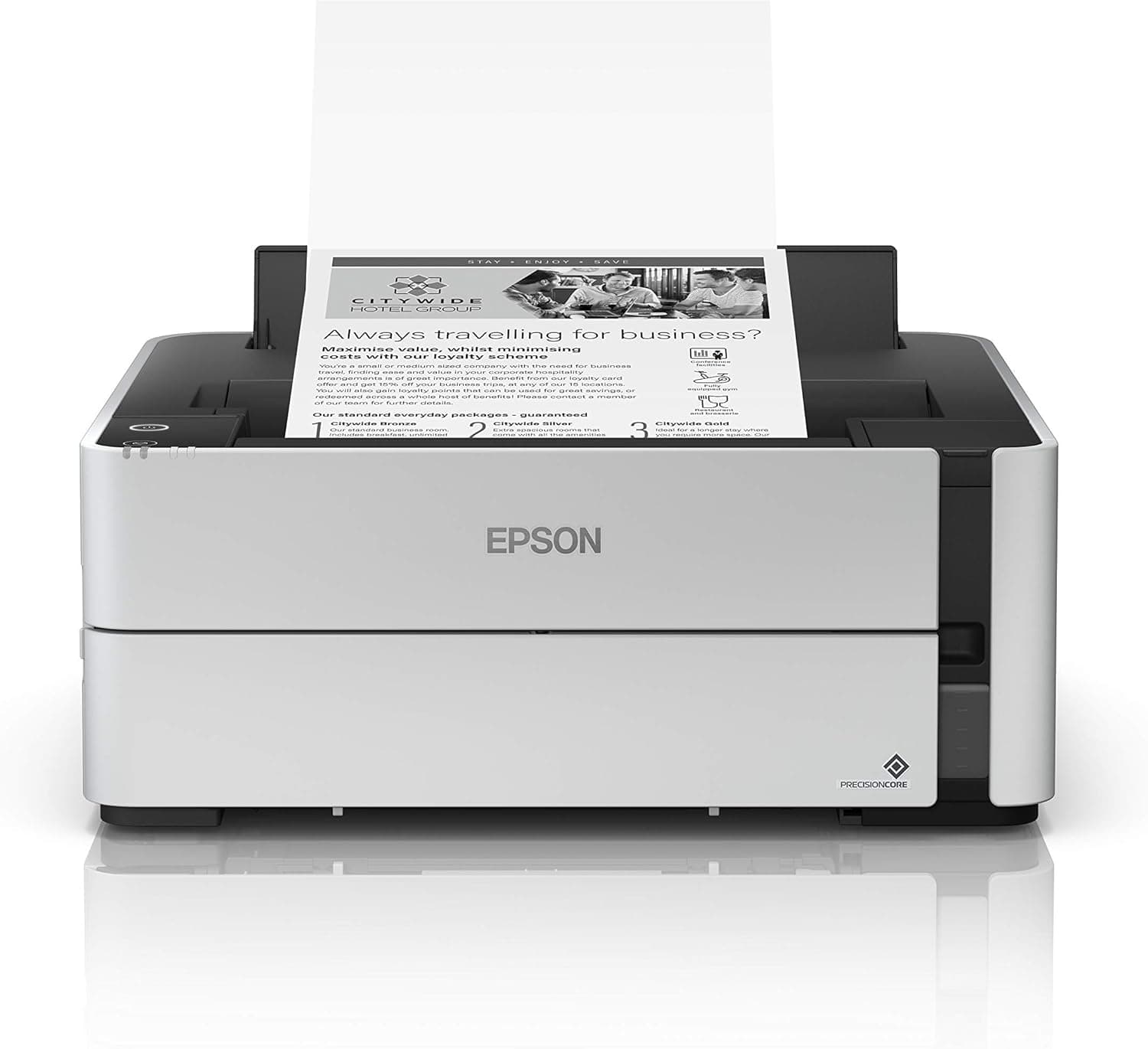
Epson EcoTank ET-M1170 Wireless Monochrome Supertank Printer

Epson EcoTank ET-M1170 Wireless Monochrome Supertank Printer

4 on Amazon382 ratingswww.amazon.com
Review reliability
83/ 100Grade B
Reviewers' star ratings and wording mostly agree, most reviews are specific and balanced across topics, ratings lean high, few sound promotional, and many read as authentic voices.
Affiliate link — commission is the same whatever the score.

The 30-second read

Before you decide

A starting point, not a buying verdict

What people like

Economical, fast, and easy to use

Reviewers consistently praise the low ink costs and long-lasting ink supply, with many noting it is easy to set up and use. Several also highlight fast print speeds and reliable performance for high-volume black-and-white printing.

The main watch-out

Potential reliability and paper jam issues

Some users report mechanical failures and repeated paper jams, including a case where plastic pieces broke off after only three months. Others mention that long-term reliability can require maintenance like cleaning rollers.

Before you choose

Check mobile printing and ink compatibility

If you plan to print from a phone or tablet, you will need the Epson print app. Also note that some users refill with third-party inks like stencil ink, which requires a syringe due to the bottle fittings.

From a similar, more-reviewed product in this category: HP Envy 6555e Wireless All-in-One Color Inkjet Printer, Portobello, Print, scan, Copy, Duplex Printing Best-for-Home, 3 Month Instant Ink Trial Included, AI-Enabled (714N5A)

What people like

Easy setup and good print quality

Many reviewers found setup quick and simple, and several praised the printer's print quality, including automatic double-sided printing.

The main watch-out

Setup and reliability problems reported

Some reviewers had a difficult setup experience or reported ongoing reliability issues, such as needing to unplug and replug the printer before each use.

Before you choose

Consider ink use and connectivity

One reviewer noted ink doesn't last long, and another needed a YouTube video to connect to Wi-Fi, so it's worth checking your printing volume and wireless setup needs.

Your use case first

Your concerns

print quality

Mixed experiences

10 of 44 mentions describe a negative experience (23%).

print speed

Mixed experiences

2 of 10 mentions describe a negative experience (20%).

reliability

Mixed experiences

17 of 37 mentions describe a negative experience (46%).

value for money

Mixed experiences

10 of 24 mentions describe a negative experience (42%).

setup

Mixed experiences

9 of 21 mentions describe a negative experience (43%).

connectivity

Mostly negative

11 of 20 mentions describe a negative experience (55%).

compact size

Mixed experiences

2 of 5 mentions describe a negative experience (40%).

paper jams

Mostly negative

8 of 10 mentions describe a negative experience (80%).

One review can mention several topics. Percentages describe the reviews we analysed, not all buyers or the product's overall failure rate.

From a similar, more-reviewed product in this category: HP Envy 6555e Wireless All-in-One Color Inkjet Printer, Portobello, Print, scan, Copy, Duplex Printing Best-for-Home, 3 Month Instant Ink Trial Included, AI-Enabled (714N5A)

printer quality

Mostly negative

198 of 368 mentions describe a negative experience (54%).

reliability

Mostly negative

222 of 319 mentions describe a negative experience (70%).

value for money

Mostly negative

165 of 236 mentions describe a negative experience (70%).

setup

Mixed experiences

66 of 172 mentions describe a negative experience (38%).

print quality

Mostly negative

73 of 139 mentions describe a negative experience (53%).

print speed

Mostly negative

51 of 79 mentions describe a negative experience (65%).

wireless connectivity

Mostly negative

135 of 172 mentions describe a negative experience (78%).

compatibility

Mostly negative

61 of 78 mentions describe a negative experience (78%).

Compare the trade-offs

Similar products, side by side

A random selection of analyzed products from the same category. Different products are not necessarily interchangeable.

Check the evidence

What the review excerpts say

Included does not mean verified authentic. Flagged does not mean proven fake. These are analytical classifications.

Showing 3 illustrative excerpts, not the complete review set.

Included in analysis5.0/5 stars

Fantastic Performance Printer

“I Picked up 3 of these to handle packing slip printing while I pumped out massive amounts of thermal labels with an Industrial thermal label printer. The printers are FAST. And they can be hooked to the network which makes them a lot more usable as far as accessing settings and transferring the data. It's a little difficult to get familiar with these printers when there's a paper jam but once you find how easy it is to pull the back out and rip out the paper, it's a cakejob. What impresses me the most about these printers is it draws the next sheet while it's still printing the current page. Absolutely fantastic for the fast print jobs I needed. Also, the ecotank/supertank Epson has is the way to go. I'm so tired of using a CIS with their printers. Now that they're built in, it's clean and easy to handle. Epson makes these special bottles for filling ink, in an attempt to force you to buy their own ink they make it look impossible to unscrew the bottle top, but you can and then fill your own cheaper ink. Just make sure to use quality ink if you deviate from Epson's. Don't just put any ink in or you'll clog your heads. The only drawback worth stating is it does seem like it pumps through ink a lot faster than some of their cheaper printers and the old workforce printers. It could just be that I'm able to slam through packing slips faster and I'm getting a lot more done but I have had to fill the printers a few times already. No biggie though. Performance is what I needed. It's a perfect print job and really, really QUICK!”

Signals matched: Specific detail: quantity, entity, scenario, process · Mentions: print speed, connectivity, paper jams · Reads as an authentic voice

Included in analysis1.0/5 stars

Disappointed

“I've had this for only 3 months. While printing today, I heard a terrible loud clicking sound, then the printer just stopped saying it was a paper jam. I removed the jammed paper, tried it again, and still heard the noise, plus another jam. I opened the back cover, and literal plastic pieces from the back cover mechanism fell out. I'm so disappointed because I was loving this printer. This printer was one of my first impressions of Epson. and it was going great. I've been a Canon girl for years, but wanted to try Epson for the print quality. What I'm noticing is Epson has better print quality but I guess cheaper materials and parts. My Canons never had pieces break inside of them. I searched for a replacement back cover, but that seems to be impossible to buy on it's own. My only option is to either order another one of these Epson's for now $300 instead of the $220 I paid just 3 months ago, or just trash the boxes of ink I had already purchased and go back to Canon. Update - Plot Twist. I bought another one. 😭 And increasing the rating to 2 stars. Because even though I'm pissed, their monochrome print quality and still better than Canon for documents. Black prints black, not dark gray.”

Signals matched: Specific detail: quantity, process · Mentions: reliability, paper jams · Reads as an authentic voice

Included in analysis5.0/5 stars

Great printer for TATTOO STENCILS

“I’m a tattoo artist so I use this printer to make my stencils, instead of using the epson ink I use inkjet stencil ink. (Yes, it is on Amazon as well) You’d have to use a syringe to put the ink in because of the nozzle and fittings that the printer and ink bottle have. If you are printing from an iPad or phone then you would have to download the epson print App. Although it does print wirelessly it isn’t AirPrint capable. When you are going to print from let’s say Procreate then you’d go to share , pdf , scroll down to epson print and choose quality and quantity. Very easy and set up was a breeze through the app. This printer prints stencils for me that are sharp and vivid, almost as if I hand stenciled each sheet. At first I was skeptical just because it didn’t seem as high tech as my last printer that has a fancy led screen and such but it seems that epson made this printer specifically for those of us who just want to print, those of us who can easily navigate our phones and the apps in them but don’t care to understand a printer menu. I’m pleased with the results and highly recommend. (*I only use this printer for tattoo stencils, I have not used this printer for any other type of printing.)”

Signals matched: Specific detail: entity, scenario, process · Mentions: connectivity · Reads as an authentic voice
One less thing to search

Before you buy: quick questions

How fast does the Epson EcoTank ET-M1170 print?
From 3 kept reviews mentioning "print speed"From the manufacturer's listing

Reviewers say the ink lasts a long time and is inexpensive, with one noting the included bottle was still about 2/3 full after four months of light printing. The listing states it comes with up to 2 years of ink in the box, enough for up to 11,000 black pages.

Does the ET-M1170 support wireless and network connectivity?
From 2 kept reviews mentioning "connectivity"From the manufacturer's listing

Yes. The listing specifies Ethernet and wireless connectivity, and a reviewer confirmed the printers can be hooked to the network. Another reviewer noted that printing from an iPad or phone requires downloading the Epson print app.

Does this printer do automatic double-sided printing?
From customer reviewsFrom the manufacturer's listing

Yes, the listing states it has auto 2-sided printing, and a reviewer confirmed it does duplex printing.

Is the ET-M1170 reliable over long-term use?
From 3 kept reviews mentioning "reliability"

Reviews are mixed. One long-term owner reported over 150,000 pages printed and still working well, though they recommended cleaning the rollers with alcohol every 5,000 pages or so. Another reviewer had the printer fail after only 3 months with a loud clicking noise, paper jams, and plastic pieces falling out of the back cover mechanism.

From a similar, more-reviewed product in this category: HP Envy 6555e Wireless All-in-One Color Inkjet Printer, Portobello, Print, scan, Copy, Duplex Printing Best-for-Home, 3 Month Instant Ink Trial Included, AI-Enabled (714N5A)

How easy is it to set up this printer?
From 8 kept reviews mentioning "setup"

Most customer reviews describe setup as easy, with one reviewer calling it the easiest setup they've ever done, though another reviewer reported setup was a nightmare that took hours. One reviewer needed a YouTube video to find the correct steps to connect to Wi-Fi.

Does this printer support automatic two-sided printing?
From customer reviewsFrom the manufacturer's listing

Yes. The manufacturer's listing states it has auto 2-sided printing, and customer reviews confirm it prints automatically on both sides and handles double-sided documents without difficulty.

Can I print from my phone?
From 3 kept reviews mentioning "wireless connectivity"From the manufacturer's listing

Yes. The listing states it offers wireless and mobile printing and works with the HP app for printing, scanning, copying, or faxing from a smartphone, PC, or tablet. One reviewer said the phone app was very easy to use and they liked being able to print from their phone.

What is included with the Instant Ink trial?
From the manufacturer's listing

The listing states it includes 3 months of Instant Ink with HP+ activation, after which a monthly fee applies unless cancelled.

What are the print speeds?
From the manufacturer's listing

The listing states print speeds up to 7 ppm color and 10 ppm black.

Answers are limited to the manufacturer's listing and the reviews we analysed. Questions those sources cannot support are not answered here.

Transparent by design

Understand the analysis