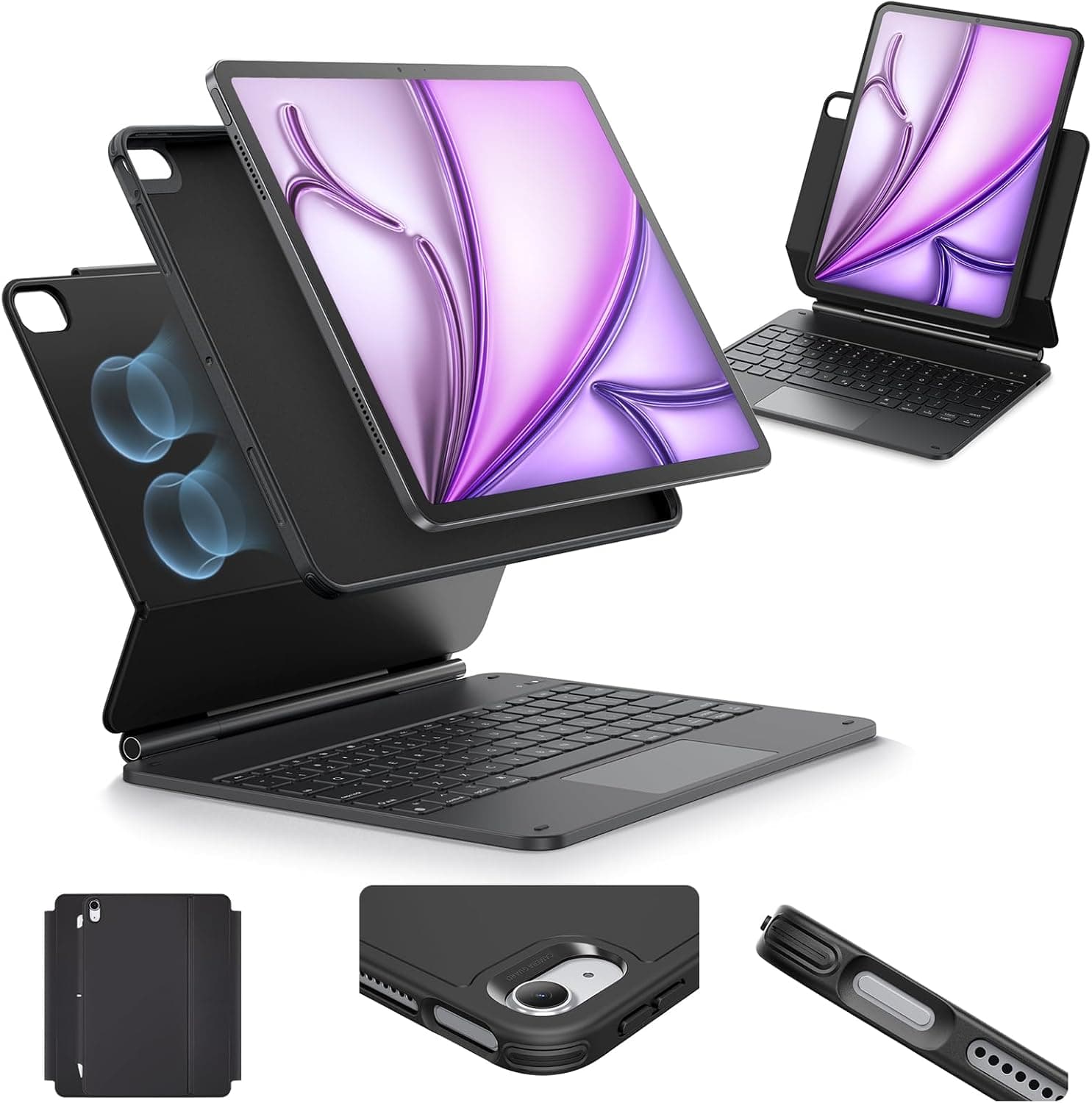
ESR for iPad Air 13 Inch Case Keyboard, Multi-Mode Magnetic Stand
Description
Product description The video showcases the product in use. The video guides you through product setup. The video compares multiple products. The video shows the product being unpacked. Video Player is loading. Click to play video Play Mute Current Time 0:00 / Duration 0:45 Loaded : 6.67% 0:00 Stream Type LIVE Seek to live, currently behind live LIVE Remaining Time - 0:45 1x Playback Rate Chapters Chapters Descriptions descriptions off , selected Captions Captions off English (Automated) , selected Audio Track default , selected Fullscreen This is a modal window. ESR for iPad Air 13 Inch Case Keyboard Previous page Next page 1 Raised Screen View 2 Landscape Mode 3 Portrait Mode Previous page Next page 1 Multifunctional Trackpad 2 Premium Laptop-Style Keys 3 Long-Lasting Battery 4 Secure Magnetic Clasp ESR Keyboard & Digital Pencil Rebound Keyboard Case 360 Add to Cart Rebound Keyboard Case Add to Cart Shift Keyboard Case Add to Cart Geo Pencil (Find My) Add to Cart ESR Digital Pencil Add to Cart Customer Reviews 4.2 out of 5 stars 3,034 4.2 out of 5 stars 5,916 4.3 out of 5 stars 814 4.5 out of 5 stars 3,736 4.4 out of 5 stars 1,475 Price $109.99 $ 109 . 99 $89.99 $ 89 . 99 $99.99 $ 99 . 99 $32.99 $ 32 . 99 $16.99 $ 16 . 99 Main Feature Quick setup Quick setup Magnetic detachable design Apple Find My support Fully charges in 20 min Compatibility iPad Air 13" (M4–M2) iPad Air 13" (M4–M2) iPad Air 13" (M4–M2) iPad 2025–2018 iPad 2025–2018 (excl. mini 7) Stand Angles 130° portrait/landscape 130° landscape 70° portrait/20°–75° landscape / / Trackpad Size 3.9 × 1.9 in 12 colors, 3 levels 4.4 × 2.8 in / / Backlit 12 colors, 3 levels 3.9 × 1.9 in Single color, 3 levels Single color Single color Protective Case √ × √ × × Pencil Storage √ √ √ × × Shortcut Keys √ √ √ √ √ Weight 935 g 940 g 746 g 13 g 16 g
One less thing to search
Before you buy: quick questions
Will this case fit my iPad Air 13-inch, and does it work with the Apple Pencil?
Yes — it's designed specifically for the iPad Air 13-inch (including recent M2/M3 models), with precise cutouts for the camera, ports, and Pencil. Most users report the Apple Pencil Pro attaches and charges without issue, though a few mention needing to reseat the case occasionally. If you have an older or different iPad size, double-check the model number before ordering.
How sturdy is the magnetic stand, and is it comfortable to use on a lap or bed?
The multi-mode magnetic stand is great on flat surfaces like desks and tables, offering several stable viewing angles. That said, many TikTok and Reddit users note the magnets can slip if you tap the screen hard at a steep angle, and it's less reliable on soft or uneven surfaces like beds and laps. For couch or lap use, a kickstand-style case may suit you better.
How long does the battery last, and does the backlight drain it quickly?
With the backlight off, most users get roughly a week or more of typical daily typing, and it charges via USB-C. Turning the backlight on will noticeably shorten that — some report needing to charge every few days with heavy backlit use. There's no dedicated battery indicator, so plan to top it up weekly if you rely on the lights.
Is the trackpad as good as the Apple Magic Keyboard's, and does it support all iPadOS gestures?
It handles everyday tasks — scrolling, tapping, two-finger gestures — smoothly and is a strong value compared to the Magic Keyboard. However, some users report occasional lag or unresponsive multi-finger gestures, especially after iPadOS updates. If flawless gesture performance is essential, the first-party option is more reliable; if you want 90% of the experience for far less, this is a solid pick.
What if it doesn't work out — can I return it, and is it worth the price?
Return policies depend on the retailer, but most major platforms offer a standard 30-day window, so check the listing before buying. At its price point, the ESR case is widely praised as excellent value — laptop-style keys, a responsive trackpad, and a versatile stand for a fraction of Apple's cost. Just keep in mind the trade-offs: added weight in tablet mode and a hinge that prefers flat surfaces.
Answers are limited to the manufacturer's listing and the reviews we analysed. Questions those sources cannot support are not answered here.
Transparent by design