size
Mostly positive1 of 26 mentions describe a negative experience (4%).
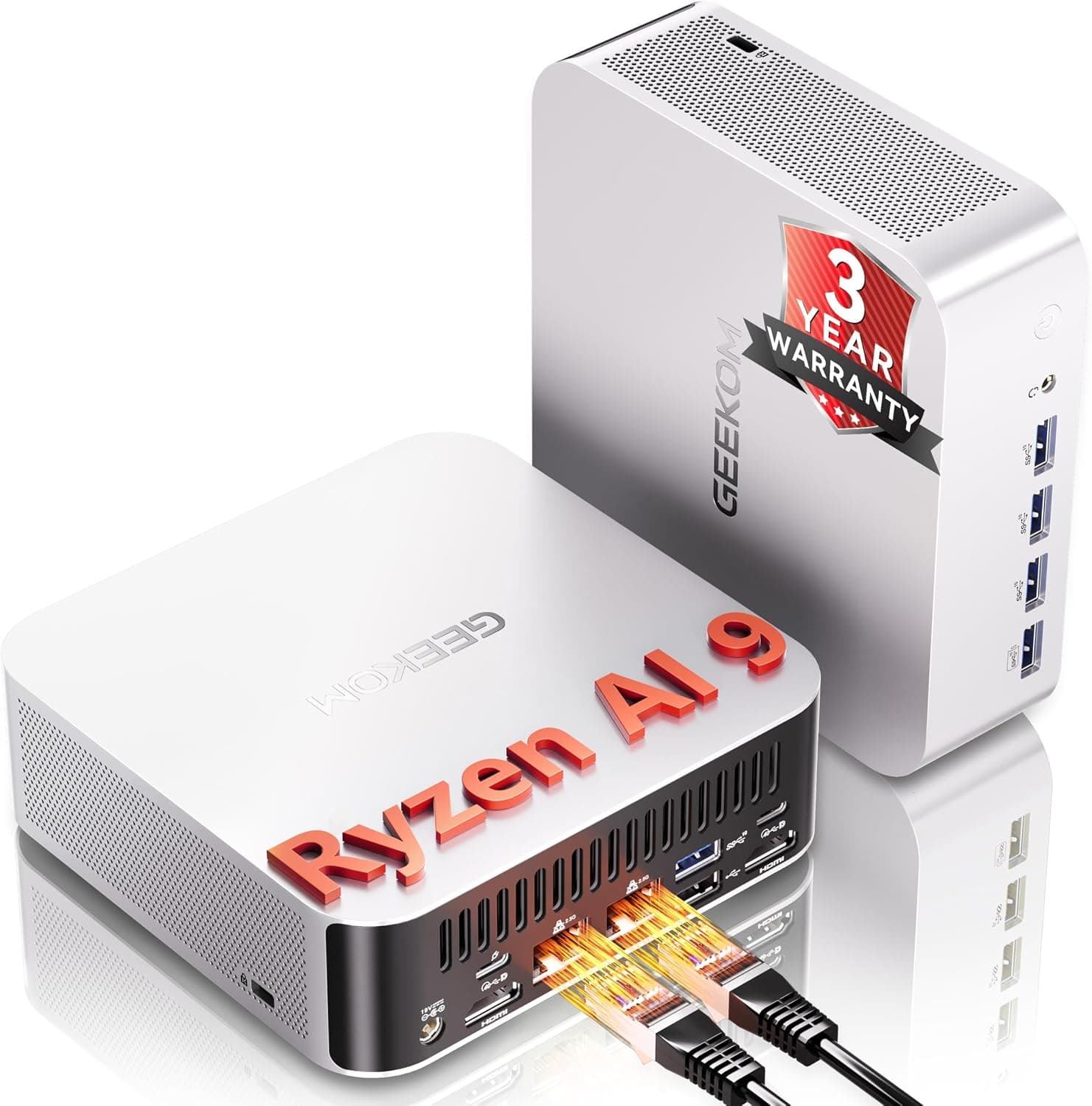
Description
Product Description 2026's Most Powerful AI Mini PC - GEEKOM A9 Max with AMD Ryzen AI 9 HX 470 The video showcases the product in use. The video guides you through product setup. The video compares multiple products. The video shows the product being unpacked. Video Player is loading. Click to play video Play Mute Current Time 0:00 / Duration 0:51 Loaded : 5.89% 0:00 Stream Type LIVE Seek to live, currently behind live LIVE Remaining Time - 0:51 1x Playback Rate Chapters Chapters Descriptions descriptions off , selected Captions Captions off , selected English (Automated) Audio Track default , selected Fullscreen This is a modal window. A9 max Mini PC Previous page Next page 1 AMD Ryzen AI 9 HX 470 2 AMD Radeon 890M 3 Triple Al Acceleration 4 32GB DDR5 2TB NVMe SSD 5 8K Quad Display Support Previous page Next page 1 Internal Structure 2 IceBlast 3.0 3 Precision Engineered 4 Rich Interfaces 5 Global Cert Awards Previous page Next page Big‑Core Performance, Mini‑Size Form Factor|GEEKOM A9 MAX--Ryzen AI 9 HX 470 The video showcases the product in use. The video guides you through product setup. The video compares multiple products. The video shows the product being unpacked. Video Player is loading. Click to play video Play Mute Current Time 0:00 / Duration 2:59 Loaded : 1.68% 0:00 Stream Type LIVE Seek to live, currently behind live LIVE Remaining Time - 2:59 1x Playback Rate Chapters Chapters Descriptions descriptions off , selected Captions Captions off , selected English (Automated) Audio Track default , selected Fullscreen This is a modal window. geekom mini pc Green Mini PC Global Leader: Eco‑Friendly Computing with GEEKOM The video showcases the product in use. The video guides you through product setup. The video compares multiple products. The video shows the product being unpacked. Video Player is loading. Click to play video Play Mute Current Time 0:00 / Duration 1:58 Loaded : 2.54% 0:00 Stream Type LIVE Seek to live, currently behind live LIVE Remaining Time - 1:58 1x Playback Rate Chapters Chapters Descriptions descriptions off , selected Captions Captions off , selected English (Automated) Audio Track default , selected Fullscreen This is a modal window. 1 1 1. 1 1 The Optimal Choice for 2026 - GEEKOM A9 Max Mini PC ! The video showcases the product in use. The video guides you through product setup. The video compares multiple products. The video shows the product being unpacked. Video Player is loading. Click to play video Play Mute Current Time 0:00 / Duration 0:42 Loaded : 7.15% 0:00 Stream Type LIVE Seek to live, currently behind live LIVE Remaining Time - 0:42 1x Playback Rate Chapters Chapters Descriptions descriptions off , selected Captions Captions off , selected English (Automated) Audio Track default , selected Fullscreen This is a modal window. a9 max minipc Crafting Quality with GEEKOM Precision Crafted with precision, GEEKOM Mini PCs embody excellence in every step of the manufacturing process. From premium components to state-of-the-art assembly, we prioritize quality, durability, and innovation. Trust GEEKOM for a brand synonymous with high standards and impeccable performance. The video showcases the product in use. The video guides you through product setup. The video compares multiple products. The video shows the product being unpacked. Video Player is loading. Click to play video Play Mute Current Time 0:00 / Duration 1:25 Loaded : 3.53% 0:00 Stream Type LIVE Seek to live, currently behind live LIVE Remaining Time - 1:25 1x Playback Rate Chapters Chapters Descriptions descriptions off , selected Captions Captions off , selected English (Automated) Audio Track default , selected Fullscreen This is a modal window. 2026 mini pc Geekom Mini PC | Extreme Durability, Tested Without Limits The Geekom Mini PC is built to handle more than just performance—it’s built to endure. Pushed through extreme durability tests, from drop impacts and constant vibrations to high and low temperature environments, high altitudes, and intense humidity, every condition is designed to challenge its limits. Proven tough in every scenario, it delivers reliable performance wherever life takes you. The video showcases the product in use. The video guides you through product setup. The video compares multiple products. The video shows the product being unpacked. Video Player is loading. Click to play video Play Mute Current Time 0:00 / Duration 1:22 Loaded : 3.66% 0:00 Stream Type LIVE Seek to live, currently behind live LIVE Remaining Time - 1:22 1x Playback Rate Chapters Chapters Descriptions descriptions off , selected Captions Captions off , selected English (Automated) Audio Track default , selected Fullscreen This is a modal window. 2026 mini pc GEEKOM A9MAX 2026 - More Flexibility. More Possibilities. The video showcases the product in use. The video guides you through product setup. The video compares multiple products. The video shows the product being unpacked. Video Player is loading. Click to play video Play Mute Current Time 0:00 / Duration 2:50 Loaded : 1.77% 0:00 Stream Type LIVE Seek to live, currently behind live LIVE Remaining Time - 2:50 1x Playback Rate Chapters Chapters Descriptions descriptions off , selected Captions Captions off , selected English (Automated) Audio Track default , selected Fullscreen This is a modal window. Why Most Mini PCs Fail (Side-by-Side Test) Previous page Next page 1 Efficient Office 2 Seamless Gaming 3 Programming 4 Creative Work
Your use case first
1 of 26 mentions describe a negative experience (4%).
0 of 11 mentions describe a negative experience (0%).
2 of 9 mentions describe a negative experience (22%).
1 of 8 mentions describe a negative experience (13%).
0 of 6 mentions describe a negative experience (0%).
0 of 6 mentions describe a negative experience (0%).
9 of 26 mentions describe a negative experience (35%).
One review can mention several topics. Percentages describe the reviews we analysed, not all buyers or the product's overall failure rate.
From a similar, more-reviewed product in this category: KAMRUI P1 Mini PC W-11 pro, AMD Ryzen 7330U Mini Computer (Βeats 3550H/R3 5300U,Max 4.3GHz,4C/8T), 16GB RAM 256GB M.2 SSD, Triple 4K Display, WiFi/BT/for Business Home Office Mini PC
23 of 118 mentions describe a negative experience (19%).
4 of 41 mentions describe a negative experience (10%).
1 of 26 mentions describe a negative experience (4%).
0 of 21 mentions describe a negative experience (0%).
0 of 20 mentions describe a negative experience (0%).
1 of 15 mentions describe a negative experience (7%).
1 of 10 mentions describe a negative experience (10%).
3 of 8 mentions describe a negative experience (38%).
Compare the trade-offs
A random selection of analyzed products from the same category. Different products are not necessarily interchangeable.

Beelink EQR6 Mini PC, AMD Ryzen 5 6600U (6C/12T up to 4.5GHz), 24GB LPDDR5 500GB PCIe4.0 SSD, Radeon 660M, Dual 4K HDMI Display, Dual LAN, WiFi6, BT5.2, Built-in Power Supply

GEEKOM A7 Mini PC, AMD Ryzen 7 7730U, 32GB RAM, 500GB SSD, Quad 8K Display

Beelink SER8 Mini PC, AMD Ryzen 7 8745HS 8C/16T,32G DDR5 RAM 500G NVME SSD
Check the evidence
Included does not mean verified authentic. Flagged does not mean proven fake. These are analytical classifications.
Showing 3 illustrative excerpts, not the complete review set.
Mini PC que cumple con creces para trabajar y estudiar
“En primer lugar, destacar que llevaba tiempo buscando un Mini PC con el precio ajustado y que me permitiera trabajar con él diariamente gracias a su capacidad para mover office, photoshop y programas de edición de código, y todo esto lo hace sobradamente. También podría ser utilizado como centro multimedia para el salón e incluso para crearte una máquina recreativa. Cuando llegó a casa, lo primero que me sorprendió fue su empaquetado. El aspecto general de sus acabados es sumamente premium y protegido, y en un espacio muy reducido, podemos encontrar todo lo necesario para hacerlo funcionar. En cuanto a sus especificaciones técnicas, nos encontramos con un procesador Intel I3 8109U con gráfica integrada, 8GB de RAM DDR4 y 256GB SSD M.2 de almacenamiento. Tanto la RAM como el M.2 pueden ser sustituidos por unos de mayor capacidad si fuera necesario (Máximo 32GB de RAM). Por otro lado, dispone de conectividad WIFI 5.0 y Bluetooth 4.2, 3 puertos USB 3.2, 2 puertos USB-C, lector de tarjeta SD y tiene salida de video HDMI y Mini DP (Mini Display Port). Además cuenta con un adaptador Mini DP a HDMI incluído en la caja. Por último, si lo quieres transportar, también se incluye una bolsita para poder hacerlo sin miedo a que se pueda rallar. Todo un acierto. Dispone de un soporte tipo VESA para colocarlo detrás de tu monitor (si dispone de este estándar) o en la pared para dejarlo oculto y no ver ningún cable. En lo referente a sus capacidades, yo he podido probar toda la Suite de Office, Adobe Photoshop además de Visual Studio Code, que lo utilizo para mi trabajo diario. Ha cumplido sobradamente con todo ello, aunque imagino que si aumentamos la RAM notaremos una mejoría interesante. Puede ser utilizado para jugar títulos que no requieran de mucha potencia, aunque este no es el cometido buscado por el dispositivo. En conclusión, si estás buscando un PC para trabajar, o para que tu familia pueda realizar las labores del colegio o la universidad, sin duda es una muy buena opción y tiene una calidad precio espectacular. Adjunto algunas fotos y un video para que puedan hacerse una idea del empaquetado y su reducido tamaño.”
Signals matched: Specific detail: scenario, process · Mentions: value for money, speed · Reads as an authentic voice
Two crippled units out of the box, great customer support
“RATING REVISED FROM 1 TO 4 AFTER EXCELLENT SIPPORT FROM GEEKOM. I really wanted to like this mini PC but, not just one, TWO of them had a malfunctioning Windows 11 operating system right out of the box. The GEEKOM A6 arrived beautifully packaged, and was a breeze to set up, working flawlessly with my keyboard and monitor. I turned it on, entered the usual information as Windows updated and logged me in, then went to Settings. Nothing. I tried opening it from the desktop, the Start Menu, and via Control Panel. Settings will not open. I reset the computer to Factory condition and started over, this time with a Windows account rather than local. Same. Settings would not open. So I reset to Factory again for return to Amazon, and ordered another. The second GEEKOM A6 arrived within 24 hours, updated and configured Windows as expected, and Settings opened with no problem. I spent most of the day installing programs and restoring data, then worked on Personalizing. All went well until I tried to change the lock screen to a photo of my choice. That option is locked, greyed out, making an easy task impossible. It looks like Windows 11 may have been configured for some specific corporate environment. I Googled the problem but the solutions offered were command line or registry tweaks far beyond the ability of an elderly lady. Since an ugly lock screen, although very annoying, doesn't interfere with productivity, and since I have chores with a deadline, I will keep this one and reach out to GEEKOM for help. Right now, since two units have had flawed Windows installations out of the box, I would rate the A6 as a ZERO. I'll be very happy to revisit this review if a solution is available. If not, I'll regretfully research mini PCs once more and return the second problem unit. ----------------------- Within 24 hours, Geekom responded with clear and concise instructions for a "Personalization" fix, which worked! I commend Geekom customer support and am revising my rating from 1 (zero) to 4. It truly is an excellent little PC, which would have awarded a 5 had it worked right out of the box.”
Signals matched: Specific detail: quantity, entity, process · Mentions: setup, reliability · Reads as an authentic voice
Por ahora, estoy realmente contenta con el ordenador
“🌵Mini PC de la marca Geekom🌵 ✅Características ◾Sistema Operativo: Windows 11 Pro ◾Procesador: Intel Core I3 ◾Gráficos: Irise Puls 655 ◾VisIón Ultra UHD 4K ◾Memoria RAM: 8Gb ◾3 salidas de pantalla: HDMI 2.0, MINI-DP y USB-C (admite múltiples pantallas) ◾WiFi de doble banda 2G/5G ◾3 puertos USB 3.2 ◾Incluido: 1 adaptador de corriente 1 montaje VESA 1 cable HDMI 1 bolsa de almacenamiento Instrucciones ✅Mi opinión personal Después de estar buscando, al final he optado por coger este mini pc, porque no dispongo de mucho espacio en mi escritorio y no quería poner una CPU enorme, por eso he optado por el mini pc. El tamaño reducido y sus características es lo que finalmente me ha ganado a la hora de comprarlo. Lo utilizo principalmente para trabajar, ver contenido de streaming, mis cosas personales y jugar a juegos no muy potentes. Con todo eso, me está dando muy buenos resultados y por ahora no tengo ninguna pega referente al rendimiento. Pero si tengo una pega... Vienen pocos puertos USB, y dependo mucho de los HUBS para tener más puertos disponibles ya que trabajo mucho con memorias externas y discos duros. El inicio es realmente rápido en menos de 10 segundos tengo el ordenador listo para usar y eso es algo que me gusta mucho y lo valoro positivamente. Dispone de varias salidas para poder conectar más de un monitor, yo en mi caso solo he conectado 2 monitores, me está dando buen resultado y me simplifica mucho las cosas, aunque reconozco que me ha resultado un poco difícil poner los dos monitores ya que no encontraba un cable que fuera compatible y como solo viene un puerto HDMI, pero he conseguido conectar los dos monitores usando el puerto HDMI y luego otro cable que por un lado es HDMI (para el segundo monitor) y por el otro lado puerto USB-C y me ha funcionado. Después de un mes de uso continuo, me sigue funcionando perfectamente. 😀Gracias por leerme😀”
Signals matched: Specific detail: entity, quantity · Mentions: build quality · Reads as an authentic voice
One less thing to search
Yes. Multiple reviewers describe it as quiet, with one noting fan noise is minimal and it stays cool under load, and others calling it "quiet and fast" for office and audio production use.
Reviewers say it is compact enough to tuck behind a monitor and takes up only a corner of the desk, while still outperforming an old tower PC.
Reviewers report setup was straightforward and they were up and running in minutes, with one audio production user saying installation of software and hardware was easy by following the instructions.
The listing states it is equipped with an AMD Ryzen AI 9 HX 470 processor, AMD Radeon 890M graphics, 32GB DDR5 RAM, and a 2TB NVMe SSD.
Reviewers repeatedly call it worth the price, describing it as a great unit at a great price and very worth it for the upgrade.
From a similar, more-reviewed product in this category: KAMRUI P1 Mini PC W-11 pro, AMD Ryzen 7330U Mini Computer (Βeats 3550H/R3 5300U,Max 4.3GHz,4C/8T), 16GB RAM 256GB M.2 SSD, Triple 4K Display, WiFi/BT/for Business Home Office Mini PC
The listing describes the operating system as OS(64bit), and one customer reported that the unit arrived with Windows 11 pre-installed, while another customer stated that no Microsoft license was included and that continued use required purchasing a valid license. The material does not consistently confirm that a Windows 11 Pro license is included.
Customers describe it as fitting in the palm of a hand, shorter than a mouse, and about the size of a breakfast English muffin, with one calling it very compact.
The listing states the P1 supports triple 4K@60Hz display via USB3.2 Gen2 Type-C, DP1.4, and HDMI2.0, and one customer reported connecting three 4K HDR monitors along with a mouse, keyboard, and speakers.
The listing says the P1 starts with 16GB DDR4 RAM (upgradable to 64GB, not included) and a 256GB M.2 SSD, and states storage is expandable to 4TB.
Customers report it is fast and easy to set up, with good performance for everyday tasks and cloud-based applications, and the listing cites an AMD Ryzen 7330U with boost clock up to 4.3 GHz for multitasking, 4K video playback, and light games.
Answers are limited to the manufacturer's listing and the reviews we analysed. Questions those sources cannot support are not answered here.
Transparent by design