What people like
Vibrant OLED colors impress
Several reviewers praise the monitor's vibrant colors and picture quality, especially compared with non-OLED or older monitors.
Our buying verdict
Several reviewers praise the OLED picture, but one reports flicker and disconnects across three units.
Buyers who prioritize vivid OLED colors and a clean bezel design for PC or console gaming and accept some reliability risk.
Buyers who need dependable DisplayPort connectivity without flicker or random disconnects.
The 30-second read
What people like
Several reviewers praise the monitor's vibrant colors and picture quality, especially compared with non-OLED or older monitors.
The main watch-out
One reviewer returned three units due to flickering and random DisplayPort disconnects that persisted after cable and driver changes.
Before you choose
One reviewer felt the jump from a 1080p 120Hz monitor was not significant, while another saw a clear improvement over their previous monitor.
Description
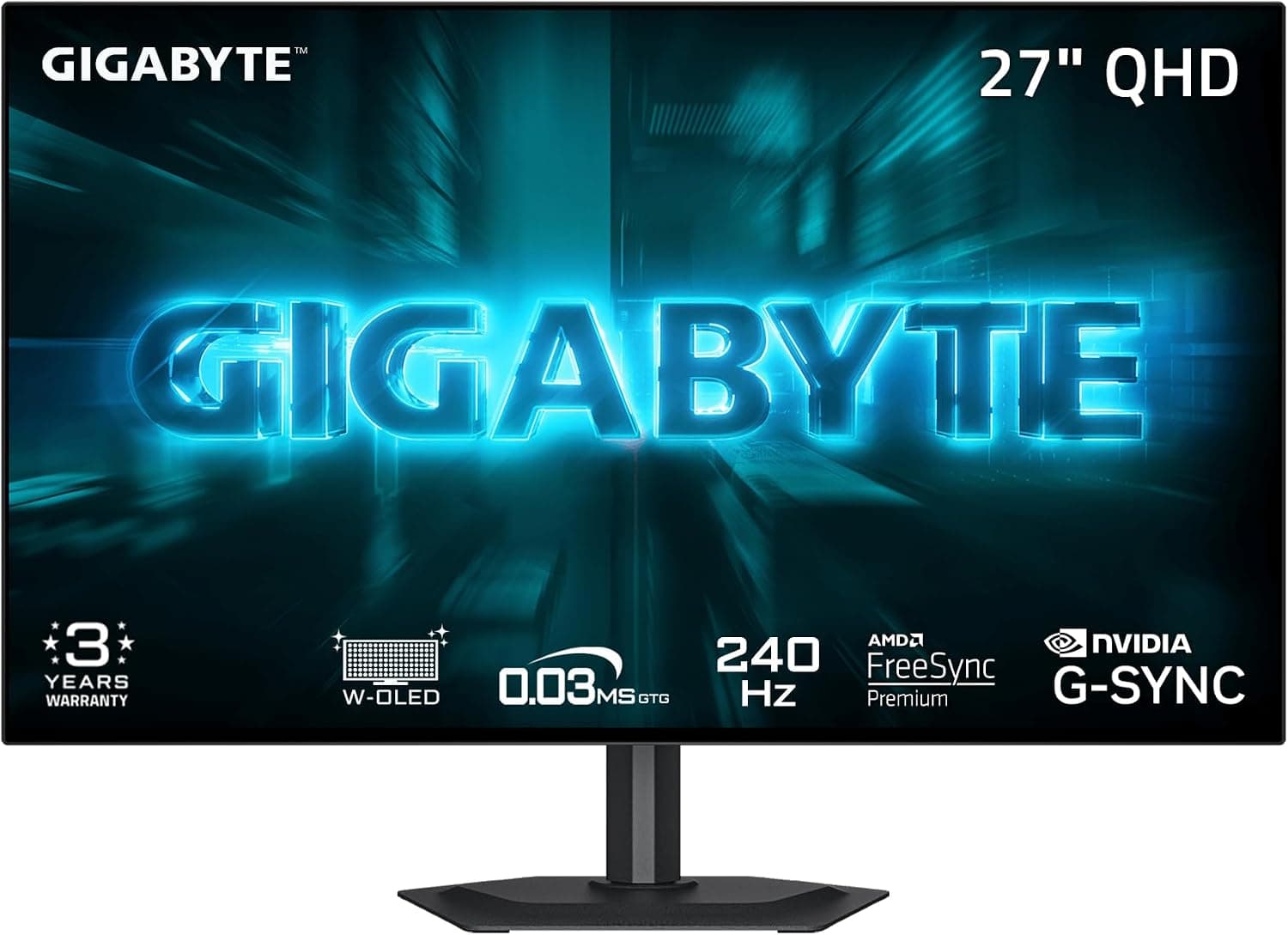
GIGABYTE gaming monitors pack upscale performance into a streamlined package. The GO27Q24G provides an immersive experience through fluid gameplay with 0.03ms GTG response time, 240Hz refresh rate.
Check the evidence
Included does not mean verified authentic. Flagged does not mean proven fake. These are analytical classifications.
Showing 3 illustrative excerpts, not the complete review set.
Save your money
“If you already own a good mini-led monitor save your money. This product is not really any better. Also, I found Gigabyte customer service support to be non-existent. And all I was trying to do was get the product registered! Good luck with that. Between Amazon buying these things by the pallet, and reshipping to a buyer, product serial number might be missing and something called a "check" number might be missing as well. You must have both numbers to get your product registered. I finally found the serial number on the factory monitor calibration page of all places and nowhere else. The "check number is still not found and Gigabyte has still not returned my requests for help. Amazon help center is useless... "please direct all product questions to Gigabyte". Buyer beware.”
Signals matched: Specific detail: comparison, entity · Reads as an authentic voice
Flicker and Random Dissconnect king
“I bought three and I am returning them. Long story short they flicker and have random disconnects on display port. I have replaced the cables, updated drivers, looked for updated firmware nothing fixes it. The replacements I got from another brand do not have this issue. They look good, the picture is amazing, love the metal build of the stand but are not reliable and this is after a week of use. Maybe I got a bad batch idk. If yours work well than I am happy for you. I will not be recommending these as these quality control has to be in the gutter.”
Signals matched: Specific detail: quantity, process, comparison · Reads as an authentic voice
Perfect WOLED Monitor
“A lot of time you hear that WOLED is significantly darker than QD-OLED or even LCD, but this monitor is perfect for me in both bright and dark lighting. My absolute favorite thing about this monitor is super nit picky, but the bezel is the exact same all around, and there’s no tacky logo on it anywhere. Very impressed and would buy again especially for the price”
Signals matched: Specific detail: comparison, scenario · Reads as an authentic voice
One less thing to search
It depends on your setup. The RealBlack Glossy coating with anti-reflective treatment keeps blacks deep and colors vivid, and most gamers love it in dim or controlled lighting. That said, plenty of Reddit and YouTube users note that direct window light or a lamp behind you can create visible reflections — so if your desk faces a bright window, consider blackout curtains or a matte alternative. In a darker room, the glossy finish is a genuine visual upgrade.
Burn-in is the top concern in every OLED thread, and GIGABYTE addresses it with AI-based OLED Care that runs pixel refresh and protection routines in the background. For mixed gaming and desktop use, most owners report no issues, especially with the care features enabled and a screensaver on. If you stare at static spreadsheets or a taskbar for 10+ hours daily, it's worth being mindful — but for typical gaming-first use, the risk is low and manageable.
Gaming performance is the headline — 240Hz, 0.03ms GtG, and FreeSync Premium/G-Sync Compatible make motion incredibly smooth. For productivity, the 27" QHD resolution and 99% DCI-P3 coverage look great, though some WOLED users mention slight color fringing on fine text compared to IPS panels. If you split time between esports and document work, it's a strong all-rounder; if you're text-heavy all day, demo one first if you can.
The 275-nit typical brightness is fine for SDR in most rooms, while the 1300-nit peak applies to small HDR highlights — a distinction some buyers found confusing after purchase. VESA DisplayHDR True Black 400 delivers punchy highlights and deep blacks in HDR games and movies, especially in darker rooms. Just set expectations: this isn't a full-screen-bright panel, it's an OLED tuned for contrast and highlight pop.
For competitive gamers and dark-room HDR fans, the combination of 240Hz, near-instant response, 4-sided borderless design, and OLED contrast is excellent value at this tier. It's less ideal for bright-room office workers or buyers wanting matte, IPS-like text clarity. If you want a fast, gorgeous QHD OLED for gaming and streaming, it's a strong pick — just confirm your room lighting and port needs (HDMI 2.1, DP 1.4, USB-C) match your setup before ordering.
Answers are limited to the manufacturer's listing and the reviews we analysed. Questions those sources cannot support are not answered here.
Transparent by design