What people like
Charges fast and cools well
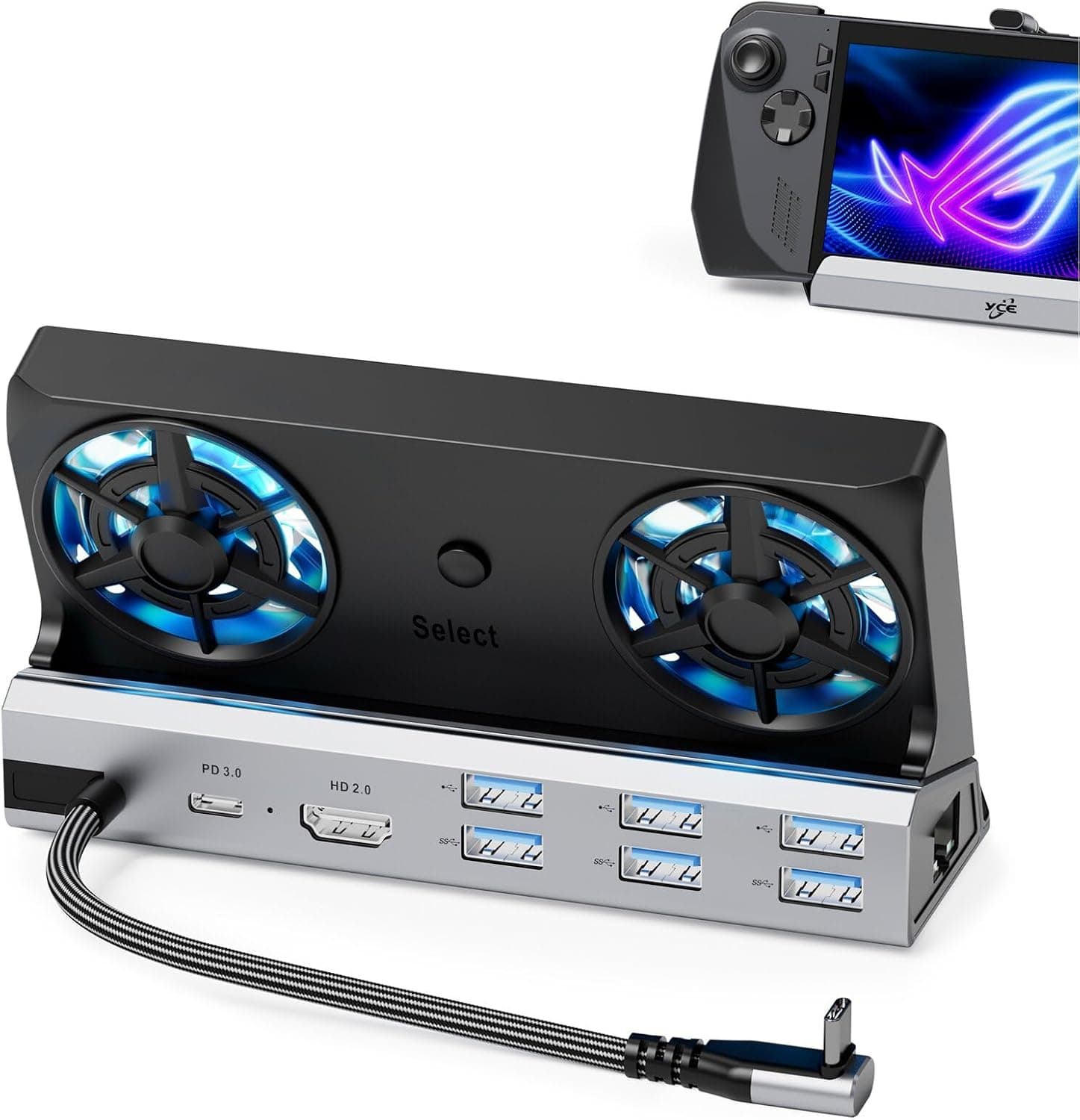
Several reviewers say it charges quickly and the fans do a great job cooling, with one noting it runs at 30W with many devices plugged in.
The 30-second read
What people like
Several reviewers say it charges quickly and the fans do a great job cooling, with one noting it runs at 30W with many devices plugged in.
The main watch-out
One reviewer reports it stopped powering their Steam Deck and all ports failed in under two months, and another says the fans are weaker than the image suggests.
Before you choose
One reviewer says the USB ports are too tight and scratch cables, while another confirms it fits the ROG Ally well, so verify fit for your specific handheld.
Description
Dual Cooling Fans 2 USB Port 3 4K@60Hz 4 Gigabit Ethernet(1000Mb) Why do external devices such as mouse and keyboard not work? 3 steps to check: 1. Restart your Steam deck and connect again when you connecting at the first time. 2. Connect the power adapter to provide sufficient power supply. 3. Make sure your Steam Deck has the USB driver installed. Support ROG ALLY Turbo 30W mode? Yes. This YCE ROG ALLY dock perfectly supports Turbo 30W mode, But you should use 65W or above charger. How to make sure the output is 4K@60Hz? Please make sure HDMI to HDMI 2.0 or over 2.0 version,cable shorter than 15 feet in length. Please manually debug to desktop mode and set 4K@60Hz output. If necessary, you will also need to set it up in-game. Why does the TV can't recognize my sound barrier and deactivate the CEC device? In Steam settings, click on audio, there is output, click on "external device", and you can transfer audio to your TV. How to use the storage function of the Steam Deck docking station correctly? Adjust from game mode to desktop mode, open the system tray and see the latest inserted memory card at bottom. The storage function in desktop mode can be used normally on steam deck.
Check the evidence
Included does not mean verified authentic. Flagged does not mean proven fake. These are analytical classifications.
Showing 3 illustrative excerpts, not the complete review set.
3.0 out of 5 stars
“Pensé que toda la carcasa era de metal para un mejor manejo de la enfriacion los ventiladores no tienen tanta potencia como se hace creer en la imagen y toda la serie de arriba de los USB no tiene tamaño correcto haciendo que al conectar una USB o un cable este quedé muy socado y se raya el puerto”
Signals matched: Specific detail: entity, comparison · Reads as an authentic voice
2.0 out of 5 stars
“Works for the first month. It no longer works for anything but a fan. It will not power my steam when connected, as normal. It will not work with any ports, no longer works. Waisted $47 for something that broke in less than 2 months.”
Signals matched: Specific detail: process, quantity, scenario · Reads as an authentic voice
5.0 out of 5 stars
“This has been a beast. I love this item. Great for all the little ports , hdmi hook up and the fans a god send. It charges just fine. Had this for a month now.”
Signals matched: Specific detail: entity, scenario, process · Reads as an authentic voice
One less thing to search
It's designed to work with popular handhelds like the Steam Deck, ROG Ally, and similar devices, but fit can vary slightly by model — check the compatibility list before ordering. As for 4K at 60Hz, that output is supported for compatible devices and displays, but it won't upscale content that isn't already 4K. A few Reddit users pointed out that this detail is easy to miss, so it's worth confirming your setup supports it.
Most users report the fans do a solid job keeping things cool, especially when several ports are in use at once. That said, some TikTok and YouTube reviewers noted the airflow is modest — fine for everyday sessions, but hardcore marathon players may want a stronger external cooling solution.
The majority of buyers say it works as expected and charges quickly, but a small number have reported units failing after about a month or USB ports feeling tight. It's a good idea to buy from a seller with a clear return policy and test it thoroughly during the first few weeks.
The dual fans run quietly enough for most users, though you may notice a soft hum during intense gaming. Yes — it supports charging while docked, and many reviewers specifically praised the fast charge times even with multiple peripherals connected.
It's a great fit for casual to mid-level gamers, students, and anyone wanting extra ports and cooling in one compact unit without paying premium dock prices. If you need pro-grade build quality or maximum cooling, you may prefer an official first-party dock or a fanless dock paired with an external cooler. For most everyday setups, the value is solid.
Answers are limited to the manufacturer's listing and the reviews we analysed. Questions those sources cannot support are not answered here.
Transparent by design