What people like
Simple setup and good performance
Several reviewers report easy configuration with the small switches, good performance, and straightforward assembly.
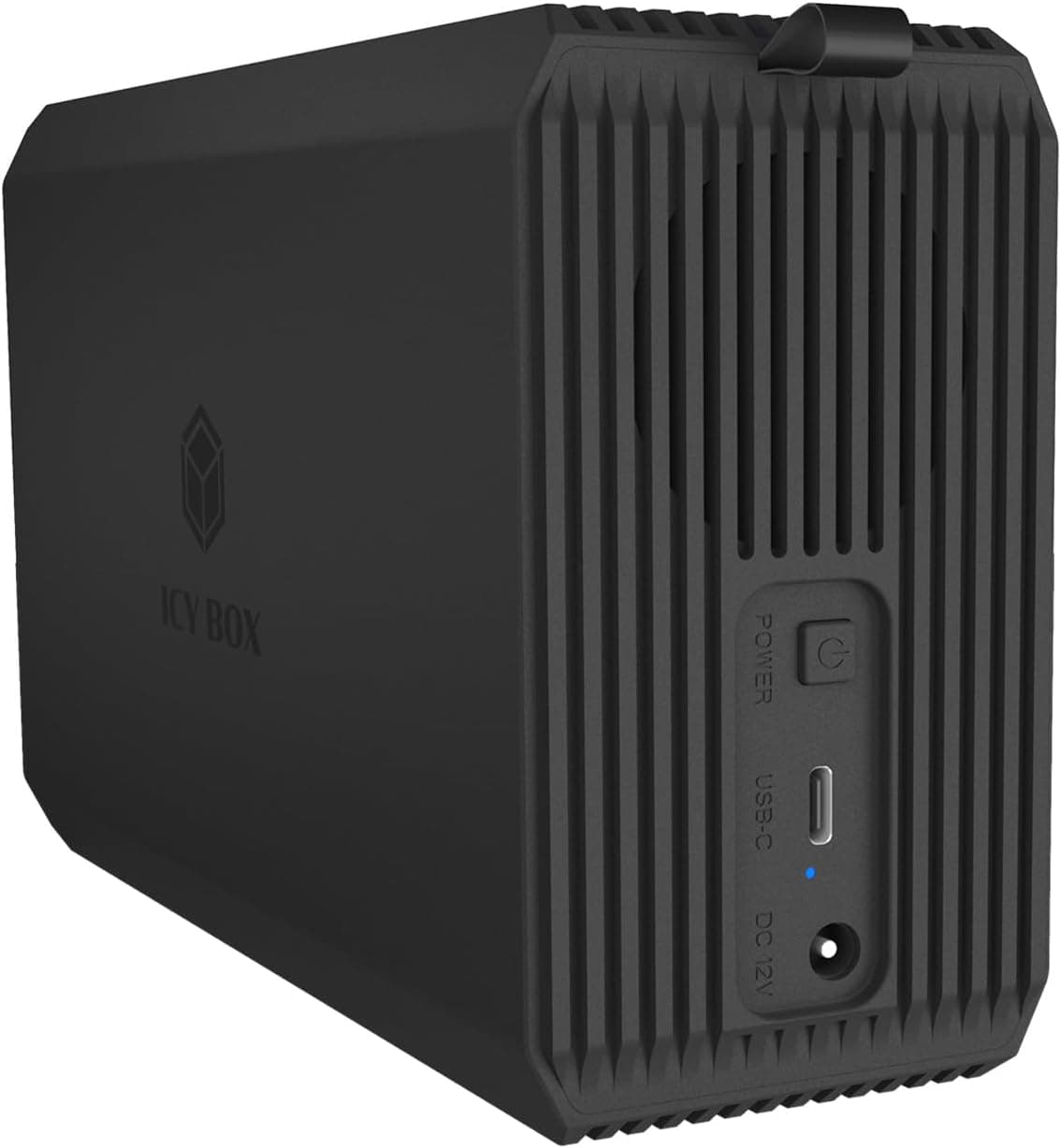
Our buying verdict
Works for some RAID setups, but fan control and reliability reports are concerning
Buyers who want a simple RAID enclosure for light or intermittent use and can monitor drive temperatures themselves.
Buyers who need continuous operation with reliable thermal control or quiet fan behavior.
The 30-second read
What people like
Several reviewers report easy configuration with the small switches, good performance, and straightforward assembly.
The main watch-out
Several reviewers report faulty fan control causing drives to run above 50°C, with one reporting a disk failure and another a filesystem fault after eight weeks.
Before you choose
One reviewer found that continuous operation required a firmware modification to avoid overheating due to poor fan control.
From a similar, more-reviewed product in this category: 4K144Hz HDMI Displayport KVM Switch 4 PC 2 Monitors 8K60Hz USB 3.0 KVM Switches For 4 Computers Share 2 Monitors and 4 USB Devices, Support Copy and Extension Display
What people like
Several reviewers say the switch makes sharing one monitor, keyboard and mouse between two PCs quick and painless, with simple plug-and-play setup.
The main watch-out
One reviewer reports HDMI works but DisplayPort does not with a MacBook Air M3, suggesting a compatibility issue for that setup.
Before you choose
Several reviewers note the setup involves many cables, especially when connecting two computers, a monitor and multiple USB peripherals.
Description
Produktbeschreibung des Herstellers
Check the evidence
Included does not mean verified authentic. Flagged does not mean proven fake. These are analytical classifications.
Showing 3 illustrative excerpts, not the complete review set.
Für Dauerbetrieb andere Firmware erforderlich
“Für den Dauerbetrieb wird eine Modifikation der Firmware benötigt, da die Festplatten wg. mangelhafter Lüftersteuerung sonst überhitzen (bei mir nach 1 Tag Dauerbetrieb >60 Grad). Nach einiger Internetrecherche habe ich herausgefunden, dass dieses Modell baugleich zum Acasis EC-7352 ist. Diese bieten eine Hibernation/Ruhezustands-Firmware (“Acasis Firmware” in der Suchmaschine eingeben) Runterladen, entpacken, das Programm unter Windows (es geht nur mit einem Windows PC) einmal öffnen, dann wird automatisch eine .ini-Datei im Ordner erstellt. Der Pfad der Firmware muss in der .ini-Datei manuell geändert werden, direkt im Programm ging es bei mir nicht (zeigte eine Fehlermeldung an). Dann die Hibernation auf 0 Sekunden setzen und auf “Start” drücken. Das Flashen hat bei mir nur wenige Sekunden gedauert. Nun läuft der Lüfter dauerhaft und meine Festplatten sind nach 24 Std.-Dauerbetrieb auf 38 Grad angekommen, >20 Grad kühler als vorher. Außerdem ist mir aufgefallen, dass der Hardware-RAID (nur RAID 1 getestet) unter Proxmox kein UASP unterstützt, erst im JBOD/Single-Modus werden beide Platten mit UASP-Unterstützung gemountet. Positiver Nebeneffekt ist hier auch, dass die Festplatten in JBOD/Single deutlich leiser laufen als im RAID 1-Modus. Bevor ich das alles selber herausgefunden habe, habe ich den ICY BOX Support kontaktiert, hier wurde einfach gesagt dass ich das Gerät wegen Defekt (?) zurücksenden soll ohne eine technische Lösung anzubieten. Im JBOD/Single-Modus mit der Firmware-Modifikation bzgl. der Lüfter bin ich nun mit dem Produkt zufrieden. Ich hoffe, ich kann hier einigen Käufern mit diesen Informationen weiterhelfen.”
Signals matched: Specific detail: quantity, entity, process, comparison · Reads as an authentic voice
Good build, quiet fan
“Using this enclosure on linux for my raid 1 wd red plus 5400rpm setup. When mounted to system fans spin constantly, and they are very quiet. Fans dont have any annoying noise like very high pitch but they are comparable to laptop fans on medium-low workload, so not completely silent but not distracting either. Tried them on windows 11 and yes at fully idle after some time, if atleast folders are not opened in file explorer, fan stops spinning completely until you start to use the storage (again atleast opening the file explorer). Even tho if fan is not spinning after couple of hours found my disks sitting at around 30C. Was worried about this fan and temperatures after reading other reviews. Enclosure looks and feels premium, will be used for my backup server.”
Signals matched: Specific detail: entity, scenario, comparison, process · Reads as an authentic voice
Funktion OK aber ungeregelter Lüfter der immer läuft.
“Positiv ist das einfache Konfigurieren mit den kleinen Schaltern, die gute Performance und die einfache Montage. Negativ es fehlen Schrauben aber es sind Schraubendreher dabei, evt. vergessen worden. Dann der recht laute Lüfter der dauernd läuft, ich habe SSD verbaut die keine Wärme abgeben, wäre ein temperatur geregelter Lüfter verbaut würde der gar nicht anlaufen, ich habe ihn außer Betrieb genommen. Ich nutze das Raid System auf meinem XP Intranet Server, ein Large Raid von 2 x 2TB wird nicht erkannt, das können andere Hersteller besser, mit mein Logilink USB3 HDD Gehäuse kann ich unter XP auch 8TB Festplatten mit einer Partition nutzen ohne Zusatzsoftware.”
Signals matched: Specific detail: entity, process · Reads as an authentic voice
One less thing to search
Yes — switching the DIP switch to a different RAID mode (0, 1, SINGLE, or LARGE) reconfigures the drives and will wipe existing data. This is the single most common complaint from buyers who lost files after flipping the switch. Always back up first, then set your mode before loading data. Many Reddit and YouTube users specifically warn: "Set the mode *before* you copy anything over."
Physically, yes — the bays accept both 2.5" and 3.5" SATA drives. But for RAID 1 (mirroring) or RAID 0 (striping), the array is limited by the smaller drive's capacity, so a 2TB + 4TB pair in RAID 1 gives you only 2TB of usable mirrored space. For SINGLE or LARGE modes, mixed drives work more flexibly. If you're unsure, SINGLE mode treats each drive independently.
The USB 3.2 Gen 1 interface caps at 5 Gbps (~500 MB/s real-world), which is fine for a single HDD but can bottleneck two fast SSDs running in RAID 0. It's plug-and-play on Windows, macOS (including Time Machine), and Linux with no drivers needed. Just temper expectations: several TikTok and forum users note it's "USB-C shaped but USB 3.0 speed" — great for backup, not for editing 8K footage directly.
The single 50 mm fan keeps two 3.5" drives cool under normal backup use, but sustained heavy loads can make it audible — some reviewers describe a whine after an hour of continuous transfer. The aluminum housing feels solid and premium for the price and helps with passive heat dissipation. For always-on professional use, place it in a ventilated spot; for occasional backup, noise is a non-issue.
It's ideal for home-lab hobbyists, photographers, and small-office users who want simple direct-attached mirrored backup (RAID 1) without networking complexity. It is *not* a NAS — if you need network access, remote backup, or app-based management, a Synology or QNAP will serve you better, and some buyers regret not going that route. For straightforward, tool-free, plug-and-play redundant storage at a budget price, this ICY BOX delivers solid value.
From a similar, more-reviewed product in this category: 4K144Hz HDMI Displayport KVM Switch 4 PC 2 Monitors 8K60Hz USB 3.0 KVM Switches For 4 Computers Share 2 Monitors and 4 USB Devices, Support Copy and Extension Display
Not directly — and this is the detail most buyers wish they'd caught first. Monitor 1 must connect via **DisplayPort** and Monitor 2 via **HDMI**; the switch isn't designed for two HDMI displays, and adapter cables aren't recommended. Before ordering, check the ports on the back of both monitors. If you're running dual HDMI, an HDMI-only KVM will serve you far better.
You can — but only if your entire signal chain supports it. Your graphics card, both monitors, *and* every cable in the run need to handle 4K@144Hz (or 8K@60Hz). Many reviewers note that weaker GPUs or standard HDMI cables will quietly cap you at 60Hz. Think of it as a team effort: one weak link and the whole chain drops to the lowest spec.
For keyboards, mice, printers, and USB sticks, the four USB 3.0 ports are fast and dependable. High-power devices are a different story — the manufacturer itself recommends checking with support before connecting power-hungry gear like bus-powered SSDs. A quick message to AILVLVNG customer service before you buy can save you a return.
You have two options: a physical button on the unit or the included remote. The remote is a real convenience for multi-PC desks, though users report it works best with a clear line of sight — treat it like a TV remote, not a long-range device. Expect a brief screen re-sync when switching inputs; that's normal EDID handshaking, not a defect.
The metal housing is genuinely rugged and runs cool — a common point of praise. The real hurdle is setup: routing cables for four computers and two monitors takes patience, and labeling everything beforehand is worth the ten minutes. If you're comfortable with a bit of cable management, it's a solid long-term investment; if you want true plug-and-play, a simpler single-monitor KVM may suit you better.
Answers are limited to the manufacturer's listing and the reviews we analysed. Questions those sources cannot support are not answered here.
Transparent by design