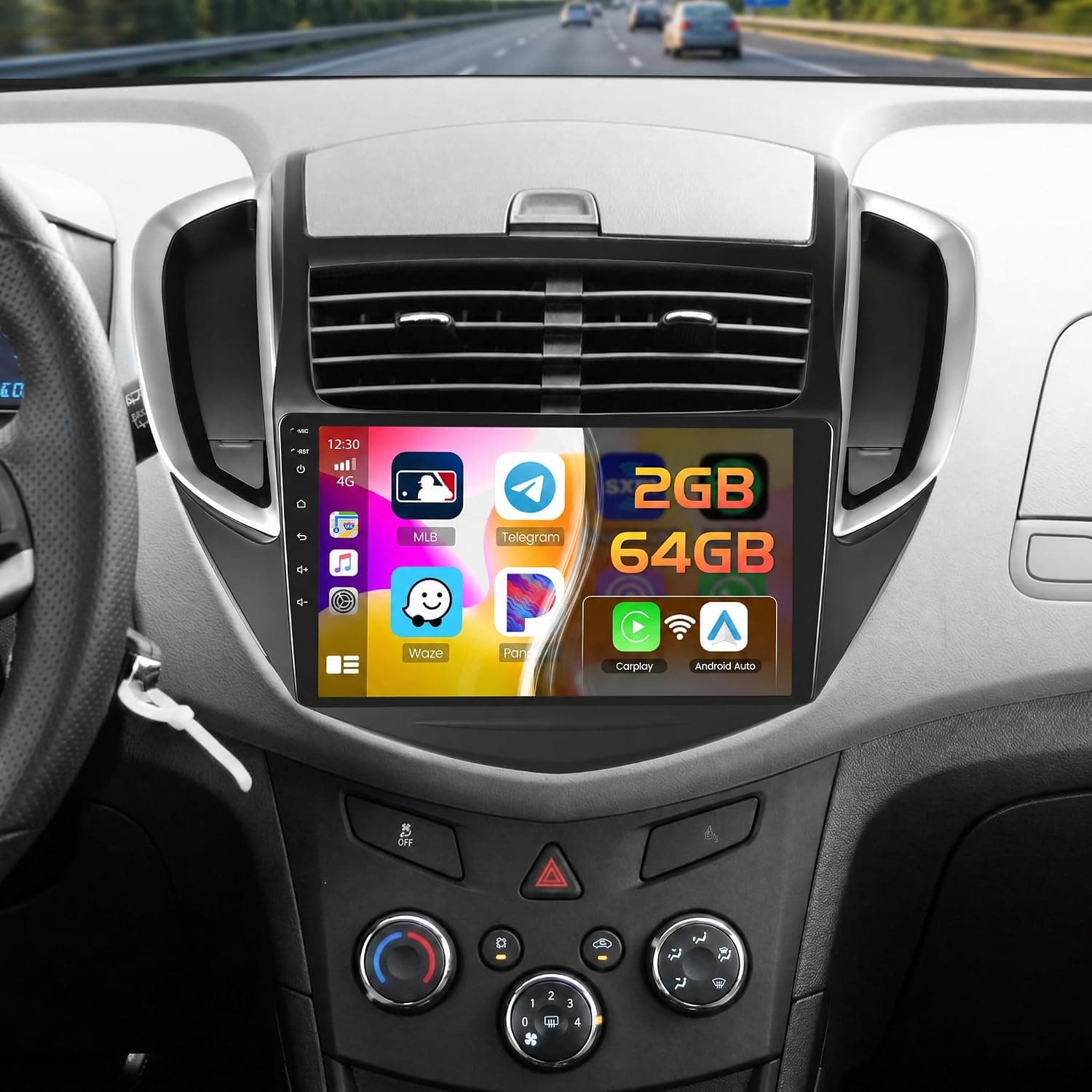
Inefala 9" Radio for Chevrolet Chevy Trax 2014-2016 CarPlay Stereo Screen
Description
26 Multi UI Themes 2 More Functions Previous page Next page 1 Reversing Camera Wiring 2 SWC Activation Previous page Next page 1 Package Lists 2 Port Details 3 Reach Us
Compare the trade-offs
Similar products, side by side
A random selection of analyzed products from the same category. Different products are not necessarily interchangeable.

Suitable for Chevrolet Colorado 2018-2024 Android 12 car Stereo WiFi 4 core GPS Navigation Radio player9.7 '' high-Definition Touch Screen Audio Backup Camera (4+64G)

4G+64G Android Stereo for Chevy Colorado GMC Canyon 2015-2019 Radio Upgrade 9 Inch Touch Screen Head Unit, Driauto Car Stereo with Wireless Carplay Android Auto, GPS WiFi DSP Bluetooth FM RDS Camera

Double Din Car Radio for Chevrolet Colorado 2015 2016 2017, 9 inch Touchscreen Stereo for Chevrolet Colorado with Wireless Carplay Android Auto Bluetooth GPS Navi WiFi FM RDS AHD Backup Camera 2+32G
One less thing to search
Before you buy: quick questions
Will this Inefala 9" radio fit my 2014–2016 Chevrolet Trax without cutting the dash?
Yes — it's designed as a direct-fit replacement for the 2014–2016 Trax double-DIN opening, so no cutting is required. That said, several YouTube installers note you'll want to reuse the factory mounting brackets and trim ring for the cleanest look, since a small gap can appear otherwise.
Do I lose my steering wheel controls or factory features like OnStar?
Steering wheel controls are supported, but they usually need to be activated in the radio's CANBUS settings menu — it's not always plug-and-play. If your Trax has the factory amp or OnStar, expect to do a bit of extra wiring; Reddit users recommend checking your trim level before ordering.
Is the reverse camera included, and how hard is the wiring?
A reversing camera is typically included, but the wiring colors don't always match the Trax harness, so plan on consulting a wiring diagram or install video. Many TikTok and YouTube users say it's a 1–2 hour job for a confident DIYer and worth paying a shop if you're not comfortable splicing wires.
How does the sound quality and CarPlay performance compare to the stock stereo?
Most owners report a big upgrade in screen brightness and CarPlay convenience, but sound quality out of the box can be flat — especially with the factory amp — until you adjust the EQ. A few users mention a 15–20 second boot time and occasional CarPlay dropouts, though these are usually minor.
Is it worth the price, and what if it doesn't work for me?
For budget-minded Trax owners who want CarPlay without buying a new car, the value is strong — the 4.4-star average reflects generally happy buyers. Just confirm the return window and warranty before ordering, and consider alternatives like Pioneer or Kenwood units if you want more polished support and documentation.
From a similar, more-reviewed product in this category: Car Radio Stereo for Chevrolet Silverado GMC Sierra 2019-2023 Touch Screen
Is this radio plug-and-play for a 2022 GMC Sierra?
One reviewer installed it on a 2022 GMC Sierra Elevation and described it as 100% plug-and-play, taking about 30 minutes. Another reviewer noted that on a Sierra Denali you need to use code 666888 in the instructions, choose a vehicle, and select Chevy new 7 inch or 8 inch 2020.
Does the screen look good and modern in the truck?
Reviewers describe the screen quality as impressive with sharp resolution and vivid colors, and the Tesla-type design as giving the interior a modern and elegant look. One reviewer rated the appearance 5/5.
How is the customer support if I have trouble with the install?
Reviewers report that support responds quickly, communicates via text, WhatsApp, and FaceTime, and walks you through setup step by step. One reviewer noted the 12-hour time difference and suggested reaching them after 8PM CST.
What features does the head unit support?
The listing states it supports CarPlay and Android Auto, GPS navigation (online and offline), Bluetooth 5.0, WiFi and 4G SIM cards, steering wheel control, and HD backup camera display. It also retains the original car system so functions like the original B&O system, camera, steering wheel buttons, and air condition controls can be used normally.
What should I do if the OEM system display is tilted, black, or only half showing?
The listing instructs going to Settings, selecting the car model from the four options under system-setting guide-car model/AC-666888, then saving and rebooting. If the OEM display works but touch does not, turn the car off for 20 minutes and back on.
Answers are limited to the manufacturer's listing and the reviews we analysed. Questions those sources cannot support are not answered here.
Transparent by design