What people like
Fast, reliable, and great value
Reviewers consistently praise the SSD for its fast performance, reliability, and excellent price-to-performance ratio. Many also note that installation is easy.
The 30-second read
What people like
Reviewers consistently praise the SSD for its fast performance, reliability, and excellent price-to-performance ratio. Many also note that installation is easy.
Before you choose
Consider the storage capacity you need and ensure compatibility with your device, as reviewers mention various capacities and uses including PCs, laptops, servers, and gaming consoles.
The main watch-out
One reviewer says the drive works as it should, but finds the general rise in memory module prices annoying. No other clear negatives appear in the reviews.
From a similar, more-reviewed product in this category: KIOXIA EXCERIA SATA SSD – 480GB
What people like
Reviewers repeatedly praise the drive as fast and good value, with old laptops and desktops booting in seconds and feeling much more responsive. Several long-term users also report reliable operation in 24/7 server and NAS setups.
The main watch-out
One detailed reviewer found this drive has about 20% less throughput than the Toshiba TR-200 it replaced, despite expecting it to be a continuation of that range. Durability is also unproven for at least one buyer.
Before you choose
Most positive experiences come from replacing old hard drives in aging laptops, desktops, NAS or server systems for everyday tasks like browsing, Office and light gaming. Check that 480GB and SATA fit your device and workload.
Your use case first
37 of 815 mentions describe a negative experience (5%).
190 of 748 mentions describe a negative experience (25%).
47 of 656 mentions describe a negative experience (7%).
53 of 476 mentions describe a negative experience (11%).
16 of 145 mentions describe a negative experience (11%).
5 of 113 mentions describe a negative experience (4%).
15 of 98 mentions describe a negative experience (15%).
60 of 153 mentions describe a negative experience (39%).
One review can mention several topics. Percentages describe the reviews we analysed, not all buyers or the product's overall failure rate.
Compare the trade-offs
A random selection of analyzed products from the same category. Different products are not necessarily interchangeable.
Check the evidence
Included does not mean verified authentic. Flagged does not mean proven fake. These are analytical classifications.
Showing 3 illustrative excerpts, not the complete review set.
Ein lohnenswertes Upgrade mit einem top Preis/Leistungsverhältnis
“Ich habe zwei dieser SSD-Festplatten von Intenso gekauft und beide kamen innerhalb weniger Tage unversehrt an. Von der Hardware her macht die Festplatte einen soliden Eindruck und es sind keine Mängel feststellbar. Die Abmessung (s. Produktbeschreibung) ist mit einem mittelgroßen Smartphone zu vergleichen, nur dass die Festplatte noch leichter ist. Gedacht war, dass das Betriebssytem auf die SSD verlagert wird und die HDD zur Auslagerung dient. In dieser Konstellation läuft es seit ca. einem Monat beschwerdefrei auf zwei Systemen. Leistung: Es sei erwähnt, dass die folgenden Messwerte sich auf ein etwa 7 Jahre altes System, mit Windows 7 bezieht. Von den 120 GB werden 111.79 GB erkannt, was völlig normal ist. Den Geschwindigkeitsunterschied zur normalen HDD kann man vor allem beim Systemstart feststellen. Ab dem Zeitpunkt, bei dem ich den On-Knopf drücke dauert es etwa 18 Sekunden bis der PC vollständig hochgefahren ist. Wenn man nur die Dauer betrachtet bis sich Windows lädt, sind es etwa 7 Sekunden. Eine Messung mit einem Benchmark-Programm ergibt eine Leserate von 380 MB/s und eine Schreibrate von 208 MB/s. Diese Werte sind auf jeden Fall niedriger als die maximal angegebenen 520 MB/s bzw 500 MB/s, aber immernoch deutlich höher als eine herkömmliche HDD-Festplatte (max. Lese-/Schreibrate ~ 80-120 MB/s). Support: Auf der Homepage von Intenso ist zu diesem Produkt bisher nur das Produktblatt vorhanden. Sowas wie Zusatzsoftware oder Firmwareupgrade ist momentan nicht verfügbar. (Stand 18.06.2016) Installation: Der Anschluss erfolgt äquivalent zu einer normalen HDD. Bis alles funktiontiert hat wie gewünscht, hat es ein paar Tage gedauert. Das lag vor allem am älteren System, das zunächst ein Update gebraucht hat. Man sollte sich zumindest auf etwas Recherchearbeit bezüglich der SSD einstellen (s. Anmerkung). Sollte das PC-Gehäuse nicht über eine Halterung für eine 2.5"-Festplatte verfügen, kann man sich auch einen Einbaurahmen besorgen. Fazit: Bisher funktioniert alles problemlos und mit dem guten Preis/Leistungsverhältnis lohnt sich das Upgraden erst recht. Die Geschwindigkeitssteigerung ist bei richtigen Einstellungen und aktuellen Patches für das System deutlich spürbar. Daher eine klare Kaufempfehlung für die Intenso Hight Performance 120GB als Festplatte für das Betriebssystem. Anmerkung: Wer sich für irgendeine SSD entscheidet, sollte sich auf jeden Fall schlau machen, worauf man achten muss. Hier einige Punkte: - SATA-III Anschluss sollte vorhanden sein, ältere Anschlüsse werden entweder nicht funktionieren (IDE) oder zum Leistungseinbruch führen. - Falls möglich, ein Firmwareupdate für die SSD machen. - Vor allem für etwas ältere Systeme einen Softwareupdate für den Chipsatz/Motherboard durchführen. Das hat bei mir einen sehr hohen Unterschied bezüglich der Geschwindigkeit gemacht. - Falls vom System nicht automatisch umgestellt wird, im Bios beim SATA-Anschluss von IDE auf AHCI umstellen. Ob es umgestellt ist oder nicht, kann man im Bios direkt sehen oder z.B. mit dem Programm "AS SSD Benchmark". - Bei Installation des Betriebsystems, andere Festplatten erstmal abstecken. Bei mir konnte ich deswegen nicht von der SDD booten. - Die Trimmfunktion überprüfen (z.B. mit Trimcheck) - Einige Pflegehinweise befolgen, z.B. Defragmantierung ausstellen. Im Internet gibt es ausführlichere und weitere Informationen dazu. Bei Pflegehinweisen ist oft nicht alles so sinnvoll. Es wird z.B. oft propagiert, dass die Lebenserwartung erheblich sinkt wenn man die Schreibvorgänge nicht auf das Minimum senkt, aber aktuelle Langzeittests von aktuellen SSDs können das nicht bestätigen.”
Signals matched: Specific detail: quantity, entity, comparison, process · Mentions: price, quality, installation · Reads as an authentic voice
Blitzschnelle Leistung zum günstigen Preis
“Als ein leidenschaftlicher Technikliebhaberwar ich gespannt auf die Ankunft meiner neuen Intenso High Interne SSD mit einer digitalen Speicherkapazität von 480 GB. Die Lieferung kam pünktlich und in einem sicheren Paket an. Die Verpackung war fest und schützte die interne Festplatte gut, sodass sie in einem einwandfreien Zustand ankam. Ihre 2,5 Zoll Formfaktor versprach eine einfache Installation und Kompatibilität mit meinem Desktop-PC. Zudem waren alle notwendigen Informationen und technischen Daten deutlich auf der Verpackung angegeben. Installation & Einrichtung: 🌟🌟🌟🌟🌟 Die Installation des Laufwerks verlief reibungslos und war auch für jemanden ohne tiefergehendes technisches Wissen leicht durchführbar. Die Festplatte konnte problemlos in meinem Desktop-PC eingebaut werden und die SATA III Schnittstelle sorgte für eine schnelle und einfache Verbindung. Performance & Geschwindigkeit: 🌟🌟🌟🌟🌟 Die angegebene sequentielle Lese- und Schreibgeschwindigkeit von 520MB/s bzw. 480MB/s konnte im kurztest bestätigt werden. Das Hochfahren meines Computers wurde beschleunigt und erfolgte in weniger als 20 Sekunden. Die Reaktionszeiten beim Öffnen von Programmen und Dateien sind deutlich schneller als bei meiner vorherigen HDD, was zu einem deutlich verbesserten Benutzererlebnis führte. Haltbarkeit & Zuverlässigkeit: 🌟🌟🌟 Die SSD scheint schockresistent und robust zu sein, was auf eine lange Lebensdauer hindeutet. Sie war konstant in ihrer Leistung und zeigte keine Anzeichen von Fehlern oder Problemen. Ein leichter Wärmestau bei längerem Betrieb wurde zwar bemerkt, scheint jedoch innerhalb der erwarteten Normen zu liegen. Preis-Leistungs-Verhältnis: 🌟🌟🌟🌟🌟 Angesichts der überzeugenden Leistung und der angemessenen Preisspanne bietet die Intenso Interne SSD ein hervorragendes Preis-Leistungs-Verhältnis. Sie bietet High-End-Funktionen und Leistung, die man normalerweise bei teureren Modellen erwartet. Zusammengefasst kann Ich diese SSD jedem empfehlen, der seine Computerleistung verbessern möchte, ohne dabei ein großes Loch in den Geldbeutel zu reißen.”
Signals matched: Specific detail: quantity, entity, process · Mentions: storage capacity, speed, installation · Reads as an authentic voice
A Game-Changer for My PC 🚀 - Intenso High Performance Internal SSD Review!
“I recently upgraded my gaming PC with the Intenso High Performance Internal SSD, and I'm thrilled to share my exceptional experience with this product! 💻 The 256GB capacity has more than sufficed for my needs, providing a significant boost in performance without breaking the bank 💸. Installation was a breeze; the process was straightforward, and the instructions were easy to follow 📋. The new SSD instantly transformed my PC's startup time, loading times, and overall responsiveness ⏱️. What used to take minutes now takes mere seconds ⏫! The results are astonishing: Boot-up time: from 2-3 minutes to under 10 seconds ⏰ Application launch: from 5-7 seconds to almost instantaneous 🔥 File transfer speed: up to 5x faster than my previous HDD 🚀 The improved performance has greatly enhanced my gaming experience 💪. I've noticed significant improvements in: Game loading times: reduced by 30-40% ⏰ Frame rates: increased by 10-15% for smoother gameplay 🔴 Overall system responsiveness: snappier and more responsive 🎮 One of the most impressive aspects is the drive's reliability 💯. I've experienced no issues with data corruption or loss during the transfer process, and my PC has continued to run smoothly without any major hiccups. In conclusion, the Intenso High Performance Internal SSD has exceeded my expectations in every way 😊. If you're looking for a reliable, high-speed upgrade for your gaming PC, look no further! This product is an absolute must-have for anyone seeking to enhance their computing experience 🎉. Pros: Exceptional performance 💪 Easy installation process 📋 Reliable and secure data transfer 💯 Affordable price point 💸 Cons: None worth mentioning! 😊 Recommendation: If you're in the market for a high-performance SSD, I highly recommend the Intenso High Performance Internal SSD. It's an outstanding choice that will elevate your gaming experience to new heights! 🚀”
Signals matched: Specific detail: quantity, entity, process, performance · Mentions: storage capacity, performance, installation, price · Reads as an authentic voice
One less thing to search
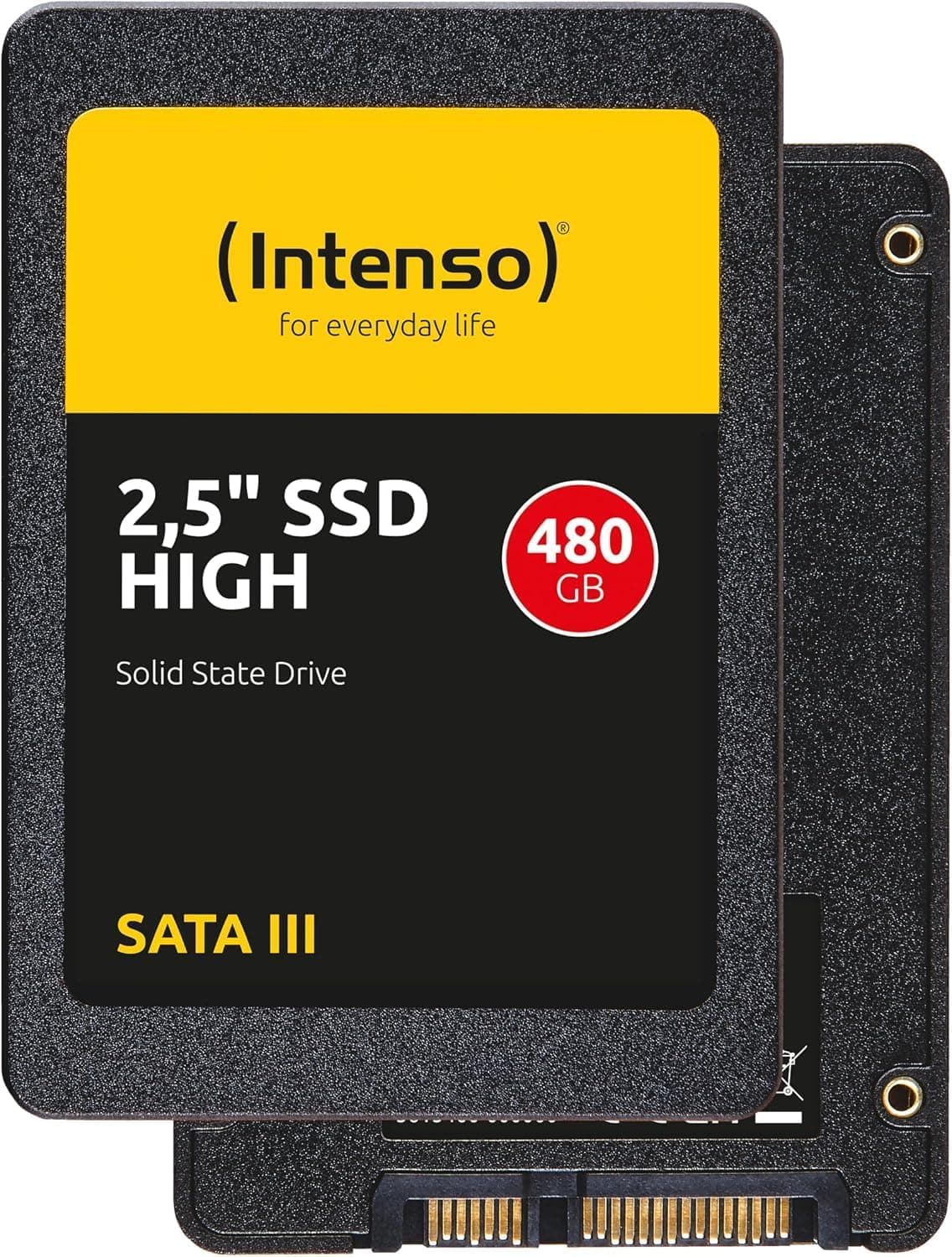
The manufacturer lists capacities of 120GB, 240GB, 480GB and 960GB. Customer reviews mention using the 120GB, 256GB and 480GB versions.
The manufacturer states sequential read speeds of up to 520 MB/s and write speeds of up to 480 MB/s. A reviewer described the read speed as up to 520 MB/s and said it exceeded expectations for its price class.
Reviewers consistently describe installation as easy, with one noting it was done in a few minutes using the included accessories and clear instructions. Another said installation in a laptop was easy.
Reviewers report it working reliably, including one who uses it in a Proxmox node with ZFS RAID 1 and describes it as unauffällig und zuverlässig. The manufacturer cites SMART and TRIM support and a long service life.
The manufacturer lists desktop computers and laptops, and notes the 2.5-inch 7 mm format allows easy upgrading of notebooks and PCs. Reviewers also report using it in a PlayStation 2, a router under OPNsense, and a Zgemma H8.2H decoder via a SATA-to-USB adapter.
From a similar, more-reviewed product in this category: KIOXIA EXCERIA SATA SSD – 480GB
In most cases, yes — as long as your device has a standard 2.5-inch SATA drive bay. It’s a drop-in upgrade for older laptops, desktops, and many NAS or home server setups. Just double-check that your machine uses SATA rather than NVMe before ordering, since the two are not interchangeable.
For everyday tasks, the difference is usually obvious. Many users report faster boot times, quicker app launches, and snappier overall responsiveness after swapping out a 7200RPM HDD. That said, this is a SATA III drive, so large file transfers won’t match NVMe speeds — several Reddit and YouTube commenters warn buyers to set realistic expectations here.
It depends on your workload. For Windows, office apps, and a few light games, 480GB is workable. But if you store large game libraries, photos, or video projects, many users regret not going straight to 1TB. A common piece of advice on social media: buy the largest capacity you can comfortably afford, because SSD space fills up faster than expected.
Overall sentiment leans positive — the platform shows a 4.6 average across thousands of ratings, and analyzed reviews highlight dependable everyday performance. That said, the detailed sample is small, so treat it as indicative rather than definitive. If long-term warranty support and brand reputation are top priorities, some shoppers prefer Samsung or Crucial instead.
It’s a great fit for students, parents, and office users upgrading an aging laptop or desktop on a budget, as well as home lab tinkerers who want affordable SATA storage. It’s less ideal for enthusiasts chasing NVMe-level speed, gamers moving huge files regularly, or anyone who needs premium endurance for heavy NAS workloads. If you fall into those groups, consider a higher-tier SATA drive or an NVMe model instead.
Answers are limited to the manufacturer's listing and the reviews we analysed. Questions those sources cannot support are not answered here.
Transparent by design

