What people like
Adds usable screen space
Several reviewers say the extender provides clear extra screen space that makes laptop work easier, and some find it easy to set up once connected.
Our buying verdict
Adds usable screen space and is easy to set up, but several reviewers report screens failing within months.
Buyers who want a portable secondary screen for laptop work or travel and can accept some risk of reliability problems.
Buyers who need a secondary display they can depend on for daily work over many months without interruption.
The 30-second read
What people like
Several reviewers say the extender provides clear extra screen space that makes laptop work easier, and some find it easy to set up once connected.
The main watch-out
Several reviewers report the screen going black, flickering, or failing to connect after weeks or months, including units that stopped working within six months.
Before you choose
Two reviewers note setup can be confusing or wonky initially, and one stresses confirming the correct ports before purchase.
Description
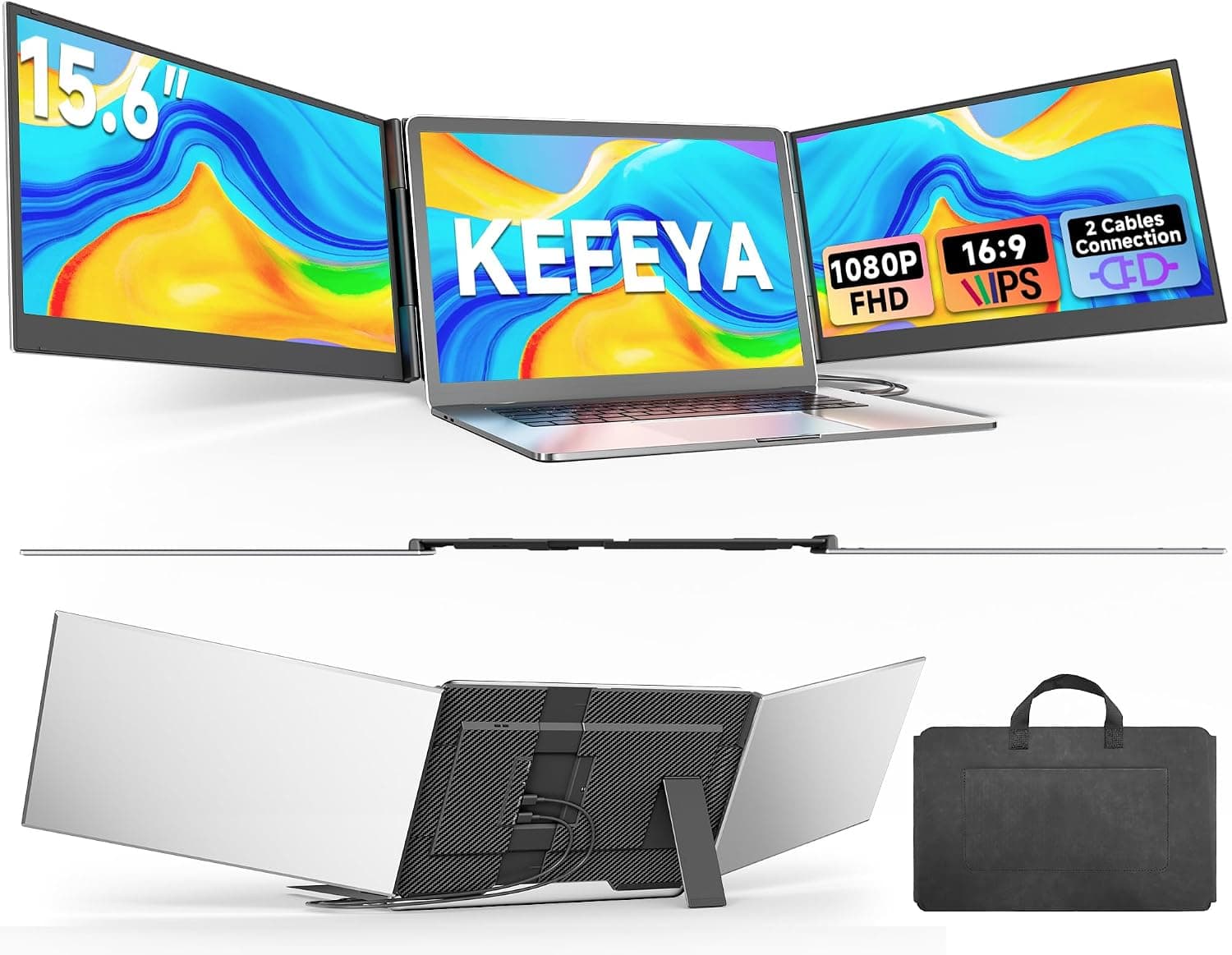
🌈【Ultra Thin and Lightweight & Stunning Display】Featuring two 15.6" FHD 1080P IPS displays with 300nits brightness 1000:1 contrast ratio and 100% sRGB color. This ultra-thin (0.16") and lightweight (only 3.9 lbs) portable monitor brings you an exceptional clarity and vibrant visuals. Adjust brightness, contrast, backlight, and other parameters independently, providing a bright, vivid, immersive viewing experience, and friendly eye protection, relieving fatigue. ⚡️【Triple Screen, Triple Efficiency】: KEFEYA triple monitor for laptop screen extender supports you to open multiple tasks at the same time, work, video conference, watch movies, or play games on different screens by not having to switch back and forth on a single laptop screen continuously, increase your efficient by up to 300%. Perfect for people who work on the go, remote workers, watch a movie,IT professionals, Players, Stock traders, Programmers, game players, etc! 👨💻【Build Own Workstation Anywhere & Anytime】: This portable monitor for laptops is foldable and comes with a leather bag, you can fold and bring the laptop portable monitor anytime to build your workstation from home or during travel. Portable laptop monitor provides multiple display modes [Mirror mode/extension mode/landscape and portrait mode], 180 rotating allows you to customize the viewing experience according to your preferences. 💻【Plug n Play & Easy Set Up 】:The external monitor for laptop portable is plug and play, you only need to connect the portable screen for laptops via 2 USB-C cable or one HDMI to USB-C cable and one USB-C to USB-C cable directly. Please Note: the USB-A to USB-C cable is just support power supply! Come with every cable needed(2* USB-C to USB-C cable, 2* HDMI to USB-C cable, 1* USB-C to USB-A cable ). Say goodbye to messy wires and complex setups, turning your laptop quickly into a dynamic workstation! ❤️【Broad Compatibility & Ultra Thin and Lightweight】This portable laptop screen extender can work with most laptop which has full-featured USB-C port(support charge and video transmit) or HDMI port, offering broad compatibility with Windows, Chrome, Mac, Android, Linux, Dex, PS4, Xbox, and Switch. Note: Not compatible with Mac M1/M2/M3 chips, but can be connected using our H6 adapter (not included), you can search B0FRRVFN25 for more details.
Check the evidence
Included does not mean verified authentic. Flagged does not mean proven fake. These are analytical classifications.
Showing 3 illustrative excerpts, not the complete review set.
well packaged, arrived on time, easy to set up and start using.
“The product is exactly as described. It came boxed very, sufficient padding material in the box, to protect the product. The manual was a little confusing in a couple of errors, but I managed to figure out how to connect the external monitor to my laptop. as soon as the proper connectors were used the monitor started right away all i had to do was identify which screen was which. That way the external monitor is going to be my work area and the laptop monitor where my files and such are located. Highly recommend it. Just make sure you choose tyhe right size to go with you computer.”
Signals matched: Specific detail: process, entity · Reads as an authentic voice
Disappointed
“This worked great when I first purchased it at the end of August, but now, just a little over two months later, I’m experiencing multiple issues. The screen only works intermittently and frequently flashes, even after replacing the USB-C cable. I’m really disappointed, especially since I switched to this brand after having issues with another. I’m starting to wonder if it’s the product design itself rather than the brand. Either way, it’s frustrating because I rely on this daily for work and expected it to last much longer than a couple of months.”
Signals matched: Specific detail: process, entity, comparison · Reads as an authentic voice
Sturdy, great quality monitor extender!
“This is really a useful monitor extender for me. I am always on a laptop and never seems to have enough screen to fit everything. Now I can use them together and make my work much easier. This is a very sturdy monitor with crystal clear visual on the screen. It can be tiled horizontal or vertical as you like. Comes with easy usb-c cables for easy power through the laptop. so no additional adapters are needed. Sound quality is decent too. Highly recommended”
Signals matched: Specific detail: scenario, entity · Reads as an authentic voice
One less thing to search
Great question — this is the #1 thing buyers ask, and it's worth checking before you order. The extender works out of the box with Intel-based Macs and most Windows, Chrome, Linux, and Android devices that have a full-featured USB-C port (one that supports both charging and video) or an HDMI port. However, MacBooks with M1, M2, or M3 chips need our H6 adapter (sold separately — search B0FRRVFN25) to connect. Many Mac users on Reddit wished this had been clearer upfront, so if you're on Apple Silicon, budget for the adapter or confirm your setup first.
It depends on your laptop's weight and hinge stiffness. At 3.9 lbs, the dual-screen unit is heavier than a single portable monitor, and several reviewers note that on very light 13" laptops the combined setup can feel front-heavy or cause the lid to sag. On 15–17" laptops it's generally stable. If you're pairing it with an ultra-light machine, a simple laptop stand or propping the lid at a steeper angle solves most wobble — a tip frequent TikTok reviewers share.
On a compatible laptop, setup is genuinely quick — connect the two included USB-C to USB-C cables (or one HDMI-to-USB-C plus one USB-C to USB-C) and you're running. Two honest caveats from real users: the USB-A to USB-C cable is **power-only** and won't carry video, and some laptops can't supply enough power through USB-C alone, which can cause flickering or a screen dropping out. If that happens, keep your laptop charger connected. It's plug-and-play, but "check your ports first" is the honest advice.
It folds flat and ships with a leather carry bag, and most travelers report it holds up well for coworking, hotel rooms, and commutes. That said, a minority of longer-term users mention hinge looseness or screen flex after several months of heavy travel use, and the plastic housing feels functional rather than premium. Treat the hinges gently, store it in the included bag, and it should serve you well — just set realistic expectations for a folding multi-panel device at this price.
Returns follow the standard retailer policy for the marketplace you buy from, so check the listing's return window before ordering — especially if you're unsure about compatibility. On value: users who match the product's sweet spot (Windows laptops with full-featured USB-C, remote workers, traders, programmers) consistently call it a productivity game-changer and good value versus buying two separate monitors. Buyers who skim the port requirements or expect seamless console/Android extend mode tend to be the ones who return it. Match it to your setup, and it's money well spent.
Answers are limited to the manufacturer's listing and the reviews we analysed. Questions those sources cannot support are not answered here.
Transparent by design