
Kingston 240GB A400 SATA 3 2.5 inch Internal SSD SA400S37/240G - HDD Replacement for Increase Performance
Description
Incredible speeds plus rock-solid reliability - Kingston's A400 solid-state drive dramatically improves the responsiveness of your existing system with incredible boot, loading and file transfer times compared to mechanical hard drives. Powered by a latest gen controller for read and write speeds up to 500MB/s and 450MB/s, this SSD is 10x faster than a traditional hard drive for higher performance, ultra-responsive multi-tasking and an overall faster system. Also more reliable and durable than a hard drive, A400 is built with Flash memory. There are no moving parts, making it less likely to fail than a mechanical hard drive. It's also cooler and quieter, and its shock and vibration resistance makes it ideal for notebooks and other mobile computing devices. A400 is available in multiple capacities from 120GB-480GB to give you all the space you need for applications, videos, photos and other important documents. You can also replace your hard drive or a smaller SSD with a drive big enough to hold all your files. Backwards compatibility to SATA Rev. 2.0 (3Gb/s) Product contains drive only; cloning software not included.
Compare the trade-offs
Similar products, side by side
A random selection of analyzed products from the same category. Different products are not necessarily interchangeable.

Fanxiang S101 128GB SSD SATA III 6Gb/s 2.5" Internal Solid State Drive, Read Speed up to 450MB/sec, Compatible with Laptop and PC Desktops(Black)
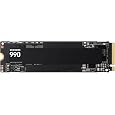
SAMSUNG 990 PRO SSD 1TB PCIe Gen4 NVMe M.2 Internal Solid State Hard Drive,Upto 7,450MB/s,Fast Speed for Gaming,Heat Control,Direct Storage&Memory Expansion,MZ-V9P1T0B/AM[Canada Version]
One less thing to search
Before you buy: quick questions
Ist diese SSD eine gute Wahl, um meine alte, langsame Laptop-Festplatte vollständig zu ersetzen?
Absolut. Dies ist der beliebteste und gelobteste Anwendungsfall. Bei über 230.000 Bewertungen berichten Nutzer durchweg, dass alte Laptops und Desktop-PCs sich damit "wie neu" anfühlen, mit deutlich schnelleren Startzeiten, App-Starts und allgemeiner Reaktionsfähigkeit. Die physische Installation ist unkompliziert, und viele Online-Tutorials können Sie anleiten.
Ich habe einige Bedenken bezüglich der langfristigen Zuverlässigkeit gelesen. Wie ist die Garantie und wie schneidet dieses Laufwerk im Vergleich zu Marken wie Samsung ab?
Die Kingston A400 wird mit einer Standardgarantie von 3 Jahren geliefert. Während sie außergewöhnlichen Wert und Leistung für grundlegende Computeraufgaben und als Startlaufwerk bietet, ist sie für den typischen Verbrauchergebrauch konzipiert. Für Benutzer mit hohen, anhaltenden Schreiblasten (wie ständige Videobearbeitung) oder die maximale Langlebigkeit priorisieren, wird in Tech-Foren oft empfohlen, in ein Laufwerk mit längerer Garantie und höherer Belastbarkeit zu investieren, wie z. B. eine Samsung 870 EVO oder eine Crucial MX500.
Ist alles für die Installation enthalten, oder muss ich zusätzliche Teile kaufen?
Das Laufwerk selbst enthält die SSD und eine Bedienungsanleitung. Es sind kein SATA-Datenkabel, keine Montagehalterung (für Desktop-PCs) oder Abstandshalter (für einige Laptops) enthalten. Diese sind oft bereits in Ihrem Computer vorhanden. Wenn Sie eine 2,5" Laptop-Festplatte ersetzen, tauschen Sie sie in der Regel einfach aus. Für die Desktop-Installation müssen Sie möglicherweise prüfen, ob Ihr Gehäuse über einen 2,5"-Einbauschacht verfügt, oder eine günstige Halterung kaufen.
Wie schwierig ist der Softwareteil – die Übertragung meiner Windows-Installation von meiner alten Festplatte?
Dies ist der schwierigste Schritt für Anfänger. Kingston stellt Links zur Acronis-Cloning-Software bereit, die viele erfolgreich nutzen. Allerdings sind soziale Medien und Bewertungen voll von Nutzern, die den Klonvorgang frustrierend fanden. Ein verbreiteter Rat ist, eine saubere Neuinstallation von Windows auf der neuen SSD für die beste Leistung in Betracht zu ziehen und dann die Dateien manuell zu übertragen. Es dauert länger, hat aber oft weniger Probleme.
Mein Laufwerk ist ausgefallen/funktioniert nicht. Was soll ich tun und wie ist der Kingston-Kundenservice?
Überprüfen Sie zunächst, ob Ihre SATA- und Stromanschlüsse sicher sind. Wenn das Laufwerk nicht erkannt wird, versuchen Sie es mit einem anderen SATA-Port und einem anderen Kabel. Wenn Sie glauben, dass das Laufwerk defekt ist, ist Ihr nächster Schritt, den Kingston-Support zu kontaktieren, um eine Garantieanspruch einzuleiten. Die Erfahrungen der Benutzer mit dem Support sind gemischt; einige berichten von reibungslosen RMA-Prozessen, andere empfinden ihn als langsam. Es ist entscheidend, Ihren Kaufbeleg bereitzuhalten. Für kritische Daten sollten Sie immer ein Backup auf einem separaten Laufwerk oder einem Cloud-Dienst aufbewahren.
From a similar, more-reviewed product in this category: SAMSUNG 990 PRO SSD 1TB PCIe Gen4 NVMe M.2 Internal Solid State Hard Drive,Upto 7,450MB/s,Fast Speed for Gaming,Heat Control,Direct Storage&Memory Expansion,MZ-V9P1T0B/AM[Canada Version]
How fast is the Samsung 990 PRO compared to older drives?
The manufacturer lists sequential read/write speeds up to 7,450/6,900 MB/s, with random read/write speeds 40%/55% faster than the 980 PRO. Reviewers describe it as blazing fast, with noticeably quicker booting, game loading, and large file transfers.
Is the 990 PRO easy to install?
Reviewers report that installation was straightforward and headache-free, and one noted it worked flawlessly with Samsung's Migration program for cloning. The listing notes the package includes the SSD and user manual, but cables, screws, and brackets are not included.
Does the 990 PRO run hot?
One reviewer found it runs quite warm during heavy use and recommended good airflow or a heatsink depending on the laptop. The manufacturer states the nickel-coated controller delivers effective thermal control and that its slim size fits desktops and laptops meeting the PCI-SIG D8 standard.
Is the 990 PRO reliable?
Reviewers describe it as reliable and stable, with one citing years of trouble-free use of Samsung SSDs and another confirming it was an original Samsung product that functioned flawlessly. The listing states all firmware and components, including Samsung's DRAM and NAND, are produced in-house, and lists a 600TBW warranty.
What storage capacity options are mentioned, and is 1TB enough?
The listing is for a 1TB capacity drive. One reviewer noted that 2TB was a great choice for them because they had already filled 900 GB with games, suggesting capacity needs depend on how many games you keep installed.
Answers are limited to the manufacturer's listing and the reviews we analysed. Questions those sources cannot support are not answered here.
Transparent by design