What people like
Crisp, vibrant picture and great value
Reviewers repeatedly praise the sharp 2K resolution, rich and accurate colors, and strong value for the price. Many also note smooth, fast performance for gaming.
The 30-second read
What people like
Reviewers repeatedly praise the sharp 2K resolution, rich and accurate colors, and strong value for the price. Many also note smooth, fast performance for gaming.
The main watch-out
One reviewer notes the monitor has no sound, so you will need external speakers if you want audio.
Before you choose
Some reviews mention that 2K gaming needs a capable GPU, and that the advertised high refresh rate may require overclocking or may be lower than expected depending on the model.
Description
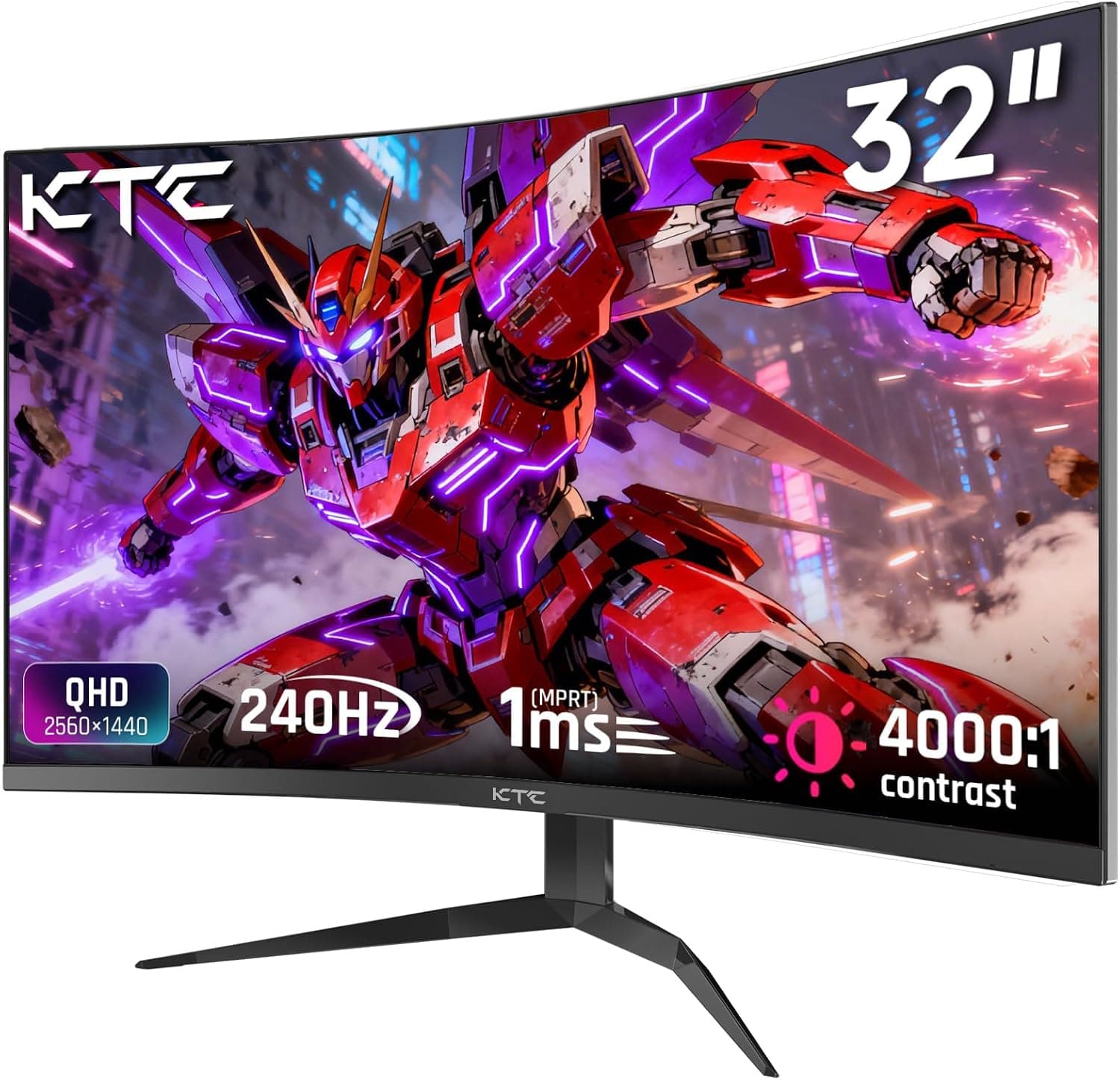
Product description KTC 32 Inch Curved Gaming Monitor 240Hz Previous page More immersive 1000R Curved + 178° Viewing Angle The tight 1000R curve wraps around you, while the 178° panel keeps colors true even from the sides. No lag. No blur. 240Hz Refrsh Rate + 1MS Enjoy crystal-clear and ultra-responsive gameplay - giveing the edge in every fast-paced battle. Seamless & Tear-Free Adaptive Sync Tech Eliminates screen tearing and stuttering, provides you with buttery-smooth, uninterrupted gameplay. Next page 1 Curved Monitor 2 240hz Gaming Monitor 3 Adaptive Sync Previous page Sharper, Clearer, Better. 2K Monitor Experience stunning clarity that brings every detail to life ,32-inch screen upgrade your workspace! Next page 1 QHD 1440P Monitor 2 Vibrant Colors 3 Eye-care Monitor Previous page Next page 1 Multiple Connections 2 VESA Wall Mount 3 Dimensions & Accessories KTC Large Curved Gaming Monitor 32 Inch / 240Hz / QHD Add to Cart 32 Inch / 240Hz / FHD Add to Cart 32 Inch / 165Hz / FHD Add to Cart 34 Inch / UWQHD /180Hz Add to Cart 34 inch / QHD / 180Hz Add to Cart Customer Reviews 4.5 out of 5 stars 2,502 4.5 out of 5 stars 2,502 4.5 out of 5 stars 2,502 4.5 out of 5 stars 2,502 4.5 out of 5 stars 2,502 Price $299.99 $ 299 . 99 $199.99 $ 199 . 99 $179.99 $ 179 . 99 $259.99 $ 259 . 99 $259.99 $ 259 . 99 Max Resolution 2560*1440 1920*1080 1920*1080 3440*1440 3440*1440 Refresh Rate 240Hz 240Hz 165Hz 180Hz 180Hz Panel Type 1000R VA Panel 1500R HVA Panel 1500R VA Panel 1500R HVA Panel 1500R VA Panel Response Time 1MS MPRT 1MS MPRT 1MS MPRT 1MS MPRT 1MS MPRT Adaptive Sync ✔ ✔ ✔ ✔ ✔ sRGB Color Gamut Area 122% 125% 122% 125% 120% Contrast Ratio 4000:1 3500:1 3000:1 4000:1 4000:1 HDR Support HDR 10 HDR 10 HDR 10 HDR 10 HDR 10 Input Interfaces HDMI 2.0 & DP1.4 HDMI 2.0 & DP1.4 HDMI 2.0 & DP1.4 HDMI 2.0 & DP1.4 HDMI 2.0 & DP1.4 Adajustable Stand Tilt Adjustment Tilt Adjustment Tilt Adjustment Tilt/Swivel/Pivot/Height Tilt/Swivel/Pivot/Height VESA Mount ✔ ✔ ✔ ✔ ✔
Check the evidence
Included does not mean verified authentic. Flagged does not mean proven fake. These are analytical classifications.
Showing 3 illustrative excerpts, not the complete review set.
5.0 out of 5 stars
“I needed two monitors, and honestly, this looked like the cheapest way to get there. Spoiler: I’m not disappointed—not even a little. The picture is crisp, the colors pop, and at 180 Hz it’s smoother than my last breakup speech (and that’s saying something). The response time is so quick it makes me wonder if maybe I’m the one lagging in life. I hooked it up next to my main screen, and suddenly my setup looks way more “pro gamer/serious content creator” than “guy sitting in his sweatpants trying to convince himself he’s productive.” Dual HDMI ports and DisplayPort mean I didn’t have to sacrifice my console or PC either—thank God, because I’m not emotionally stable enough to make that kind of choice. It’s even wall-mountable, which I haven’t done yet, because drilling holes in drywall feels like a commitment I’m not ready for. Still, it’s nice to know the option’s there if I ever outgrow my current chaos. Bottom line? For the price I paid, this thing is an absolute win. Cheap, effective, and doesn’t make me question my life decisions. If only everything in life worked out this way. TL;DR: Needed a second monitor. Got this one cheap. It works perfectly. Zero disappointment.”
Signals matched: Specific detail: quantity, comparison, process · Reads as an authentic voice
5.0 out of 5 stars
“Super Fast Monitor! The colors are rich, vibrant, and pretty accurate. Out of the box the monitor is actually 360 hz. To activate the 400 hz, you need to over clock it. I did notice some things, not necessarily a deal breaker though. First, it seems I may have gotten a newer model, bc usually upon reviews for this 400 hz monitor the colors are that of like a mac. The logo was also different. Just minor changes though nothing crazy. Mine was all black and instead of if the words KTC it had their logo instead. Just something to be aware of. Me personally, I like this look I got better. Also, I noticed when viewing from like the sides or above, the monitor appears to get lik darker? Also something that almost made me remove a star but not sure because maybe it was a skill issue for me was how much of a pain it was to set up the stand. It was extremely difficult to have it perfectly aligned and not have it lean forward. Maybe just a skill issue for me though. Otherwise, this is a very good and competitive monitor for gaming. Definitely worth the price even without it being on sale. If you see this on sale, just know you’re getting an amazing deal.”
Signals matched: Specific detail: quantity, entity, process · Reads as an authentic voice
4.0 out of 5 stars
“For gaming at 2K, it does great as long as you have a GPU that can push it well. Mine doesn't have any dead pixels or backlight bleed. Colors are great. Outside of gaming, it's the typical matte IPS experience but Windows at least renders OS details well. I wouldn't want to watch or work with video on this at any length as it looks pretty poor but 2K is still a niche resolution, so this doesn't come as a surpise to me. The menu is a bit tricky. The physical toggle on the back has so little resistance and no clickiness that I ended up pressing it in all directions and finding the shortcut menus before, later, accidentally pressing it straight in to get the full menu. Though it is indeed height adjustable, the max height is a joke. You'll likely want some sort of platform or riser. For the price and general quality, especially if you are specifically looking for sub 27 inch 2K, I think it is a good value.”
Signals matched: Specific detail: quantity, scenario, comparison · Reads as an authentic voice
One less thing to search
It genuinely delivers 240Hz at 2K 1440p over DisplayPort — no resolution drop required. Just make sure your GPU and cable can handle the bandwidth. Many Reddit users confirm they're hitting full 240Hz in titles like Valorant and CS2, though you'll want a DisplayPort 1.4 cable (often not included) to unlock it.
It's a minor learning curve, not a dealbreaker. The single joystick controls the OSD, and while some TikTok reviewers joke about overshooting menu options at first, most say it becomes second nature within a day or two. If you tweak settings often, just expect a short adjustment period.
No built-in speakers — that's the most common heads-up in user reviews. Plan for external speakers or a headset. You may also want a DisplayPort cable and, if the stock stand's limited height bothers you, a VESA mount. None of these are dealbreakers, but they're worth factoring into your total cost.
For most standard desks (around 24–30 inches deep), it's comfortable — but measure first. The curve is gentle and subtle, adding immersion without warping productivity apps. Buyers with smaller setups sometimes wish they'd gone 27-inch, so if space is tight, that's worth considering.
Returns are generally straightforward through the retailer, and most users who received a panel with dead pixels or minor backlight bleed report quick, hassle-free replacements. Check the specific return window before buying, and test the monitor thoroughly in the first few days. Overall, buyers describe the after-sales experience as reasonable rather than painful.
Answers are limited to the manufacturer's listing and the reviews we analysed. Questions those sources cannot support are not answered here.
Transparent by design