What people like
Fast, sturdy, and clean setup
Reviewers consistently praise the laptop's speed, sturdy build, and easy setup with no junkware. Several long-time ThinkPad users say it meets their business needs with no problems.
The 30-second read
What people like
Reviewers consistently praise the laptop's speed, sturdy build, and easy setup with no junkware. Several long-time ThinkPad users say it meets their business needs with no problems.
The main watch-out
One reviewer could not get warranty coverage because the laptop came from Kenya, and another found the display washed out with low contrast.
Before you choose
One reviewer notes low sound quality and relies on external speakers or earbuds, and does not run games on this machine. Another dislikes the touchpad and prefers a mouse.
From a similar, more-reviewed product in this category: 15.6 Inch Laptop Computer, N4020, 4GB DDR4 RAM, 128GB eMMC,with Windows 11
What people like
Several reviewers found it light, easy to set up, and suitable for school or office tasks, with a bright screen and smooth performance for basic use.
The main watch-out
Two reviewers described the laptop as extremely slow, including one who said it ran terribly after a couple of days; other reviewers reported fast, smooth operation.
Before you choose
Reviewers describe it as adequate for homework, drawing, office work, and video watching, suggesting it suits light everyday tasks rather than demanding use.
Description
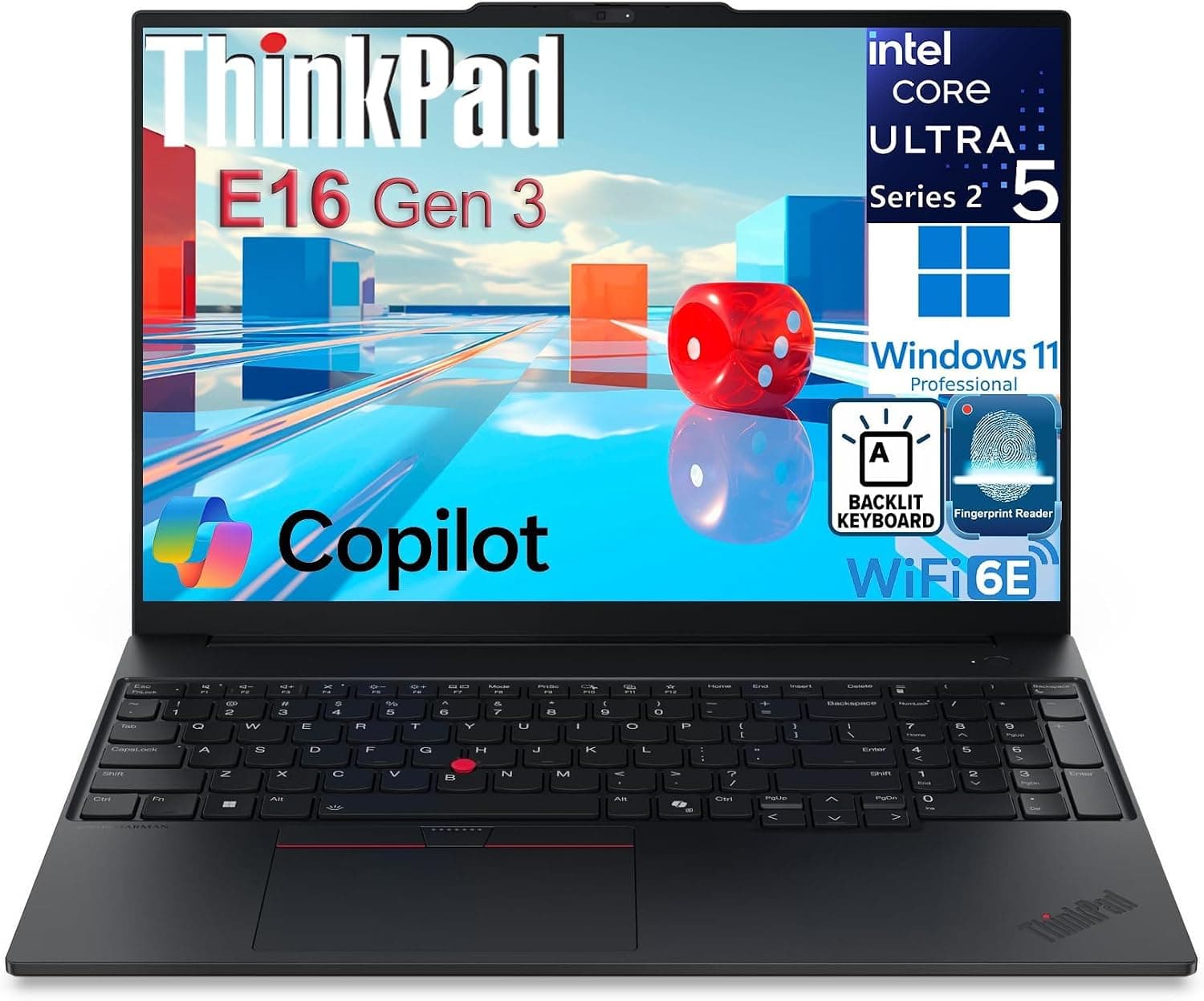
Enterprise-Grade Performance for Modern Business Professionals. The Lenovo ThinkPad E16 Gen 3 delivers AI-powered productivity and legendary ThinkPad reliability, designed for executives, analysts, and mobile professionals who demand uncompromising performance and security. ? AI-Enhanced Business Performance: • Intel Core Ultra 5 225H (14-core, 20 Threads, up to 4.9GHz) with integrated AI Boost NPU (13 TOPS) • 4GB DDR5 RAM for seamless multitasking with complex business applications • 128GB NVMe SSD for lightning-fast performance and data redundancy • Intel Arc 130T graphics with AI acceleration for presentations and light design work ? Professional Display & Audio: • 16" WUXGA (1920x1200) IPS anti-glare display with 300 nits brightness • audio with HARMAN speakers for crystal-clear conference calls • FHD 1080p camera with privacy shutter for secure video meetings ? Enterprise Security & Management: • Windows 11 Professional for enhanced productivity • Fingerprint reader integrated in power button • TPM 2.0 chip and firmware-level security for enterprise compliance • Kensington security slot for physical device protection ? Comprehensive Business Connectivity: • Thunderbolt 4, USB-C with Power Delivery, USB-A ports, HDMI 2.1 (4K/60Hz) • WiFi 6E, Bluetooth 5.3 and RJ45 ? Built for Business Mobility: • Ultra-portable: 14.01" x 9.80" x 0.69" (3.59 lbs) • All-day battery life with 65W USB-C fast charging • Backlit keyboard with numeric keypad for comfortable data entry • Legendary ThinkPad durability and reliability Ideal for: C-suite executives, financial analysts, consultants, project managers, sales professionals, and any business user requiring premium performance, security, and mobility.
Compare the trade-offs
A random selection of analyzed products from the same category. Different products are not necessarily interchangeable.

ASUS Vivobook 16 Laptop - 16” WUXGA 16:10 Display - Snapdragon® X X1 26 100 Processor - 8 GB RAM - 512 GB SSD - Windows 11 OS Home - Cool Silver - X1607QA-PB54

Apple 2025 MacBook Air 13-inch Laptop with M4 chip, 16GB Unified Memory, 1TB SSD Storage - Silver
Apple 2025 MacBook Air 13-inch Laptop with M4 chip, 16GB Unified Memory, 256 GB SSD Storage - Silver
Check the evidence
Included does not mean verified authentic. Flagged does not mean proven fake. These are analytical classifications.
Showing 3 illustrative excerpts, not the complete review set.
4.0 out of 5 stars
“Have been impressed with everything but the display. Seems a little washed out. Contrast might be too low. Playing with the settings to see if I get it set to my satisfaction. I really like the big keys on the keyboard. Don't like and don't use the touch pad. I'm a mouse guy. Lost a couple of days troubleshooting poor left button performance on the first mouse. Finally got a replacement which solved all problems. Really fast performance. Like the 2 TB of storage. Ran out of original USB ports instantly. Printer and Wireless Mouse. Need to learn more about what the rest of the ports are. Overall quite happy.”
Signals matched: Specific detail: process, comparison · Reads as an authentic voice
5.0 out of 5 stars
“My old Lenovo IdeaPad laptop was about 6 years old, and other than the camera working intermittently after a couple of years, never had any trouble with it. Decided to upgrade to this Lenovo ThinkPad business laptop, with more speed, memory and features, as I trade a lot (stock, options, futures). It was easy to set up, transfer info between laptops, faster, and seems sturdier and well-built. Thus far, I am very pleased and happy with my purchase!”
Signals matched: Specific detail: quantity, entity, scenario, comparison · Reads as an authentic voice
5.0 out of 5 stars
“This PC works great. I love the fact that there's no junkware and adware on it. I started it and got it set up with a minimum of restarts and updates. The keyboard has a nice feel and the overall quality seems very good. I was a loyal Dell customer for years and had bad experiences with them the last two machines I bought. They were so loaded up with junkware that they couldn't even load a webpage.”
Signals matched: Specific detail: process, comparison · Reads as an authentic voice
One less thing to search
For basic tasks — email, documents, video calls, and light browsing — it works, but it's tight. Many Reddit users warn that Windows 11 Pro plus a few apps will eat most of that 128GB quickly, and 4GB RAM limits heavy multitasking. If you regularly run Teams, Excel, and a dozen browser tabs at once, consider a higher-spec configuration or plan to upgrade.
Yes — the ThinkPad E16 Gen 3 is generally serviceable, and buyers frequently mention upgrading the SSD and RAM themselves. Check the specific model's service manual before purchase, since configurations vary. Upgrading is often the smartest move if you like everything else about the machine but want more headroom.
The 16" FHD+ IPS screen is praised for size and clarity, ideal for spreadsheets and documents, though some YouTube reviewers note average contrast and brightness — fine indoors, less impressive in bright light. Speakers are adequate for calls but thin for media, so headphones are a good idea for anything beyond a Zoom meeting.
Most buyers report a smooth, bloat-free setup and reliable delivery. However, at least one reviewer ran into trouble registering the warranty due to the unit's regional origin, so confirm warranty coverage and return terms with the seller before buying — especially if you're purchasing across borders. It's a small but real risk worth checking upfront.
It's a solid fit for small business owners, remote workers, and students who need a durable, no-frills ThinkPad with a clean Windows 11 Pro setup, fingerprint reader, and WiFi 6E. If you need stronger performance, a brighter display, or better audio, a higher-tier ThinkPad T-series, Dell Latitude, or HP ProBook with 16GB RAM and a 512GB SSD may serve you better.
From a similar, more-reviewed product in this category: 15.6 Inch Laptop Computer, N4020, 4GB DDR4 RAM, 128GB eMMC,with Windows 11
For document editing, email, web browsing, online classes, and video calls, yes — the Intel Celeron N4020 and Windows 11 handle daily essentials smoothly. Just keep expectations realistic: many reviewers note it's happiest with a handful of tabs or apps open at once. If you routinely run heavy multitasking, video editing, or gaming, you'll want a machine with more RAM and an SSD.
The 4GB LPDDR4 RAM is soldered and not user-upgradeable, so plan around it from day one. Storage is more flexible — the 128GB eMMC fills up quickly once Windows and updates are installed, but the built-in TF card slot lets you add up to 1TB for movies, photos, and files. A common tip from owners: keep the internal drive for the OS and apps, and use a microSD card for media.
It can run very light titles like Roblox or Minecraft on low settings, but this is fundamentally a productivity laptop, not a gaming machine. Several YouTube reviewers specifically warn against buying it for Fortnite or other demanding games. If gaming is a priority, look for a model with a dedicated GPU and at least 8GB RAM.
At roughly 3.17 lbs and 0.76" thin, it's easy to carry between classes or commutes, and the fanless design keeps it completely silent. The 38Wh battery with 45W USB-C fast charging typically delivers around 6–7 hours of mixed use — enough for a school day, though heavy users should pack the charger. Build quality is solid for the price, but treat the hinge and lid with care, as some owners note it's plasticky.
Yes — it ships with Windows 11 Home preinstalled and activated, and the listing highlights Office 365 inclusion, which parents and students frequently praise as a money-saver. It also includes a 1MP HD webcam, dual full-featured USB-C ports for charging and dual-monitor output, and two USB 3.2 ports for peripherals. If it turns out slower than you need, check the seller's return window before buying and confirm the refund policy — many happy buyers are basic users, so match the machine to your workload first.
Answers are limited to the manufacturer's listing and the reviews we analysed. Questions those sources cannot support are not answered here.
Transparent by design