functionality
Mostly positive0 of 72 mentions describe a negative experience (0%).
Description
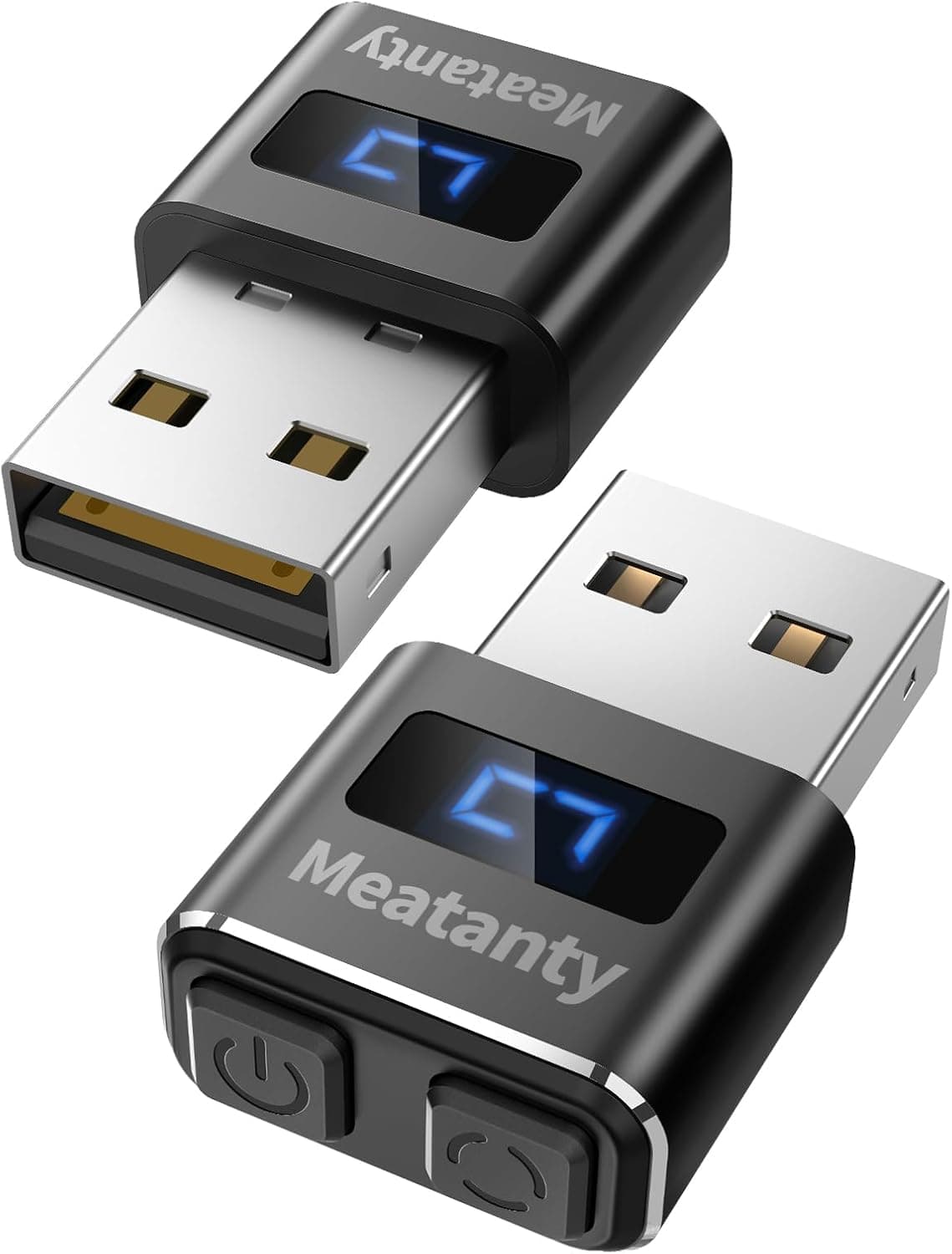
Product description The video showcases the product in use. The video guides you through product setup. The video compares multiple products. The video shows the product being unpacked. No spoken audio Video Player is loading. Click to play video Play Mute Current Time 0:00 / Duration 0:45 Loaded : 6.67% 0:00 Stream Type LIVE Seek to live, currently behind live LIVE Remaining Time - 0:45 1x Playback Rate Chapters Chapters Descriptions descriptions off , selected Captions Captions off English (Automated) , selected Audio Track default , selected Fullscreen This is a modal window. aplus content video Meatanty Mouse Mover Tiny Mouse Jiggler USB Mouse Jiggler Physical Mouse Jiggler Mode and ON/OFF Buttons Avoid repeated plugging and unplugging and protect the USB port from damage. Mover/Jiggler in One Move1" (fast/wide range) or "Move2" (slower/small range) mode can be set. 100% Undetectable Using physics to simulate the process when using the mouse, it's a real movement Digital Display Shows the mode of switching tracks and determines if the device is running. Timing Function Can be set for 2, 4 or 8 hours according to your needs. 2 Ways to Power Supply Can be powered by an external adapter or by the USB port of a PC, laptop,etc. Previous page Next page 1 3 Different Tracks 2 New Upgrade Design 3 Wide Compatible Meatanty Undetectable Mouse Jiggler - A Life Saver for Office and Work from Home Tiny Mouse Jiggler Add to Cart Metal LED Mouse Jiggler Add to Cart Metal Mouse Jiggler Buying Options Mechanical Mouse Jiggler Add to Cart Slim Mouse Jiggler Buying Options Mouse Jiggler with Timer Buying Options Customer Reviews 4.7 out of 5 stars 9,410 4.7 out of 5 stars 9,410 4.6 out of 5 stars 87 4.5 out of 5 stars 5,536 4.6 out of 5 stars 85 4.4 out of 5 stars 738 Price $9.99 $ 9 . 99 $9.99 $ 9 . 99 — $22.99 $ 22 . 99 — — Cursor Movement Track 3 tracks 3 tracks 3 tracks 1 track 1 track 3 tracks LED Screen Display ✔ ✔ ✘ ✔ ✔ ✘ Memory Function ✔ ✔ ✔ ✔ ✔ ✔ Adjustable Intervals ✘ ✘ ✘ ✔ ✔ ✔ No Need Software ✔ ✔ ✔ ✔ ✔ ✔
Your use case first
0 of 72 mentions describe a negative experience (0%).
5 of 27 mentions describe a negative experience (19%).
2 of 20 mentions describe a negative experience (10%).
2 of 16 mentions describe a negative experience (13%).
2 of 16 mentions describe a negative experience (13%).
1 of 7 mentions describe a negative experience (14%).
1 of 7 mentions describe a negative experience (14%).
One review can mention several topics. Percentages describe the reviews we analysed, not all buyers or the product's overall failure rate.
From a similar, more-reviewed product in this category: TECKNET Wireless Mouse, BT 5.0/2.4G, Rechargeable 6-DPI Silent, Grey
54 of 467 mentions describe a negative experience (12%).
65 of 354 mentions describe a negative experience (18%).
37 of 284 mentions describe a negative experience (13%).
36 of 214 mentions describe a negative experience (17%).
21 of 204 mentions describe a negative experience (10%).
7 of 118 mentions describe a negative experience (6%).
62 of 163 mentions describe a negative experience (38%).
62 of 104 mentions describe a negative experience (60%).
Compare the trade-offs
A random selection of analyzed products from the same category. Different products are not necessarily interchangeable.

ProtoArc EM01 NL Wireless Trackball Mouse, Rechargeable Thumb Control, Gray
Macally Wired USB C Mouse for Mac & Windows - 3 Button & Scroll Wheel USB Type C Mouse - Comfortable Ambidextrous Design - Compact Wired Mouse with Optical Sensor & DPI Switch 800/1200/1600/2400

TALONGAMES Curved Edges Ultra Strong Glass Universal 6mm Mouse Feet Skates Compatible with Gaming Mouse Feet Replacement,Super Smooth Glide Fast and Durable Sole (Black)
Check the evidence
Included does not mean verified authentic. Flagged does not mean proven fake. These are analytical classifications.
Showing 3 illustrative excerpts, not the complete review set.
Productivity in a Pinch
“Absolutely love these!!! They work like a charm no matter what you're using them for. The fact that it's plug in play, has a display, has buttons to toggle between modes, and is discreet ( considering most will think that it is a thumb drive ) is AMAZING!!! Most of the time I had to adjust settings to get the desired result that these offer simply by plugging them in. I love the fact that they keep the screen on if you aren't tending to your monitor to keep it open. Some examples are eating lunch if there's nothing physically on the screen playing this will keep in alive, taking a break and needing to keep things in focus or view, or not having to adjust the operating system settings for the moment you need to either have the mouse moving or just simply keeping the screen on for nosy nesters. These special breed of folk always happen by your computer when the screen has simply went on timeout...it can be way too obvious to try and get your screen open again in a pinch and this will keep them at bay. Overall it is just a wonderful lil gadget that I'd highly recommend!!!”
Signals matched: Specific detail: entity, process · Mentions: plug and play, customizable modes, functionality · Reads as an authentic voice
Excellent product
“These are fantastic! I previously had a different brand with a single button and no LED, and it was difficult to control. Originally purchased to keep the computer from locking up during short periods of idle time at work. When it started to fail, I decided to heck with it and went looking for a replacement. I wanted one that could be turned off and on without unplugging, and one that you could easily tell whether it was on or off or which mode it was in. This product fit the bill perfectly. It works well, and is easy to use. I turn it on when I'm using the computer to listen to music (otherwise my screen times out and the HDMI connection to the TV and speakers goes away), but turn it off for videos (which keep the screen on themselves and allows the screen to go to sleep after the video ends). A slightly higher cost than others, but well worth it. Highly recommended.”
Signals matched: Specific detail: entity, comparison, scenario · Mentions: functionality, ease of use · Reads as an authentic voice
Almost Perfect
“These are awesome little devices. Plug and play, could not be easier to operate. One button to turn the jiggler on/off, one to cycle the modes, and a screen to tell you when its active. The only downside is it disables my mouse when its active so I have to turn it off to do something and remember to turn it back on.”
Signals matched: Specific detail: process, comparison · Mentions: plug and play, customizable modes, ease of use · Reads as an authentic voice
One less thing to search
No. It has separate ON/OFF and mode selection buttons, so you can turn it off and on without repeatedly plugging and unplugging it, which helps protect your USB port from damage.
It is plug and play, so no software is needed. Reviewers note it works simply by plugging it in, with one button to turn it on/off and one to cycle modes.
In Mode 3 the cursor just jiggles slightly, so it will not affect your normal use of the mouse. One reviewer, however, reported that on their unit the mouse is disabled while the jiggler is active, so they have to turn it off to use the mouse.
It depends on the mode. The listing says Mode 1 is a small range of movement and Mode 2 is a wide range, while Mode 3 only jiggles slightly. One reviewer noted that no matter which setting they used, the cursor moved noticeably.
The package includes 2 mouse movers, which the listing says is useful if you have multiple computers or laptops and want to avoid repeatedly plugging and unplugging between them.
From a similar, more-reviewed product in this category: TECKNET Wireless Mouse, BT 5.0/2.4G, Rechargeable 6-DPI Silent, Grey
The listing states a full charge takes 1.5 to 2 hours and delivers 3 months of use at 2 hours per day. Reviewers back this up, with one reporting no charge needed after a month and a half of roughly 9 hours daily use, and another saying one charge lasts for months.
Yes. The manufacturer describes silent technology for noiseless clicks, and reviewers consistently call the left and right clicks "super silent," "quiet but satisfying," and a good fit for offices and quiet environments.
It supports both a USB-A dongle and Bluetooth (3.0/5.0), and you can connect two devices at once and switch between them with a slide switch. Reviewers confirm both the USB and Bluetooth connections work well and are easy to set up, and the dongle is stored in a slot underneath the mouse.
The listing notes it is better suited for small to medium-sized hands, though larger-handed users who prefer a smaller mouse may still like it. A reviewer who wears a small women's glove said it fits perfectly, and another described it as somewhat small but still comfortable in a man's hand.
The listing says it is compatible with Windows, macOS, Chrome OS, and Linux, but notes that the side buttons are not compatible with macOS.
Answers are limited to the manufacturer's listing and the reviews we analysed. Questions those sources cannot support are not answered here.
Transparent by design