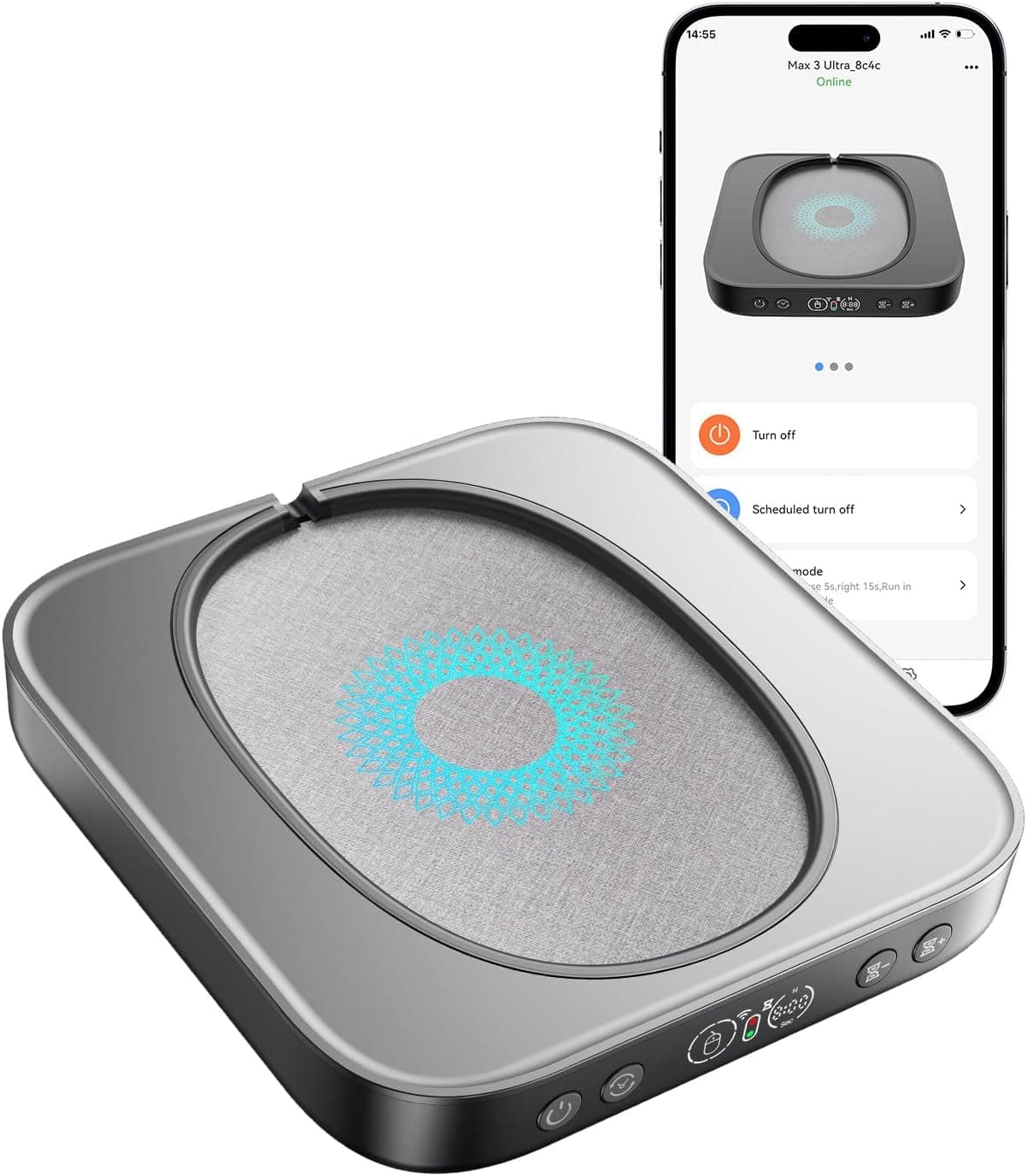
meatanty Undetectable Mouse Mover with APP Remote Control and Timer Function, Super-Silent Mouse Jiggler Device Move Randomly, Automatic Wiggler Shaker Giggler Keep Computer Laptop Active

meatanty Undetectable Mouse Mover with APP Remote Control and Timer Function, Super-Silent Mouse Jiggler Device Move Randomly, Automatic Wiggler Shaker Giggler Keep Computer Laptop Active

3.9 on Amazon83 ratingswww.amazon.com
Review reliability
75/ 100Grade B
The score reflects mostly high ratings with wording that largely matches them, many specific details and authentic-sounding voices, though about a quarter sound promotional and few discuss the tracked topics.
Affiliate link — commission is the same whatever the score.

The 30-second read

Before you decide

A starting point, not a buying verdict

What people like

Silent, app-controlled, keeps computer active

Reviewers praise the device as truly silent and love controlling it via the app with a timer. Many say it effectively keeps their computer active, with one calling it a lifesaver for working from home.

The main watch-out

Turntable can produce audible sound

One reviewer notes a design issue: the turntable produces audible sound when rotating, which may matter if you need absolute silence.

Before you choose

Size and physical movement design

The device is a bit large because it holds a mouse, though it is light and easy to move aside. It physically moves the mouse rather than using a spinning disc, which one reviewer sees as potentially more reliable.

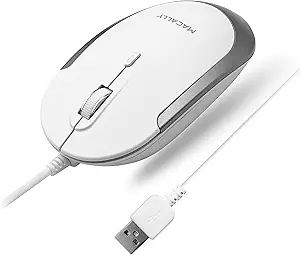
From a similar, more-reviewed product in this category: TECKNET Wireless Mouse, BT 5.0/2.4G, Rechargeable 6-DPI Silent, Grey

What people like

Long battery life and easy connectivity

Reviewers consistently praise the rechargeable battery that lasts months and the fast, stable Bluetooth and 2.4G connections. Many also highlight the quiet clicks and comfortable, ergonomic fit.

The main watch-out

One report of early failure

A single reviewer reported that the mouse stopped working after two months of light use, raising a durability concern. However, most other reviewers report no issues over extended periods.

Before you choose

Check size and use case

Some reviewers note the mouse is smaller and may suit smaller hands, though it still fits many users comfortably. It is widely considered great for office work and light use, but one reviewer would not recommend it for gaming.

Your use case first

Your concerns

quality

Mostly positive

1 of 9 mentions describe a negative experience (11%).

reliability

Mixed experiences

2 of 7 mentions describe a negative experience (29%).

One review can mention several topics. Percentages describe the reviews we analysed, not all buyers or the product's overall failure rate.

From a similar, more-reviewed product in this category: TECKNET Wireless Mouse, BT 5.0/2.4G, Rechargeable 6-DPI Silent, Grey

quality

Mostly positive

54 of 467 mentions describe a negative experience (12%).

functionality

Mixed experiences

65 of 354 mentions describe a negative experience (18%).

battery life

Mostly positive

37 of 284 mentions describe a negative experience (13%).

connectivity

Mixed experiences

36 of 214 mentions describe a negative experience (17%).

value for money

Mostly positive

21 of 204 mentions describe a negative experience (10%).

quiet operation

Mostly positive

7 of 118 mentions describe a negative experience (6%).

responsiveness

Mixed experiences

62 of 163 mentions describe a negative experience (38%).

size

Mostly negative

62 of 104 mentions describe a negative experience (60%).

Compare the trade-offs

Similar products, side by side

A random selection of analyzed products from the same category. Different products are not necessarily interchangeable.

Check the evidence

What the review excerpts say

Included does not mean verified authentic. Flagged does not mean proven fake. These are analytical classifications.

Showing 3 illustrative excerpts, not the complete review set.

Included in analysis4.0/5 stars

4.0 out of 5 stars

“Not that I would ever do such a thing, but this device does effectively keep your computer looking active so that your screen saver (yeah, the screen saver) doesn't activate. It seems a tad large out of necessity given that it has to hold a mouse, but it's not heavy and easy to move out of the way when not needed. While other jigglers introduce signals that keep the mouse moving, with this one, your mouse sits on something of a cloth covered turntable of sorts. The turntable activates and slowly rotates for a few seconds, causing your mouse to appear to track to the left or right with a little bit of curve for authenticity. It pauses for a few seconds and then slowly spins again in a different direction. It's kind of hilarious to watch the mouse cursor move around because it does look like a slow, deliberate, but human-like motion. The LED display feels laughably overengineered for such a simple device with all it's countdown timers, spinners and blinking lights, but I kind of love it. The device itself is basically silent. There is a motor that moves the "turntable", but it doesn't make any perceptible noise. It does not connect to your computer, so there's no chance of your IT folks detecting any electronic hanky panky. There is an app which can be used to control the device, but I don't need that, so I don't have any opinions on it. In short, if you're teleworking and you're totally dragging and need to take a 20 minute nap, this is a great device to keep Teams from telling on you while you catch some Zzzzzs....to increase productivity. Honest!”

Signals matched: Specific detail: scenario, comparison · Reads as an authentic voice

Included in analysis5.0/5 stars

5.0 out of 5 stars

“The Meatanty Mouse Jiggler is an excellent alternative, particularly for users with larger mice. Unlike other models that depend on a spinning disc to simulate movement, this device physically moves the mouse, offering potentially greater reliability. Its ability to pair physical motion with customizable frequency settings makes it a standout choice for consistent, hands-free mouse activity..”

Signals matched: Specific detail: entity, comparison · Mentions: reliability

Included in analysis5.0/5 stars

5.0 out of 5 stars

“Best best item I could have ever purchased!! Love this and the fact I have abilities to have the app at my fingertips!!”

Signals matched: Promotional-style language

One less thing to search

Before you buy: quick questions

Does the meatanty mouse mover require any software or driver installation?
From the manufacturer's listing

No. The manufacturer states it is driver-free and plug-and-play, compatible with Windows XP/7/8/10, Mac OS, and Linux, and it can be powered either by an external adapter or a USB port from a PC, laptop, hub, or docking station.

How loud is the device while it is running?
From 1 kept reviews mentioning "quality"From the manufacturer's listing

The listing says it uses a built-in silent-type motor that emits less than 20 dB while running, though one customer review noted the turntable produces an audible sound when rotating.

Can I control the mouse mover remotely and set a timer?
From the manufacturer's listing

Yes. The upgraded model can be controlled remotely through an app, letting you fine-tune the pause time between movements and set the device to power off automatically after 1-8 hours, or run without interruption.

Does it work with larger mice, and do I need to calibrate the cursor position first?
From 1 kept reviews mentioning "reliability"From the manufacturer's listing

The listing says it is the only physical mouse mover that does not require calibrating the mouse cursor position beforehand, and its large turntable also applies to larger mice. One reviewer similarly described it as an excellent alternative particularly for users with larger mice.

How do I adjust how often the mouse cursor moves?
From the manufacturer's listing

You can press the "+" or "-" button to set the time for the turntable to move the mouse cursor once, with each press increasing or decreasing by 5 seconds, giving an adjustable frequency range of 5-60 seconds, and the LED display visualizes your settings.

From a similar, more-reviewed product in this category: TECKNET Wireless Mouse, BT 5.0/2.4G, Rechargeable 6-DPI Silent, Grey

How long does the battery last on a full charge?
From 8 kept reviews mentioning "battery life"From the manufacturer's listing

The listing states a full charge takes 1.5 to 2 hours and delivers 3 months of use at 2 hours per day. Reviewers back this up, with one reporting no charge needed after a month and a half of roughly 9 hours daily use, and another saying one charge lasts for months.

Are the mouse clicks actually quiet?
From 3 kept reviews mentioning "quiet operation"From the manufacturer's listing

Yes. The manufacturer describes silent technology for noiseless clicks, and reviewers consistently call the left and right clicks "super silent," "quiet but satisfying," and a good fit for offices and quiet environments.

How do I connect it, and can I use it with more than one device?
From 8 kept reviews mentioning "connectivity"From the manufacturer's listing

It supports both a USB-A dongle and Bluetooth (3.0/5.0), and you can connect two devices at once and switch between them with a slide switch. Reviewers confirm both the USB and Bluetooth connections work well and are easy to set up, and the dongle is stored in a slot underneath the mouse.

Is this mouse suitable for small hands?
From 4 kept reviews mentioning "size"From the manufacturer's listing

The listing notes it is better suited for small to medium-sized hands, though larger-handed users who prefer a smaller mouse may still like it. A reviewer who wears a small women's glove said it fits perfectly, and another described it as somewhat small but still comfortable in a man's hand.

Does it work with macOS?
From the manufacturer's listing

The listing says it is compatible with Windows, macOS, Chrome OS, and Linux, but notes that the side buttons are not compatible with macOS.

Answers are limited to the manufacturer's listing and the reviews we analysed. Questions those sources cannot support are not answered here.

Transparent by design

Understand the analysis