What people like
Fast, easy-to-use laptop
Several reviewers describe the laptop as fast, easy to set up, and user-friendly, with some calling it a solid, durable machine.
Our buying verdict
Several reviewers praise speed and ease of use, but some flag price and limited RAM.
Buyers who want a fast, easy-to-use premium laptop for everyday school, work, and entertainment tasks and value design and touchscreen use.
Buyers who need maximum RAM for demanding multitasking or who prioritize strong price-to-performance over premium hardware feel.
The 30-second read
What people like
Several reviewers describe the laptop as fast, easy to set up, and user-friendly, with some calling it a solid, durable machine.
The main watch-out
Two reviewers call it pricey, with one noting 16GB RAM feels low for Windows 11 and 32GB costs much more than a rival.
Before you choose
One reviewer reported that creating a restore flash drive failed with a capacity error, so verify recovery options before relying on it.
From a similar, more-reviewed product in this category: 15.6 Inch Laptop Computer, N4020, 4GB DDR4 RAM, 128GB eMMC,with Windows 11
What people like
Several reviewers found it light, easy to set up, and suitable for school or office tasks, with a bright screen and smooth performance for basic use.
The main watch-out
Two reviewers described the laptop as extremely slow, including one who said it ran terribly after a couple of days; other reviewers reported fast, smooth operation.
Before you choose
Reviewers describe it as adequate for homework, drawing, office work, and video watching, suggesting it suits light everyday tasks rather than demanding use.
Description
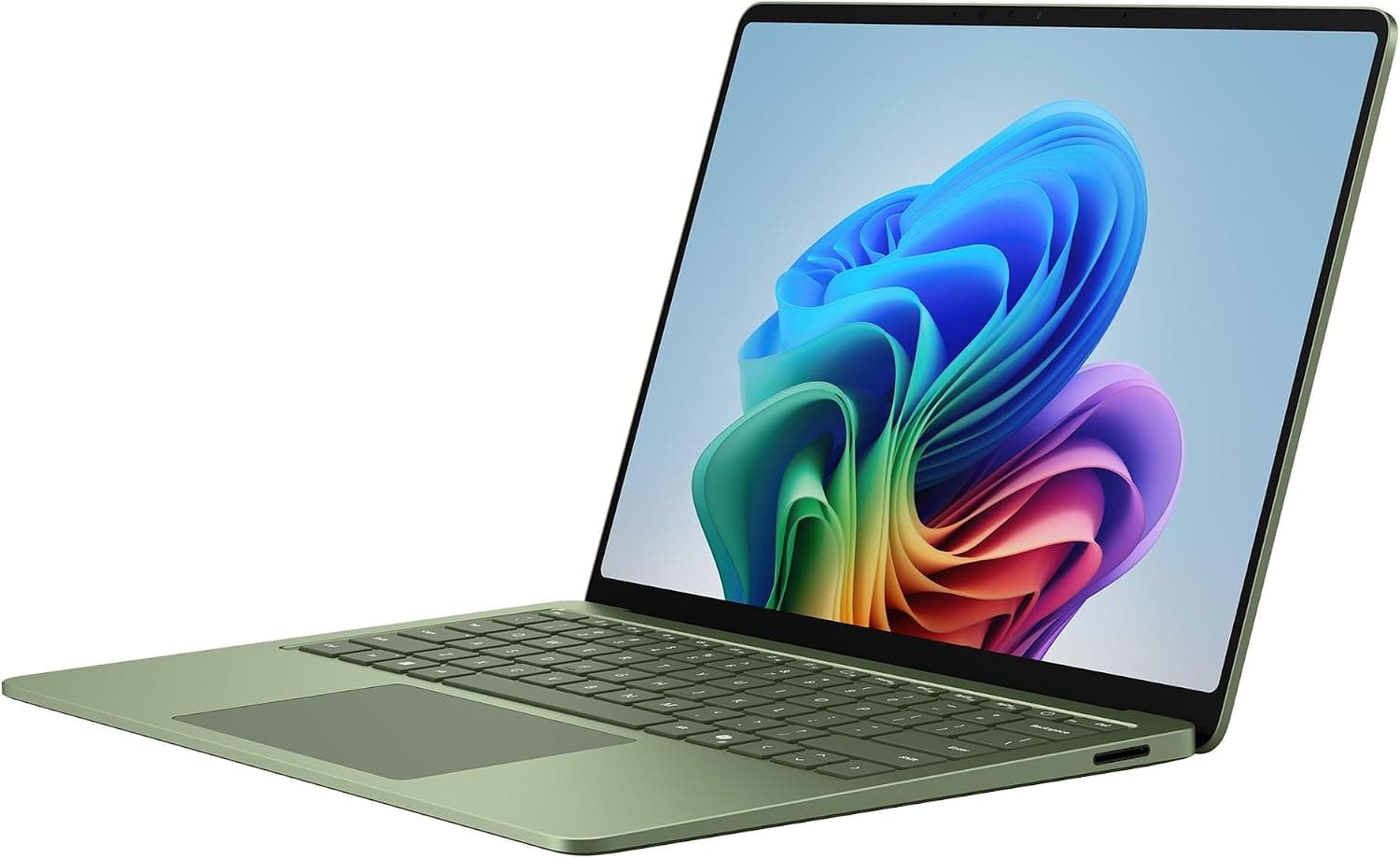
Exceptionally powerful, ultrathin laptop — The new Surface Laptop, 13.8-inch (8th Edition) is not just faster—it’s more intuitive. Unlock your creativity and stay productive throughout the day with accelerated performance that powers a new AI era, enabling Copilot experiences deeply integrated with the Windows ecosystem. Enjoy all‑day battery life[3] to keep your ideas flowing, and immerse yourself in stunning visuals on its modern, razor‑thin touchscreen display.
Compare the trade-offs
A random selection of analyzed products from the same category. Different products are not necessarily interchangeable.

Acer Predator Helios Neo 18 AI Gaming Laptop | Intel Core Ultra 9 Processor 275HX | NVIDIA GeForce RTX 5070 Ti | 18" WQXGA 240Hz G-SYNC | 32GB DDR5 | 2TB Gen 4 SSD | Killer Wi-Fi 6E | PHN18-72-9474

17.6 Inch FHD+ Laptop, 16GB RAM 256GB SSD, Core i3-10100Y, Win 11

Apple 2025 MacBook Air 13-inch Laptop with M4 chip, 16GB Unified Memory, 256 GB SSD Storage - Silver
Check the evidence
Included does not mean verified authentic. Flagged does not mean proven fake. These are analytical classifications.
Showing 3 illustrative excerpts, not the complete review set.
Great Laptop, a bit pricey, but will last you much longer than cheaper alternatives!
“This is my first Microsoft Surface product. I own a good number of laptops and PCs, including what I consider the unmatched premium feel of the MacBook Pro line. Because of that, I was genuinely surprised by how premium the Surface Laptop 8th Edition feels. Its aluminum unibody design is very reminiscent of a MacBook, and the build quality is far better than what I’ve come to expect from most Windows laptops. The trackpad is another standout feature. I’ve never used a Windows laptop with a trackpad that truly competes with Apple’s, but this one does. It’s responsive, accurate, and smooth in a way that finally feels “MacBook‑level.” The display is equally impressive. It’s a touchscreen panel with a 2304 × 1536 resolution and a 120 Hz variable refresh rate. The VRR contributes to both battery efficiency and overall smoothness — whether you’re scrolling, watching videos, or playing lighter games, the experience feels fluid and modern. Performance has also exceeded my expectations. The Snapdragon X2 Elite 78‑100 in this laptop is incredible. In my experience, it matches my M2 MacBook Pro in power efficiency and even surpasses it in performance. The fans rarely kick on, and the system stays cool no matter what I throw at it. Windows 11 on ARM has come a long way since the early days of Snapdragon laptops. So far, I haven’t run into a single compatibility issue, which is a huge shift from the first‑generation reviews. Initially, I would have told anyone considering this laptop to buy it only if they could find it on sale. But after using it for a couple of weeks, I keep finding excuses to use it more. At this point, I think it’s worth the full retail price. Bottom line: If you’re looking for a durable, premium‑feeling Windows laptop with an excellent balance of performance, efficiency, and a touchscreen, you’ll be hard‑pressed to beat this machine.”
Signals matched: Specific detail: entity, comparison · Reads as an authentic voice
Excellent daily laptop with sub-par value
“The Surface Laptop with the X2 Elite is a solid Ultrabook. Since its inception in 2017, it's been hailed as the "Windows Macbook Pro" for Microsoft's great attention to detail in both style and substance. The design of the Surface is second to none in my opinion - I love the addition of a haptic trackpad that actually works well, face unlock (it can be a little slow at times), and a wonderfully tactile keyboard. The Snapdragon X2 Elite processor is comparable in speeds to other Ultrabooks for single core performance (which helps the device feel snappy and responsive), but it lacks in the other comparisons for multi-core and GPU-heavy workloads. I think for a <$1200 Ultrabook this would not be a problem, but since this device now occupies a heavily contested price range of around $1500, it's hard to recommend brand new instead of just getting a MacBook Air that is literally peerless (and fanless!) This has long been my favorite of the Windows Ultrabooks on sale for the amazing color palettes available (especially the black. wow.), and on a sale this would be a formidable purchase. Windows on ARM is missing some specialized software support, but for the target audience of this laptop that lives within web-based applications I see no compatibility issues arising in day-to-day usage. If you know you need specific desktop applications, confirm they run well (or at all) on ARM64 devices. It's a shame that Qualcomm (or Microsoft?) hasn't been able to find the right balance of a power efficient mobile processor that can still be great for daily computing needs, but I still keep testing out to see if it's better with every generation. Better again, but not quite industry leading. 6 years later and everyone is still chasing the ghost of the M1 MacBook Air...”
Signals matched: Specific detail: entity, comparison · Reads as an authentic voice
Customer support could be better.
“I love the laptop. It's speedy and I like the fingerprint scanner. I wish the power cord had a right angle fitting rather than a straight fitting so that it wouldn't pull out so easily. It would be more compact. I've tried to create a restore flash drive but it doesn't work. I keep getting a message that the flash drive doesn't have enough capacity. My flash drive has a capacity of 72 gigs, twice that of the minimum recommended capacity. Also, I can't find the Key number, which is needed in the event that I have to restore the system. I don't have a number to call for assistance.”
Signals matched: Specific detail: quantity, process · Reads as an authentic voice
One less thing to search
Most everyday apps — Microsoft 365, Chrome, Zoom, Spotify, and popular creative tools — run natively and smoothly. That said, this is an ARM-based Copilot+ PC, so some older or niche x86 programs run through emulation, and a few (certain VPNs, anti-cheat games, and legacy business software) may not work at all. Many Reddit users suggest checking your must-have apps against Microsoft's compatibility list before buying — it's the single best way to avoid a surprise return.
Microsoft rates it at up to 20 hours, and while real-world mixed use (browsing, video calls, streaming) typically lands around 11–14 hours, that's still enough to get most people through a full workday without a charger. As one YouTube reviewer put it, "it comfortably beats most Windows laptops" — just don't expect the marketing number with brightness cranked up.
The 16GB of LPDDR5X memory is soldered to the board and cannot be upgraded, so it's worth choosing your configuration carefully at checkout. The 512GB SSD is technically replaceable by a technician, but it's not a user-friendly swap. If you're a heavy multitasker or plan to keep this for years, buy the storage tier you'll actually need up front.
The 13.8" PixelSense touchscreen is bright, sharp, and genuinely useful for scrolling, sketching, and Copilot interactions — most reviewers call it a highlight. Like any glossy touch panel, it does pick up fingerprints and can reflect glare in very bright rooms, so a microfiber cloth and mindful lighting go a long way. Many TikTok users note the Jade finish and display "look even better in person."
If you live in the Windows ecosystem and want a gorgeous, ultraportable laptop with all-day battery and built-in Copilot AI, this is an excellent fit — especially for students, creatives, and mobile professionals. If your workflow depends on x86-only software, heavy gaming, or maximum raw performance per dollar, a MacBook Air or a traditional Intel/AMD Windows laptop may serve you better. As one honest Reddit take summed it up: "Buy it for the design and battery, not for running everything."
From a similar, more-reviewed product in this category: 15.6 Inch Laptop Computer, N4020, 4GB DDR4 RAM, 128GB eMMC,with Windows 11
For document editing, email, web browsing, online classes, and video calls, yes — the Intel Celeron N4020 and Windows 11 handle daily essentials smoothly. Just keep expectations realistic: many reviewers note it's happiest with a handful of tabs or apps open at once. If you routinely run heavy multitasking, video editing, or gaming, you'll want a machine with more RAM and an SSD.
The 4GB LPDDR4 RAM is soldered and not user-upgradeable, so plan around it from day one. Storage is more flexible — the 128GB eMMC fills up quickly once Windows and updates are installed, but the built-in TF card slot lets you add up to 1TB for movies, photos, and files. A common tip from owners: keep the internal drive for the OS and apps, and use a microSD card for media.
It can run very light titles like Roblox or Minecraft on low settings, but this is fundamentally a productivity laptop, not a gaming machine. Several YouTube reviewers specifically warn against buying it for Fortnite or other demanding games. If gaming is a priority, look for a model with a dedicated GPU and at least 8GB RAM.
At roughly 3.17 lbs and 0.76" thin, it's easy to carry between classes or commutes, and the fanless design keeps it completely silent. The 38Wh battery with 45W USB-C fast charging typically delivers around 6–7 hours of mixed use — enough for a school day, though heavy users should pack the charger. Build quality is solid for the price, but treat the hinge and lid with care, as some owners note it's plasticky.
Yes — it ships with Windows 11 Home preinstalled and activated, and the listing highlights Office 365 inclusion, which parents and students frequently praise as a money-saver. It also includes a 1MP HD webcam, dual full-featured USB-C ports for charging and dual-monitor output, and two USB 3.2 ports for peripherals. If it turns out slower than you need, check the seller's return window before buying and confirm the refund policy — many happy buyers are basic users, so match the machine to your workload first.
Answers are limited to the manufacturer's listing and the reviews we analysed. Questions those sources cannot support are not answered here.
Transparent by design