
MSI MAG 245F X24 24-Inch Gaming Monitor, 1920x1080 FHD, Rapid IPS, 240Hz, 0.5ms, HDR ready, AMD FreeSync™ Premium, Eye care, AI vision, HDMI 2.0b, DP 1.2a, Frame-less, Vesa Mount, Black
Description
RAPID IPS IMAGE QUALITY, FRAMELESS GAMING - MSI Rapid IPS panel monitors provide outstanding color intensity, and support 178° wide viewing angles; A 'frameless' design reduces bezel lines between screens; 27” FHD, 240 HZ RAPID IPS - A high definition 1920 x 1080 Rapid IPS panel (16:9) features a high 240 Hz refresh rate for smooth movement tracking; A very low 0.5ms (GtG, Min.) response time is ideal for esports events; WIDE COLOR GAMUT - The MAG 245F X24 supports up to 1.07 billion colors (8-bit + FRC) colors at 112% sRGB for high color accuracy; Features Anti-Flicker and Less Blue Light reducing the amount of flicker and displaying lower levels of blue light.; HDMI CEC CONNECTIVITY - console & laptop interface options include DisplayPort 1.2a (FHD@240Hz) & HDMI 2.0b (FHD@240Hz) CEC ports; The monitor rear features a 5-way joystick navigator
Compare the trade-offs
Similar products, side by side
A random selection of analyzed products from the same category. Different products are not necessarily interchangeable.

Youshiko C0-9400 Air Quality Monitor with Wireless PM2.5 / PM10 Air Quality Sensor
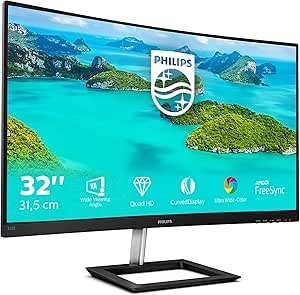
Philips 325E1C- 32 inch QHD Curved Monitor, 75Hz, 4ms, VA, AMD FreeSync, Flicker Free, Smart Image (2560 x 1440, 250 cd/m², HDMI 1.4/VGA/.DP 1.2)

4K Portable Monitor Touchscreen - 15.6 Inch UHD Multi Touch Auto-Rotating HDR FreeSync USB-C Portable Display with Kickstand Dual Type-C Mini HDMI for Laptop PC Phone Mac Surface Xbox PS4 Switch…
One less thing to search
Before you buy: quick questions
Is the jump from 144Hz/165Hz to this 240Hz monitor really noticeable for gaming?
For fast-paced competitive games like Valorant, CS2, or Apex Legends, the difference is often described as "buttery smooth" and a tangible advantage. Many Reddit users in the esports community swear by 240Hz for its edge in motion clarity. However, for single-player or more casual games, the leap from 165Hz is less dramatic. If your primary goal is dominating competitive shooters, 240Hz is worth it; otherwise, a high-quality 165Hz monitor might offer better value.
I have an NVIDIA graphics card. Will AMD FreeSync Premium work with it, or will I experience screen tearing?
Yes, it will work perfectly. NVIDIA drivers have supported Adaptive Sync (which includes AMD's FreeSync) on compatible monitors for several years. Simply connect via the included DisplayPort cable (recommended for best results), enable FreeSync Premium on the monitor's menu, and then turn on "G-SYNC Compatible" mode in the NVIDIA Control Panel. This combination delivers a smooth, tear-free gaming experience.
How is the "HDR ready" feature in real-world use? Should I buy this for HDR gaming or movies?
It's important to manage expectations here. As noted in many YouTube reviews, "HDR ready" means the monitor can accept an HDR signal but lacks the high peak brightness and local dimming zones for true, impactful HDR. It will make colors pop a bit more than SDR, but don't expect the vivid, contrast-rich HDR experience of a premium TV or more expensive monitor. This monitor is purchased first and foremost for its exceptional 240Hz gaming performance.
I've seen comments about a "cheap" stand and potential dead pixels. How common are these issues?
The included stand is functional but basic, offering only tilt adjustment. This is a common trade-off for monitors in this price range focused on performance. Most users planning a permanent setup recommend using the standard VESA mount (100x100mm) with a monitor arm for full ergonomics. Regarding dead pixels, while the vast majority of units are flawless, a small number of defect reports do exist online, as with any mass-produced screen. We recommend inspecting your monitor upon arrival and utilizing the manufacturer's warranty or retailer return policy if you encounter any panel issues.
Who is this monitor NOT a good fit for?
This monitor is a specialist for high-refresh-rate gaming. It might not be the best choice if: 1) Your primary use is photo/video editing requiring ultra-color-accurate panels, 2) You want a true, cinematic HDR experience for movies, 3) You need extensive ergonomic adjustments (height, swivel) right out of the box without buying a separate arm, or 4) You have a PC/console that cannot consistently push high frame rates (well over 100 FPS) to take full advantage of the 240Hz panel.
From a similar, more-reviewed product in this category: Newsoul 4K Portable Monitor 1200Nits Ultra Bright 16'' Laptop Monitor 145% sRGB 2000:1 Contrast Matte Screen with USB-C HDMI VESA, Slim External Screen with Protective Case for PC/Phone/Game Console
Is the monitor bright enough to use outdoors or in strong light?
The listing states 1200 nits ultra-high brightness, described as 4X brighter than an ordinary monitor, for clear content even in strong light conditions. Reviewers also mention wanting something bright enough to work outside in summer and note how bright it gets, with one keeping it around 30-40% for indoor use.
Does it come with the cables and accessories needed to get it working?
One reviewer said it came with all the cables needed plus a UK power adaptor, and that the power adaptor was not needed when running from a laptop since it can be powered via the supplied USB cable. The listing also notes that you should plug into power for the best user experience, with peak brightness achieved when connected to power.
Is it easy to carry around for travel?
Reviewers describe it as light, very thin, and easy to carry around, with one noting the thin bezels and lightweight design make it easy to carry. The listing states it is a 16 inch compact, lightweight travel monitor that can be packed into a backpack, and lists an item weight of 660 grams.
What is the picture and color quality like?
The listing says it has 4K resolution (3840 x 2400), a 145% sRGB wide color gamut, a 2000:1 contrast ratio, and a matte screen that reduces reflection. Reviewers describe the 4K display as sharp with good colors, the image quality as more than enough for an extra monitor, and the display as really clear, though one reviewer reported a green hue to the screen colour.
Can it be mounted, and does it have a protective case?
The listing states it has a mountable VESA hole so you can mount it to a desktop or wall and set it to landscape or portrait mode, and that the PU magnetic protective case protects the screen from scratches and acts as a support stand.
Answers are limited to the manufacturer's listing and the reviews we analysed. Questions those sources cannot support are not answered here.
Transparent by design