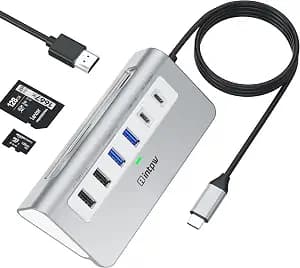
P9 USB C Docking Station, intpw 9-in-1 USB C Hub with 4K HDMI, PD 100W, 3 Type A/C 3.0 5Gbps, 2 Type-A 2.0, SD/TF, Aluminum USB Hub for Laptop,MacBook, iPad, iPhone 17 Series
Description
✅ 9-IN-1 USB C Hub: intpw USB hub has perfectly combined all the functions you need. USB 3.0 hub connect to your MacBook or Type C Laptops, featuring USB C charging port with 100W power delivery, 2 x USB A 3.0 Ports, 2 x USB A 2.0 Ports, 1 x USB C 3.0 Port for data, 1 x HDMI ports, SD/ MicroSD Card Reader. USB multiport adapter allows you to connect a keyboard, USB driver or external disk to your USB-C devices. USB-C Cable Length is about 3.28ft (100cm). Long enough to connect your laptop.; ✅ Aluminum Ergonomic Design: Different from other usb c hub's plastic materials, this powered usb hub with aluminum unibody provides premium protection with a slick look and a better heat dissipation. Temperature control under 45℃, keep all the USB ports safe and stable during operation. Ergonomics 32-degree angle and rubber mats, saving more effort when you plug and unplug your USB devices and placing more stability on your desk. Appearance also is unique, fashionable and modern.; ✅ 4K HDMI Video Output: INTPW hdmi to usb c adapter can stream 4K/Full HD/1080P to HDTV, Monitors or projectors via HDMI port, presenting you more HD stable video picture, vivid 3D visual feast. USB C hub hdmi also support 3840x2160 4K@30Hz, 2560x1600 and lower resolutions at 60Hz. USB C multiport adapter is also downward compatible with 2K@75Hz and 1080P@144Hz.(Note:The host USB-C port on your device must support Display Port Alt Mode. ); ✅ High Speed Charging & Transfering: Charge your Macbook with ease using the 100W USB-C PD charging port on this usb c port hub while connecting multiple peripherals for data transferring and worry-free power storage. 3 USB 3.0 Ports transfer speed up to 5Gbps. USB C to HDMI adapter takes only a few seconds to transfer photos or videos to your laptop. 2 USB 2.0 can connect to your keyboard, mouse, USB driver, external disk to your laptop.(Note: USB-C 3.0 port not support video output.); ✅ Widely Compatibility: The USB C to HDMI multiport adapter is specially designed for MacBook Pro 2020 2019 2018 2017 2016 / MacBook 2020 2019 2018 2017 2016 2015 / MacBook Air 2020 2019 2018 / iMac Pro 2019 2018 2017, Google Chromebook, Huawei Matebook, Dell, Lenovo Yoga 920 / 910 / 720, and many other Type C computers, which plug and play to expand your usb c devices capabilities, portable design easily fits in your bag or carry-on.; ✅Must Read Before Buying: PD Port is only for charging, not support Data transfer. For a better experience, when you use the usb hub, please use at least 65W power supply to charge your laptop/phone via our usb c Hub. Doesn't unplug or plug the PD charger when using the powered usb c hub. This prevents the device from being disconnected, the HDMI connection screen is not displayed, and data transferred from external USB devices is lost.
Compare the trade-offs
Similar products, side by side
A random selection of analyzed products from the same category. Different products are not necessarily interchangeable.
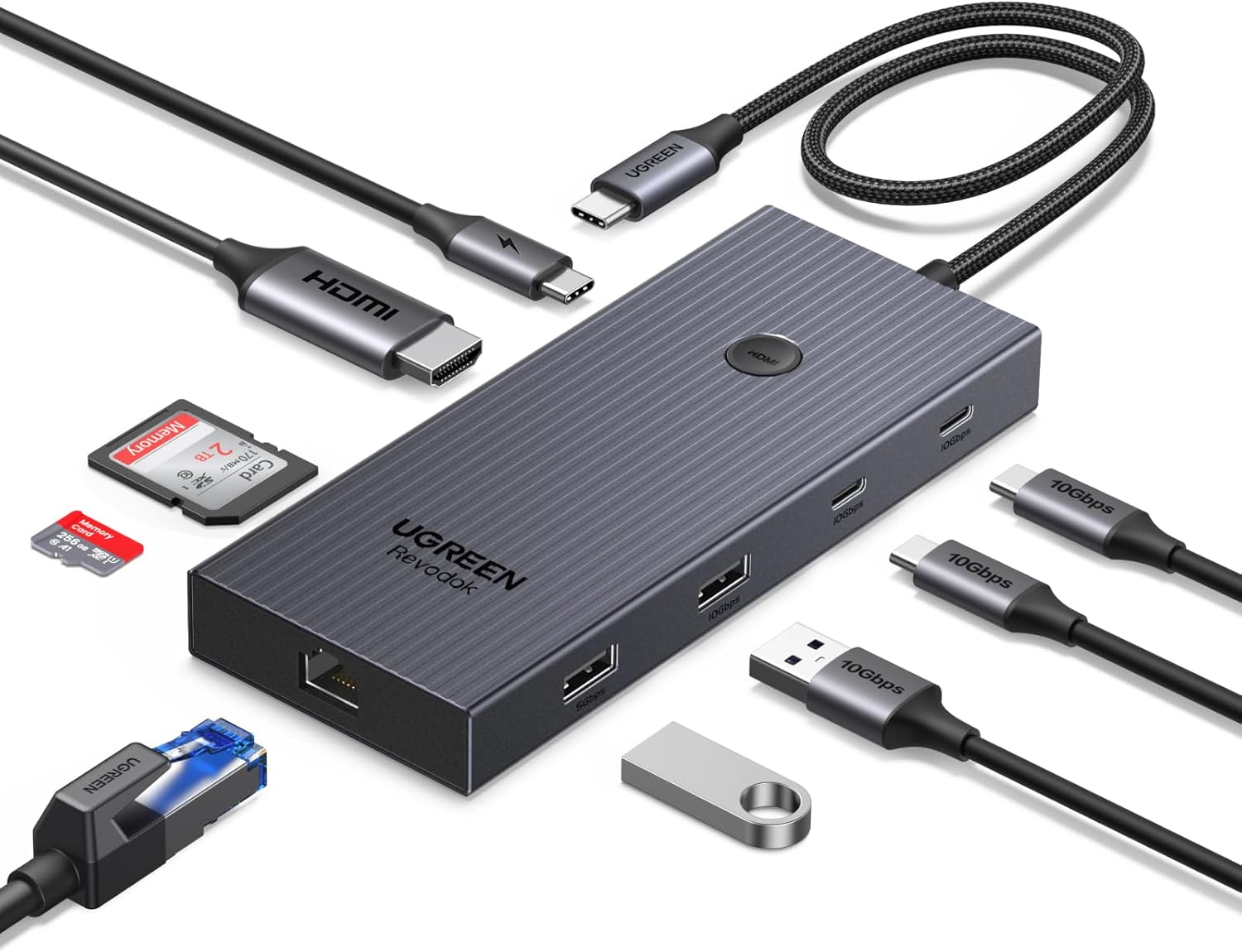
UGREEN Revodok Pro 9 in 1 USB C Hub Gigabit Ethernet Adapter 4K@60Hz HDMI

VIENON USB Hub 7-in-1, Aluminum USB C Hub Multiport Adapter for Laptop & PC

Powered USB Hub 10Gbps, 17 Ports 96W USB 3.2 Hub(10 USB-A 3.2 Ports+3 QC 24W Fast Charging Ports+2 USB-C 3.2 Ports+SD/TF Card Reader), 12V/8A Power Adapter for Laptop, PC, Computer, HDD,Flash Drive
One less thing to search
Before you buy: quick questions
Does this hub get hot, especially when charging my laptop and using multiple ports?
It's common for compact hubs to generate heat under heavy load. Many Reddit users mention the aluminum body can become warm to the touch when the 100W charging and several data ports are used simultaneously. This is generally a sign of the heat dissipation working as intended. For typical use (charging + one or two accessories), it stays comfortably cool.
I need to connect two external monitors. Is this the right dock for me?
No, this hub has only one HDMI port and does not support dual monitor output. If you need to connect two external displays, you'll require a different docking station specifically designed for dual video output. Many users who missed this detail expressed regret, so we want to be super clear!
How reliable are the SD and microSD (TF) card readers for transferring photos and videos?
For casual use and standard-resolution files, most users find them perfectly adequate. However, some tech reviewers on YouTube have noted that transfer speeds can be inconsistent with very high-capacity cards (e.g., 128GB+), and occasional re-insertion might be needed. For frequent, professional-grade large file transfers, a dedicated card reader might be more reliable.
Will the 100W Power Delivery (PD) port fast-charge my specific laptop, like a MacBook Pro or Dell XPS?
Yes, the 100W PD port is designed to fast-charge compatible laptops that support USB-C Power Delivery. It will charge a 16-inch MacBook Pro or a Dell XPS at full speed, provided you use a compatible 100W (or higher) USB-C charger. The hub itself does not include a wall charger—you need to supply your own.
Who is this docking station really best suited for?
It's a fantastic, value-packed hub for students, remote workers, and everyday users looking to expand their laptop's connectivity for a cleaner desk. It's perfect for connecting to a single monitor, charging, using flash drives, and occasionally reading memory cards. If your needs are simple and reliable, you'll likely love it. Power users needing dual monitors or constant, max-speed data transfers might want to explore more specialized (and expensive) options.
From a similar, more-reviewed product in this category: USB C to USB Hub Multiport Adapter with 4 USB-A & 3 USB-C 3.0 Port
Does this hub support charging?
No. The manufacturer's note states this device only supports data transmission, not charging.
How many devices can I connect at once?
Up to 7 devices can be connected simultaneously through a single port, including a keyboard, mouse, external HDD, and flash drives.
What data transfer speed does this hub offer?
It uses USB 3.0 technology with data transfer rates up to 5Gbps, which the listing describes as 10x faster than USB 2.0.
How long is the cable on this hub?
The hub has an integrated 1-foot cable, which the listing describes as offering a balance of reach and neatness for routing on a desk, in a laptop stand, or behind a monitor.
What operating systems and devices is this hub compatible with?
It supports Windows, macOS, and Linux, and is listed as compatible with laptops, MacBook, tablets, USB flash drives, and iMac.
Answers are limited to the manufacturer's listing and the reviews we analysed. Questions those sources cannot support are not answered here.
Transparent by design