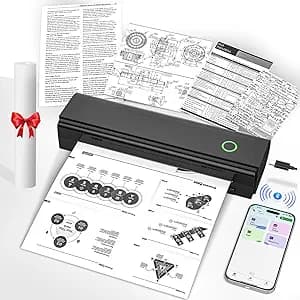
Portable Printers Wireless for Travel, Bluetooth Thermal Printer Supports 8.5" x 11" US Letter & A4 Size, Inkless Mobile Printer Work with Android iPhone Laptop for Home Office School, Black
Description
Portable Printer: With a compact design, the portable thermal printer allows you to fit into backpacks or briefcases easily. This small wireless printer features 2600mAh battery for 2 hours of continuous printing (180 sheets per charge), enabling on-the-go printing of contracts, documents and other thermal tasks; Inkless Printer: This inkless portable printer uses thermal technology for crisp prints without ink, toner, or ribbons. Eco-friendly and cost-efficient—no clogs or cleaning! (Note: our Portable printer is a thermal printer and Only supports black and white printing and thermal paper, Not supports regular copy paper); Wireless Bluetooth Printer: This wireless inkless portable printer can Connect seamlessly via Bluetooth to iPhone Android Phone iPad Tablet or via USB-C Cable to laptop or computer, supporting Android 9.0+/iOS 16+ and above, Windows 7 32-bit, Windows 7 64-bit, Windows 8 64-bit, Windows 10 32-bit, Windows 10 64-bit, Windows 11, Windows ARM, macOS 10.14 and above, Linux, making it accessible to a wide range of users. Note: Computers need to download the driver and print via USB , not for Bluetooth connection; Versatile Paper Support: our N80 travel printer supports two paper sizes (US Letter/A4) and three types (roll/folded/single sheet) thermal paper, meeting to diverse needs like note-taking, exams, documents and DIY projects; Perfect Gift : the mobile portable printer can Print PDFs, Word files, images, and web from phones. It is perfect for people who work outside, like mobile notaries, truck drivers, business travelers, office workers, teachers and students. An ideal gift and surprise for your families and friends; How to Print on Phones: 1. Long press the power button to turn on 2. Download NADA PRINT from your app store 3. Enable Bluetooth on your phone and Connect the printer in the NADA App 4. Select N80 Portabel Printer and select the file to start printing; How to Print on Laptop or Computer: 1. Download and Install the driver for your computer system according to the user manual. 2. Turn on the printer and connect the printer to your laptop or Computer with USB-C Cable. 4. Select N80 Printer and select the file to start printing
One less thing to search
Before you buy: quick questions
Does this printer use standard A4 or Letter paper, or does it require special paper?
This is a thermal printer, so it uses specialized thermal paper rolls, not standard sheets. The "supports 8.5" x 11"" description refers to the maximum *printable area width* on a continuous roll, not the use of pre-cut paper. It's perfect for lists, labels, and notes, but not for traditional multi-page documents. Many TikTok and Reddit users love the inkless convenience but recommend checking product images to understand the paper format before buying.
How reliable is the Bluetooth and app connection for mobile printing?
Most users find the initial Bluetooth pairing with phones and laptops straightforward. However, some Android and iPhone users have reported occasional glitches or disconnections with the companion app. For the most stable experience, ensure your device's OS and the printer's app are updated. The consensus is that it works great for quick prints, but if you need to print large batches frequently, be prepared for potential app hiccups.
Is this printer durable enough for regular travel, or does it feel cheap?
The printer is designed for portability, with a lightweight plastic casing that keeps it easy to carry. While most travelers find it holds up well in a backpack or bag, a segment of reviewers on YouTube have noted the build feels more "functional" than "rugged." If you're exceptionally rough on your gear, you might want a protective case. For typical home, office, and school carry, its durability is generally considered sufficient.
Who is this portable printer actually best for?
Based on countless reviews, it's a hit with specific groups: Students printing lecture notes and planners, small online sellers needing shipping labels, travelers printing boarding passes and itineraries, and anyone who loves organizing with physical to-do lists and journal prints. It's not ideal for someone needing a primary printer for reports, resumes, or photo printing.
What is the true total cost, including paper refills?
The upfront cost is for the printer itself, which includes a starter roll of paper. After that, you'll need to purchase thermal paper refills. The ongoing cost varies by brand and roll length, but it's a factor to consider. Many happy users see the value in the inkless, hassle-free operation for their specific tasks, while others who print frequently recommend calculating the paper cost versus traditional ink.
Answers are limited to the manufacturer's listing and the reviews we analysed. Questions those sources cannot support are not answered here.
Transparent by design