What people like
Strong cleaning, mapping, and quiet operation
Many owners praise thorough vacuuming and mopping, quick accurate mapping, easy app control, and quieter runs than older robots.
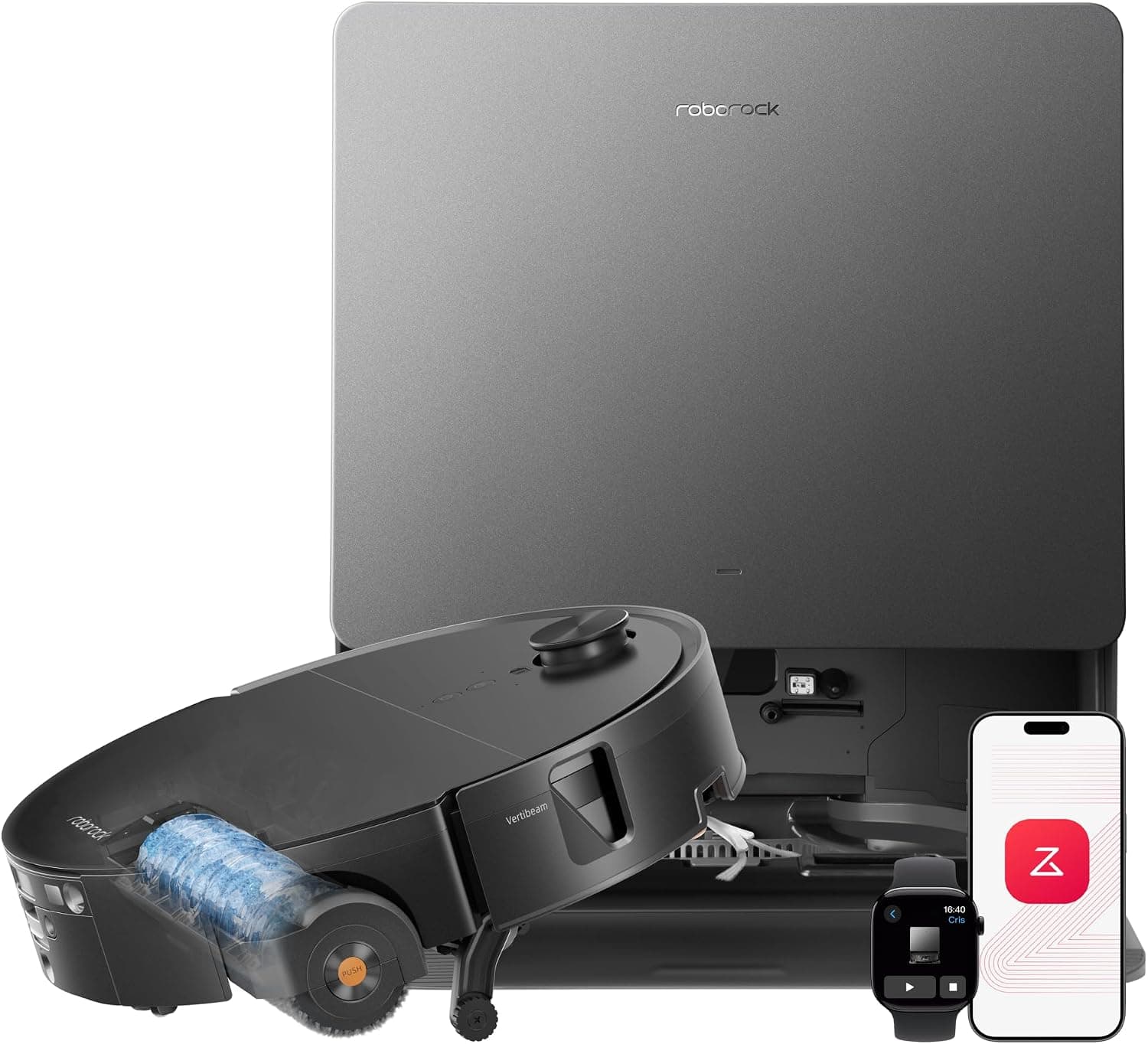
Our buying verdict
A capable cleaner for hard floors and pet homes, but frequent breakage and errors are the key risk.
Households with hard floors and pets who want frequent automated vacuuming and mopping and can accept some reliability risk.
Buyers wanting dependable long-term performance or strong deep-carpet cleaning, and anyone unwilling to deal with returns or support.
The 30-second read
What people like
Many owners praise thorough vacuuming and mopping, quick accurate mapping, easy app control, and quieter runs than older robots.
The main watch-out
Several reviewers report units breaking within weeks or months, with errors, failed lifts, or dead-on-arrival machines and hard returns.
Before you choose
Reviews note 2.4 GHz-only Wi-Fi, mixed results on pet hair and obstacle avoidance, and the need to keep the box for returns.
From a similar, more-reviewed product in this category: Lefant Robot Vacuum and Mop, 75-Day Self-Emptying, 6000Pa, LiDAR Navigation
What people like
Reviewers call it excellent value, easy to set up, with strong mapping and everyday vacuuming.
The main watch-out
Several owners mention noise, especially the self-empty cycle; one says max mode is loud too.
Before you choose
One owner couldn't sync with Wi-Fi and suspected a 5 GHz network, so confirm compatibility before buying.
High-volume review analysis
Five signals are scored from the collected reviews; every line shows the statistic that produced it.
Signals run from −1 to +1. See Methodology for what this analysis cannot detect.
Description
SpiraFlow 2.0 Self Clean 2 Warm Water Mopping 3 Less Water Residue 4 36,000 Pa 5 Dual Zero-Tangling Previous page Next page 1 AdaptiLift Traverse 3.0 2 Under-Furniture Clean 3 Closer to Every Edge 4 Up to 200 ㎡ Coverage 5 Deep Carpet Cleaning Previous page Next page 1 300+ Obstacle Avoidance 2 Stain-Target Al Cleaning 3 RetractSense Navigation 4 No-Go Zones 5 Pet-Friendly Intelligence Previous page Next page 1 Brand-New RockDock 2 Pressurized Fresh-Wash 3 Dirt Detection Tech 4 Automated Dock 5 Easy Maintenance Previous page Next page 1 Easy-to-Use App 2 Roborock SmartPlan 3.0 3 "Hello Rocky" 4 Cleans Behind Curtains 5 Pet-Friendly Features
Compare the trade-offs
A random selection of analyzed products from the same category. Different products are not necessarily interchangeable.

eufy Robot Vacuum C10 with Self Emptying, 8 Weeks Hands Free, Advanced Smart Mapping with LiDAR Navigation, 2.85-Inch Slim Design, Powerful Suction, Edge Expansion Brush for Pet Hair +6 Pack Dust Bag

iRobot Roomba 505X Robot Vacuum & Mop Combo, 70x More Suction, Multifunction Dock, 75 Day Self-Emptying, Self-Cleaning & Hot Dry, Lifting Spinning Mop Pads, AI Obstacle Avoidance, Ideal for Pet Hair

Lefant LiDAR Robot Vacuum and Mop, 12000Pa Suction, 90-Day Self-Emptying, Obstacle Avoidance, Auto Mop Washing&Drying, All-in-One for Pet Hair Carpet, 5G WiFi Alexa/APP/iWatch Control, M3
Check the evidence
Included does not mean verified authentic. Flagged does not mean proven fake. These are analytical classifications.
Showing 3 illustrative excerpts, not the complete review set.
Privacy Done Right. Cleaning… Not So Much.
“Just after one week, I’m left impressed by the software and privacy practices, but disappointed by the robot’s actual cleaning performance. I’d been researching robot vacuums for weeks before finally pulling the trigger on the Saros 20. On paper, it checked nearly every box I was looking for, so I was genuinely excited to finally get it set up. I was out running errands when it was delivered and immediately rushed home to get it up and running. I was pretty sure this thing was going to solve at least three of my life’s problems. Eight days later, I’m still trying to decide whether to return it and keep shopping. For the price, I expected it to at least do ONE thing well, but it seems to underperform in both vacuuming and mopping. Troubleshooting with the app is a little clunky, and turning everything up to max hasn’t really resulted in any measurable improvement. I am very aware that this is not supposed to be a replacement for regular mopping or vacuuming. I bought this robot fully understanding that, but thought this would at least help keep on top of pet hair and crumbs between deep cleans. I have back issues, so I can’t manually vacuum or mop as much as I’d like. I repeatedly see it failing to pick up visible debris on carpet. Even with the suction turned all the way up, I saw it just roll over tiny pieces of dry grass about the length of a pencil lead. And dog hair? Forget about it. What dog hair it does pick up ends up clogging the machine or failing to get sucked up into the bag when it empties itself. Oh, and it does like to make little dreadlocks with its spinning side brush, which it then leaves scattered around the house. As far as I can tell, that is its only function. I don’t know if it’s the length or tensile strength of our dog’s hair, but it is not accomplishing anything that I can see. On hard floors it seems to do a slightly better job, but it’s still nothing to be impressed about. It is possible the air blowing out the back is just blasting the debris somewhere else so it appears like it picked it up. And it does blow a huge cloud of dust and hair into the air in its wake. Our geriatric bot from 2012 did a much better job vacuuming before the battery quit holding a charge. Mopping is just a huge disappointment. Not only does it miss spots, it fails to wet the pads uniformly, which leaves a line of dry tile. For something that’s largely supposed to be hands-off, having to manually wet the pads before use or send it back to the dock to wash them (which wastes time, water, and energy) seems counterproductive. The feature where it’s supposed to detect messes and come back for a second pass after washing the pads doesn’t result in the mess being cleaned up. They’re not even particularly stubborn spots, as a little cleaner and a paper towel can easily do the job. It does OK along edges, but corners or under cabinets? Forget about it. I’m not talking tight corners, either. It gives corners a wide berth, so there’s an arch of dirt left that extends several inches. Oh, except one part under the cabinets where it was, in fact, an obstacle. It just kept trying to wedge itself under a piece of trim and ultimately knocked it off! I’ve only had this for 8 days, and it’s already starting to make a weird buzzing or clicking sound when it’s supposed to be wetting the mop pads. I don’t know if there is debris stuck in the squirting mechanism or if it’s already breaking down. Object avoidance is definitely a thing. It avoids basically everything, including what it’s supposed to be able to pick up. It does identify objects with moderate accuracy. It also gives false positives for obstacles. What I couldn’t figure out is how, while it’s afraid to go through chair legs it can definitely fit through, it somehow got itself wedged between my couch and two side table legs. It couldn’t get out, and I couldn’t even see how it had managed to get in there. It kept spinning around and using its threshold-climbing “skill” to repeatedly jerk sideways while spinning, effectively shaking both the couch and the table. That one still baffles me. The App: The app itself is pretty good. Mapping works pretty well (until it randomly deletes your carefully edited map with custom settings for each room, and you have to do it all over again). I also wish there was a way to modify the map while the bot is “working.” For instance, if it misidentifies an obstacle while pretending to vacuum and I want to tell it to ignore it and go anyway, I have to wait for it to complete its WHOLE job (including the self-cleaning cycle at the end), or end the whole job and restart (or modify it) afterward. Being able to pause it would be a fantastic time to modify something. I can add zones mid-job, I guess? Same for no-go zones. If it keeps trying to climb something under the couch and I want to tell it not to go there, the same limitations apply. So the privacy policies and security are where Roborock impressed me. It’s basically all spelled out on their Trust Center page. The AI features, like image recognition and voice commands, are processed on the device itself. In order to turn on things like remote camera access, it requires you to enable it in the app and also physically press a button on the robot. So if they got hacked, someone still couldn’t turn on the camera unless you went and hit the button. I tried it out just to see what it did, and it repeatedly announces, “Remote viewing active,” so if someone was spying, they’d be very loud about it. While I don’t need to drive the vacuum myself or hunt down the dogs, it is pretty fun to torment my son with this feature. For things like images, they say they’re stored encrypted on the device, and they pass through their servers to the app. They state that they don’t store them during that pass-through. They’re not exactly clear on how the decryption of the image on your phone is handled, but they do say the images are deleted once they’re closed. I’d like a little more detail to be provided, but I’m also not super worried about someone seeing pictures of my feet. They explicitly say that obstacle images from your device aren’t used for model training and are kept on the device like other images. They’ve got a reasonable vulnerability disclosure policy in place and have published at least one of those vulnerabilities (specifically with Tuya IoT Cloud). They also have documented dates for when they’re ending security updates for older products and mention that they’ll update them for at least two years on their Software Security Support Policy page. They also mention at the bottom that they might go beyond that if a “serious security vulnerability is detected.” Their full privacy policy is available on their Privacy Policy page. It’s plain English for the most part and, in Section II (“Sharing”), basically boils down to: we won’t sell your data or give it to anyone unless you tell us it’s OK, we have to because the police are involved, or it’s someone we partner with to do things like run our website or make and sell the devices. In the section “Your Rights and Choices,” they mention you might have a bunch of rights regarding your personal data. The repeated use of “under the applicable data protection laws” makes me think those rights may only extend to Europeans rather than those of us in the US, but not having those rights is our government’s fault. I did think it was worth noting that it says at the bottom that if you think your rights have been infringed upon, you can sue them. Again, American mileage may vary, but at least it wasn’t an arbitration clause (I am obviously not a lawyer, though).”
Signals matched: Specific detail: process, scenario · Reads as an authentic voice
Roborock Finally Brings Continuous Mop Washing to Saros
“Roborock's Saros lineup has been excellent, but there was always one part of the cleaning system that left me slightly unsatisfied: the rotary mops. They scrub well, they lift for carpet, and the dock can wash them thoroughly afterward, but I would still occasionally look at a dirty mop pad halfway through a run and think, where exactly did all the dirt it just picked up go? Until the robot returns to the dock, a lot of it is still riding around on the mop. The Saros 20 Flow finally brings a continuously self-cleaning roller mop to the Saros lineup, and that feels like a much more meaningful upgrade than another jump in suction. SpiraFlow 2.0 continuously feeds clean water across the roller while dirty water is removed as the robot moves. Instead of asking one pair of mop pads to make it through an entire room before being washed, the cleaning surface is constantly being refreshed. That makes the process feel much closer to actually washing the floor rather than repeatedly wiping it with an increasingly dirty pad. The roller also does plenty of mechanical work on its own. It spins quickly, applies real downward pressure, and extends outward along walls and furniture so the robot can clean much closer to the perimeter. Dried spots and everyday grime get more sustained scrubbing than I am used to from traditional robot mops, and the edge extension helps with the narrow untouched strip that round robots have historically struggled with. Vacuuming has not been neglected just because the mopping system changed. The 36,000 Pa suction figure is frankly absurd on paper, and I still would not compare robots solely by Pa ratings, but there is certainly no shortage of power for dust, crumbs, pet hair, and debris across hard flooring and carpet. The DuoDivide main brush and anti-tangle side brush also cut down significantly on hair wrapping around the cleaning hardware. Mixed flooring is handled intelligently. The roller can lift for carpet, and an automatic shield helps keep the wet cleaning system separated from rugs as the robot transitions between surfaces. The app also gives me control over how different carpets are treated, so I can boost suction, change cleaning behavior, or avoid particular rugs if needed. Roborock has pushed mobility unusually far as well. AdaptiLift Traverse 3.0 can raise and maneuver the chassis over difficult room transitions and stacked thresholds that would simply stop many other robots. The headline 3.46-inch figure applies to a specific double-layer threshold rather than one enormous vertical step, but it is still impressive for sliding-door tracks, raised transitions, and homes where rooms are not separated by perfectly flat flooring. Obstacle avoidance is similarly ambitious. The camera and sensing system can recognize hundreds of categories of everyday objects, which gives the robot a much better chance of working around shoes, cables, pet items, toys, and the miscellaneous clutter that accumulates between scheduled runs. Mapping and room control through the Roborock app remain excellent, with plenty of control over cleaning modes, carpets, water levels, routines, and individual rooms. Initial setup does require 2.4 GHz Wi-Fi, which feels a little dated on a $1,700 flagship when plenty of modern devices support both bands. Once connected, though, the smart-home integration is extensive. Matter support is joined by Alexa, Siri, and Google Home compatibility, and Roborock's built-in "Hello Rocky" voice assistant can handle basic commands even without Wi-Fi. I generally end up using the app for anything more complicated because it gives me far more control over exactly how the house is cleaned. Noise is reasonably well controlled in the normal cleaning modes considering how much suction and mechanical mopping are happening underneath it. It is easy enough to have running elsewhere in the house without feeling like a traditional upright vacuum is following me around. Max and Max+ are naturally much more noticeable and introduce more motor noise, so I would save those for when I actually need the extra suction rather than running them constantly. The dock also gets loud briefly when it empties the dustbin, while washing and drying are more of a background appliance noise. The RockDock takes over most of the dirty work once the robot returns. It empties the dustbin, washes the roller with water heated as high as 212 F, dries it with warm air, refills the robot, and dispenses detergent automatically. The roller itself can also tilt outward for easier manual cleaning when it eventually needs more attention. There is still maintenance, obviously, but most of it has been pushed into periodic upkeep rather than something I am doing after every run. Battery life is similarly appropriate for a flagship designed to cover large homes. The 6,400 mAh battery can handle substantial cleaning runs, and fast charging means the robot does not spend an eternity parked at the dock if it needs to recharge and resume. In normal use, the battery becomes something the robot manages in the background rather than another part of the routine I have to think about. Roborock has managed to fit all of this into a robot that is only about 3.5 inches tall. The retractable LiDAR lets it get under lower furniture without permanently sacrificing the accurate mapping I have come to expect from Roborock. The dock is obviously large, but the black design is clean enough that it looks like a deliberate appliance rather than a piece of industrial equipment parked against the wall. At around $1,700, the Saros 20 Flow sits firmly in flagship territory. There are excellent robot vacuums for half that price, including plenty that already self-empty, wash their mops, and navigate very well. The premium here goes toward pushing almost every major part of the experience further: continuously refreshed roller mopping, huge suction, excellent anti-tangle hardware, unusually capable threshold traversal, sophisticated obstacle avoidance, and one of Roborock's most automated docks. SpiraFlow finally addresses the lingering problem I have always had with the Saros line's otherwise excellent rotary mopping systems. Dirty water is being separated and the cleaning surface refreshed throughout the run rather than asking the same increasingly dirty pads to keep going until the next dock visit. The Saros 20 Flow keeps the navigation, automation, obstacle avoidance, and overall polish that made the flagship Roborocks so capable, but the move to a continuously cleaned roller makes the mopping system feel much more complete.”
Signals matched: Specific detail: entity, process · Reads as an authentic voice
Lift the s tusk robot lid, clear all area close to base.
“So got this after a long search for robotic vacuum robot, here’s the breakdown; Con; ( purely my negative experience only ), Download; Downloading app was easy, Connecting app to this robotrock saros 20 flow; so I try find the barcode but was having a hard time locating the barcode !!! So I went to the manual instead; that when i nightmare started; not able to connect after at least 20 plus times; took at least two days still no able to connect, so I search u tube, nothing but useless videos; even some did mention the barcode was just under the lid?! But absolutely no details, so finally read the instruction Manuel that came with, over and over again, finally figured out needed to lifted the actual robot vacuum lid ( rear side both size that closed to the middle very gently; at the same time; ok the barcode is located toward the left side almost in the middle, followed the instruction; scan the bar code; then need to press “the power and home button” at the same time till heard the resetting then press geard the pumb or something, connect to home wi-fi. 2.4 hze or something ( do not connect to 5 G !!!!! Will not be able to connect ), After connecting the app to the robot, I did mapping ( which is the 1st thing what they recommended, the mapping was great ( just had to make sure the whole area is well lidded, nice and bright ) Returning to dock; this is also a nightmare!!! The to it weren’t able to return to the dock. Finally search G, followed some of the recommendations; using a mircotowel or something to wipe those sensors, I did that wipe it over and over using different towels, hoping it will work, short answer is nope !!!!! For every single use, I needed to lift the robot and place it back into the dock for it to charge, btw; I did make sure area are clear around the docking base. Also I needed to lift the lid and re scan the barcode, go through every process again and again, Noise level; loud enough to hear, not as quiet as advertised. Self emptying, need to do it myself, The suction seems to be fine, does its job, mopping also !!! Durability; the robot itself must weight about 20 lbs, the base also about the same 15-20 lbs. the water tank is really easy to lift and remove. Filled with tap water basically just put in the sink, is that easy, The app is well designed with multiple control options, which tells me they did put a lot of work and consideration when developing the app. Pro; no out of pocket cost. Because if I had to pay for this most likely would be a return item which I hate to do, Note; this is solely my personal experience; unfortunately….. but those who bought this robotrock vacuum might have a much different experience compared to my, Overall; compared this dates 20 flow series to my other past robot vacuum, this one does have better overall performance; especially the app, My conclusion; so I actually have had several robot vacuum over the years, including the 1st and 3rd generation of robotrock, and also several other brands, they also pretty much have issue of docking; definitely including this saros 20 flow series!!!! Which is very unfortunate, because I was hoping this one will be different, but no, it turns out to be a disappointment !!!!! Especially for the price tag they are selling. If and if I am able to do more research ( which I will !!!!! ) try to find out how to resolve the docking issues I will definitely come back and re review and give it way more star. Also just recommendation from personal experience; o really wish robotrock or someone will make a video most likely post on u tube; showing lifting the top cover and showing the exact location of the barcode, most importantly make a video showing how to resolve docking issue(s). Also a video showing how to keep using without re downloading process.”
Signals matched: Specific detail: process, entity · Reads as an authentic voice
One less thing to search
Yes. The listing states it is recommended for hardwood floors, tile, marble, carpet, and laminate, and AI RGB recognition identifies floor types and automatically adjusts water flow for optimized mopping. It also uses True Wet/Dry Separation, an Automatic Roller Shield, and up to 15 mm mop lift to help protect carpets during transitions.
Yes. The AdaptiLift Traverse 3.0 system crosses double-layer thresholds up to 3.46 inches, helping the robot move between rooms, rugs, and different floor levels.
The SpiraFlow 2.0 Pressurized Self-Cleaning System uses warm water and powerful pressure to refresh the roller mop as it cleans, and the RockDock provides 212°F pressurized hot-water mop washing plus 145°F warm-air drying and auto detergent dispensing.
The listing states the Dual Zero-Tangle System helps prevent hair from wrapping around the brushes, and the 36,000 Pa HyperForce Motor picks up dust, debris, and pet hair.
Yes. Reactive AI Obstacle Recognition identifies 300+ types of everyday objects, helping the robot navigate around shoes, toys, pet bowls, and other obstacles for smoother cleaning with fewer bumps and interruptions.
From a similar, more-reviewed product in this category: Lefant Robot Vacuum and Mop, 75-Day Self-Emptying, 6000Pa, LiDAR Navigation
Noise feedback is mixed: several reviewers mention loud self-emptying or noisy operation, while one reviewer says it is quiet enough to run at night. One reviewer says it is louder than expected while emptying but likes not having to empty it manually.
One reviewer describes the mopping as suitable for light mopping needs, not deep cleaning. The listing says mopping is included with a 300ml water tank and app-controlled 3-level water flow.
The listing states dual-band 2.4G/5G WiFi support. One reviewer reported not being able to sync with WiFi so far and suspected it was because they have 5G, planning to contact support.
The listing says the self-empty station uses 2x2.5L dust bags and can handle dust and debris for up to 75 days. Replacement sealed dustbags are sold separately.
The listing says it uses 360° LiDAR mapping, dToF navigation, and obstacle avoidance. Reviewers describe good mapping and app control, and one says it stops before objects rather than bumping into them.
Answers are limited to the manufacturer's listing and the reviews we analysed. Questions those sources cannot support are not answered here.