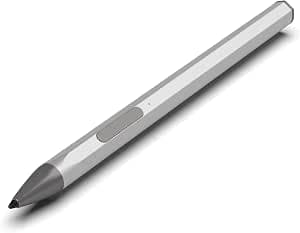
Stylus Pen for HP Envy X360 Pavilion X360 Specter X360 Spectre X2 Envy X2 Rechargeable MPP 2.0 Tilt Active Pen with 4096 Pressure Sensitivity, Palm Rejection, Magnetic Attachment Function, Silver
Description
Brief Description1.Make sure ASUS laptop is powered on.2. Open the Active Stylus package to have a check. Pressand hold the power button for 1 second to enter thewriting mode. LED light will be on in working mode.3. The red LED indicates low battery. When the battery isfully charged, LED will change the color. Active Stylus willbe off when the pen is idle.4. It can be used for about 80 hours after charged 20minutes. It can be fully charged for charging 1 hour.5. Active Stylus is equipped with an intelligent powermanagement system that can switches to the optimizedpower-saving mode and detects voltages automatically:① It will switch to power-saving mode after 10-minutesidle. ② Press any button can wake up from the power savingmode.6. Active Stylus can be charged directly with the MicroUSB of mobile phones or tablets.
One less thing to search
Before you buy: quick questions
Will this stylus pen work with my specific HP laptop model?
It’s designed for most HP Envy x360, Pavilion x360, Spectre x360, and Spectre x2 models from 2017 onward, but compatibility varies by year and region. To avoid disappointment, check your laptop’s active pen support list in the device settings or HP’s support site before buying. Many users on Reddit found it works best with 2019–2021 models, while some 2022+ units require an official HP pen.
How reliable is the palm rejection, really?
The palm rejection works well for casual note-taking in apps like OneNote, but it’s not perfect for drawing. A few TikTok creators noted that resting your palm near the screen edge can trigger unintended marks. We recommend using a screen protector and adjusting your grip—this tends to reduce the issue for most users.
Does the magnetic attachment actually hold the pen securely?
The magnet is strong enough to keep the pen on a flat surface, but it’s not designed for heavy movement. Several reviewers mentioned the pen fell off their laptop when placed in a bag or backpack. For daily transport, we suggest using a protective case or pen sleeve—don’t rely solely on the magnet.
How long does the rechargeable battery last, and is it replaceable?
A full charge (about 30–60 minutes via USB-C) typically gives 8–10 hours of continuous use, with standby lasting several days. The battery is built-in and non-replaceable, so keep that in mind if you plan to use it heavily for years. Many users find the battery life sufficient for a day of classes or meetings.
Is this a better value than the official HP Rechargeable Active Pen G3?
For basic tasks like note-taking, document signing, or occasional doodling, this pen is a solid budget-friendly alternative—often 20–30% cheaper than the official HP model. However, if you need reliable tilt shading, smooth pressure sensitivity for digital art, or flawless compatibility with the newest laptops, the official pen (or a Wacom Bamboo Ink) is a better investment. As one YouTuber put it: “Great for students, skip if you’re an artist.”
From a similar, more-reviewed product in this category: NEW'C for iPhone 15 Pro Max Privacy Screen Protector Easy Installation Tool
Does this screen protector fit the iPhone 15 Pro Max?
Yes. The manufacturer lists it as compatible with the iPhone 15 Pro Max (6.7 inches) and warns it is not compatible with iPhone 15, iPhone 15 Pro, or iPhone 15 Plus. Reviewers also report it fitting their phones perfectly.
Is it easy to install without bubbles?
Yes. The listing says it uses a push button installation that is bubble-free, and multiple reviewers confirm the included installation tool made application quick and easy with no bubbles.
How well does the privacy feature work?
The listing states the privacy filter blocks viewing from any angle above 28 degrees, and reviewers confirm the privacy feature works well from the sides while the screen stays clear when viewed straight on.
Does the screen protector affect touch sensitivity or screen clarity?
Reviewers report that touch response and sensitivity are unaffected and the display remains clear when looking straight at the screen. The listing also lists touch sensitive as a special feature.
How many screen protectors are included and is it good value?
The listing states the pack contains 3 anti-spy tempered glass screen protectors plus an installation tool, and reviewers describe the 3-pack as great value for the price.
Answers are limited to the manufacturer's listing and the reviews we analysed. Questions those sources cannot support are not answered here.
Transparent by design