What people like
Strong specs and value for price
Reviewers praise the powerful hardware and quality build for the money, with one citing high fps in Cyberpunk 2077 on ultra settings.
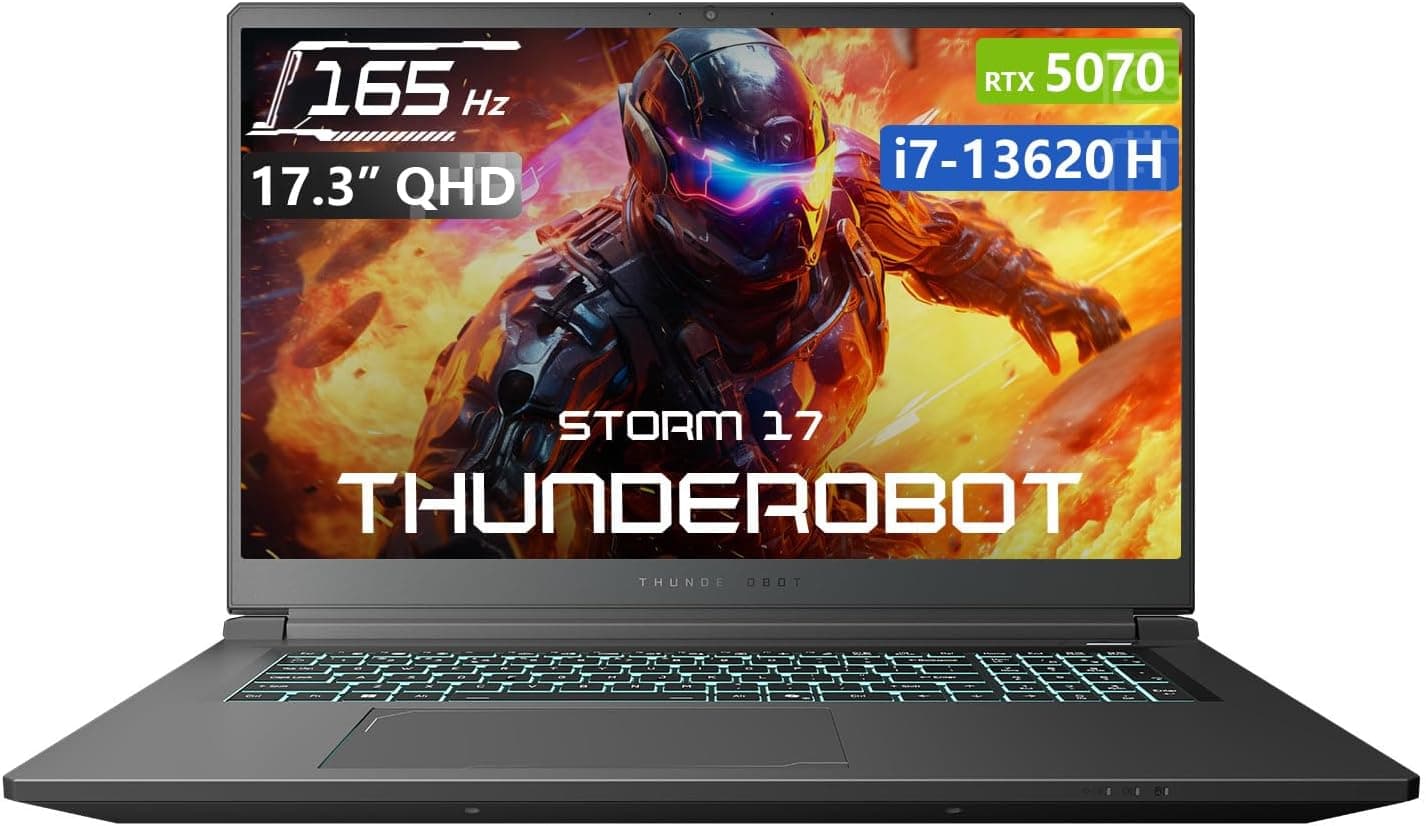
Our buying verdict
A powerful, well-priced 17.3-inch gaming laptop, with weak battery life the main limitation.
Budget-conscious gamers who want a large-screen, high-performance laptop and mostly use it plugged in.
People who need long battery life for unplugged, all-day use away from an outlet.
The 30-second read
What people like
Reviewers praise the powerful hardware and quality build for the money, with one citing high fps in Cyberpunk 2077 on ultra settings.
The main watch-out
One owner gets only about 3 hours even with the GPU off and low power mode; another reports some stability issues.
Before you choose
It's a non-USA Chinese brand, and the fan can get a little loud, so weigh those against the low price before buying.
From a similar, more-reviewed product in this category: 15.6 Inch Laptop Computer, N4020, 4GB DDR4 RAM, 128GB eMMC,with Windows 11
What people like
Several reviewers found it light, easy to set up, and suitable for school or office tasks, with a bright screen and smooth performance for basic use.
The main watch-out
Two reviewers described the laptop as extremely slow, including one who said it ran terribly after a couple of days; other reviewers reported fast, smooth operation.
Before you choose
Reviewers describe it as adequate for homework, drawing, office work, and video watching, suggesting it suits light everyday tasks rather than demanding use.
Description
GPU 2 CPU Previous page Next page 1 UItimate Display 2 RGB Keyboard 3 Audio & Mic 4 Connectivity 5 Wi-Fi Previous page Next page 1 Advanced Cooling 2 Control Center 3 Durability Test Previous page Next page When do I need the dedicated GPU, and how do I switch between integrated and discrete graphics? For gaming, creative work, or high-performance tasks, we recommend using discrete GPU mode. Some models also require it to enable the highest refresh rate. Switch via BIOS or Control Center. A restart is usually needed for the change to take effect. Can I customize my laptop settings? Yes. You can customize performance modes, keyboard lighting, display settings, and fan control through the Control Center. Some models support per-zone/per-key RGB Customization. When switching system modes, ensure the device is plugged in. Is it normal for the fan to get loud during gaming? Fan noise during gaming or heavy use is normal—it's the cooling system working to maintain stable performance. You can switch between Office, Gaming, and High-Performance modes or set a custom fan curve via the Control Center. How is battery life optimized on this laptop? Battery life varies by model and usage. Thunderobot laptops focus on performance with powerful GPUs, cooling, and vivid displays. For gaming or creative tasks, please plug in. For longer battery life, use Office Mode and turn off the discrete GPU. What should I do if I have a problem while using the computer? If you have any questions about the product, setup, performance, or usage, feel free to contact pconline with your order number. Our support team will get back to you as soon as possible to help resolve the issue. Choose Your THUNDEROBOT Weapon Storm 17 Add to Cart Radiant 16 Add to Cart Zero Air 15 Add to Cart Zero 18 Pro Buying Options Customer Reviews 3.9 out of 5 stars 15 5.0 out of 5 stars 1 5.0 out of 5 stars 5 3.0 out of 5 stars 4 Price $1,499.00 $ 1,499 . 00 $1,999.00 $ 1,999 . 00 $1,799.00 $ 1,799 . 00 — Positioning 17.3-inch Value Performance Mainstream All-round Gamer Flagship Ultra-Light Ultimate Flagship 18" CPU Intel Core i7-13620H up to Intel Core i9-14900HX Intel Ultra 7 356H Intel Core Ultra 9 275HX GPU up to NVIDIA GeForce RTX 5070 up to NVIDIA GeForce RTX 5080 NVIDIA GeForce RTX 5060 up to NVIDIA GeForce RTX 5090 Screen Size 17.3-inch 16-inch 15.3-inch 18-inch Display QHD 2K QHD+ 2.5K 16 : 10 OLED QHD+ 2.5K, Hummingbird Refresh Rate 165Hz 300Hz (dGPU) / 240Hz (iGPU) 165Hz 240Hz Keyboard RGB Backlit 3-Zone RGB Backlit RGB Backlit Per-Key RGB Backlit ✔ ✔ ✔ ✔
Compare the trade-offs
A random selection of analyzed products from the same category. Different products are not necessarily interchangeable.

2026 AMD Gaming Laptop AMD Ryzen 7 5700U (8C/16T, Up to 4.3GHz), 15.6" FHD Laptop Computer, 16GB RAM 512GB SSD Laptop, AMD Radeon Graphics, Win 11 Work Laptop, WiFi 6, Backlit Keyboard, USB-C, Webcam

Lenovo ThinkPad E16 Gen 2 Business Laptop Computer, 16" FHD+, AMD 8-Core Ryzen 7 7735HS, 32GB DDR5, 1TB PCIe SSD, WiFi 6, Backlit KB, Fingerprint Reader, Windows 11 Pro, Type C Hub

15.6" Laptop Computer, Win 11 Pro 16GB RAM, Pentium 2C4T 2.10GHz BaseSpeed
Check the evidence
Included does not mean verified authentic. Flagged does not mean proven fake. These are analytical classifications.
Showing 3 illustrative excerpts, not the complete review set.
4 to 5-Star Excellence - except for 4 Cons
“Have had this Storm laptop for a month. This is a non-USA, Chinese brand that is the lowest priced one that I've found among 17.3" gaming laptops. To get one that is “assembled” in USA but which all the compute components are made outside of the USA, the price jumps dramatically. My review is based on this usage and history - I purchased the Storm as a replacement for my aging HP dv-1270us entertainment laptop which is excellent and been in use since ~2006 but has gotten very slow with the bloat of Windows and browsers consuming tons of RAM. I use DuckDuckGo browser (a RAM hog), and typically have multiple large excel files open, and develop software, but don't play games very often. My internet provider is Spectrum TWC providing up to 500MBPS, and only use it on Wifi. The Storm model I purchased has 32GB RAM, 2TB SSD, Intel i7, and RTX 5070 GPU in the Storm which has 8GB VRAM in the laptop model vs. 12GB VRAM in standalone module for desktops. There is a GPU Switch setting in the Storm Control Center app that allows for options including “Integrated GPU Only”, “Discrete GPU Only”, or “MSHybrid”. The “Integrated GPU Only” option taxes the battery least for on-battery use, but apps run and browser loads run slower (or somewhat laggier) than in “Discrete GPU Only” mode. Cons: 1. The touch pad very squirrelly. It is very large and probably because of its size, when typing on the keyboard parts of my palms periodically come in contact with the touchpad causing the mouse pointer to move randomly. Because of the sensitivity, I had to do a driver update to prevent the text position cursor (not the mouse pointer) from randomly jumping to other locations while typing, so that is no longer an issue now. However, touchpad usage is still a bit unstable even on the Windows low sensitivity setting. Using an external mouse is better but I don’t always want to carry a mouse around. If it wasn’t for the positives, I would return this laptop just because of this. 2. The battery life is rather poor due to the small 53Wh battery for laptop that consumes ~28 watts/hour. The 53Wh battery is one of the lowest I've found among 17.3" laptops similarly equipped. I am able to get +/-2 hours on battery use with “Integrated GPU Only” or “MSHybrid” modes depending on apps, open browser windows, display brightness, Wi-Fi signal intensity, etc. For me, I usually run with the charger connected, so battery life of 2 hours is not too big of a deterrent. 3. The laptop comes with one battery charger and the manufacturer (Thunderobot.com) doesn’t sell the charger as an accessory. Thus, finding a suitable replacement takes time because the charger needs to have a barrel plug (the part that plugs into the laptop) with a size of OD=5.5mm, ID=2.5mm (5.5 x 2.5 mm) and does not have a pin in the center, and which can supply at least 180W (20VDC at 9A). I found this charger to be suitable: https://www.amazon.com/dp/B0F1YM63M3?ref=ppx_yo2ov_dt_b_fed_asin_title. 4. Not a USA (but Chinese) brand which is supported only by contacting PCOnline (merchant) in the Amazon marketplace or Thunderobot.com in China. Am skeptical of long-term support as well as potentially hidden malware built-into the HW by CCP criminal actors. Pros: 1. Best performance when operating in “Discrete GPU Only” mode and with at least 32GB RAM. Ok performance in MSHybrid mode. 2. The keyboard keys action is solid and the key spacing provides easy reach for my large manly hands, and the keys have an easy to see smooth finish. Very comfortable wrist resting and key accessibility. Lighted keyboard is very nice allowing for selection of a good choice of many colors. 3. Laptop has a nice plastic case (except the lid appears to be metal) with a nice smooth, durable finishes and pro look all-round. Although the finish easily shows finger and hand prints. 4. Laptop temperature stays cool - no noticeable heating. 5. The matte finished display is very nice with crisp sharp text and colors. 6. Weight is 6 pounds, which for a 17.3” laptop is great compared to others. This is probably why the battery life is poor – fewer batteries = less weight. 7. Good price for RTX 5070 GPU equipped laptop compared to others.”
Signals matched: Specific detail: quantity, entity, comparison, process · Reads as an authentic voice
Fairly good for the price
“Pretty solid so far, I like the build quality and screen, specs are good for the price especially compared to other brands. I haven’t paid much attention to the thermals, and the fan can get a little loud. The only complaint I have is the battery life kinda sucks, even with the dedicated GPU off and on low power mode I only get roughly 3 hours. Not to big a deal, most the time I have access to charge it. It’s a reasonable trade off for the specs, I haven’t had any issues playing games on it.”
Signals matched: Specific detail: quantity, comparison, process · Reads as an authentic voice
best gaming laptop for a budget baller in the world (stuttering fix)
“It runs like a beast i love it but i did have some stability issues. I don't know if its an SSD bottleneck ram or just windows 11 being terrible. i looks amazing and the sound quality is average but since my last laptop had my soundcard fry I'm just grateful. in about a year i might come back and give an update. Ty very much for this dream of a laptop. Update :If you are having stuttering problems increase virtual memory it fixes all windows 11 issues i had.”
Signals matched: Specific detail: process, comparison · Reads as an authentic voice
One less thing to search
Yes, you'll hear the fans under heavy load—that's the dual 12V turbofans doing their job to keep the RTX 5070 cool and stable. Many YouTube reviewers note the noise is noticeable but expected for this performance tier. You can soften it by switching to Office or Gaming mode, or by setting a custom fan curve in the Control Center.
Switch to discrete GPU mode via the BIOS or Control Center, then restart—this unlocks the highest refresh rate and full GPU performance. A common Reddit tip: do this before your first gaming session so you're not troubleshooting mid-match. For everyday browsing, integrated mode saves battery.
Treat the Storm 17 as a desktop replacement. With the discrete GPU active, expect only a couple of hours unplugged—TikTok users frequently flag this. For longer runtime, use Office Mode and disable the discrete GPU; for gaming or rendering, keep it plugged in for full performance.
It's a substantial machine—great on a dorm desk or apartment setup, less ideal for daily commutes. If portability is your priority, the 15.3" Zero Air 15 is the better fit; if you want maximum screen real estate and don't mind the weight, the Storm 17 delivers. Check the listed dimensions against your bag before ordering.
Contact support with your order number and they'll walk you through troubleshooting or replacement. Reviews suggest first responses can take a day or two, but issues are generally resolved. Inspect the panel on arrival and report any dead pixels or damage within the return window to keep your options open.
From a similar, more-reviewed product in this category: 15.6 Inch Laptop Computer, N4020, 4GB DDR4 RAM, 128GB eMMC,with Windows 11
For document editing, email, web browsing, online classes, and video calls, yes — the Intel Celeron N4020 and Windows 11 handle daily essentials smoothly. Just keep expectations realistic: many reviewers note it's happiest with a handful of tabs or apps open at once. If you routinely run heavy multitasking, video editing, or gaming, you'll want a machine with more RAM and an SSD.
The 4GB LPDDR4 RAM is soldered and not user-upgradeable, so plan around it from day one. Storage is more flexible — the 128GB eMMC fills up quickly once Windows and updates are installed, but the built-in TF card slot lets you add up to 1TB for movies, photos, and files. A common tip from owners: keep the internal drive for the OS and apps, and use a microSD card for media.
It can run very light titles like Roblox or Minecraft on low settings, but this is fundamentally a productivity laptop, not a gaming machine. Several YouTube reviewers specifically warn against buying it for Fortnite or other demanding games. If gaming is a priority, look for a model with a dedicated GPU and at least 8GB RAM.
At roughly 3.17 lbs and 0.76" thin, it's easy to carry between classes or commutes, and the fanless design keeps it completely silent. The 38Wh battery with 45W USB-C fast charging typically delivers around 6–7 hours of mixed use — enough for a school day, though heavy users should pack the charger. Build quality is solid for the price, but treat the hinge and lid with care, as some owners note it's plasticky.
Yes — it ships with Windows 11 Home preinstalled and activated, and the listing highlights Office 365 inclusion, which parents and students frequently praise as a money-saver. It also includes a 1MP HD webcam, dual full-featured USB-C ports for charging and dual-monitor output, and two USB 3.2 ports for peripherals. If it turns out slower than you need, check the seller's return window before buying and confirm the refund policy — many happy buyers are basic users, so match the machine to your workload first.
Answers are limited to the manufacturer's listing and the reviews we analysed. Questions those sources cannot support are not answered here.
Transparent by design