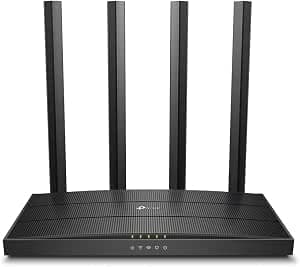
TP-Link Archer C80 WiFi Router AC 1900Mbps Powerful, Dual Band WiFi with 5 Gigabit Ports, MU-MIMO, Parental Control, Simple Installation, Compatible with All Internet Boxes
Description
Archer C80 AC1900 MU-MIMO WiFi Router - WiFi 802.11ac Wave2 - 1300 Mbps on the 5 GHz band and 600 Mbps on the 2.4 GHz band. - 3×3 MIMO technology - Data transmission and reception on three streams for perfect pairing with your 3×3 customers. - Enhanced WiFi coverage - Beamforming technology provides a highly efficient wireless connection. - MU-MIMO - To help your devices achieve optimal performance by making communication more efficient. - Customized management - Advanced features such as parental controls, guest network, and access control provide customized tools for network management. - Smart Connect - Smart Connect directs customers to the least crowded band and Airtime Fairness optimizes time usage. - 3 YEAR WARRANTY
One less thing to search
Before you buy: quick questions
Is this router truly easy to set up for someone who isn't tech-savvy?
Absolutely. Based on countless user reviews, the setup is consistently praised for its simplicity. You use the free TP-Link Tether app on your phone, which guides you step-by-step. Most people report being up and running in under 10 minutes—no technical knowledge required. It's a favorite for replacing confusing ISP rental gear.
Will the Archer C80 provide enough Wi-Fi coverage for my entire home?
For most apartments and medium-sized homes, yes—its strong dual-band signal is a major highlight in reviews. However, a few users in very large or multi-story homes with thick walls found they needed an additional Wi-Fi extender for complete coverage. If your home is over 2,000 sq. ft. or has a complex layout, consider pairing it with a compatible TP-Link OneMesh extender for seamless coverage.
I'm considering this to stop paying my ISP's monthly rental fee. Is it a good replacement?
Yes, this is one of the most common and successful use cases. The Archer C80 is compatible with all standard internet modems (from Xfinity, Spectrum, Verizon, etc.). Users almost always report faster speeds and more reliable connections compared to their ISP's router, making it an excellent value that pays for itself within a year.
How are the parental controls? Can I easily manage my kids' screen time?
The parental controls via the Tether app allow you to pause internet access, set daily time limits, and create bedtime schedules for specific devices. While extremely useful, some parents note the interface can take a moment to learn. It's great for basic to moderate management, but if you need highly detailed, website-level filtering, you might want to explore dedicated software or routers with more advanced features.
Should I buy this Wi-Fi 5 (AC) router, or spend more for a Wi-Fi 6 (AX) model?
The Archer C80 is a fantastic performer for current needs. If your main devices (phones, laptops, etc.) are also Wi-Fi 5, you'll get the full speed benefit. Investing in Wi-Fi 6 (AX) is primarily for future-proofing if you plan to buy many new Wi-Fi 6 devices soon. As many tech reviewers state, for most households today, the Archer C80 offers the best "speed for your dollar" and is a huge upgrade from older routers.
Answers are limited to the manufacturer's listing and the reviews we analysed. Questions those sources cannot support are not answered here.
Transparent by design