Included does not mean verified authentic. Flagged does not mean proven fake. These are analytical classifications.
Showing 3 illustrative excerpts, not the complete review set.
Included in analysis5.0/5 stars
The real deal at an affordable price
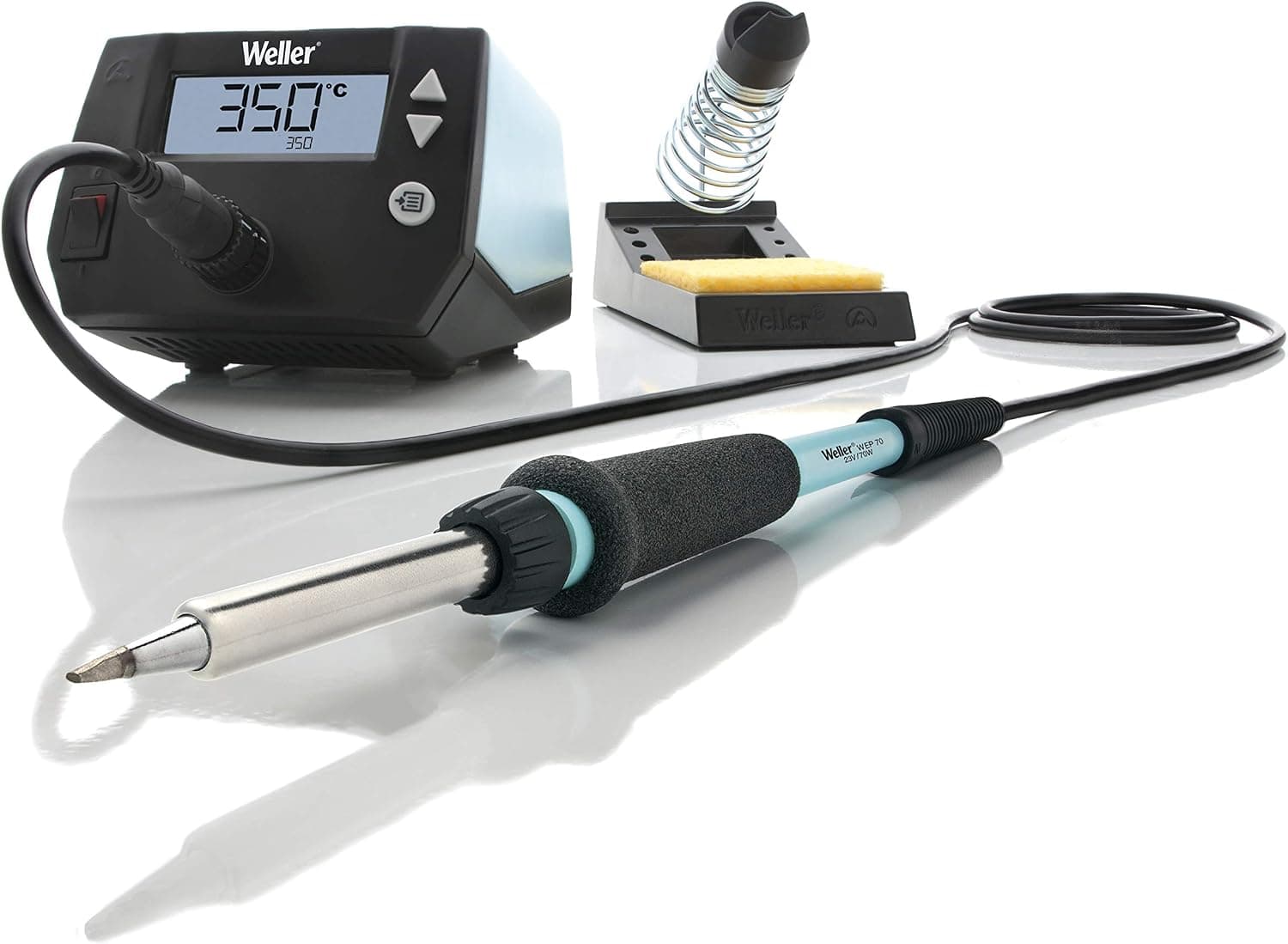
“SUMMARY I love my WE1010NA and would heartedly recommend it to friends and family. It is very well built, easy to use, and has precise temperature control while soldering components. DETAILS As a recently retired engineer specializing in electronic manufacturing for many years, I’ve often borrowed time on different types of soldering stations. Generally, the soldering specialists on the manufacturing floor had Weller-brand stations that were larger (more powerful) and more sophisticated. Still, the WE1010NA gives essentially the same performance, but with a lot more bang for your buck. 👍 The first thing I noticed upon unboxing the WE1010NA was its quality. Though Weller was originally an American company, it is now German. The WE1010NA was designed in Germany and is made in Mexico. 👍 Even the cradle for the soldering iron is made of what appears to be solid die-cast zinc with a durable black powder coating (paint). And that’s good because you want a heavy cradle that doesn’t easily move around and tip over as you use it. 👎 The only thing I didn’t like about the WE1010NA is a small detail on that nice heavy soldering cradle: It had only three holes for spare soldering tips; the remaining five (three in a column to the right and two on top) were smaller ones for accessories of some other sort… I don’t know what. Since I had also purchased the five-piece Weller soldering tip assortment, I wanted a proper home for them, so I merely enlarged three of the smaller holes with a #2 drill bit (Ø 0.221″). 👍 The second thing I did upon unpacking my WE1010NA was check that it truly pushes 70 watts of heating power to the soldering tip; I measured a total soldering station power consumption of 66 watts. Assuming the heating circuitry is 90 percent efficient, that’s 60 watts at the soldering tip, which is close to the claimed 70 and good enough for electronic soldering. BACKGROUND INFO: What you want with any soldering iron is a quick response to boosting heating power to the soldering tip after you wipe it on the wet sponge and begin soldering. You also want the same quick reaction time when you start soldering something with appreciable thermal mass, like a 16-gauge (1.3 mm²) wire to a contact terminal. And, of course, you want accurate temperatures. 👍 See the accompanying video showing how precisely the WE1010NA controls tip temperature. The first thing I did after unboxing my Weller WE1010NA was calibrate it using its “OFFSET” adjustment feature. In my case, I calibrated it to 183 °C by wrapping the tip with a 63/37 tin/lead eutectic solder, which has a sharp melting point of 183 °C; that is to say, it has no melting *range* throughout which it is partially molten, or plastic. As you can see in the video, my WE1010NA was off by only 2 °C. The eutectic solder wouldn’t melt at an indicated 180 °C and immediately melted and fell off the tip at an indicated 181 °C instead of the proper 183 °C. A simple –2 °C offset, and I had my WE1010NA dialed in perfectly. HINT: Unless you are building for-sale equipment certified as being compliant with strict IPC specifications, the primary objective when setting the temperature of soldering irons is to keep the tip temperature as low as possible without suffering any tedious delay in getting your components up to temperature; this increases tip life and avoids excessive time dwell and overheating of electronic components. Usually, I keep my iron set to 100 °C beyond the melting point of my solder (283 °C setpoint for 63/37 Sn/Pb eutectic) for low-mass soldering like SMT components and ¼ W resistor leads. And I’ll go as high as +130 or 140 °C beyond the melting point (313–323 °C setpoint for 63/37 Sn/Pb eutectic) when soldering objects with significant thermal mass like larger-diameter wires.”
Signals matched: Specific detail: entity, scenario · Mentions: build quality, temperature control, quality · Reads as an authentic voice
Included in analysis4.0/5 stars
Great replacement for WES50/51, but no auto-poweroff
“My venerable WES50 soldering station bit the dust during a project yesterday, so I went on-line to look for parts and discovered it has already been superseded twice (!), first by the WES51, and now by the WE1010(NA). So, I ordered the latter, which arrived (fast) this morning and helped me finish the interrupted project on time. So.. how is it? Fast! Heats up a bit more quickly than the old one, and with 70W vs 50W it handles larger jobs like battery tabs and stuff without fuss. Having the real-time temperature display on the unit is something I have long wanted, and the lack of a built-in display back-light is irrelevant -- my soldering area is brightly lit so I can see the work, and the display on the WE10101NA is more than bright enough under those conditions. There is scant documentation on the menu system for the device, but after fretting about that, it turns out to be very simple and easy to figure out. If you do want the only "manual", google for "WE1010_OperatingInstruction.pdf". There's a setting for desired temperature, another for the standby time-out (default of 2 minutes is too short, I set it to 5 minutes), one for temperature units, one for "offset" (to correct the display to match actual tip temperature), and a final one for temperature "lockout". That last one basically has one set a "passcode" (1..999) for locking the current temperature setting. Once locked, it cannot be adjusted without first re-entering the simple "passcode". That's it for the normal menu system. But there is another tidbit: holding both up/down pressed while then powering-on the unit, will reset everything back to factory defaults. The iron uses the exact same Weller ET tips that I already had for my failed 20yr old WES50 station, so no added expense there for me. Yay! And the iron is the same size and weight as the old one, very slender with hard foam rubber on the grip. Very nice. Changing temperature is as simple as pressing the up or down buttons. Ditto for getting out of "standby mode" (which can be completely disabled if desired in the menus): just tap the up/down button to wake up the unit. A little lightning-bolt indicator turns on (or blinks) when the iron is heating. But "standby" only reduces the iron temperature (to 180C), and is not the same as "power off". So the iron remains hot, using power, potentially for days on end, if one forgets to switch it off. My old WES50 had full auto-poweroff functionality, and it's a real shame Weller didn't include it on the modern day replacement. Docked one star for lack of auto-poweroff. Otherwise great!”
Signals matched: Specific detail: entity, comparison, process · Mentions: performance, temperature control · Reads as an authentic voice
Included in analysis5.0/5 stars
German-level excellence in design
“The unit is excellent. Solidly made, works exactly as it should. Very good value. This is a pro-level workstation, not some toy. It’s marked as designed and engineered in Germany and made in Mexico, which means only friendly nations are involved. Its use is pretty much self-explanatory, which is a good thing because the documentation, both delivered and online, is comically absent of information. You get a printed book which is 117 pages long because it’s in 27 languages. The United Nations General Assembly manages to function in six. But the Weller manual still has an aversion to communication so it starts with a few pages of cryptic drawings, symbols, curved arrows and images of human fingers pressing buttons. If you study them you may or may not discern clues about how to set the readout to Farenheit or Celsius, adjust the temperature and so forth but despite its commitment to every language except for Aramaic and Klingon they refuse to just tell you. You go online and you can download files labelled ‘manual’ which turn out to be jpeg pictures of what’s sitting right there in front of you and which you can presumably see. So it’s a good thing this was designed in Germany, with an intuitive interface. You figure it out by looking at it. The book is for entertainment.”
Signals matched: Specific detail: entity, process · Mentions: build quality, quality · Reads as an authentic voice