Ce que les clients apprécient
Good value and clear picture
Many reviewers find the monitor offers good quality and clarity for the price, with easy setup and reliable performance for everyday home and work use.
La lecture de 30 secondes
Ce que les clients apprécient
Many reviewers find the monitor offers good quality and clarity for the price, with easy setup and reliable performance for everyday home and work use.
Le principal point de vigilance
Several reviewers warn that this model has no built-in speakers and no HDMI port, and some report poor customer support or early failures.
Avant de choisir
Before buying, confirm the available ports match your devices and note that some users find this model less bright than older versions.
D'un produit similaire mieux noté dans cette catégorie : KOORUI 24 Inch Gaming Monitor, 180Hz 1080P VA Display with 3000:1 Contrast
Ce que les clients apprécient
Several reviewers describe the monitor as a strong budget purchase, citing impressive specs for the money and satisfaction with gaming use.
Le principal point de vigilance
Several reviewers report the monitor failing or coming apart after months to a couple of years, including a dead screen and a failing power cord.
Avant de choisir
Two reviewers note that setup benefits from adjusting settings in your GPU software, including color, brightness, and VRR.
D'abord votre cas d'usage
0 des 12 mentions décrivent une expérience négative (0 %).
1 des 5 mentions décrivent une expérience négative (20 %).
0 des 5 mentions décrivent une expérience négative (0 %).
Un avis peut mentionner plusieurs thèmes. Les pourcentages décrivent les avis que nous avons analysés, pas l'ensemble des acheteurs ni le taux de défaillance global du produit.
Comparez les compromis
Une sélection aléatoire de produits analysés de la même catégorie. Des produits différents ne sont pas nécessairement interchangeables.

KYY Triple Laptop Screen Extender, 14" 1080P FHD IPS Dual Portable Extended Monitor, USB C Travel for 12-16'' Laptop, 210°Rotation & Kickstand, Plug and Play, X90 (Windows Only)

KTC 27 Inch Gaming Monitor 220Hz, 2K QHD Monitor 1ms w/ Speakers H27T22C-3

KTC 24 Inch QHD 2560x1440 IPS Computer Monitor, 100Hz Zero-Frame 2K Gaming Office Monitor, Adaptive Sync, HDR10, VESA, Tilt Adjustable, Low Blue Light, DisplayPort, HDMI, H24T27
Examinez les preuves
Inclus ne signifie pas vérifié authentique. Signalé ne signifie pas prouvé faux. Ce sont des classifications analytiques.
Affichage de 3 extraits illustratifs, pas l'ensemble complet des avis.
Don't waste your money on Acer monitors. They don't last and have worst product service
“Don’t buy Acer products. They don’t even work properly for a year.better invest in something good quality and better support. If you need any support later on with your product acer will never help you. They have the worst product support. They never intend to support with your product. They will say you have send a damaged product thats why they cant help even though you have warranty and then ask you to pay out of pocket. Their monitors are the worst. Thanks to amazon they atleast try to help.but Acer product support service is 0/10.”
Signaux détectés : Détail spécifique : quantity, process · Mentionne : quality · Se lit comme une voix authentique
Good monitor with power savings
“This is a newer model of a monitor I had bought a couple years ago. It's not as bright as the old one. Because I use them side by side, the difference in brightness is noticeable, even at the highest setting on the new monitor. Therefore I only use it for certain apps. Otherwise, it's easy to set up and use. And hopefully will be as reliable as the older one.”
Signaux détectés : Détail spécifique : entity, comparison, scenario · Mentionne : screen quality, functionality · Se lit comme une voix authentique
BEWARE if you are looking for a monitor with speakers.
“There are NO speakers in this monitor. The company apparently has no concern about false advertising. If you break into the very tightly sealed packing, it no longer qualifies for return. As just a monitor, the one I got works.”
Signaux détectés : Détail spécifique : process · Mentionne : functionality · Se lit comme une voix authentique
Une chose de moins à chercher
No. Multiple reviewers report that this model has no speakers and no audio input or output, and one notes the product description was not accurate on this point.
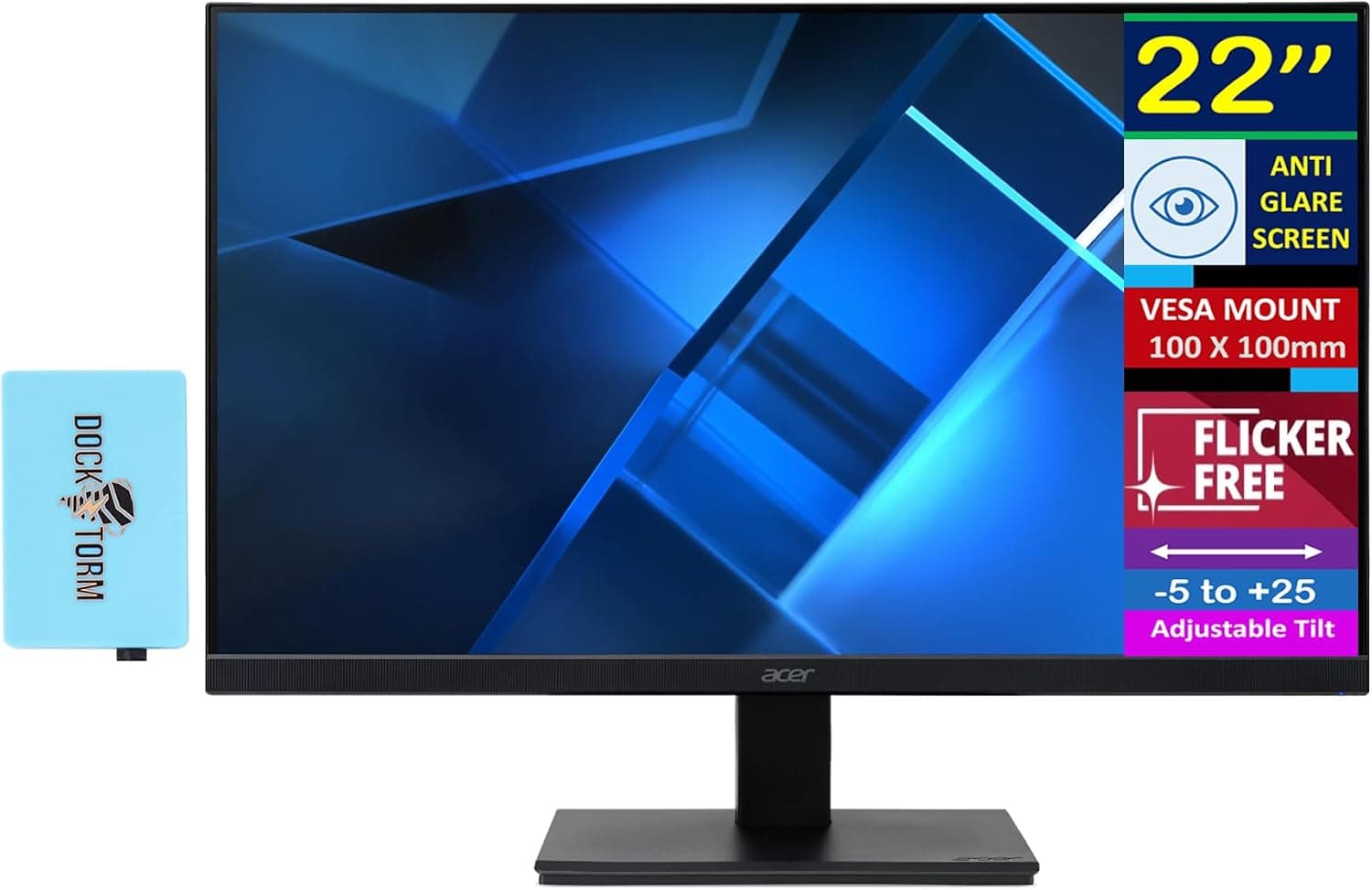
The listing specifies 1 x HDMI and 1 x VGA. One reviewer reported their unit did not have an HDMI port to connect a laptop, so it is worth confirming the connections on the unit you receive.
One reviewer reports using it in vertical (portrait) orientation and says it works great. The listing only specifies a -5 to +25 degree adjustable tilt, so portrait use is not confirmed by the manufacturer's text.
Reviewers describe crisp colors, superior clarity, and a sharp, flicker-free picture, though one reviewer found this newer model noticeably less bright than an older one even at its highest setting. The listing rates brightness at 250 nits.
Reviews are mixed: several call it good quality for the price and easy to set up, while others report units failing within about a year and poor product support. The listing does not address warranty or support terms.
D'un produit similaire mieux noté dans cette catégorie : KOORUI 24 Inch Gaming Monitor, 180Hz 1080P VA Display with 3000:1 Contrast
Yes — it's a native 180Hz panel, but you'll need to switch it on manually. Connect via the included HDMI cable (or a DisplayPort-capable setup), then set 180Hz in your GPU's display settings; it defaults to a lower refresh rate out of the box. Many Reddit and YouTube users note that enabling Adaptive Sync/FreeSync alongside it gives the smoothest experience, and it works with both AMD and NVIDIA cards.
The 3000:1 contrast gives noticeably deeper blacks than typical IPS budget monitors, which shines in dark game scenes and movies. For fast-paced competitive shooters, some TikTok and Reddit users mention mild ghosting/smearing in dark transitions — it's great for casual gaming, students, and office work, but color-critical creators or hardcore FPS players may prefer an IPS panel.
Correct, the included stand only tilts (-5° to 20°) and doesn't offer height, swivel, or pivot adjustment, and a few users find the base slightly wobbly. The good news: it's VESA 100×100mm compatible, so a monitor arm or desk mount solves ergonomics entirely — a popular fix among dual-monitor and dorm-room setups.
Budget monitors can vary unit to unit, and some buyers report stuck pixels or corner bleed — but KOORUI backs it with a 3-year manufacturer warranty. If your unit arrives defective, contact the seller for a replacement or refund promptly; most users who did so report a smooth resolution, so inspect the screen within the return window.
At around $120, it's widely praised as one of the best budget 180Hz options — ideal for students, casual gamers, home-office users, and compact or dual-monitor setups. Just set expectations: no built-in speakers, a single HDMI plus VGA, and basic ergonomics. If you need height adjustment, color accuracy, or built-in audio, consider spending more on an IPS alternative.
Les réponses se limitent à la fiche du fabricant et aux avis que nous avons analysés. Les questions que ces sources ne permettent pas de traiter restent sans réponse ici.
Transparent par conception