Ce que les clients apprécient
Works well for gaming and general use
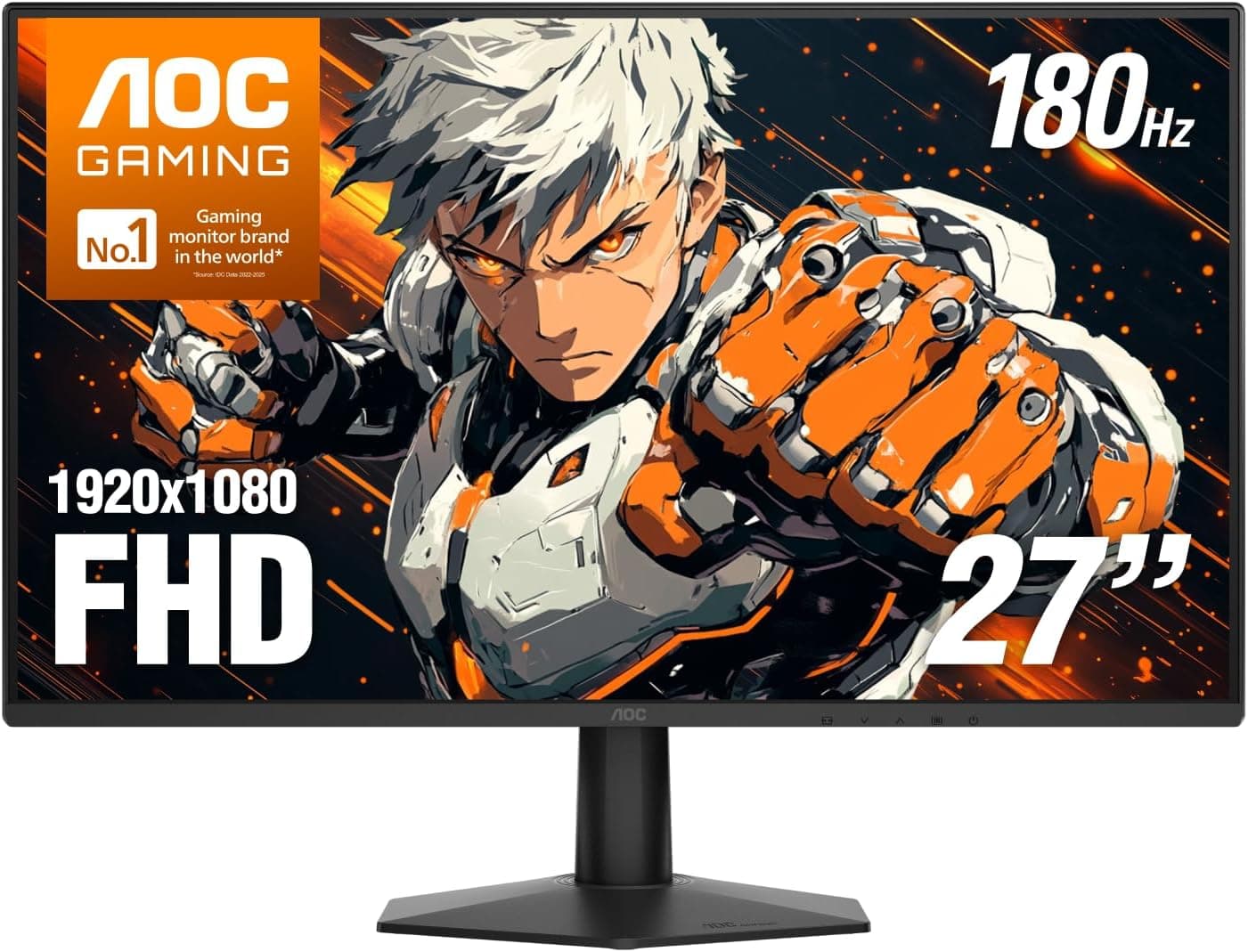
Several reviewers report the monitor performs well for gaming and everyday computer tasks, with good colors and a noticeable refresh rate.
Notre verdict d'achat
Reviewers report good gaming and general-use performance, with no recurring drawbacks identified.
Casual gamers and general computer users who want a monitor for gaming, office work, and web browsing across PC and console setups.
The reviews do not identify a clear use case that should avoid this product.
La lecture de 30 secondes
Ce que les clients apprécient
Several reviewers report the monitor performs well for gaming and everyday computer tasks, with good colors and a noticeable refresh rate.
Avant de choisir
Some reviews describe 27-inch versions, so confirm the listed size matches your setup before buying.
Le principal point de vigilance
Most reviews are brief praise; one buyer notes they don't game, so real-world gaming performance is barely detailed. No clear negatives were reported.
D'un produit similaire mieux noté dans cette catégorie : KOORUI 24 Inch Gaming Monitor, 180Hz 1080P VA Display with 3000:1 Contrast
Ce que les clients apprécient
Several reviewers describe the monitor as a strong budget purchase, citing impressive specs for the money and satisfaction with gaming use.
Le principal point de vigilance
Several reviewers report the monitor failing or coming apart after months to a couple of years, including a dead screen and a failing power cord.
Avant de choisir
Two reviewers note that setup benefits from adjusting settings in your GPU software, including color, brightness, and VRR.
Description
24" FULL HD IPS GAMING DISPLAY Experience smooth and vivid gameplay on a 23.8-inch Full HD IPS panel with wide viewing angles and accurate color reproduction. 180HZ REFRESH RATE Enjoy ultra-smooth gaming with up to 180Hz refresh rate via both DisplayPort 1.4 and HDMI 2.0 connections. 0.5MS RESPONSE TIME React faster with 0.5ms MPRT response time, helping reduce motion blur and ghosting in fast-paced games. ADAPTIVE-SYNC & HDR READY Reduce screen tearing with Adaptive-Sync support and enjoy enhanced contrast with HDR Ready compatibility. MODERN FRAMELESS DESIGN Features a sleek frameless design with DisplayPort 1.4, HDMI 2.0, VESA mount compatibility, and gaming-focused OSD controls.
Comparez les compromis
Une sélection aléatoire de produits analysés de la même catégorie. Des produits différents ne sont pas nécessairement interchangeables.

Amazon Basics 27-inch Computer Monitor, 120 Hz, 1080P, IPS, HDMI, DisplayPort, VESA Compatible for Office, Home

Anyuse Portable Monitor for Laptop 15.6 Inch 1080P USBC-C HDMI Ultra-Slim Travel Monitor with Kickstand, Second External Monitor for Laptop,PC,Mac Phone,PS,Xbox,Swich, black, PM-156P1

ASUS VA27DQSB 27” Monitor, 1080P Full HD, 75Hz, IPS, Adaptive-Sync, Eye Care, HDMI DisplayPort VGA USB Hub, Frameless, Ergonomic Design, VESA Wall Mountable,Black
Examinez les preuves
Inclus ne signifie pas vérifié authentique. Signalé ne signifie pas prouvé faux. Ce sont des classifications analytiques.
Affichage de 3 extraits illustratifs, pas l'ensemble complet des avis.
Fantastic, big monitor for casual gaming without spending a ton
“I’d consider myself a light gamer that throws a lot of hours into whatever game I’m currently obsessed with at the time. I play things like D4, WoW, Borderlands, Palworld, Red Dead and a bunch of other games. I’ve used this monitor with my PC, my work mac, XSX, PS5, and switch. For my needs, this has been a fantastic upgrade from my old monitor; it blows the old one out of the water. The 180hz is a really nice feature for gaming. Overall, the picture looks pretty smooth to me. I sit about four feet away from the screen, and at that distance I haven’t found the pixelation particularly distracting or that terribly noticeable. When I lean forward or sit closer though I can def see the pixels more clearly. That’s the trade-off with 27” at 1080p, you get a nice, large screen and a high refresh rate, but the pixel density isn’t as high as it would be with a hi-res display. Honestly, for the price, I think this is a solid monitor. If you’re shopping around, I’d also consider the 240hz version, especially if the price difference is only about $10. You’re getting a higher refresh rate for a pretty small increase in cost but that’s not going to solve the pixel density limitation if you’re specifically looking for a sharper image at close range. My only real bit is that someone who sits right up against their monitor or prioritizes crisper details might be happier with a higher-res screen. For my setup and the games I play this monitor has been awesome.”
Signaux détectés : Détail spécifique : quantity, entity, scenario, comparison · Se lit comme une voix authentique
A great general-purpose monitor for both gaming and office work
“This is a great general-purpose monitor even if you're not a gamer. Even though this is primarily a gaming monitor, I bought this monitor only for office work and web browsing since the specifications are actually great for that as well. The high-contrast ratio (1500:1) and high sRGB color gamut range isn't just an advantage for gaming. I notice things such as colored fonts and menu colors are much brighter and really pop on this Aoc monitor compared to how they looked on my previous 27-inch HP FHD monitor. The case design is minimal yet attractive, especially from the rear, and the stand is easy to put together and functional enough for basic tilt adjustments. I didn't need height adjustment since I prefer a monitor riser. I like the fact it has an audio-out port; this allowed me to hook up my speakers directly to the back of the monitor which is convenient. The panel has plenty of brightness for use in a wide range of lighting environments. Quality was good out of the box, no dead pixels. Overall, you will not find many other monitors with better specs and features at this price point.”
Signaux détectés : Détail spécifique : quantity, scenario · Se lit comme une voix authentique
Review of AOC 27 Inch Gaming Monitor
“This monitor was purchased to replace my original 27 inch monitor that was beginning to have screen issues. It's used on my main computer for general computing so I can't relate to how well it plays for games. It does have a much higher refresh rate than my original, but again, no games to really push it. Often overlooked is the stability of the stand. I've avoided some lesser cost monitors specifically because their stands just look flimsy, and not suitable for my setup. I find this stand sufficiently stable and easily assembled. I use a smaller AOC monitor as a second screen on my computer, and seriously considering buying another one of these 27 inch units to replace it so the screens are identical. This monitor is the HDMI & Display-Port variant.”
Signaux détectés : Détail spécifique : entity, scenario, comparison · Se lit comme une voix authentique
Une chose de moins à chercher
You can hit the full 180Hz over both DisplayPort 1.4 and HDMI 2.0, so either cable works — just make sure you're using a certified high-speed cable and enable the higher refresh rate in your GPU settings. Many Reddit and YouTube users confirm 180Hz out of the box on DisplayPort, and console players report smooth 120Hz on PS5 and Xbox Series X/S.
No — it has an audio earphone-out jack but no integrated speakers, which trips up a lot of shoppers who read "Audio Earphone Out" and assume sound is included. Plan on using headphones or external speakers. If you need built-in audio, this isn't the model for you.
The included stand only tilts, so if you want height, swivel, or pivot, you'll want a VESA mount — it's compatible with the standard 100x100mm pattern. This is one of the most common complaints from long-session users, and many reviewers recommend pairing it with a monitor arm for better ergonomics.
The 23.8" Full HD IPS panel delivers accurate colors and wide viewing angles that work well for gaming, schoolwork, and light photo editing. Keep expectations realistic on HDR — it's "HDR Ready" rather than true HDR, so it adds a bit of contrast but won't rival a premium HDR display. Note the screen has a glossy finish, so avoid placing it directly opposite a bright window.
At this price point, the 180Hz IPS panel, 0.5ms response, and Adaptive-Sync make it one of the strongest budget picks for competitive FPS players, students, and console gamers — the 4.6-star rating and "best value" praise across TikTok and Reddit back that up. It's less ideal if you need a height-adjustable stand, built-in speakers, or a larger 27" screen; in those cases, consider stepping up to a 27" 1440p model or one with an ergonomic stand. The 3-year manufacturer warranty adds solid peace of mind for first-time buyers.
D'un produit similaire mieux noté dans cette catégorie : KOORUI 24 Inch Gaming Monitor, 180Hz 1080P VA Display with 3000:1 Contrast
Yes — it's a native 180Hz panel, but you'll need to switch it on manually. Connect via the included HDMI cable (or a DisplayPort-capable setup), then set 180Hz in your GPU's display settings; it defaults to a lower refresh rate out of the box. Many Reddit and YouTube users note that enabling Adaptive Sync/FreeSync alongside it gives the smoothest experience, and it works with both AMD and NVIDIA cards.
The 3000:1 contrast gives noticeably deeper blacks than typical IPS budget monitors, which shines in dark game scenes and movies. For fast-paced competitive shooters, some TikTok and Reddit users mention mild ghosting/smearing in dark transitions — it's great for casual gaming, students, and office work, but color-critical creators or hardcore FPS players may prefer an IPS panel.
Correct, the included stand only tilts (-5° to 20°) and doesn't offer height, swivel, or pivot adjustment, and a few users find the base slightly wobbly. The good news: it's VESA 100×100mm compatible, so a monitor arm or desk mount solves ergonomics entirely — a popular fix among dual-monitor and dorm-room setups.
Budget monitors can vary unit to unit, and some buyers report stuck pixels or corner bleed — but KOORUI backs it with a 3-year manufacturer warranty. If your unit arrives defective, contact the seller for a replacement or refund promptly; most users who did so report a smooth resolution, so inspect the screen within the return window.
At around $120, it's widely praised as one of the best budget 180Hz options — ideal for students, casual gamers, home-office users, and compact or dual-monitor setups. Just set expectations: no built-in speakers, a single HDMI plus VGA, and basic ergonomics. If you need height adjustment, color accuracy, or built-in audio, consider spending more on an IPS alternative.
Les réponses se limitent à la fiche du fabricant et aux avis que nous avons analysés. Les questions que ces sources ne permettent pas de traiter restent sans réponse ici.
Transparent par conception