
Clorisun LC404 Ink Cartridges Compatible for Brother MFC-J1205W Ink Cartridges Compatible for Brother MFC-J1205W MFC-J1215W MFC-J1205W XL Printer (Black Cyan Magenta Yellow, 4-Pack)
Description
Full Compatibility: LC404 Ink Cartridges work flawlessly Compatible for brother MFC-J1205W, MFC-J1215W, MFC-J1205W XL printer; High-Yield Printing: Up to 750 Pages per Black lc404 ink cartridges Compatible for brother printer and Color lc404 ink cartridges Compatible for brother printer (A4 Letter, at 5 Percent Coverage); Package contents: Total 4 Pack Compatible lc404 ink cartridges Compatible for brother printer, 1 x Black lc404 ink cartridges Compatible for brother printer, 1 x Yellow lc404 ink cartridges Compatible for brother printer, 1 x Cyan lc404 ink cartridges Compatible for brother printer, 1 x Magenta lc404 ink cartridges Compatible for brother printer; Serial Number Activation: When your ink cartridge is not recognized, please insert the previously used same color ink cartridge into the printer and then remove it. Insert the new ink cartridge again to recognize and use it normally. Insert and swap with LC404 cartridge containing a different serial number. This unique reset process ensures seamless compatibility and proper printing operatio.; Each LC404 Ink Cartridges Compatible for Brother Printer Provides our Customers with High Definition Printing Effect, Long Time Non Fading, Fast Printing Speed and High Page Yield, Premium-quality inks resist smudging and clogging
Comparez les compromis
Produits similaires, côte à côte
Une sélection aléatoire de produits analysés de la même catégorie. Des produits différents ne sont pas nécessairement interchangeables.
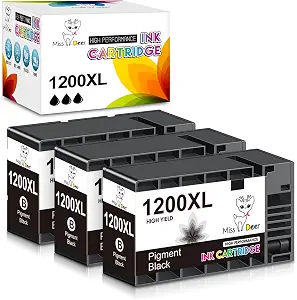
Miss Deer 1200XL Black Ink Cartridges Compatible for Canon PGI-1200XL PGI 1200 XL,Work for Canon Maxify MB2720 MB2050 MB2350 MB2320 MB2020 MB2120,3-Pack

67XL Printer Ink Compatible for HP 67XL Ink Cartridges Black Color Combo Pack Compatible for HP Ink 67 Fit for DeskJet 2700e 2700 2855e 2827e 2755e 2755 4155e 4255e for Envy 6000 6055e 6400 Printer

071 Black Toner Cartridge Compatible Replacement for Canon 071 CRG-071 071H Toner Cartridge for Canon imageCLASS LBP122dw LBP122 LBP120 MF270 MF272dw MF273dw MF275dw Printer Ink (2 Black)
Une chose de moins à chercher
Avant d'acheter : questions rapides
これらのカートリッジは、お使いの特定のブラザー複合機モデルで購入後すぐに動作することが保証されていますか?
これらのカートリッジは、ブラザー MFC-J1205W、J1215W、および類似モデル向けに設計されていますが、Redditなどのフォーラムでは、一部のユーザーが簡単な初期化プロセスが必要だと述べています。インストール後、プリンターのメンテナンスメニューから1〜2回のプリントヘッドクリーニングサイクルを実行するのが一般的です。これにより、プリンターが新しいカートリッジを認識し、最初から最適なパフォーマンスを確保できます。
インク漏れについてのコメントを見ました。これは包装に関する一般的な問題ですか?
ごく一部の出荷では、密閉されたビニール袋内でインクがわずかに漏れることがあります。これは輸送中の気圧変化によることが多いです。見た目は悪いですが、通常カートリッジの機能には影響しません。インストール前に、カートリッジの接点を注意深く点検し、埃の出ない布で拭くことをお勧めします。到着時にカートリッジが著しく損傷している場合は、サポートチームが対応いたします。
印刷品質とページ収量は、純正ブラザーインクと比較してどうですか?
文書、学校の課題、ウェブページなどの日常的な印刷では、ほとんどのユーザーが印刷品質は優れており、非常に同等であると感じています。収量については、「XL」と販売されていますが、大量に使用するユーザーの中には、OEMカートリッジよりもわずかに早く交換が必要になる場合があると指摘しています。コスト削減効果が大きいため、一般的な家庭用としては優れた価値があるというのが総意です。
プリンターが「インクが認識できません」というエラーを表示した場合、どうすればよいですか?
ご心配なく。これは通常、簡単に解決できます。まず、プリンターの電源を切り、カートリッジをしっかりと再装着してから電源を入れ直してください。エラーが続く場合は、プリンターの設定メニュー(通常は「メンテナンス」または「ツール」内)に移動し、プリントヘッドのクリーニングサイクルを実行してください。多くのユーザーレビューで言及されているこの手順で、ほぼ確実にエラーが解消され、印刷できるようになります。
これらの互換性カートリッジは、どのような方に最適だと思いますか?
これらは、学生、家庭ユーザー、そして時々印刷する方で、簡単なセットアップ手順を気にしない方にとって、理想的な低予算の選択肢です。一般的な使用には非常に大きな節約になります。重要なビジネス文書に絶対的な手間のかからない信頼性が必要な場合や、毎日プロフェッショナルな写真を印刷する場合は、純正OEMカートリッジへの投資がご要望に合うかもしれません。
D'un produit similaire mieux noté dans cette catégorie : CANON PG-210 OEM Ink Cartridge, BLACK
Will this PG-210 cartridge fit my Canon PIXMA printer?
It's designed for a specific set of PIXMA models — including the iP2700/iP2702, MP240/MP250/MP270/MP280/MP480/MP490/MP495, and MX330/MX340/MX350/MX360/MX410/MX420. If you own a newer model like the MX492, you'll need a different cartridge (PG-245), so double-check your printer's model number before ordering. A quick glance at your printer's front panel or manual will save you a return.
Is 220 pages a realistic yield, or will it run out sooner?
Canon's 220-page estimate is based on standard text documents at roughly 5% coverage — real-world mileage depends on what you print. Many users report getting close to that for plain text, but photo-heavy or graphics-dense printing drains ink faster. If you print a lot, the high-yield PG-210 XL is worth considering for a better cost-per-page.
Is this a genuine Canon cartridge or a third-party/compatible one?
This is a genuine OEM Canon cartridge (part number 2974B001), sealed and backed by Canon's limited warranty — not a remanufactured or third-party product. That matters if you've had clogging or recognition issues with off-brand inks; reviewers consistently praise the sharp, smudge-free output and reliable plug-and-play installation.
My printer says "low ink" or won't recognize the cartridge — what should I do?
First, remove and reseat the cartridge firmly until it clicks, then run a cleaning cycle from your printer's menu. A small number of users report premature "low ink" warnings or recognition errors, which usually resolve with a reseat or a power cycle. If the issue persists on a brand-new sealed cartridge, contact the seller for a replacement under warranty.
Is it worth paying more for OEM versus a cheaper third-party cartridge?
It depends on your priorities. Budget shoppers often compare this against third-party multipacks that cost significantly less, but many reviewers say they switched back to genuine Canon after dealing with clogs, streaks, or inconsistent output from knockoffs. For low-volume home and school printing where reliability matters most, the OEM cartridge is a solid, low-hassle choice — just factor in the higher per-page cost.
Les réponses se limitent à la fiche du fabricant et aux avis que nous avons analysés. Les questions que ces sources ne permettent pas de traiter restent sans réponse ici.
Transparent par conception