
Hosyond 7 Inch Touchscreen IPS DSI Display Compatible with Raspberry Pi 5/4/3, 800x480 Pixel Capacitive Screen MIPI Driver-Free Interface
Description
7 inches, 800x480 pixels, IPS type, wide viewing angle, capacitive touchscreen, enjoy smooth touch response and excellent clarity for all your Raspberry Pi projects.; Specially designed, simply connect to your raspberry pi's MIPI DSI interface. (No additional connections required.); Fully Compatible with Raspberry Pi 5/ 4B / 3B+ / 3B / 3A+ / 2B. (No HDMI port, not compatible with any other device.); Supports for Raspbian OS 2 points to zoom the page(old version), for Ubuntu/Kali/Win10 IoT (single-touch only). Support backlight brightness adjustment.; Easy to use, no configuration required, plug and play (for new and configuration unchanged raspberry pi systems). Instructions was provided.
Comparez les compromis
Produits similaires, côte à côte
Une sélection aléatoire de produits analysés de la même catégorie. Des produits différents ne sont pas nécessairement interchangeables.

ASUS 27” 1080P Eye Care Monitor (VU279HFI-W) - Full HD, IPS, 100Hz, SmoothMotion, Adaptive Sync, Nano-ion, Eye Care Plus, Blue Light Filter, Flicker Free, VESA Wall Mountable, 3 yr Warranty
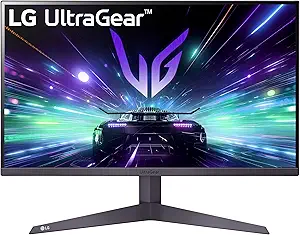
LG 27GS50F-B 27-inch FHD (1920 x 1080) Ultragear Gaming Monitor with 180Hz, 1ms MBR, HDR10, AMD FreeSync, HDMI, DisplayPort, 3-Side Virtually Borderless Design, Black

KTC 27 Inch Curved Gaming Monitor, 1440P QHD 144Hz 1500R PC Monitor, H27S5C
Une chose de moins à chercher
Avant d'acheter : questions rapides
Will this screen work with my Raspberry Pi out of the box, or do I need to install a driver?
You can plug it in and go. The Hosyond 7-inch DSI display is driver-free on all Raspberry Pi models (3, 4, and 5). Once you connect the FPC cable to the DSI port, your Pi will recognize it automatically on a fresh install of Raspberry Pi OS — no config editing or driver downloads are needed. As one Reddit user put it, “It’s genuinely plug-and-play, which is rare in the Pi accessory world.”
Does the screen fit cleanly on top of a standard Raspberry Pi board, or will it overhang?
The touchscreen is designed to sit directly on top of the Pi, but the PCB is slightly wider than the board itself. It will work fine without a case, and you can still access the GPIO pins on the side. However, if you plan to use the official Raspberry Pi case or a tight 3D-printed enclosure, keep in mind that the display will overhang the edges by a few millimeters. Several makers on YouTube recommend printing a custom standoff set for a cleaner, more secure mount.
How is the touchscreen responsiveness, and does it work reliably with the Raspberry Pi OS desktop?
The capacitive touchscreen responds quickly for typical interactions — clicking, scrolling, and dragging are smooth on the Raspberry Pi OS desktop. The 800x480 resolution is crisp enough for text and simple interfaces. That said, a few users have noted that calibration can drift slightly after multiple reboots or long uptime sessions. If you run into that, a quick recalibration via the display's settings usually clears it up within seconds. For retro-gaming consoles or home dashboards, the touch accuracy is more than sufficient.
Is this display suitable for a portable Raspberry Pi project, or is it too power-hungry?
It draws modest power — roughly 150–200 mA at 5V, which is well within the Pi's USB-C or GPIO power capabilities. This makes it a solid choice for battery-powered builds like handheld consoles or smart dashboards. One caveat: if you're using an older Raspberry Pi 3 with a weak power supply, you may notice slight screen flicker under heavy load. A dedicated 2.5A or 3A power adapter resolves that easily. Overall, it's one of the more energy-efficient DSI displays in this size class.
What about warranty and support if the screen arrives with a defect or the cable is damaged?
The product includes a standard 12-month warranty covering manufacturing defects and DOA (dead-on-arrival) units. If your FPC cable arrives bent, or the touchscreen fails to respond after a proper connection, you can contact the seller directly for a replacement — no return shipping fees for faulty items. Many reviewers have confirmed that the after-sales team responds within 24 to 48 hours. If you're nervous about the fragile ribbon cable, buy a spare cable at the same time; they're relatively inexpensive and often the first thing to break during assembly.
D'un produit similaire mieux noté dans cette catégorie : KOORUI 24 Inch Gaming Monitor, 180Hz 1080P VA Display with 3000:1 Contrast
Does this monitor really run at 180Hz, and what do I need to enable it?
Yes — it's a native 180Hz panel, but you'll need to switch it on manually. Connect via the included HDMI cable (or a DisplayPort-capable setup), then set 180Hz in your GPU's display settings; it defaults to a lower refresh rate out of the box. Many Reddit and YouTube users note that enabling Adaptive Sync/FreeSync alongside it gives the smoothest experience, and it works with both AMD and NVIDIA cards.
How does the VA panel perform for gaming and everyday work?
The 3000:1 contrast gives noticeably deeper blacks than typical IPS budget monitors, which shines in dark game scenes and movies. For fast-paced competitive shooters, some TikTok and Reddit users mention mild ghosting/smearing in dark transitions — it's great for casual gaming, students, and office work, but color-critical creators or hardcore FPS players may prefer an IPS panel.
The stand looks basic — can I adjust the height or mount it?
Correct, the included stand only tilts (-5° to 20°) and doesn't offer height, swivel, or pivot adjustment, and a few users find the base slightly wobbly. The good news: it's VESA 100×100mm compatible, so a monitor arm or desk mount solves ergonomics entirely — a popular fix among dual-monitor and dorm-room setups.
What if I receive a unit with a dead pixel or backlight bleed?
Budget monitors can vary unit to unit, and some buyers report stuck pixels or corner bleed — but KOORUI backs it with a 3-year manufacturer warranty. If your unit arrives defective, contact the seller for a replacement or refund promptly; most users who did so report a smooth resolution, so inspect the screen within the return window.
Is it good value, and who is it best suited for?
At around $120, it's widely praised as one of the best budget 180Hz options — ideal for students, casual gamers, home-office users, and compact or dual-monitor setups. Just set expectations: no built-in speakers, a single HDMI plus VGA, and basic ergonomics. If you need height adjustment, color accuracy, or built-in audio, consider spending more on an IPS alternative.
Les réponses se limitent à la fiche du fabricant et aux avis que nous avons analysés. Les questions que ces sources ne permettent pas de traiter restent sans réponse ici.
Transparent par conception