Ce que les clients apprécient
Clear curved screen for gaming
Several reviewers say the curved screen is clear and makes games look better, and some report smooth display and easy setup.
Notre verdict d'achat
Several reviewers report clear, smooth gaming visuals, but picture quality and reliability complaints are also present
Buyers who want a curved screen for gaming and value easy setup, while accepting that picture quality reports are mixed.
Buyers who prioritize consistently clear picture quality or long-term panel reliability.
La lecture de 30 secondes
Ce que les clients apprécient
Several reviewers say the curved screen is clear and makes games look better, and some report smooth display and easy setup.
Le principal point de vigilance
Two reviewers found the picture unclear or quality disappointing, while others praised clarity; one also reported horizontal line defects after about a year.
Avant de choisir
One reviewer wished the monitor had more ports, so check that its available connections meet your setup needs.
D'un produit similaire mieux noté dans cette catégorie : KOORUI 24 Inch Gaming Monitor, 180Hz 1080P VA Display with 3000:1 Contrast
Ce que les clients apprécient
Several reviewers describe the monitor as a strong budget purchase, citing impressive specs for the money and satisfaction with gaming use.
Le principal point de vigilance
Several reviewers report the monitor failing or coming apart after months to a couple of years, including a dead screen and a failing power cord.
Avant de choisir
Two reviewers note that setup benefits from adjusting settings in your GPU software, including color, brightness, and VRR.
Description
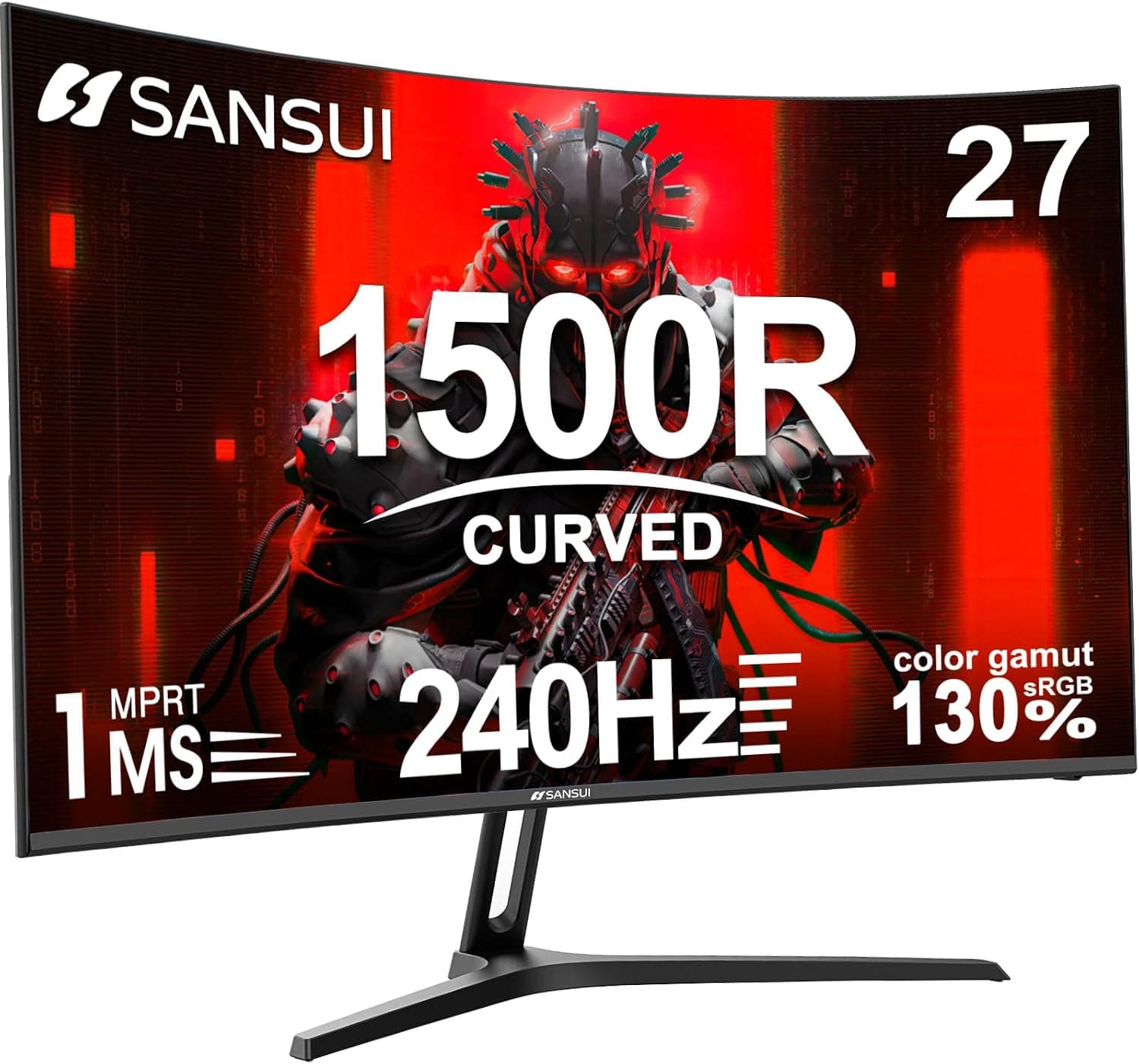
27" 240Hz 1500R curved Fast VA full HD gaming PC monitor 1ms for gaming, business, entertainment Display: 1500R curvature: more immersive & natural visual design for human eyes,MPRT 1ms response time, FreeSync, 130%sRGB color gamut, contrast ratio 4000:1, brightness 300nits, Delta E<2, HDR, over drive, anti-flicker, anti-glare Ports: DP 1.4 (up to 240Hz)&HDMI(up to 240Hz), audio jack(no built-in speakers),1 HDMI cable. Plug & Play: continuously and automatically detect and switch input signals VESA mount (100x100mm), 5°-15°tilt , 178° wide viewing angle, CrossHair /Timer/ Shadow Booster(blacklevel adjust)/RTS /FPS /RACING Warranty: Money-back and free replacement within 30 days, 1-year quality warranty and lifetime technical support. Pls contact SANSUI service support first if any product problem. Note:Fragile– Handle with care. If damaged upon arrival, please contact us for a replacement.
Comparez les compromis
Une sélection aléatoire de produits analysés de la même catégorie. Des produits différents ne sont pas nécessairement interchangeables.

POTTMACEE 14.2" Laptop Screen Extender, 0.17" Ultra-Thin FHD 1080P IPS Portable Monitor for Laptop, Dual Screen Travel Monitor Extender, Plug-Play for Windows/Mac/Chrome, Fit 13”-17.3” Laptops

acer Nitro 27” 4K UHD 3840 x 2160 Gaming IPS Monitor | AMD FreeSync Premium | Up to 160Hz Refresh Rate with DFR to FHD 320Hz| Up to 0.5ms | 1 x Display Port 1.4 & 2 x HDMI 2.1 Ports | VG270K V4bmiipx

SANSUI 34 Inch 240Hz Ultrawide Curved Gaming Monitor UWQHD 3440×1440, 21:9 2K Curved Monitor 1500R,HDR400,Fast VA, PIP/PBP,AI Crosshair,AIPQ(Visual Enhance),MPRT 1ms,HDMI2.1*2,DP1.4*2(DP Cable Incl.)
Examinez les preuves
Inclus ne signifie pas vérifié authentique. Signalé ne signifie pas prouvé faux. Ce sont des classifications analytiques.
Affichage de 3 extraits illustratifs, pas l'ensemble complet des avis.
1 year old monitor, pixel failure/black full horizontal lines at the bottom of the screen
“Purchased the monitor less than 1 year ago in July of 2025; black lines now run the bottom of screen or full horizontal line defects. It sucks that the monitor is relatively new and already suffering from horizontal line defect / dead pixel rows along the bottom edge of the panel; apparently this the result of gate driver failure. This problem persists across BIOS/boot screens, different cables, and lower refresh rates (144Hz/60Hz), and does not occur on my secondary monitor -not that it matters since they already have my money, but I will never buy cheap again/purchase Sansui products.”
Signaux détectés : Détail spécifique : quantity, process, entity · Se lit comme une voix authentique
Works well. Nice picture and size. Easy to attach to laptop
“Works well. Nice picture and size. Easy to attach to laptop. Would be nice if it had more ports.”
Signaux détectés : Détail spécifique : entity · Se lit comme une voix authentique
Works great, looks amazing, and was easy to set up!
“Excellent quality, smooth display, and great value for the price!”
Une chose de moins à chercher
Yes — you'll get the full 240Hz over both DisplayPort 1.4 and HDMI, though DisplayPort is the safer bet for guaranteed max refresh on most PCs. The box includes one HDMI cable, so if you want to lock in 240Hz right away, many gamers recommend picking up a DisplayPort cable. Console players should note their console's own output caps the refresh rate, so full 240Hz is really a PC experience.
This is the most common concern in reviews, and it's fair to flag. Because the panel is fragile, a small number of buyers report dead pixels or shipping damage on arrival. The good news: SANSUI offers a 30-day money-back and free-replacement window plus a 1-year warranty, so inspect the screen immediately on unboxing and contact support right away if anything looks off. Many TikTok and Reddit users note the replacement process works — it just takes a little patience.
For gaming and entertainment, most users find it perfectly sharp and love the immersive 1500R curve. Where expectations matter: at 27", 1080p is a touch softer for heavy text/productivity work than a 1440p panel, and as a Fast VA screen you may notice slight dark-scene smearing and color shift at wide angles — normal for the panel type at this price. Competitive FPS players still praise the 240Hz smoothness and low input lag; just don't expect IPS-level color accuracy.
There are no built-in speakers — the 3.5mm audio jack is a pass-through for headphones or external speakers, so plan for separate audio. On the plus side, it's VESA 100x100mm compatible, and since the included stand only tilts (5°–15°) and can wobble a bit, many users upgrade to a monitor arm for better ergonomics. Setup itself is plug-and-play with auto input switching.
It's an outstanding value pick for budget competitive gamers, students, and first-time builders who want a smooth 240Hz curved display without spending flagship money. If you're a content creator needing color-critical accuracy, a productivity user who wants crisp 1440p text, or someone who needs built-in speakers, you may be happier spending a bit more elsewhere. In short: buy it for high-refresh gaming value, not for color-critical or premium-build expectations.
D'un produit similaire mieux noté dans cette catégorie : KOORUI 24 Inch Gaming Monitor, 180Hz 1080P VA Display with 3000:1 Contrast
Yes — it's a native 180Hz panel, but you'll need to switch it on manually. Connect via the included HDMI cable (or a DisplayPort-capable setup), then set 180Hz in your GPU's display settings; it defaults to a lower refresh rate out of the box. Many Reddit and YouTube users note that enabling Adaptive Sync/FreeSync alongside it gives the smoothest experience, and it works with both AMD and NVIDIA cards.
The 3000:1 contrast gives noticeably deeper blacks than typical IPS budget monitors, which shines in dark game scenes and movies. For fast-paced competitive shooters, some TikTok and Reddit users mention mild ghosting/smearing in dark transitions — it's great for casual gaming, students, and office work, but color-critical creators or hardcore FPS players may prefer an IPS panel.
Correct, the included stand only tilts (-5° to 20°) and doesn't offer height, swivel, or pivot adjustment, and a few users find the base slightly wobbly. The good news: it's VESA 100×100mm compatible, so a monitor arm or desk mount solves ergonomics entirely — a popular fix among dual-monitor and dorm-room setups.
Budget monitors can vary unit to unit, and some buyers report stuck pixels or corner bleed — but KOORUI backs it with a 3-year manufacturer warranty. If your unit arrives defective, contact the seller for a replacement or refund promptly; most users who did so report a smooth resolution, so inspect the screen within the return window.
At around $120, it's widely praised as one of the best budget 180Hz options — ideal for students, casual gamers, home-office users, and compact or dual-monitor setups. Just set expectations: no built-in speakers, a single HDMI plus VGA, and basic ergonomics. If you need height adjustment, color accuracy, or built-in audio, consider spending more on an IPS alternative.
Les réponses se limitent à la fiche du fabricant et aux avis que nous avons analysés. Les questions que ces sources ne permettent pas de traiter restent sans réponse ici.
Transparent par conception