分析対象5つ星中5.0
5.0 out of 5 stars
“I sat on this one for far too long. I honestly didn't really know portable external monitors were even a thing until the past year when I saw one at Costco. I was thinking that might actually be pretty handy for work, as I tend to deal with multiple programs simultaneously including at meetings when I'm trying to show someone something like a spreadsheet and graphs, and so on. I also thought it'd be great for when I do conference travel or on the occasions I have to work from home. My home office already has a dual monitor setup with docking station so that's easy, however, there are times my husband also works from home and we fight over the monitor setup, so this might just save our marriage. ;) Joking aside, I wish we had this thing during the pandemic shutdown because it would have made working from home so much easier.
I've had this one in my cart for quite some time, and then noticed around Black Friday/ Cyber Monday, it was an extra 15 off or so, and I decided to leap. In deciding which monitor to get, there were mostly positive reviews, though some more critical. I wasn't entirely sure what to expect, but have thus far been absolutely blown away!
My favorite features:
--It is quite thin and lightweight, in a nice and portable way rather than "this is a cheap piece of... " way
--The quality is phenomenal. Very crisp and clear and plenty bright without being blinding. There are settings to mess with too, though I found it perfect right out of the box
--It comes with multiple connectors so should work for a variety of purposes and with different computer or other device configurations
--It was pretty much plug and play straight out of the box. It turned on with 0 issues. My PC laptop always defaults second monitors to duplicate screens rather than extending screens, so I wasn't surprised when this was the same. It was a simple, quick fix by going to my display settings and changing the monitor to extend rather than duplicate. I had to switch my monitors around in settings so this monitor would work with dragging things from my laptop monitor to the right, rather than to the left due to my preferences. It might be tricky if you've never done it, but it's old hat for me. Long story short, play around with your display settings until all is configured the way you want. I find when I plug it in again, it automatically defaults to this setup unless I have changed the settings for a different monitor setup at work or home, and then I might need to reset again. I could see where a duplicate screen could actually be handy in a meeting, however, at a meeting where multiple people around a table need to see the same thing, so I could have my laptop facing one direction, and the other screen facing another. I see so many possibilities with this one, actually, for work purposes and I'm grateful to have it.
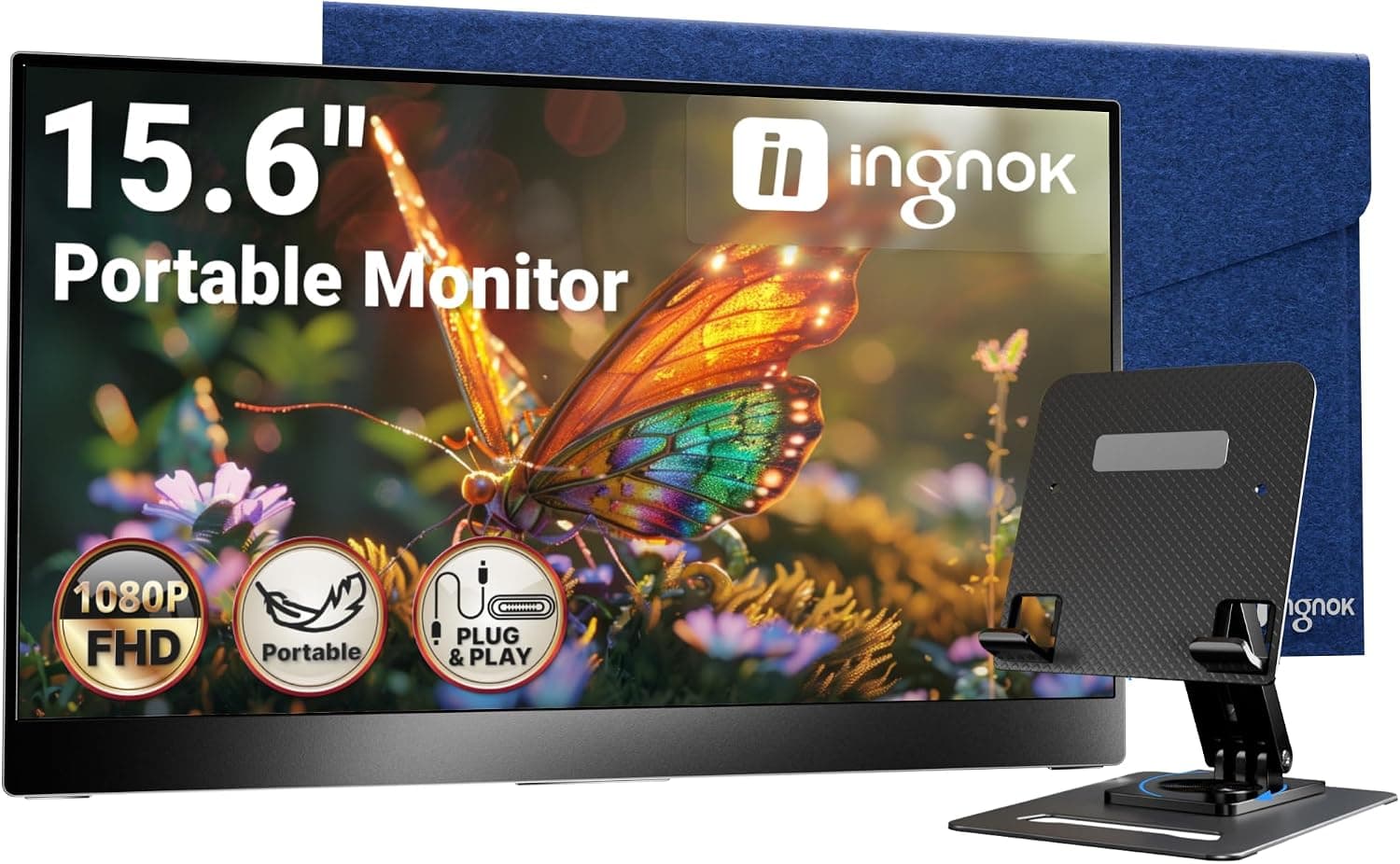
--It comes with a felt carrying case which is perfect for keeping the screen scratch-free and keeping the cables and such together. The velcro doesn't fasten if you have the stand connected, but it still all fits in the case just the same.
--I've looked at many different portable monitors, but ultimately loved this one for coming with multiple adaptors/ cords and the adjustable monitor stand, saving me time and money. The stand is very easy to install and uninstall -- just two simple screws and it's fairly adjustable so you can line it up with your laptop screen if that's your preference, or change the angle. It works very well for my needs, but if you have super specific needs or need to raise it up or down quite a bit, you may want to look at a different monitor stand with more adjustments. I found this one to be just right, however.
My only criticism so far, but the pros far outweigh the cons!
--As mentioned, the carrying case won't fasten if you have the monitor stand attached. It's pretty minor, but do wish the velcro had a couple different fastening settings so everything could close up with or without the stand. Yes, I could technically remove the stand easily but would prefer to have everything set up and ready to go for quick access.
Long story short, run, don't walk, and grab this monitor! Whether you need it for work purposes or for gaming capability (per many of the other reviews), this monitor is fire! I highly recommend!”
検出されたシグナル:具体的な記述:scenario, process · 言及トピック:portability · 実体験に基づく自然な文章
分析対象5つ星中5.0
Great picture quality, easy to use, so lightweight and travels easy!
“Just started using the extra display today and everything appears to be functioning well. Can toggle back and forth between my laptop to extend the display there to this monitor as well as to my S22 Ultra to use the monitor as a full display. 1080p great looking picture.
Two complaints: the speakers are very quiet even at maximum volume, so I wouldn't use those. You can use headphones, but again, it isn't very loud at all. I would just use your laptop speakers, your cell phone speakers or even to Bluetooth connect to a different set of speakers from your phone. The stand is alright, just doesn't raise it high enough off the desk for me, but it does work very well if you don't mind having it that low. It's just too low to have at the same height as my laptop screen as it is on a stand. Other than those two things, the monitor is great and I would recommend it for it's price just knowing the sound limitations (which realistically, most wouldn't be looking at a monitor for it's sound quality, so that's why I still give it 5 stars.)”
検出されたシグナル:具体的な記述:quantity, entity, scenario · 言及トピック:picture quality, connectivity, lightweight, portability · 実体験に基づく自然な文章
分析対象5つ星中5.0
5.0 out of 5 stars
“This little monitor beat my expectations completely, as cheap as it is i wasn't expecting much out of it, but I was wrong. Mine that I got shows a sharp,crisp,clear and beautiful picture. Setup was extremely easy, if you can put in your phone to charge, then you should be able to operate this device as it is just plug and play. Im using it as a 3rd monitor for 2nd gpu to keep an eyes on temps,settings and chats and no issues so far. It comes with power cable but now power brick, it says if you have it connected to a pc then you dont need a power brick to turn it on.. that statement is wrong as I tried several ways to turn it on while its not physically plugged into a power brick I provided myself. I wish companies would provide all materials needed to use items as the power brick requires it to be a specific voltage and such. Its thin so I doubt it would survive a fall unless maybe some kind of case over it.”
検出されたシグナル:具体的な記述:scenario, comparison · 言及トピック:picture quality, easy to set up · 実体験に基づく自然な文章