ユーザーが気に入っている点
Great picture and value
Reviewers consistently praise the excellent picture quality, rich colors, and strong value for the price. Many also appreciate the portable, lightweight design and useful features like FreeSync and VESA support.
30秒でわかる要点
ユーザーが気に入っている点
Reviewers consistently praise the excellent picture quality, rich colors, and strong value for the price. Many also appreciate the portable, lightweight design and useful features like FreeSync and VESA support.
主な注意点
Some users report that the monitor can be picky about cables, and a few mention glitchy HDMI connections or needing to unplug power to reset. Others note washed-out colors in certain lighting or slow pixel response causing ghosting.
選ぶ前に
Reviews cover different sizes (14-inch, 15.6-inch, 16-inch) and note that built-in speakers may be too quiet, so consider whether you need external audio. Also confirm cable compatibility since some units are picky.
同カテゴリーのレビュー数が多い類似商品より: KOORUI 24 Inch Gaming Monitor, 180Hz 1080P VA Display with 3000:1 Contrast
ユーザーが気に入っている点
Several reviewers describe the monitor as a strong budget purchase, citing impressive specs for the money and satisfaction with gaming use.
主な注意点
Several reviewers report the monitor failing or coming apart after months to a couple of years, including a dead screen and a failing power cord.
選ぶ前に
Two reviewers note that setup benefits from adjusting settings in your GPU software, including color, brightness, and VRR.
商品説明
More Portable Monitor Models to Choose From Portable Monitor 120hz Add to Cart 15.6inch 2K Dual Monitor Add to Cart 15.6-inch 60Hz 4K Add to Cart 15.6" 1080P Dual Monitor Buying Options 16-inch 144Hz FHD Add to Cart Portable Dual Monitor 4k Add to Cart 16-inch 240Hz 2.5K Add to Cart Customer Reviews 4.5 out of 5 stars 264 5.0 out of 5 stars 3 4.4 out of 5 stars 2,285 4.2 out of 5 stars 1,786 4.4 out of 5 stars 2,285 4.2 out of 5 stars 1,786 4.5 out of 5 stars 264 Price $107.99 $ 107 . 99 $349.99 $ 349 . 99 $169.99 $ 169 . 99 $219.99 $ 219 . 99 $79.98 $ 79 . 98 $499.99 $ 499 . 99 $143.98 $ 143 . 98 Resolution 2160x1440P 2560x1440P 3840x2160P 1920x1080P 1920x1200P 3840x2160P 2160x1600P Refresh Rate 120Hz 60Hz 60Hz 60Hz 144Hz 60Hz 240Hz Standard Large Stand 0-180° Stand 0-180° Rotatable 0–315° Large Stand 0-180° Stand 0-180° Rotatable 0–315° Large Stand 0-180° Stand 0-180° Rotatable 0–315° Large Stand 0-180° Screen Ratio 16:9 16:9 16:9 16:9 16:10 16:9 16:10 Viewing Angle 178° 178° 178° 178° 178° 178° 178° Screen Size 15.6 15.6*2 15.6 15.6*2 16 15.6*2 16
トレードオフを比較
同じカテゴリの分析済み商品から無作為に選んでいます。商品が異なれば、単純に置き換えられるとは限りません。
14" Triple Laptop Screen Extender - Ultra Thin & Lightweight (2.2lb) Portable Monitor For Laptop, FHD 1080P Travel Display 13-17" Laptops, Plug & Play USB-C/HDMI, Aluminum Extended Screen for Mac/Win

Hosyond 7 Inch Touchscreen IPS DSI Display Compatible with Raspberry Pi 5/4/3, 800x480 Pixel Capacitive Screen MIPI Driver-Free Interface

10.3 Inch Small Touchscreen Monitor, 400cd/m², IPS Stretched Bar LCD Mini Travel Touch Display 1920 * 720 HDMI USBC, Portable Touch Screen for Laptop Computer Windows Aida64 GPU CPU RAM Monitoring
根拠を確認する
「分析対象」は真正性が確認されたことを意味しません。「フラグ付き」も捏造と証明されたことを意味しません。いずれも分析上の分類です。
参考として3件の抜粋を表示しています。レビュー全体ではありません。
Mine is picky about cables but it works fine.
“16" 240 Hz 2560X1600. This is a good monitor. It could be better, but it's very good and you won't regret purchasing it. It's brighter than 300 nits. I don't have a colorimeter, so I can't tell you exactly how much brighter, but I use it along side a 500 nit rated display that has been tested as 524+/- nits by multiple reviewers. I keep them both around ~75% brightness during daylight hours and if there's a difference in brightness, I can't see it. Cranked all the way up, my 500 nit display is a little brighter but both are way too bright at that 100% setting anyway. Color is very good, but there's no HDR support. If you don't know what HDR is, then you'll never notice or care that it doesn't have it. If you do know what HDR is, then the lack of support might be a deal breaker for you. For my use case, it doesn't really matter that much but it would have been a nice bonus to be able to exactly match my monitors. The Eye Care Certification is real. Blue light reduction works fine without turning everything too brown or too red like some Eye Care Cert monitors tend to. Most people will never use the blue light reduction feature, but I have my laptop set to turn it on at a specific time in the evening and back off in the morning. I do the same with my cell phone. I would not have purchased this monitor if it wasn't Eye Care Certified. It works, and I'm satisfied with how well. Mine did not work with the supplied cable. It also didn't work with a very expensive Anker cable that I've used with multiple other displays and docks. It also didn't work with another cable I have of an unknown brand that I've used with other monitors and several docks. I have two Cable Matters USB C cables that work just fine. One of them is a 3 foot 20 Gbps and the other is an 8 foot 5 Gbps. No problems what so ever when using either of those cables. Troubleshooting that issue didn't make me happy... thus the 4 star review that I even considered giving a 3. My laptop powers this monitor just fine with a single cable connection. Some of the other reviews mention brightness problems and flickering. Those folks will need to use a two cable connection to sort that out. I would not expect the majority of laptops to be able to run a 240Hz external monitor with a single cable connection, so keep it in mind if you buy. I'm not sure exactly what the power draw is for this monitor at 240Hz and brightness all the way up, but they include a 30W charger in the box. A non-power-delivery USB-C port can only deliver a maximum of 15W. I have this connected to a Lenovo Legion 5 that has a 16" 240Hz 2560X1600 display, so this is as close as I can get to a perfect companion monitor. My Legion 5 has DP 1.4 on both USB C ports and one of my ports also has 140W power delivery, therefore I also get the benefit of a single cable connection. If this monitor had HDR support and wasn't so picky about cables, it would be exactly perfect. As it is, it's close enough. And now that I have it functioning, I'm satisfied with the purchase. ** Also worth mentioning: I've used this monitor at work a couple of times. Having a regular sized HDMI port is nice and being able to put it on a VESA mount is even nicer. I put it in portrait next to my regular monitor and put all of the corporate communication garbage software on it and keep my normal workspace free of interruptions so I can stay productive without OneTalk or Teams or etc constantly getting in the way of my work. The VESA connection is only 2 screws, but this monitor is very light and 2 screws is secure enough.”
検出されたシグナル:具体的な記述:quantity, comparison, process · 実体験に基づく自然な文章
Free Sync support and 75mm VESA!
“This little portable monitor has all the features that I've been looking for: high refresh rate, VRR (Free Sync) support, 16:10 aspect ratio, and 75mm x 75mm VESA support. To top it all though, it's significantly more affordable than many of the other 1200p portable monitors on Amazon right now. The built-in kickstand is way better than the magnetic flip cover stands, but the downside is this monitor doesn't come with any sort of cover. I do have a spare laptop slip that I'll be using to store the monitor. The included USB-C to USB-C cable works great with my ASRock X570 ITX TB3 motherboard to provide display and power over a single cable. However, if you want to do any sort of high refresh rate gaming, you definitely need to provide a separate 30W+ power supply with a second cable. The separate power supply will prevent flickering when you start any games. Also, to enable Free Sync, make sure you go into the menu and turn it on under the "Other Settings" menu. There's also a full sized HDMI port on the side, which is pretty cool, because regular HDMI cables are easy to find in a pinch if you forget or lose a cable while traveling. There's really not much to set up for this monitor. You just prop it up with the sturdy kickstand, plug-in the included USB-C cable, and it powers on right away. The image quality looks pretty good to me. Pictures are vibrant, and my games look good. For a sub-$100 gaming monitor, I'm very happy with the screen.”
検出されたシグナル:具体的な記述:quantity, entity, comparison · 実体験に基づく自然な文章
Woah! this is a portable OLED? Love it!
“I love this portable monitor. As a motion designer with some photography background, i needed something that would give me true colors and very portable. I have looked at so many other brands and like the Uperfect brand and others and although they all get great reviews, i didn't necessarily need something with 120hrz refresh rates or more. I just needed something that could be used as a on-the-go portable monitor for my Mac studio. Have had a few weeks to use this and i must say for the price i got it at and the 4K quality, it is superb. Pros: Lightweight, slim, has a kick stand built in, made with aluminum shell, OLED picture quality is superb, for its size (4K OLED) offers sound, plug and play and easy to use, price, comes with vesa mount spots if needed, came with all the right cables right out of the box, compatibility with mac or pc, no connectivity issues 60 fps is perfect for design and some gaming. Cons: Did not come with a case, but i knew that at purchase so its minor, wish it came in a bigger screen, menu functionality is ok but not terrible. Im not switching from device to device that often so its very easy once its set up. one thing of note for anyone buying this. Make sure that you use one of the USB-C ports for power and the other one for a display (for mac). For PC, you will still need to use the one port for power and HDMI for display. Totally worth it”
検出されたシグナル:具体的な記述:entity, scenario, comparison · 実体験に基づく自然な文章
調べる手間をひとつ減らす
Yes — and this is the #1 thing buyers wish they'd known. The InnoView doesn't include a power adapter, so you'll need a USB-C wall charger (around 30W or higher is a safe bet) plus the right cable for your device. Many Reddit and TikTok users recommend grabbing a quality USB-C 3.1 cable upfront, since cheap cables are the usual culprit behind flickering or random disconnects.
It plays nicely with all three, but the connection method matters. USB-C handles video and power for compatible laptops and the Switch in handheld/docked setups, while the PS5 and Xbox connect via HDMI (you'll still need separate power). Just note that 1440p at 120Hz is easiest to hit over a proper USB-C or HDMI 2.0 connection — a weak cable can cap you at 60Hz.
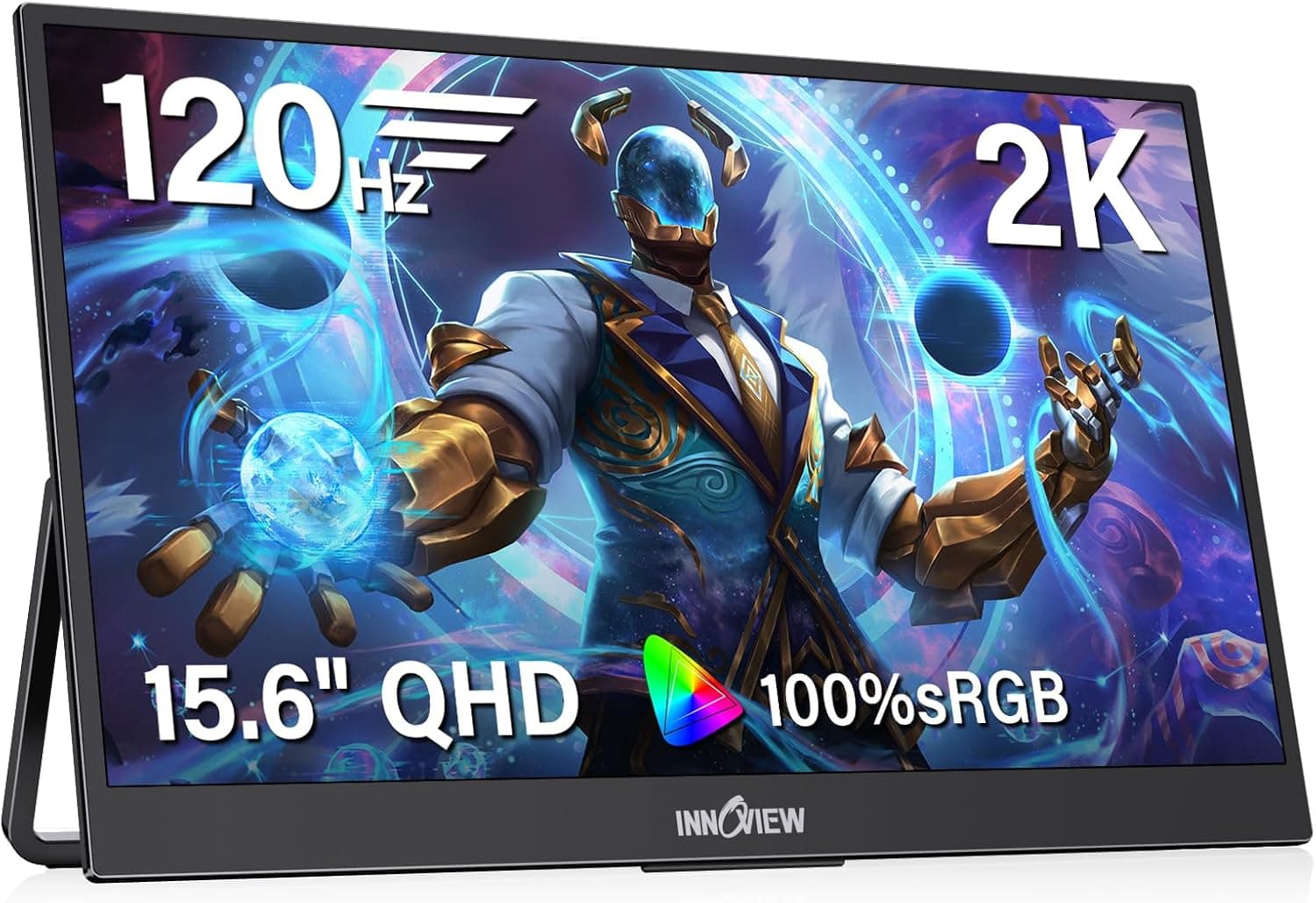
For the price, it's genuinely impressive — sharp 2K QHD resolution, 100% sRGB coverage, and FreeSync for smoother gaming. That said, seasoned reviewers caution it's not a true HDR display, and brightness is best suited to indoor use. On a sunny patio, expect some glare. Indoors for work, streaming, or gaming, most users call it a steal.
It's lightweight and travel-friendly, and the VESA mounting option is a nice bonus for desk setups. The built-in kickstand, however, is the weak spot — several users describe it as a bit flimsy and recommend a stand or VESA arm for stability. Toss it in a padded sleeve and it'll hold up fine on the go.
Yes, standard platform return policies apply, and most buyers report smooth resolutions for issues like dead pixels or connection problems. The most common regret isn't the monitor itself — it's forgetting the adapter. So before you buy, double-check your cables and charger, and you'll likely avoid the only real headache this product has.
同カテゴリーのレビュー数が多い類似商品より: KOORUI 24 Inch Gaming Monitor, 180Hz 1080P VA Display with 3000:1 Contrast
Yes — it's a native 180Hz panel, but you'll need to switch it on manually. Connect via the included HDMI cable (or a DisplayPort-capable setup), then set 180Hz in your GPU's display settings; it defaults to a lower refresh rate out of the box. Many Reddit and YouTube users note that enabling Adaptive Sync/FreeSync alongside it gives the smoothest experience, and it works with both AMD and NVIDIA cards.
The 3000:1 contrast gives noticeably deeper blacks than typical IPS budget monitors, which shines in dark game scenes and movies. For fast-paced competitive shooters, some TikTok and Reddit users mention mild ghosting/smearing in dark transitions — it's great for casual gaming, students, and office work, but color-critical creators or hardcore FPS players may prefer an IPS panel.
Correct, the included stand only tilts (-5° to 20°) and doesn't offer height, swivel, or pivot adjustment, and a few users find the base slightly wobbly. The good news: it's VESA 100×100mm compatible, so a monitor arm or desk mount solves ergonomics entirely — a popular fix among dual-monitor and dorm-room setups.
Budget monitors can vary unit to unit, and some buyers report stuck pixels or corner bleed — but KOORUI backs it with a 3-year manufacturer warranty. If your unit arrives defective, contact the seller for a replacement or refund promptly; most users who did so report a smooth resolution, so inspect the screen within the return window.
At around $120, it's widely praised as one of the best budget 180Hz options — ideal for students, casual gamers, home-office users, and compact or dual-monitor setups. Just set expectations: no built-in speakers, a single HDMI plus VGA, and basic ergonomics. If you need height adjustment, color accuracy, or built-in audio, consider spending more on an IPS alternative.
回答はメーカーの商品情報と分析対象のレビューの範囲に限られます。これらの情報源で裏付けられない質問には回答していません。
透明性のある設計