ユーザーが気に入っている点
Large immersive ultrawide screen
Several reviewers value the large ultrawide curved screen for productivity and gaming, with some calling the picture sharp and immersive.
購入に関する総合評価
Large immersive screen and smooth refresh please some, but image sharpness and color quality disappoint others.
Buyers wanting a large curved ultrawide for immersive gaming or general desk use who can accept some image-quality tradeoffs.
Buyers who need sharp text and accurate colors for daily productivity or color-sensitive work.
30秒でわかる要点
ユーザーが気に入っている点
Several reviewers value the large ultrawide curved screen for productivity and gaming, with some calling the picture sharp and immersive.
主な注意点
Several reviewers report disappointing image quality, including blurry text, poor colors, weak blacks, and occasional blackouts.
選ぶ前に
One reviewer using a MacBook Pro needed a separate USB-C adapter to connect the monitor, though a USB cable was included.
同カテゴリーのレビュー数が多い類似商品より: KOORUI 24 Inch Gaming Monitor, 180Hz 1080P VA Display with 3000:1 Contrast
ユーザーが気に入っている点
Several reviewers describe the monitor as a strong budget purchase, citing impressive specs for the money and satisfaction with gaming use.
主な注意点
Several reviewers report the monitor failing or coming apart after months to a couple of years, including a dead screen and a failing power cord.
選ぶ前に
Two reviewers note that setup benefits from adjusting settings in your GPU software, including color, brightness, and VRR.
商品説明
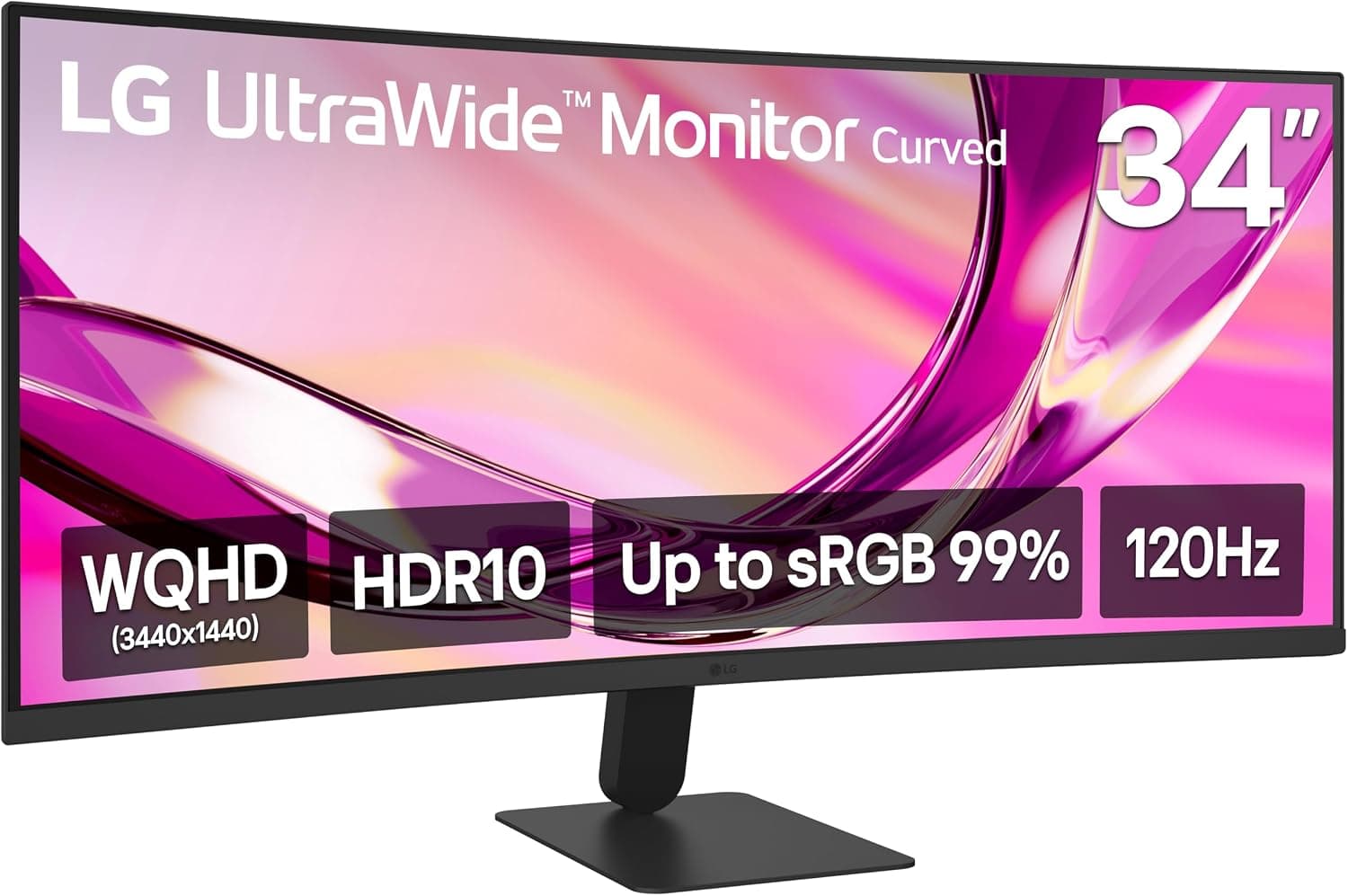
This LG UltraWide monitor is built to elevate productivity, creativity, and everyday comfort. Its expansive 34" 21:9 UltraWide WQHD (3440×1440) display gives you more room to multitask across multiple windows—reducing clutter and helping you stay focused. A subtle 1800R curve and slim, virtually borderless design create a more natural, distraction-free workspace. A 120Hz refresh rate¹ and 5ms response time keep visuals smooth and clear for video calls, streaming, and gaming. With up to 99% sRGB coverage and HDR10 support, content appears vibrant and consistent across documents, media, and HDR visuals. HDMI, DisplayPort, and headphone connections make it easy to connect multiple devices while keeping your desk clean and organized. Control two PCs with one monitor, keyboard, and mouse, and move files between systems with simple drag-and-drop—no extra hardware required. The Switch app enhances productivity by letting you split the screen into up to six sections, customize layouts, or launch video calls instantly with a hotkey. ¹Actual refresh rates may vary depending on computer graphics specifications and configurations. ²Software installation required. Visit Support on LG.com to download. Reader Mode reduces blue light with warmer tones for easier reading and browsing. The slim stand saves desk space, while height and tilt adjustment help you find a comfortable viewing position. One-click mounting makes setup quick and effortless.
トレードオフを比較
同じカテゴリの分析済み商品から無作為に選んでいます。商品が異なれば、単純に置き換えられるとは限りません。

acer Nitro 27” 4K UHD 3840 x 2160 Gaming IPS Monitor | AMD FreeSync Premium | Up to 160Hz Refresh Rate with DFR to FHD 320Hz| Up to 0.5ms | 1 x Display Port 1.4 & 2 x HDMI 2.1 Ports | VG270K V4bmiipx

KTC 32 Inch 240Hz Curved Gaming Monitor, 2K 1440P Computer PC Monitor 1000R

Acer 23.8in FHD 1920x1080 IPS 120Hz Office Monitor KB242Y G0bi
根拠を確認する
「分析対象」は真正性が確認されたことを意味しません。「フラグ付き」も捏造と証明されたことを意味しません。いずれも分析上の分類です。
参考として3件の抜粋を表示しています。レビュー全体ではありません。
Good size and specs, but disappointing image quality
“On paper, this monitor checks a lot of boxes. The 34-inch ultrawide format is great for productivity, 3440x1440 provides plenty of workspace, and the 120Hz refresh rate makes everything feel noticeably smoother than a standard 60Hz display. Unfortunately, the actual image quality is just okay. My biggest issue is with darker content. Blacks can look blurry or smeared, particularly when there's movement or when dark elements are displayed against lighter backgrounds. Text is another problem. It looks overly sharpened to my eyes, almost like there's a sharpening filter applied to everything. I tried adjusting the monitor settings, but I was never completely happy with how text looked. For a monitor I'd primarily use for productivity, that's difficult to ignore. The curved ultrawide format itself is nice, and having the extra horizontal space is genuinely useful for keeping multiple applications open. Overall, it's an okay monitor with appealing specifications, but the image quality keeps me from loving it. The blurry blacks and overly sharp-looking text are noticeable enough that I'd look at other options before buying it again.”
検出されたシグナル:具体的な記述:quantity, entity, comparison · 実体験に基づく自然な文章
Not sharp
“I was excited for the new larger display but unfortunately I am returning it. The colors are pretty bad regardless of which picture mode is selected and text is not sharp at all. I was planning on using this as a daily work monitor and having blurry text and color shift from side of the screen to the other will drive me crazy.”
検出されたシグナル:具体的な記述:scenario · 実体験に基づく自然な文章
No sound driver
“It does not have dirver to support Windows sound. The volumn setting is disalbe. I tried to find out the model number on the manual so that I can download the driver. The user manual does not mention the model of the product and there is no information on how to get the dirver. Very frustrating!!!!!!!!!!!”
検出されたシグナル:具体的な記述:entity, process · 実体験に基づく自然な文章
調べる手間をひとつ減らす
For a typical office or dimly lit room, yes—most users find it perfectly comfortable for work, streaming, and calls. Just temper expectations on HDR: at 250 nits it's a modest enhancement rather than a true HDR showcase, and plenty of Reddit and YouTube reviewers say the same. If you work next to a bright window or want punchy HDR, a brighter panel may suit you better.
You'll want a GPU that comfortably handles WQHD ultrawide and a DisplayPort connection for the smoothest path to 120Hz—HDMI can be more limiting depending on your hardware. A number of buyers noted they had to enable the higher refresh rate in their display settings, so double-check your cable and configuration. As LG notes, actual refresh rates vary with your graphics specs.
It works well once set up—you can control two PCs with one keyboard and mouse and drag files between them, plus split the screen into multiple layouts. The catch, which TikTok and forum users often mention, is that it requires installing the LG Switch app and a bit of initial configuration. It's not quite plug-and-play, but most find it worth the short setup.
It depends on your use. For productivity, browsing, and casual gaming, most users are happy, and Black Stabilizer helps in dark scenes. That said, fast-paced dark gameplay can show some smearing, and colors shift if you sit far off-center—common VA traits. If you're a competitive gamer or need IPS-level color accuracy off-axis, consider an IPS alternative.
The slim stand offers height and tilt adjustment and saves desk space, but it doesn't swivel—several wide-monitor owners ended up adding a VESA arm for that flexibility. Mounting is straightforward thanks to one-click setup, so if swivel matters to you, a monitor arm is an easy fix.
同カテゴリーのレビュー数が多い類似商品より: KOORUI 24 Inch Gaming Monitor, 180Hz 1080P VA Display with 3000:1 Contrast
Yes — it's a native 180Hz panel, but you'll need to switch it on manually. Connect via the included HDMI cable (or a DisplayPort-capable setup), then set 180Hz in your GPU's display settings; it defaults to a lower refresh rate out of the box. Many Reddit and YouTube users note that enabling Adaptive Sync/FreeSync alongside it gives the smoothest experience, and it works with both AMD and NVIDIA cards.
The 3000:1 contrast gives noticeably deeper blacks than typical IPS budget monitors, which shines in dark game scenes and movies. For fast-paced competitive shooters, some TikTok and Reddit users mention mild ghosting/smearing in dark transitions — it's great for casual gaming, students, and office work, but color-critical creators or hardcore FPS players may prefer an IPS panel.
Correct, the included stand only tilts (-5° to 20°) and doesn't offer height, swivel, or pivot adjustment, and a few users find the base slightly wobbly. The good news: it's VESA 100×100mm compatible, so a monitor arm or desk mount solves ergonomics entirely — a popular fix among dual-monitor and dorm-room setups.
Budget monitors can vary unit to unit, and some buyers report stuck pixels or corner bleed — but KOORUI backs it with a 3-year manufacturer warranty. If your unit arrives defective, contact the seller for a replacement or refund promptly; most users who did so report a smooth resolution, so inspect the screen within the return window.
At around $120, it's widely praised as one of the best budget 180Hz options — ideal for students, casual gamers, home-office users, and compact or dual-monitor setups. Just set expectations: no built-in speakers, a single HDMI plus VGA, and basic ergonomics. If you need height adjustment, color accuracy, or built-in audio, consider spending more on an IPS alternative.
回答はメーカーの商品情報と分析対象のレビューの範囲に限られます。これらの情報源で裏付けられない質問には回答していません。
透明性のある設計