ユーザーが気に入っている点
Crisp screen and responsive touch
Reviewers praise the clear 1024x600 IPS picture, good viewing angles, and smooth, accurate touchscreen, often calling it great value for the price.
30秒でわかる要点
ユーザーが気に入っている点
Reviewers praise the clear 1024x600 IPS picture, good viewing angles, and smooth, accurate touchscreen, often calling it great value for the price.
主な注意点
One reviewer reported "No Signal" on two separate identical monitors despite trying multiple HDMI and power cables, and another had a faulty screen that required replacement.
選ぶ前に
Reviewers note that this 7-inch model differs from the 10-inch version (which may not include a case), and that the included Micro-USB cable is a weak point, so confirm the exact model and accessories before buying.
同カテゴリーのレビュー数が多い類似商品より: KOORUI 24 Inch Gaming Monitor, 180Hz 1080P VA Display with 3000:1 Contrast
ユーザーが気に入っている点
Several reviewers describe the monitor as a strong budget purchase, citing impressive specs for the money and satisfaction with gaming use.
主な注意点
Several reviewers report the monitor failing or coming apart after months to a couple of years, including a dead screen and a failing power cord.
選ぶ前に
Two reviewers note that setup benefits from adjusting settings in your GPU software, including color, brightness, and VRR.
まずは利用シーンから
35件中182件の言及がネガティブな経験を示しています(19%)。
31件中104件の言及がネガティブな経験を示しています(30%)。
22件中100件の言及がネガティブな経験を示しています(22%)。
16件中91件の言及がネガティブな経験を示しています(18%)。
7件中75件の言及がネガティブな経験を示しています(9%)。
1件中62件の言及がネガティブな経験を示しています(2%)。
16件中59件の言及がネガティブな経験を示しています(27%)。
30件中75件の言及がネガティブな経験を示しています(40%)。
1件のレビューが複数のトピックに言及することがあります。割合は分析対象としたレビューについてのもので、全購入者や商品全体の故障率を表すものではありません。
トレードオフを比較
同じカテゴリの分析済み商品から無作為に選んでいます。商品が異なれば、単純に置き換えられるとは限りません。

LG 34G630A-B 34-Inch Ultragear WQHD (3440 x 1440) Curved Gaming Monitor, 240Hz, 1ms, FreeSync Premium, DisplayHDR 400, Built-in Speaker, HDMI, DisplayPort, USB Type-C, Tilt/Height/Swivel Stand, Black
Laptop Screen Extender 15.6", 5 Modes & Detachable Slim Portable Monitor

KEFEYA Laptop Screen Extender, 14" Portable Monitor for Laptop, 1440P QHD Triple Screen Monitor Extender for 13"-17" Laptops, HDMI/USB-C for MacBook, Windows, Chrome, Switch, Plug & Play
根拠を確認する
「分析対象」は真正性が確認されたことを意味しません。「フラグ付き」も捏造と証明されたことを意味しません。いずれも分析上の分類です。
参考として3件の抜粋を表示しています。レビュー全体ではありません。
touch function does not work - resolution pends... RESOLVED
“original 3-star review: seems to work well in all respects apart from the touch function. yes, i removed the protective film and, yes, both 5v inputs are powered. i have email'd the mfg - resolution pends... UPDATE: Sun Jan 19 16:19:33 EST 2020 OK... it works. my bad - connection issue. on receiving an email from the mfg/cust support, i was advised to "please connect to Pi3B+ as the attached manual". tl;dr i'm using an R Pi 3B+ with OpenAuto running on Raspbian and i intend to mount it in an '04 ford ranger. the "quick start guide" is not terribly useful. less than useful, actually, and there is no other documentation. the display is bright, crisp and clear, and the touch function works quite well. read on for full disclosure. the unabridged version: as mentioned, the enclosed directions aren't all that great. under the 3 line paragraph marked "to use it as a touch screen for the R Pi, you may need:". here, it shows a picture of the enclosed FPC cable with the caption, "an fpc cable, to connect your R Pi to this touch screen". in their defense, there is another pic of a Pi (only) with 3 cables attached, with a caption, "to use it as a standard monitor..." wherein it indicates 3 cables are required including a note to connect the "5V+ Touch" to "your connected device". off to youtube. i found a review of the lebula display on the first search, but is was completely useless. quite by accident, i discovered another video (https://www.youtube.com/watch?v=_HUt6tRReEQ) for the UPerfect display but it appears to be exactly the same as this touch screen. in case the link is redacted, the video may be found at the standard youtube url with the id "v=_HUt6tRReEQ". unfortunately for most readers here, it's in german, but it is visually very clear and the german-impaired (myself included) may simply view a few spots in the video for the complete info: connection of rpi connections to display starts at 8:30 closeup of almost complete wiring at 9:30 complete wiring at 9:45 its made by EddyD's SmartHome. Danke für das Video, EddyD. note that this video shows a connection scheme using an included cable (there are several) marked, "gift- 3pin power cable for the R Pi" and a very short micro-usb-to-usb-A cable. and, of course, the FPC cable. if you're not familiar with one or more of these, watch more of the video. eureka. size info - useful if you have a place in mind to mount it: actual screen dimensions (excluding mounting tabs): 4.2 x 6.5 inches, diagonally: 7.7 overall dimension: 6.5 x 4.75 4 mounting tabs which extend the height by 0.375 each. thickness with R Pi attached: ~1.25" the indicated resolution is 1024 x 600 but the description on the amazon page says it supports 1280 x 1024. there is no mention of this in the quick start guide. it comes with a 5v 3a power brick (approx 2" x 1.6" x 1") which may be a switching PS as it does not get very warm, at least after approx 30 min use. under actual operation it uses approx 0.9a at 5.1v (approx 4 and a half watts). it did hit 1.2a very briefly during boot. my Pi displayed the "lightning bolt" using the above described connection arrangement - it may require it's own power supply. the warranty (as advertised on the QSG): 30 day return 60 day replacement 12 mo warranty 24 hr cust svc via email life-time after sale service summary and conclusions: i've had the display power'd up for only an hour or so, so i can't speak to reliability, but it behaves as advertised - bright, clear, responsive, apparently well built. there are several cables which are included eg., hdmi-hdmi, usb-micro-usb, FPC. there are adjustments for brightness, contrast, color temp, etc. i have no idea if the power brick will behave above 1 amp, but it behaved well for my purposes. i will be powering it using the DROK 90483 8A 100W DC Car Power Supply (amazon page https://smile.amazon.com/gp/product/B00C4QVTNU/ref=ppx_yo_dt_b_asin_title_o04_s00?ie=UTF8&psc=1). unless i have issues in the near future, i plan to purchase at least 2 more units. the pic is a capture from the vid - hope you don't mind EddyD. :-)”
検出されたシグナル:具体的な記述:process, entity · 言及トピック:touch sensitivity, functionality, setup · 実体験に基づく自然な文章
Fantastic screen, even more fantastic with the extra cables included. Great value
“This is a great little screen. After reviewing a few different options for panels, I decided on the 1024x600 resolution instead of the official Pi screen (800x480). This display wasn't the least expensive, but was reasonably priced and had great reviews. Some of the earlier reviews commented on the extra cables sent later. The package I got had all the extra cables included, and they are fantastic for providing a clean interface (just power) and cable management. I plugged it all in, and powered it up and eventually (with 10min of troubleshooting, see below) got it up and running. Some pointers: - I initially powered the Pi from a spare USB port on my computer, and powered the display from the Pi. The display initially flickered on with the Raspberry Pi logo, and the Pi booted, but the display remained black. I could see on the bottom of the display that the backlight was trying to power on, and per the instructions (Q1 Screen shows no signal), it recommended using the power supply provided. Sure enough, separately powering the screen made it work. A bit more tweaking, I am now powering the Pi with the power supply provided, and using the Pi to power the screen through the GPIO pins (and included connector) and it works great. - I also had a bit of display flickering where it looked like the resolution was struggling; after reseating the provided HDMI flat cable into the display connector, it cleared up, and everything works great. There were a few comments that the provided HDMI flat cable had to twist to connect to the Pi HDMI output; I laid mine down flat on the display PCB, with a 90 degree twist that was tucked under the Pi HDMI connector, and it's clean and unobtrusive. - The Pi Display resolution in preferences is set to "Default - preferred monitor settings, and using the Touchscreen display menu (buttons are on the back of the display), and information setting, it is showing 1360x768 @ 60Hz, even better than the advertised 1024x600 resolution - The touchscreen was plug-and-play; I plugged the provided connector into the display and the other end into one of the Pi's USB ports, and it just worked. Other notes - the display stand is nice aluminum, not plastic. Overall, a fantastic product, well thought out and well put together, great value”
検出されたシグナル:具体的な記述:quantity, entity, comparison · 言及トピック:value for money, cables, picture quality · 実体験に基づく自然な文章
"No Signal" on TWO separate and identical monitors in March 2025
“"No signal" sums-up my experience with this unit. Item wont work with any HDMI sources that I plug into it, tried multiple HDMI cables, multiple power cables, multiple power adapters (including of course the items that came with the unit). Purchased my unit in March 2025. Super annoyed, but I liked the design of this monitor so I tried to exchange it for another identical unit; expecting the new replacement unit to work and that my first purchase was just a fluke...no, the second identical replacement unit also not working!... "No Signal" is all I see, and then it powers off. When thru instructions and documentation, checked all ribbon cables to ensure they were seated nicely...nothing helps, no sign of shipping damage or broken PCB. First unit reads on the PCB board that it was assembled on Dec 6 2024, and the 2nd replacement unit says assembled on December 13, 2024...they must have had a bad run in manufacturing in December of 2024.... How the manufacturer is still not yet aware of a bad batch considering how many units Amazon shows they've sold this month surprises me, or perhaps the manufacturer is aware of bad units and just hasn't proactively replaced the units in the Amazon inventory and would rather customers have to waste time and money dealing with replacement units and exchanges...all of which is frustrating. I went and purchased a similar designed monitor from a competitor and it works perfectly fine, but the frustrating thing with that other unit is it has no power button. I really WISH that these units that I purchased would have worked; they feel and look like good quality, and I really like the power/menu/up/down buttons on the back of the unit, and this monitor is thinner than the competitor model that's working just fine for me. If either of these units worked properly then I would have been really pleased with them. Unfortunately I have to return both of these units now and wait for the refund, which doesn't make me a happy camper. One unit not working isnt great, but understandable, two units from two separate purchases both being bad and on different manufacturing dates is not cool. I'm an IT engineer by profession and I know what I'm doing, I'm not just some n00b that is making some mistake on my end.”
検出されたシグナル:具体的な記述:quantity, entity, process · 言及トピック:compatibility, cables, functionality · 実体験に基づく自然な文章
調べる手間をひとつ減らす
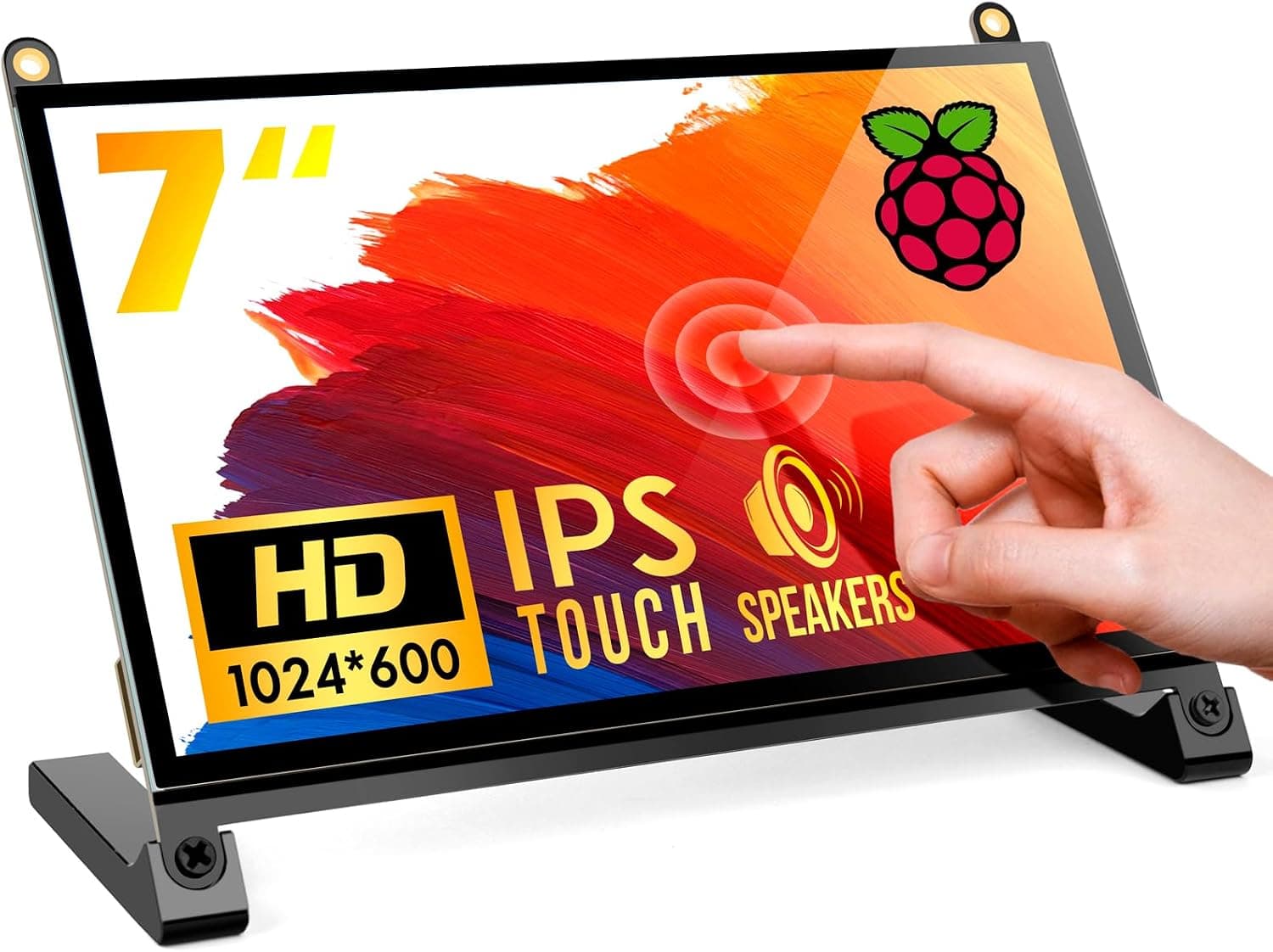
The manufacturer states it is driver free and plug and play with no additional drivers needed, and one reviewer confirmed the touch function worked after resolving a connection issue. Another reviewer described the touchscreen as smooth and accurate with multi-touch gesture support.
It has a 1024x600 IPS resolution, which the manufacturer notes is a clear upgrade from basic 800x480 displays. One reviewer specifically chose this 1024x600 panel over the official Pi screen's 800x480 and was pleased with the crisp picture.
The listing says it works with Raspberry Pi 5/4/3/Zero/400, Banana Pi, Retro Pi, and Windows, Linux, and macOS systems. However, one reviewer reported getting "No Signal" with multiple HDMI sources and cables on two separate units.
The listing mentions gift cables including a 3-Pin GPIO cable, HDMI ribbon cable, and a tiny USB cable for a clean setup. One reviewer praised the extra cables as adding great value, while another found the included Micro-USB cable disappointing.
Reviewers repeatedly described it as a great little screen for a great price and great value, with one noting it was reasonably priced and had great reviews. The manufacturer also offers customization and bulk order options.
同カテゴリーのレビュー数が多い類似商品より: KOORUI 24 Inch Gaming Monitor, 180Hz 1080P VA Display with 3000:1 Contrast
Yes — it's a native 180Hz panel, but you'll need to switch it on manually. Connect via the included HDMI cable (or a DisplayPort-capable setup), then set 180Hz in your GPU's display settings; it defaults to a lower refresh rate out of the box. Many Reddit and YouTube users note that enabling Adaptive Sync/FreeSync alongside it gives the smoothest experience, and it works with both AMD and NVIDIA cards.
The 3000:1 contrast gives noticeably deeper blacks than typical IPS budget monitors, which shines in dark game scenes and movies. For fast-paced competitive shooters, some TikTok and Reddit users mention mild ghosting/smearing in dark transitions — it's great for casual gaming, students, and office work, but color-critical creators or hardcore FPS players may prefer an IPS panel.
Correct, the included stand only tilts (-5° to 20°) and doesn't offer height, swivel, or pivot adjustment, and a few users find the base slightly wobbly. The good news: it's VESA 100×100mm compatible, so a monitor arm or desk mount solves ergonomics entirely — a popular fix among dual-monitor and dorm-room setups.
Budget monitors can vary unit to unit, and some buyers report stuck pixels or corner bleed — but KOORUI backs it with a 3-year manufacturer warranty. If your unit arrives defective, contact the seller for a replacement or refund promptly; most users who did so report a smooth resolution, so inspect the screen within the return window.
At around $120, it's widely praised as one of the best budget 180Hz options — ideal for students, casual gamers, home-office users, and compact or dual-monitor setups. Just set expectations: no built-in speakers, a single HDMI plus VGA, and basic ergonomics. If you need height adjustment, color accuracy, or built-in audio, consider spending more on an IPS alternative.
回答はメーカーの商品情報と分析対象のレビューの範囲に限られます。これらの情報源で裏付けられない質問には回答していません。
透明性のある設計