ユーザーが気に入っている点
Crisp, lightweight, easy to connect
Reviewers consistently praise the clear, sharp picture quality and lightweight, portable build. Many also highlight how easy it is to connect and set up, often working with a single USB-C cable.
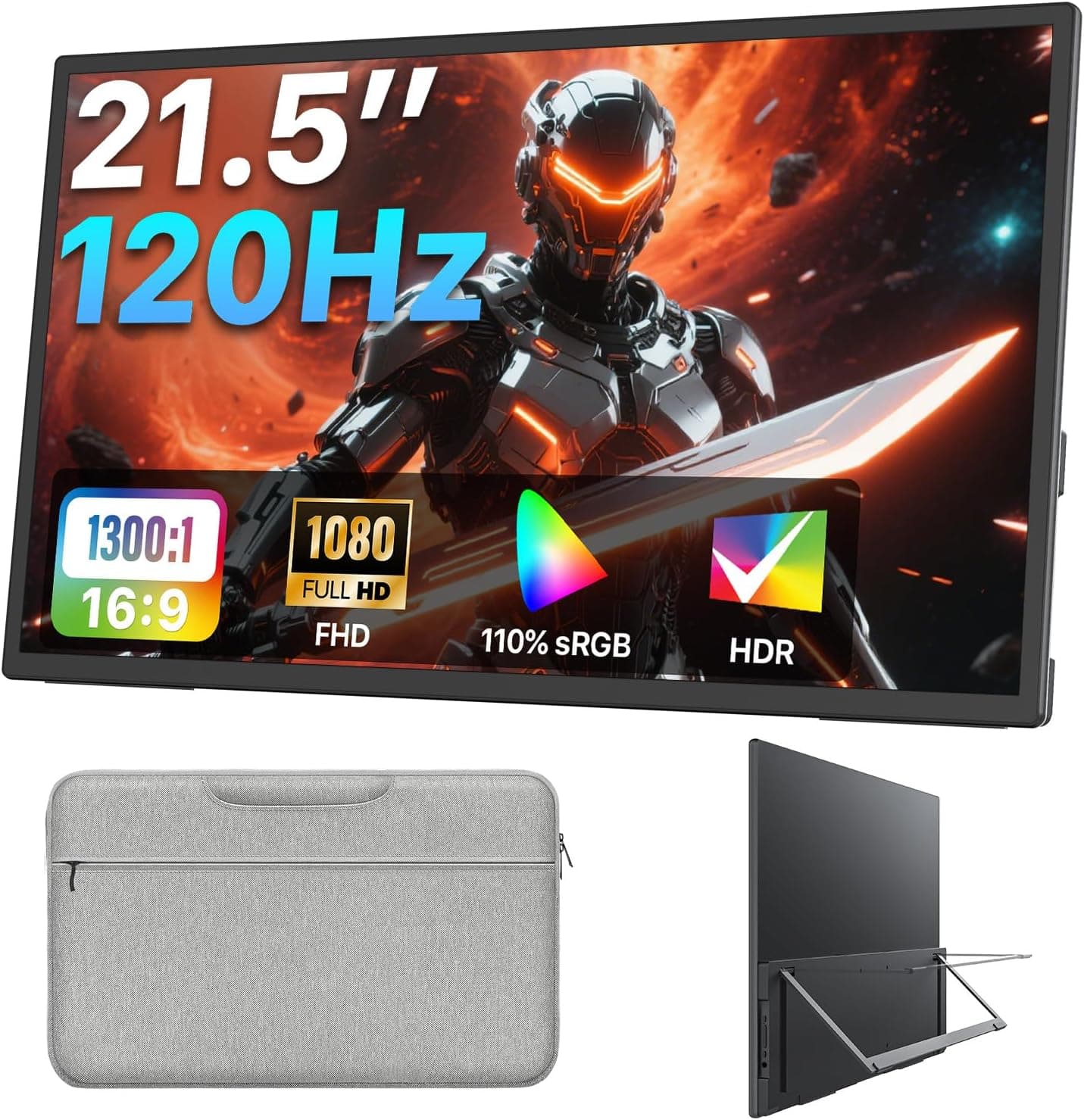
30秒でわかる要点
ユーザーが気に入っている点
Reviewers consistently praise the clear, sharp picture quality and lightweight, portable build. Many also highlight how easy it is to connect and set up, often working with a single USB-C cable.
主な注意点
One reviewer reported that when plugging in a phone, the monitor clicks on and off, though they were still investigating whether it was the product or phone settings.
選ぶ前に
Reviews mention different sizes and resolutions, so confirm the exact model and resolution you want. Also check your device's USB-C video support, since older PCs may need an HDMI splitter or adapter.
同カテゴリーのレビュー数が多い類似商品より: KOORUI 24 Inch Gaming Monitor, 180Hz 1080P VA Display with 3000:1 Contrast
ユーザーが気に入っている点
Several reviewers describe the monitor as a strong budget purchase, citing impressive specs for the money and satisfaction with gaming use.
主な注意点
Several reviewers report the monitor failing or coming apart after months to a couple of years, including a dead screen and a failing power cord.
選ぶ前に
Two reviewers note that setup benefits from adjusting settings in your GPU software, including color, brightness, and VRR.
まずは利用シーンから
11件中591件の言及がネガティブな経験を示しています(2%)。
13件中367件の言及がネガティブな経験を示しています(4%)。
8件中349件の言及がネガティブな経験を示しています(2%)。
9件中251件の言及がネガティブな経験を示しています(4%)。
27件中229件の言及がネガティブな経験を示しています(12%)。
5件中204件の言及がネガティブな経験を示しています(2%)。
1件中187件の言及がネガティブな経験を示しています(1%)。
12件中173件の言及がネガティブな経験を示しています(7%)。
1件のレビューが複数のトピックに言及することがあります。割合は分析対象としたレビューについてのもので、全購入者や商品全体の故障率を表すものではありません。
トレードオフを比較
同じカテゴリの分析済み商品から無作為に選んでいます。商品が異なれば、単純に置き換えられるとは限りません。

KEFEYA Laptop Screen Extender, 14" FHD 1080P IPS Laptop Monitor Extender Dual Screen, Portable Monitor for Laptops 13-17" with USB-C/HDMI Port, Plug n Play for Windows/Mac/Android/Switch/PS5

ForHelp 15.6inch Portable Monitor,1080P USB-C HDMI Second External Monitor for Laptop,PC,Mac Phone,PS,Xbox,Swich,IPS Ultra-Thin Zero Frame Gaming Display/Premium Smart Cover

Alienware 27 Gaming Monitor AW2725DM, WQHD Fast IPS, 180Hz, G-SYNC, VESA
根拠を確認する
「分析対象」は真正性が確認されたことを意味しません。「フラグ付き」も捏造と証明されたことを意味しません。いずれも分析上の分類です。
参考として3件の抜粋を表示しています。レビュー全体ではありません。
Need a quality portable monitor as your second screen when you are on the road?
“This is the portable monitor you are looking for! I was skeptical at first. There are just too many reviews of portable monitors turning out to be complete e-waste for this sub $100 price range. But I really needed a second screen when I travel. Gave this a tried as it is featured prominently on the Amazon holiday sales page. I am quite pleased with the quality. I am writing this review as I am watching a streamed movie on the Upperizon Portable Monitor. Its 300 nits, at 50% brightness, provides a bright and highly viewable picture in a bightly lit room. I don't know how it will fair in direct sunlight until tomorrow. Horizontal and verticle viewing angles are wide, but best at no more than 45 degrees from direct center. The anti-glare coating is passable, much worse than my 6 years old laptop, so take heed of external light sources on how you plan on setting this Upperizon Portable Monitor. There are actual speakers on this external monitor. But it is at best, able to achieve 40% loudness of the built-in speakers on my 6 years old laptop. Overall, for less than $70, the ultra light weight, and the quite acceptable visual of this portable monitor, this is a good investment if you need an afforable option to give yourself 2x your laptop screen to increase your productivity while you are traveling. Now 🤞🤞🤞 on whether this will stand up to the rigor of life on the road.”
検出されたシグナル:具体的な記述:quantity, scenario, comparison · 言及トピック:quality, portability, value for money · 実体験に基づく自然な文章
the best portable Monitor ive ever had
“I have owned this monitor for 3 and a half years now and it is fantastic.. I havr the 4K 15.6" version of it. on my macbook pro and it didnt need any drivers, it just comes right up, it will power itself and provide true 4K data from a single USB-C port and giove you brightness thats easily workable indoors in a well-lit room or outdoors in the shade. if you use a USB-C PD (30 watt or above PD) power bank and plug it into the second USB C port you will see the screen get noticeably brighter and be workable even in bright outdoor conditions (almost no computer is compldetely visible in direct sun). Ive had zero issues with reliability.. I travel with it often and carry it in my backpack on walks its been durable. , since i use it for work I dont know latency as im not a gamer.. it plays youtibe videos fine and is excellent for wiriting code as the screen is very crisp s oeve nin small fonts it looks great.”
検出されたシグナル:具体的な記述:quantity, entity, scenario, process · 言及トピック:connectivity, easy to set up, picture quality, portability · 実体験に基づく自然な文章
Excellent Portable Monitor – Great Support and Easy Setup
“This portable monitor works perfectly and looks fantastic. I’m using it with an older desktop PC where the USB-C port does not support video output, and I only have a single HDMI port that my primary monitor already uses. I solved this by using an HDMI splitter, and everything runs smoothly without any issues. If you’re using a newer PC with USB-C video support, you likely won’t run into this situation at all. I also contacted customer support with a question and received a response the very same day, which was impressive. The screen is crisp, the colors are vibrant, and the overall build quality feels solid. It’s lightweight, easy to transport, and perfect for anyone needing a second screen on the go. I highly recommend this monitor.”
検出されたシグナル:具体的な記述:entity, scenario, process · 言及トピック:connectivity, easy to set up, functionality · 実体験に基づく自然な文章
調べる手間をひとつ減らす
According to the manufacturer, Android phones work via the original USB-C cable for models such as Samsung S8 through S22 series, Note8 through Note20, Galaxy Fold, Z Fold 2/3/4, and Google Pixel 8/9 series; other phones need an HDTV cable, and you should connect the monitor to power to avoid power shortage.
The manufacturer states it is compatible with the original Switch, but is NOT compatible with the new Switch 2 via USB-C; for Switch 2 you must connect the monitor to the HDMI port on the Switch 2's dock and use the original power adapter to power the monitor.
Per the manufacturer, iPhone 15, 16, and 17 series (excluding iPhone 16e and 17air) work with the monitor using the original monitor USB-C cable, while iPhones before the 15 series (e.g. iPhone 13) need an Apple Lightning Digital AV Adapter, and you should use the original power adapter to power the monitor.
The manufacturer advises using the original power adapter included in the package to power the monitor for flickering, and for a dim or blurry screen, resetting the monitor in the OSD menu, then increasing brightness and adjusting the resolution as needed.
Reviewers describe it as lightweight and portable, with one noting it is easy to just plug their laptop in and use on the go while traveling for work, and another saying it is easy to get connected and start using.
同カテゴリーのレビュー数が多い類似商品より: KOORUI 24 Inch Gaming Monitor, 180Hz 1080P VA Display with 3000:1 Contrast
Yes — it's a native 180Hz panel, but you'll need to switch it on manually. Connect via the included HDMI cable (or a DisplayPort-capable setup), then set 180Hz in your GPU's display settings; it defaults to a lower refresh rate out of the box. Many Reddit and YouTube users note that enabling Adaptive Sync/FreeSync alongside it gives the smoothest experience, and it works with both AMD and NVIDIA cards.
The 3000:1 contrast gives noticeably deeper blacks than typical IPS budget monitors, which shines in dark game scenes and movies. For fast-paced competitive shooters, some TikTok and Reddit users mention mild ghosting/smearing in dark transitions — it's great for casual gaming, students, and office work, but color-critical creators or hardcore FPS players may prefer an IPS panel.
Correct, the included stand only tilts (-5° to 20°) and doesn't offer height, swivel, or pivot adjustment, and a few users find the base slightly wobbly. The good news: it's VESA 100×100mm compatible, so a monitor arm or desk mount solves ergonomics entirely — a popular fix among dual-monitor and dorm-room setups.
Budget monitors can vary unit to unit, and some buyers report stuck pixels or corner bleed — but KOORUI backs it with a 3-year manufacturer warranty. If your unit arrives defective, contact the seller for a replacement or refund promptly; most users who did so report a smooth resolution, so inspect the screen within the return window.
At around $120, it's widely praised as one of the best budget 180Hz options — ideal for students, casual gamers, home-office users, and compact or dual-monitor setups. Just set expectations: no built-in speakers, a single HDMI plus VGA, and basic ergonomics. If you need height adjustment, color accuracy, or built-in audio, consider spending more on an IPS alternative.
回答はメーカーの商品情報と分析対象のレビューの範囲に限られます。これらの情報源で裏付けられない質問には回答していません。
透明性のある設計