What people like
Good image and brightness
One reviewer found the image and brightness good, and another was happy with the performance monitor after wanting one for a while.
The 30-second read
What people like
One reviewer found the image and brightness good, and another was happy with the performance monitor after wanting one for a while.
The main watch-out
Multiple reviewers report the screen not working, not being recognized, or stopping after two months, and one received a used, poorly packed item.
Before you choose
One reviewer says the screen is barely 8 inches despite the 11.26-inch listing and that no cables were included; another notes side ports and recommends 90-degree adapters.
From a similar, more-reviewed product in this category: Acer EK241Y Gbi 24in IPS FHD 1920 x 1080 120Hz 1ms Frameless Gaming Monitor with Freesync and Ergonomic Tilt 1 x HDMI & 1 x VGA (HDMI Cable Included)
What people like
Reviewers repeatedly praise the monitor as high quality for the price, with clear IPS picture and smooth 120Hz performance.
The main watch-out
One reviewer was disappointed by the flimsy base held with plastic clips, external power adapter, and frustrating on-screen controls.
Before you choose
Reviews mention using it for daily gaming, work, browsing, and videos, so consider whether its features fit your setup.
Your use case first
1 of 9 mentions describe a negative experience (11%).
1 of 5 mentions describe a negative experience (20%).
6 of 9 mentions describe a negative experience (67%).
One review can mention several topics. Percentages describe the reviews we analysed, not all buyers or the product's overall failure rate.
From a similar, more-reviewed product in this category: Acer EK241Y Gbi 24in IPS FHD 1920 x 1080 120Hz 1ms Frameless Gaming Monitor with Freesync and Ergonomic Tilt 1 x HDMI & 1 x VGA (HDMI Cable Included)
6 of 65 mentions describe a negative experience (9%).
7 of 39 mentions describe a negative experience (18%).
4 of 21 mentions describe a negative experience (19%).
2 of 10 mentions describe a negative experience (20%).
0 of 6 mentions describe a negative experience (0%).
6 of 6 mentions describe a negative experience (100%).
5 of 5 mentions describe a negative experience (100%).
Compare the trade-offs
A random selection of analyzed products from the same category. Different products are not necessarily interchangeable.

Dell 27 Plus QHD USB-C Monitor S2725DC, QHD IPS Panel, 144Hz, 1ms, FreeSync | Anti-Glare, 99% sRGB, 1500:1 Contrast, Dual 3W Speakers, USB-C 65W PD, Height-Adjustable, VESA 100x100

Yodoit Portable Monitor for Laptop 1920×1080 14" FHD Travel Monitor IPS Screen Display with USB Type C Port and Built-in Speakers with Cover Monitor Compatible with PC, MacBook, Xbox

Acer EK241Y Gbi 24in IPS FHD 1920 x 1080 120Hz 1ms Frameless Gaming Monitor with Freesync and Ergonomic Tilt 1 x HDMI & 1 x VGA (HDMI Cable Included)
Check the evidence
Included does not mean verified authentic. Flagged does not mean proven fake. These are analytical classifications.
Showing 3 illustrative excerpts, not the complete review set.
Always wanted to get one of these
“So, I've seen these little "performance" monitor screens many times in case builds or just on peoples desks and such and they look like fun little toys. Finally decided to buy one and I'm happy with it. As the description indicates it has a 1920x440 resolution (note this model is not a touch screen model). You power it via USB-C, but the video signal only goes out HDMI, so you'll also need a mini-HDMI to HDMI cable (it comes with one for you) to connect it to your computer. Hook it up and it shows up as another screen on your computer, just like any other monitor. Position it as desired with Windows display settings, it starts in landscape mode by default, but depending on what you're doing, portrait mode may make more sense. One thing I might recommend, depending on where you have this is some 180 connector adaptors for the USB-C and Mini-HDMI so the cables plug in "behind" the screen. Oh, and note that it does have VESA mounting, it's a smaller version of VESA than what your standard monitor uses, but gives options. It should work fine and be compatible with any computer, or like a Raspberry Pi or something. Probably not great for using with a game console though. I set it up and ended up using not the app they mention but used InfoPanel instead, in conjunction with HWiNFO. That's what is in my photos. Obviously, a very rough draft of anything, I'll probably eventually find someone's templates and work off those to make whatever I decide to go for. I also experimented with using Wallpaper Engine and that was fun too. Could set up those little avatars that just sorta move around on the screen with that if you were interested in doing such.”
Signals matched: Specific detail: quantity, entity, process · Mentions: functionality · Reads as an authentic voice
Good overall, some major flaws in cables and input.
“Good image, good brightness, but a little reflective. It doesn't have a stand, but has holes in the back to print anything for it. The cables make it look very bad, so to prevent this, I would highly suggest anyone buying this to also buy a 90 degree cable/adapter for the hdmi and usb. So that they do not stick out into your setup. I can't seem to change the brightness of the screen, but since it is so "small" it doesn't really matter that much :) Great display for showing things like calendar, gmail, discord, stream chat, stock market- anything like that! Bonus is that it also has great viewing angles. One cable is also white, not nice for the final finish. Sellers of this item, consider changing out the cables to what I just suggested! :)”
Signals matched: Specific detail: scenario, process · Mentions: brightness, functionality · Reads as an authentic voice
Didn't power on and bad asthetics
“Besides the fact that it wouldn't turn on out of the box and I had to return it, here's my 2 cents. Having the ports on the side really messes with the asthetic in front of my monitors. I know you can use those 9 degree adapter. However, for a product clearly about adding that "coolness" factor to your desk, having those wires sticking out on the side is ridiculous.”
Signals matched: Specific detail: scenario · Mentions: functionality · Reads as an authentic voice
One less thing to search
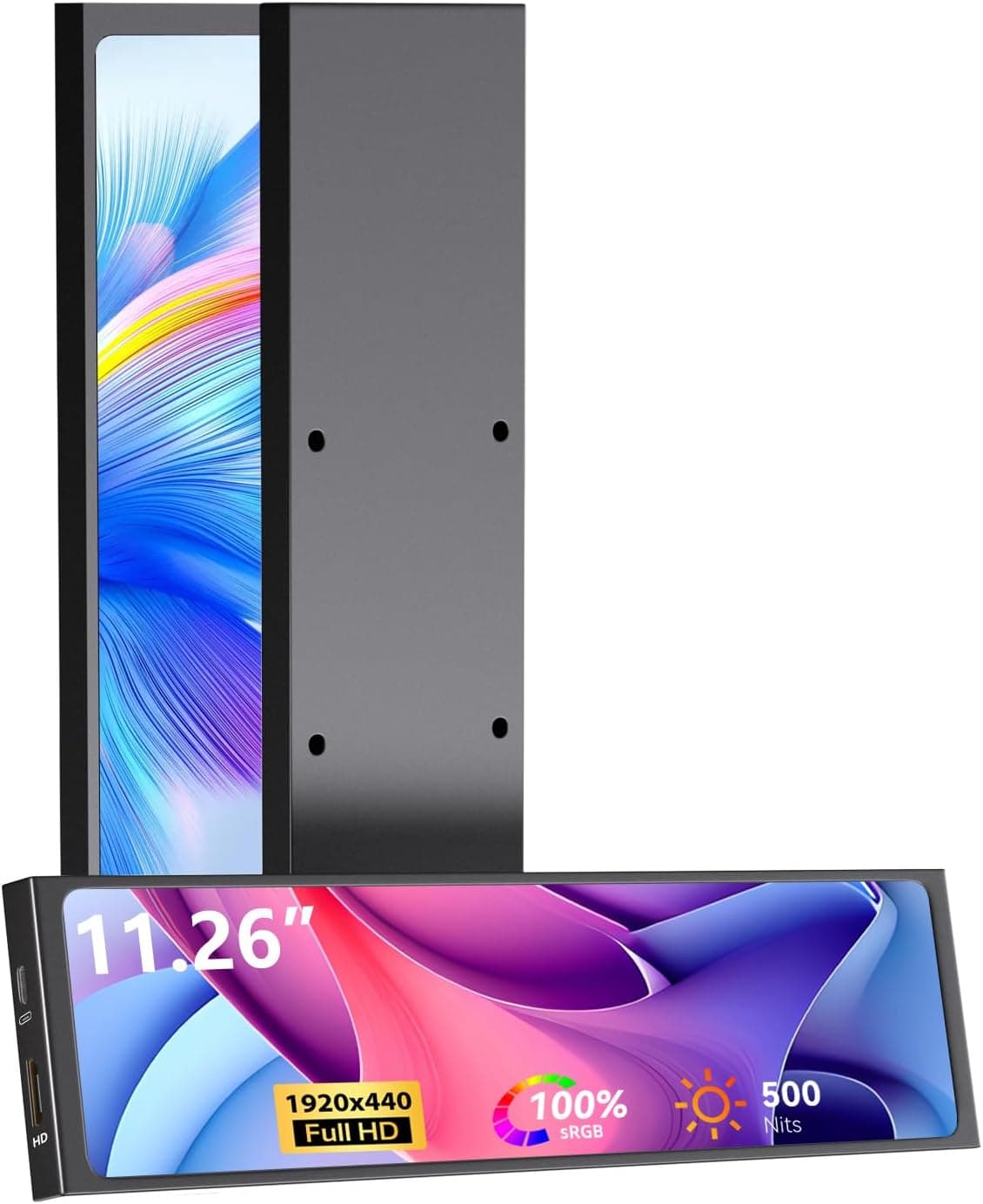
The manufacturer states the Type-C port on this model is only used for power supply, and video transmission requires an HDMI interface. One reviewer also noted that you power it via USB-C but the video signal only goes through HDMI.
The listing describes it as FHD 1920x440, and a reviewer confirmed the description indicates a 1920x440 resolution.
No. A reviewer noted this model is not a touch screen model, and another reviewer described receiving a monitor with no touch.
The listing states 500 nits high brightness with an anti-glare coating. One reviewer described good brightness but found it a little reflective.
The listing says yes, as long as your laptop Type-C port supports 5V/2A (15W) or above output, and recommends an external power adapter if power consumption is high.
From a similar, more-reviewed product in this category: Acer EK241Y Gbi 24in IPS FHD 1920 x 1080 120Hz 1ms Frameless Gaming Monitor with Freesync and Ergonomic Tilt 1 x HDMI & 1 x VGA (HDMI Cable Included)
The Acer EK241Y Gbi has a 23.8-inch IPS display with a 1920 x 1080 Full HD resolution and a 16:9 aspect ratio.
Yes, the listing states it features AMD FreeSync, which syncs the monitor's frames with the graphics card's frames to eliminate screen tearing.
Reviewers describe the IPS display as clear with good colours, and the 120Hz refresh rate as making everything feel smooth; one reviewer who games daily called it absolutely great, and another said it keeps up with their son's gaming and is very clear.
Multiple reviewers called it great value, with one saying it was very reasonable in price and very high quality, and another describing it as a very good purchase for the price.
The listing states the screen tilts from -5 to 20 degrees and is wall-mountable, though one reviewer was disappointed with the overall adjustability and found the on-screen controls frustrating.
Answers are limited to the manufacturer's listing and the reviews we analysed. Questions those sources cannot support are not answered here.
Transparent by design