
Amazon Basics Single Computer Monitor Stand with Cable Management, Height Adjustable VESA Desk Arm Mount, Fully Adjustable Tilt and Rotation, Steel, Black, Fits 13-30" Screens
Description
Product Description Amazon Basics Single Computer Monitor Stand – Height Adjustable Desk Arm Mount, Steel From the Manufacturer Amazon Basics
Compare the trade-offs
Similar products, side by side
A random selection of analyzed products from the same category. Different products are not necessarily interchangeable.

VIVO Single 13 to 38 inch LCD Monitor Heavy Duty Desk Mount Stand, Holds 1 Standard to Ultrawide Screen up to 38 inches, STAND-V001C
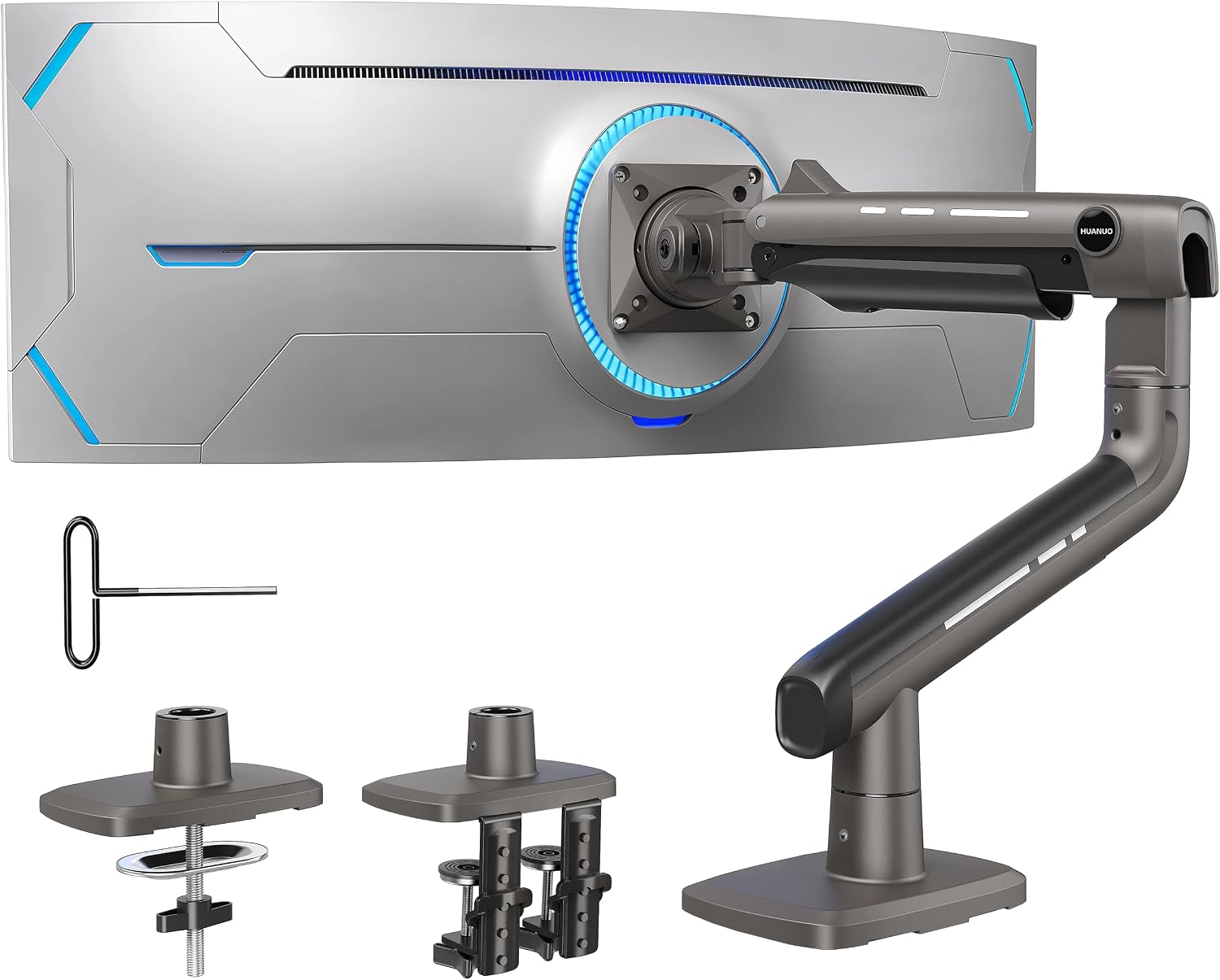
HUANUO TitanLift Heavy Duty Monitor Arm for Screens up to 49", Holds 44 lbs, Aluminum Ultrawide Screen Monitor Mount, Fully Adjustable Single Gaming Desk Mount with Dual C-Clamp, Max VESA 100x100mm

Heavy Duty Single Monitor Mount for 13"-49" Curved Screens, Black
One less thing to search
Before you buy: quick questions
I have a 27" monitor. Will this arm hold it securely without wobble, especially when I type?
For most standard 27" monitors within the common weight range, yes. The arm uses a gas-spring mechanism that users find smooth and stable for daily use. However, a common note from user reviews is that monitors at the very top of the size and weight limit (or those with an unconventional center of gravity) may exhibit slight wobble during aggressive typing. Ensuring all joints are tightened correctly during assembly is key to maximizing stability.
How difficult is the assembly and cable management setup?
Assembly is straightforward but can take 20-40 minutes. The instructions are functional, but many YouTube reviewers suggest dry-fitting parts before tightening everything. A pro-tip from social media: thread your cables through the management sleeves *before* attaching the arm to your desk for a much easier time. The cable channels are effective but snug.
What's the real deal with VESA compatibility? I'm worried it won't fit my screen.
The arm includes adapter plates for 75x75mm and 100x100mm VESA patterns, covering most monitors from 13" to 30". The most important step is to check your monitor's *exact* VESA pattern and weight in its manual, not just its screen size. A rare pain point mentioned online is with monitors that have recessed or non-standard VESA mounts; in those cases, you may need longer screws (not included).
If I buy two of these, can I use them for a dual-monitor setup?
Technically, yes, you can mount two separate arms side-by-side. This is a popular and cost-effective solution for many users. However, if you want your monitors to be connected on a single central clamp and move in unison, you would need a purpose-built *dual-monitor arm*. Many Reddit threads suggest that for a cleaner dual setup, a dedicated dual arm from brands like HUANUO or VIVO might offer better value and less desk clutter than two separate Amazon Basics arms.
What is your return policy if the arm arrives damaged or doesn't meet my needs?
This product is covered by Amazon's standard return policy. You typically have 30 days from delivery to return it for a full refund if you're unsatisfied or if the item arrives defective or damaged. We recommend inspecting the packaging and components upon delivery. If any parts are missing or damaged, please contact Amazon Customer Service directly through your order page for the fastest resolution.
From a similar, more-reviewed product in this category: FORGING MOUNT Heavy Duty Single Monitor Arm Stand Fits 17-42" Computer Screen, Adjustable Gas Spring Desk Mount Holds up to 33lbs, Full Motion with Clamp/Grommet Base, VESA Mount 75x75/100x100
Will this arm really hold a 40" or 43" monitor without sagging?
Yes — reviewers regularly mount 40" and 43" displays and report a secure, stable hold. Just keep your monitor (plus the VESA plate) under the 33 lb limit, and expect to spend a few minutes tightening the gas spring tension the first time. Once dialed in, it stays put.
How difficult is the tension adjustment? I've seen complaints about it.
It's the most common gripe, and honestly it's fair — the arm ships at minimum tension, so heavier screens need many turns of the included Allen key before they hold position. It's not hard, just tedious. Do it *before* mounting the monitor if you can, and you'll save yourself some frustration.
Will the clamp fit my desk? What if it doesn't?
The C-clamp works on most desks up to about 2" thick with a flat underside, while the grommet base is the better choice for thicker tops or desks with a metal frame or lip underneath. If you have a glass desk or an unusually beveled edge, measure first — and check the return policy before drilling anything.
Is installation really as easy as people say?
For most users, yes — 15 to 30 minutes solo with the included hardware and instructions. You'll need a Phillips screwdriver and the supplied Allen key. The only step that trips people up is tension tuning, and having a second person help lift larger monitors onto the plate makes it much smoother.
Is it worth it compared to cheaper arms or premium brands like Ergotron?
If you want heavy-duty capacity, both clamp and grommet mounting, and smooth gas-spring motion without paying Ergotron prices, this is a strong value pick — many TikTok and YouTube reviewers call it a "budget HX." If you need tool-free tension adjustment or plan to mount something over 35 lbs, step up to a premium arm instead.
Answers are limited to the manufacturer's listing and the reviews we analysed. Questions those sources cannot support are not answered here.
Transparent by design