What people like
Good value for the price
Several reviewers found this Chromebook a good value, with a nice screen and enough performance for their needs.
Our buying verdict
Several reviewers find it a good-value laptop for basic needs, but one reports severe slowdown and another a motherboard failure.
Buyers seeking an inexpensive laptop for basic school, writing, or business tasks who value a large screen.
Buyers who need dependable long-term performance and cannot accept reports of severe slowdown or early hardware failure.
The 30-second read
What people like
Several reviewers found this Chromebook a good value, with a nice screen and enough performance for their needs.
The main watch-out
One reviewer found it extremely slow and unusable after a few months; another reported the motherboard died after six months.
Before you choose
One reviewer noted the USB ports are only on the left side, which may matter if you need ports on the right.
From a similar, more-reviewed product in this category: 15.6'' AI Laptop with Office 365, I5-6200U,8GB RAM, 128GB SSD, Win 11 Home
What people like
Several reviewers say it starts quickly and runs smoothly for basic tasks like schoolwork, browsing, and documents, with a clear screen and Office 365 included.
The main watch-out
One reviewer found it not very powerful and unable to handle a 4K YouTube video, noting it won't outperform other devices.
Before you choose
One reviewer reported 6GB RAM and another described a Celeron processor, which differ from the listed specs; confirm the actual configuration before buying.
Description
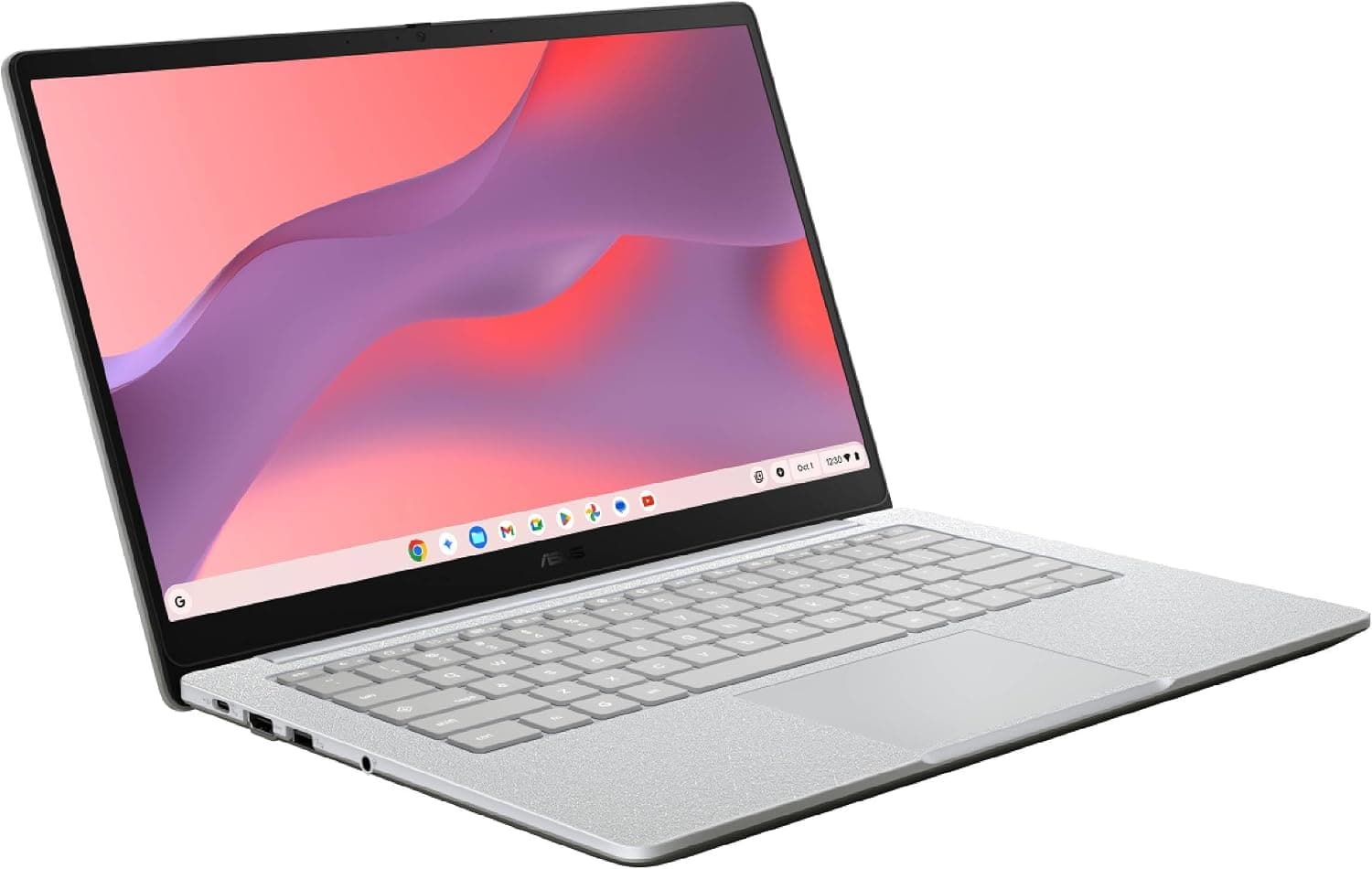
The ASUS Chromebook CX14 makes everyday computing effortless, combining fast ChromeOS performance with the seamless power of built-in Google apps for work and play. Driven by an Intel Celeron processor, it starts quickly and stays responsive. Its lightweight design, built to meet the US MIL-STD 810H military-grade standard, plus a 14-inch Full HD display, WiFi 6, and a versatile 180° hinge make it ideal for casual productivity and entertainment on the go.
Compare the trade-offs
A random selection of analyzed products from the same category. Different products are not necessarily interchangeable.

Lenovo ThinkPad X1 Extreme Gen 5 Business Laptop - 16" IPS 100% sRGB Display, Intel Core i7-12700H, RTX 3050 Ti, 32GB DDR5 RAM, 1TB PCIe, Fingerprint Login, Backlit KB, Wi-Fi 6, Windows 11 Pro

ASUS Vivobook Go 15.6” FHD Slim Laptop, AMD Ryzen 3 7320U Quad Core Processor, 8GB DDR5 RAM, 128GB SSD, Windows 11 Home, Fast Charging, Webcam Sheild, Military Grade Durability, Black, E1504FA-AS33

ASUS TUF Gaming A16 Laptop: AMD Ryzen 7 7445HS, 16" Full HD+ 145Hz Display, NVIDIA GeForce RTX 4050, 16GB DDR5 RAM, 512GB SSD, Backlit Keyboard, Windows 11
Check the evidence
Included does not mean verified authentic. Flagged does not mean proven fake. These are analytical classifications.
Showing 3 illustrative excerpts, not the complete review set.
Laptop for lefties
“This is a good, inexpensive laptop but the USB ports are on the left side only, I didn't know there were left handed laptops but there you are. (I'm right handed) Great hi def display.”
Signals matched: Specific detail: entity · Reads as an authentic voice
Great computer for the price
“Replaced an HP laptop with this. Great not to have all of HPs software. It’s a great laptop and does all that I need as a wrier and business owner.”
Signals matched: Specific detail: entity, scenario · Reads as an authentic voice
Perfect
“Bought one for me. Then we loved it so much got a second for my partner. I was skeptical with the low price but they've been perfect.”
Signals matched: Specific detail: quantity, process · Reads as an authentic voice
One less thing to search
For browsing, email, Google Docs, video calls, and streaming, yes — that's exactly the lane this Chromebook is built for. Just keep expectations realistic: many Reddit and YouTube reviewers note that juggling a dozen heavy tabs or lots of Android apps can slow things down, and the RAM is soldered, so it can't be upgraded later. The 64GB eMMC also leaves roughly 40GB free after the system, so if you store lots of files locally, plan on adding a microSD card. Light, cloud-first users will be perfectly happy; heavy multitaskers should look at an 8GB model.
Not natively — this runs ChromeOS, not Windows, so traditional .exe programs won't install. That said, you can use Microsoft 365, Google Workspace, Zoom, and most everyday tools through the browser or the Play Store, and offline modes work for Docs and Office web apps. A common regret from first-time buyers is not realizing this upfront, so if your job or coursework depends on Windows-only software, this isn't the right fit. For everyone else living in the cloud, it's smooth and secure.
It's genuinely tough for the price — ASUS built it to the US MIL-STD 810H standard, and owners regularly praise it for surviving backpacks and bumps. On weight, you may see conflicting numbers in listings; the laptop itself is about 3.06 lbs, so treat the higher figure as shipping/packaging weight. The 180° hinge feels solid in daily use, and the fanless design keeps it silent. It's an easy carry for students and commuters.
The 42Wh battery comfortably covers a full day of light use — browsing, docs, and video — and most users report getting through work or school without hunting for a charger. It charges via USB-C, so you can top it up with a standard PD charger or power bank instead of lugging the included adapter. Heavy video streaming will drain it faster, as you'd expect on any budget laptop.
It's ideal for students, parents buying a first laptop, casual users, and travelers who want a light, durable, affordable machine for Google apps, streaming, and web browsing — and the 3-month Google AI Pro and 5TB storage bonus adds real value. If you're a power user, a heavy multitasker, a gamer, or someone who needs Windows software, skip this and spend a bit more on an 8GB Chromebook or a budget Windows laptop. In short: buy it for what it is — an excellent entry-level cloud laptop — not for what it isn't.
From a similar, more-reviewed product in this category: 15.6'' AI Laptop with Office 365, I5-6200U,8GB RAM, 128GB SSD, Win 11 Home
Fair question — and one plenty of Reddit and YouTube reviewers have raised. The "AI" here refers to Windows 11's built-in smart features (writing assistance, summaries, task suggestions) plus cloud-based tools, not a dedicated AI chip. If you're expecting Copilot+ PC-level on-device AI, this isn't that. But for everyday smart assistance while you work or study, it delivers real, usable help.
For browsing, Word, Excel, Zoom, email, and streaming, yes — it handles daily multitasking smoothly. Just set expectations: this is a 6th-gen processor with DDR3 memory, so it's built for productivity, not gaming or video editing. As one TikTok reviewer put it, *"buy it for documents, not for DaVinci Resolve."* If your workload is light-to-moderate, you'll be happy.
After Windows 11 and Office, you'll have roughly 70GB free — fine for documents and light media, tight if you store lots of photos or videos. The good news: the TF card slot supports expansion up to 2TB, so you can add space affordably without opening the laptop. Many student buyers treat the card slot as their "second drive."
The chassis is lightweight plastic — portable and fine for daily carry, though it won't feel premium. The 180° lay-flat hinge is a genuine highlight for presentations and screen-sharing, and reviewers consistently call it sturdy. Battery life is solid for classes and meetings, but "all-day" assumes moderate brightness; heavy use at full brightness will drain it faster. Honest verdict: good value, not ruggedized.
It's a great fit for students, parents buying a first laptop, light office workers, and anyone who wants an affordable Windows 11 + Office 365 machine with a sharp 1080p screen. Skip it if you need gaming, video editing, heavy multitasking, or future-proof upgradeable RAM — in that case, a refurbished business laptop or a model with a newer chip and 256GB+ SSD will serve you better. Buy it for value and everyday productivity, and it won't disappoint.
Answers are limited to the manufacturer's listing and the reviews we analysed. Questions those sources cannot support are not answered here.
Transparent by design